BeReal is safe for most users who adjust their privacy settings and keep a small friend list. While we value the app’s push for “authenticity,” its core features create privacy gaps that every user must address.
At TurisVPN, we believe online freedom starts with knowing how your tools handle your personal boundaries. This guide cuts through the marketing to reveal the technical risks you need to know. We will help you decide if the app fits your lifestyle while keeping your data secure from prying eyes.
What is BeReal?
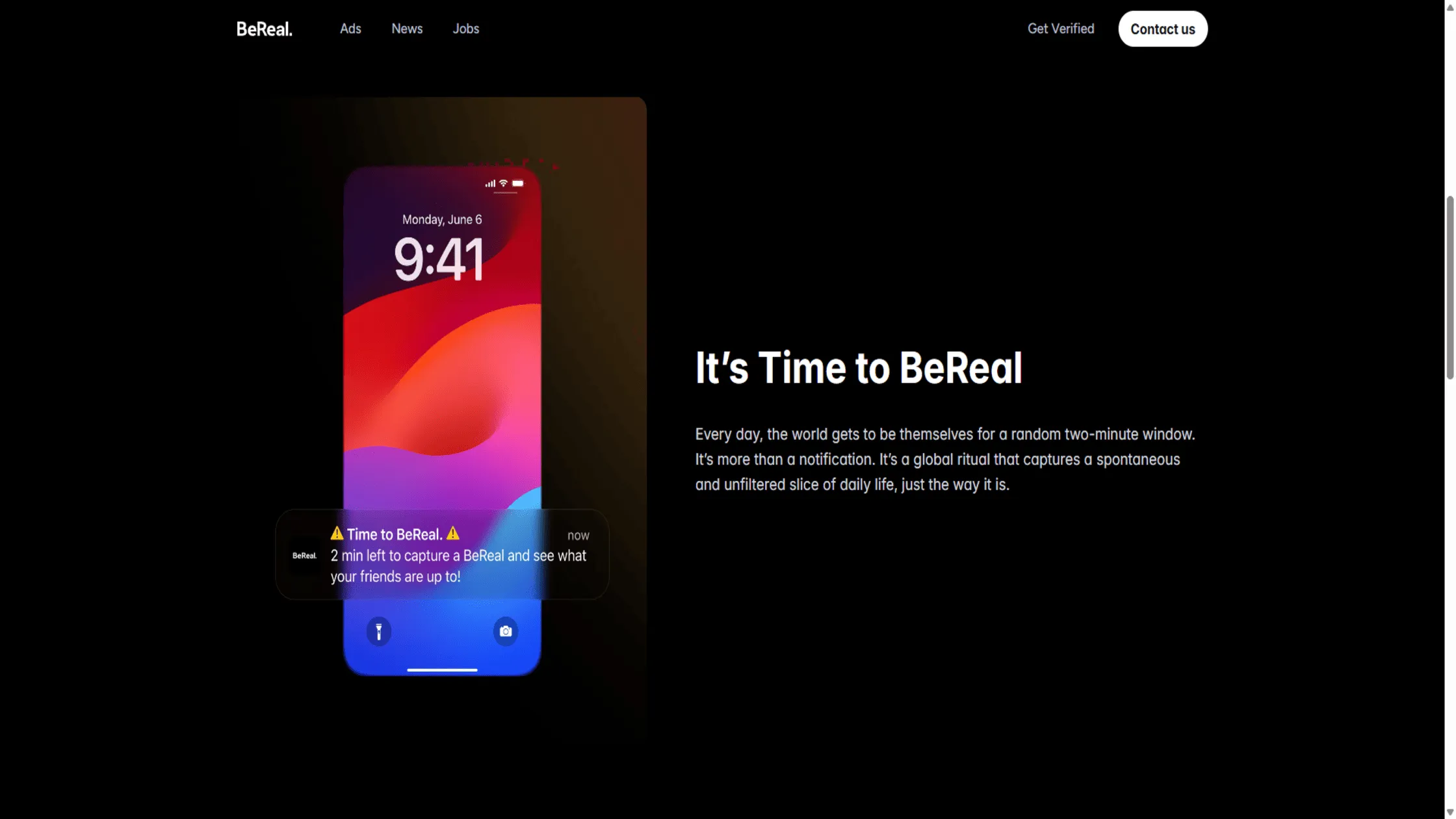
BeReal is a social media application that prompts users to share one unedited photo daily at a random time. It consists of a dual-camera capture showing both your face and your surroundings simultaneously. This varies from traditional apps by removing filters and likes to focus on raw, everyday life.
For example, if you receive the alert while working, post a photo of your desk rather than a staged vacation photo. This means the app prioritizes genuine human connection over manufactured perfection.
As we examine how the app works, we must evaluate whether BeReal is safe for those who value their privacy.
Is BeReal safe to use?
BeReal is safe because its design removes many of the predatory features found on traditional social media. The app’s requirement for raw, unedited photos makes it significantly harder for scammers to create fake personas or catfish other users. The platform’s simplicity is its best security feature, as it limits the amount of data you share with the world.
By focusing on a “Friends Only” model, the app creates a much smaller target for hackers and digital voyeurs. Understanding how encryption protects your data from snooping is a first step toward securing your mobile privacy on interactive platforms like this one. Several key features contribute to making the platform a secure choice for your daily routine:
- Closed Friend Networks: You can choose to share your life only with people you know in real life, keeping your data out of strangers’ hands.
- No Predatory Algorithms: The app does not use “addictive” scrolling features, which reduces the total time the platform tracks you.
- Minimal Scrolling: Because BeReal limits each user to one post per day, there is far less to scroll through, reducing your overall exposure and screen time.
- Screenshot Notifications: You receive an immediate alert if someone saves your photo, giving you full transparency over your shared content.
- No Public Likes or Follower Counts: BeReal removes the public metrics that drive obsessive behavior on other platforms, making your experience less trackable and more private.
- Mental Health Protection: By removing likes and filters, the app is often considered safer than Snapchat because it discourages the toxic culture of “perfect” comparison.
- One Post Per Day: Sharing only once per day naturally limits the volume of personal data you upload to the app’s servers.
We believe that BeReal is trustworthy when you take the time to audit your settings and use a secure connection. Understanding the general safety level leads us to the specific technical vulnerabilities within the app’s design.
What Are the Safety Risks of BeReal?
The primary safety risks of BeReal include involuntary data exposure, insufficient moderation, and the psychological pressure to post in real time. Unlike other apps, BeReal forces a “raw” perspective that can inadvertently reveal your house layout, workplace documents, or private schedules.
Location sharing risks
BeReal uses precise GPS data to show exactly where you are when you snap your daily photo. By default, the app often attaches your “Current Location” to every post, pinning your house or school on a map for friends.
This creates a digital trail that allows people to track your daily movements and routines. We recommend checking your settings because the way BeReal tracks your location can turn a simple photo into a safety hazard.
Oversharing due to the 2-minute posting feature
The two-minute timer on BeReal creates an “urgency bias,” leading users to skip their usual privacy filters. When the alert goes off, you might capture sensitive emails on your counter or on a computer screen with private emails. This pressure to be “real” often overrides common sense and the desire to keep your home life private.
Exposure through the Discovery feed
The Discovery feed is a public gallery where any user can see posts from people they are not friends with. If you accidentally set your post to “Global,” strangers worldwide can see your face and location in real time.
This exposure removes the safety of a closed friend group and turns your private life into public data. We advise users to always keep their posts set to “Friends Only” to maintain a secure digital boundary.
Lack of strong content moderation
BeReal has a smaller moderation team than giants like Meta, which means harmful content can stay public for longer. While you can report posts, the volume of real-time uploads makes it hard to catch every violation.
This environment can expose younger users to graphic or inappropriate content before it gets flagged. Because the platform celebrates “realness,” some users may post risky behavior just for shock value.
Screenshot and privacy limitations
BeReal notifies you if someone screenshots your post, but it cannot stop the image from being saved. This notification is a reactive feature that does not protect you once the data is on another device.
Furthermore, people can use screen recorders or other cameras to capture photos without triggering any alerts. This proves that no content on BeReal is temporary once it reaches the app’s servers.
Broad Data Rights
BeReal’s terms of service grant the company broad rights to collect and use the data you generate on the platform, including your photos, location history, and usage patterns. This means that beyond what your friends can see, the company itself retains access to a significant amount of your personal information. Users should review the app’s privacy policy carefully to understand exactly what data is collected, how long it is stored, and whether it can be shared with third parties.
Parents should also consider the advantages and limitations of iPhone privacy software before handing a smartphone to a teenager who wants to join new social circles.
Is BeReal safe for teens and kids?
Yes, a safe platform for teenagers aged 13 and above, particularly when supported by parental supervision. For kids under 13 and requires heavy parental oversight for older teenagers to prevent data leaks. While the app is officially rated for ages 13+, it lacks the standard parental control tools found on most other social networks.
We find that BeReal’s safety for teens depends entirely on their digital maturity and your ability to monitor their friend list. The app’s “real-time” nature creates a high-pressure environment that can lead young users to share sensitive information without thinking.
| Age Group | Safety Recommendation | Primary Risk |
| Under 13 | Not Recommended | BeReal is not safe for 10-year-olds; it violates terms and lacks maturity. |
| 13 – 14 | Parental Supervision | BeReal is safe for 13-year-olds, only if they use strict private settings. |
| 15 – 17 | Guided Usage | 15-year-olds can use BeReal when location is turned off. |
We do not believe that children are ready for BeReal because they often lack the judgment to handle spontaneous location-sharing. We also have concerns about whether BeReal is safe for 11-year-olds or 12-year-olds, since the app removes the “curated” safety features found on other platforms.
Deciding if BeReal is safe requires a deep dive into their specific account settings before they are allowed to sign up. When evaluating the psychological risks BeReal poses to younger users, we must consider the specific traps they face.
What Are Risks Specific to Children & Teens?
Children and teens face unique risks on BeReal due to their developing sense of privacy and the intense need for peer validation. While an adult might ignore the “BeReal” alert in a private setting, a teenager is more likely to post regardless of the surroundings to stay “in the loop.” For a teen, the app is only as trustworthy as the friends they add, which is a fragile safety net.
No Parental Controls
BeReal offers no native parental control tools, meaning you cannot see your child’s friends list or posts remotely. Unlike apps with “family pairing,” BeReal puts the full burden of safety on the young user. This makes it hard to know if a 10-year-old is talking to strangers on the public feed. Parents deciding to let a 13-year-old use BeReal must be prepared to manually check the phone every day.
Inappropriate Content Exposure
The “Discovery” feed can expose teens to unfiltered content from adults worldwide. We have found that BeReal is safe for 14-year-olds only if they stay away from the public side of the app. The lack of a “safe search” mode means children might see mature themes or graphic images before they are removed. This makes the app a digital “wild west” for those who are not prepared for raw content.
Screenshots and Permanent Footprints
Teens often forget that a “temporary” post can become a permanent part of their digital reputation through screenshots. If a teen posts something embarrassing or revealing during that two-minute rush, a “friend” can save it forever with one click. This creates a high-stakes environment where a single mistake can lead to bullying or social exclusion.
To help you stay secure, we have listed the best ways to use the app without giving up your privacy.
How to use BeReal safely?

Using BeReal safely requires changing your settings from the default options to a “privacy-first” mode. By taking a few seconds to secure your phone, you can enjoy the app without risking being tracked. Following our guide will help you keep your physical location and your personal life private.
Turn off location sharing on your phone
You can ensure BeReal is safe for your privacy by disabling the precise location feature in your device settings and in the app. This prevents the app from attaching your exact coordinates to your photos, which is vital if you post from home or school. We believe that your physical location should never be a default data point for any social media company.
Steps to disable location tracking:
- Open the BeReal camera interface when the notification appears.
- Locate the arrow icon (location symbol) at the bottom of the preview screen.
- Tap the icon until it displays “Location Off” or is crossed out.
- Optionally, go to your phone’s system settings and revoke the app’s “Precise Location” access.
Keep Posts Private
Sharing your content with “My Friends Only” instead of the “Discovery” feed is the most effective way to keep it from unwanted eyes. The Discovery feed is essentially a public billboard where strangers can view your daily life. Restricting your audience ensures that only people you trust can see your spontaneous moments.
Here’s how to set your audience to private:
- Take your daily BeReal photo using the front and back cameras.
- Before tapping the send button, look for the “Audience” or “Options” toggle.
- Select the “My Friends Only“ option to keep the post off the global feed.
- Confirm the upload to ensure the photo stays within your trusted circle.
Perform a “Background Scan”
A three-second “Background Scan” prevents accidental data leaks by ensuring no sensitive items are visible in your unedited photo. This is your best defense against the “two-minute” pressure that often leads to oversharing. You should always double-check your surroundings to ensure BeReal is safe for kids or other family members who may be in the frame.
Steps to perform a background scan:
- Frame your shot and look past your face into the background.
- Check for mail with your address, sensitive work documents, or school logos.
- Ensure no people are visible who have not consented to being in the photo.
- Snap the photo only once you are certain the background contains no private data.
Curate Your Circle
Maintaining a private inner circle of trusted, real-life friends is vital to ensuring BeReal remains safe and trustworthy for your personal moments. Unlike platforms where you seek a high follower count, this app is intimate and shows your daily habits. Treating your friends list like a guest list for a private party will make the app much safer.
How to curate your friends list:
- Navigate to the “Friends” tab within the BeReal app.
- Review every person on your list and ask if you trust them with your location.
- Remove any stranger, distant acquaintance, or person you haven’t met in real life.
- Decline incoming requests from unknown accounts immediately to maintain your digital boundaries.
Ignore the Clock if Needed
Posting a “Late” photo is always better than compromising your safety in a sensitive or private location just to beat the timer. There is no penalty for being late other than a small tag on your post, which is a small price to pay for your privacy. Your safety is worth more than the “authenticity” points the app offers for posting on time.
Steps to handle the two-minute timer safely:
- Receive the BeReal notification even when you’re busy or in a private spot.
- Evaluate if your current environment is secure (avoid bathrooms or secure offices).
- Dismiss the notification and wait until you move to a safe, non-sensitive location.
- Open the app and post “Late” after you complete your background scan.
As you tighten your app settings, you might wonder if external tools like a VPN can add an extra layer of defense.
What a VPN can and cannot protect on BeReal
BeReal is safe when paired with a VPN, provided you understand that encryption only hides your data, not your camera’s view. While TurisVPN creates a secure tunnel for your information, it cannot erase a photo you voluntarily post. We want you to be clear on where our protection ends and your digital habits must begin.
Knowing these boundaries helps you decide if BeReal is trustworthy for your daily sharing. The following table breaks down how our service interacts with the app’s unique features:
| What VPN Can Do | What VPN Cannot Do |
|
|
|
|
|
|
|
|
We recommend choosing a paid VPN over a free service to ensure your personal data is never sold. Essentially, a VPN secures the “pipe” your data travels through, but you remain responsible for the content you put into that pipe.
Bottom Line
Is BeReal safe? Yes, the app is safe for users who lock down their privacy settings. While the app is authentic, its real-time tracking requires your full attention. At TurisVPN, we advocate a balanced approach: enjoy authenticity without compromising your security.
By turning off location services, keeping your circle private, and using a VPN to protect your connection, you can make the most of BeReal without exposing yourself to unnecessary risks.
FAQs
1. Does BeReal track your data and location?
Yes, BeReal tracks your precise GPS location by default to facilitate its “Location” feature on posts. It also collects standard usage data and device information to improve the app’s performance. You can limit this by disabling location permissions in your phone’s privacy settings.
2. Does a VPN hide your location on BeReal?
Yes, a VPN will hide your IP address, which prevents the app from knowing your general network location. However, if you have “Precise Location” enabled in the BeReal app, it uses your phone’s GPS, which a VPN cannot spoof. You must disable the location feature inside the app separately.
3. Can strangers see your BeReal posts?
Strangers can only see your posts if you set your visibility to “Global” or “Discovery.” If you keep your settings on “My Friends Only,” your posts are only visible to the people you have manually accepted as friends.
4. Is BeReal safer than Snapchat or Instagram?
In terms of social pressure and “beauty standards,” yes. However, Snapchat and Instagram have much more sophisticated parental controls and privacy settings. BeReal is “simpler,” but that simplicity means fewer guardrails for inexperienced users.
5. How do I make my BeReal account private?
There is no single “Private Account” button like on Instagram. Instead, you must ensure that every time you post, the audience is set to “Friends Only” and that your location sharing is turned off. Safety on BeReal is managed post-by-post.
6. Does using a VPN make BeReal safer?
Yes, using a VPN adds a layer of encryption that prevents third parties on your Wi-Fi network from intercepting your data. It also prevents BeReal from logging your actual IP address, which enhances your overall digital anonymity.