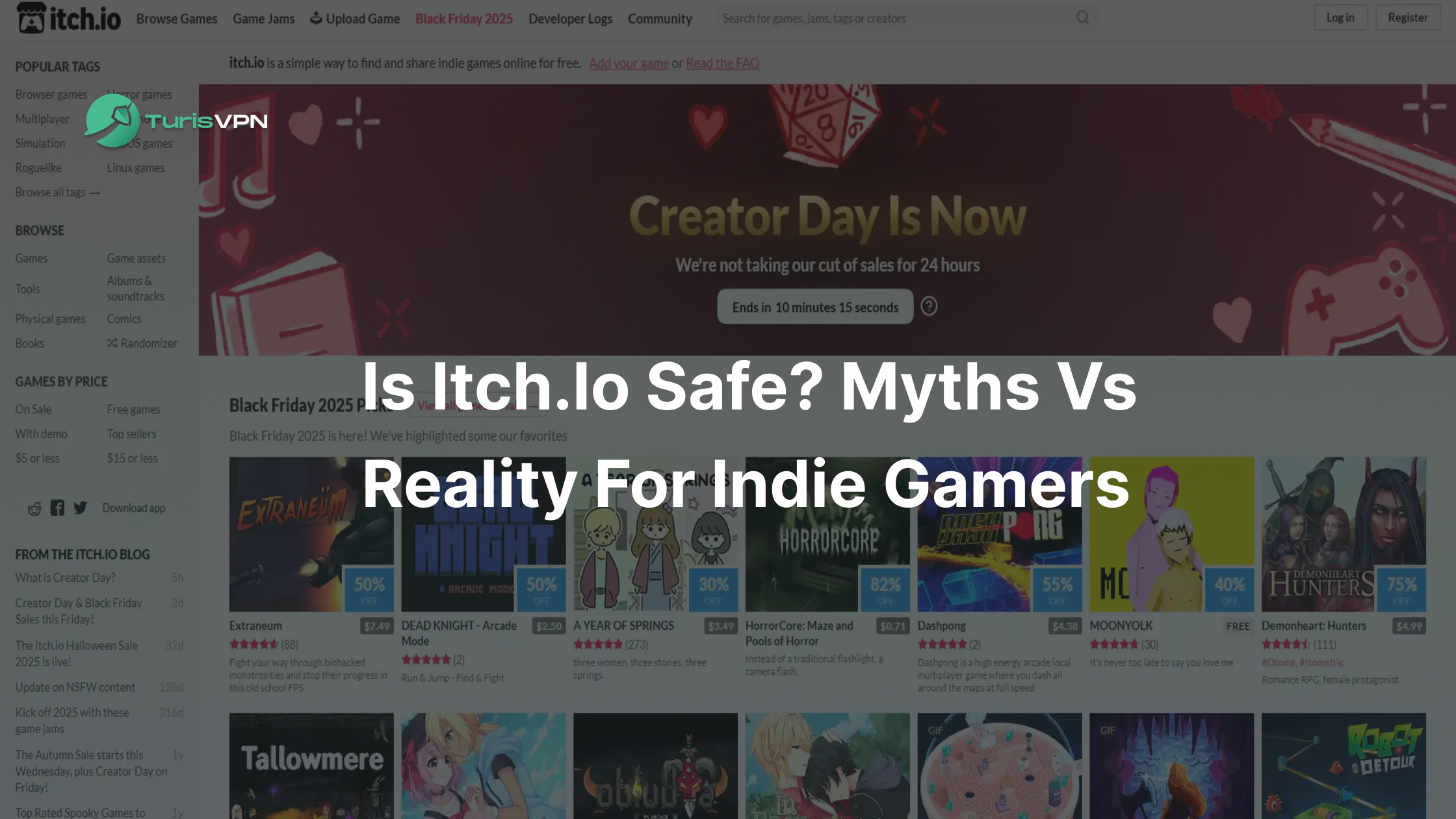
Is itch.io safe for gamers who want to explore the bleeding edge of indie development? The short answer is yes. However, using the platform requires a level of caution. The platform itself is legitimate and provides a wealth of creative indie titles, but since anyone can upload content, some risks like scams and malware exist.
In this guide, we will analyse the platform’s security features, expose common scams, and teach you how to protect your device while enjoying the best indie titles.
What is itch.io?
itch.io is an open marketplace designed for digital creators and independent developers to upload a vast array of digital content. Launched in 2013, it has established itself as the premier destination for indie gaming, but its library extends far beyond just software.
Users can explore a diverse range of content components that make the platform unique:
- Indie Games: This is the core of the platform, hosting thousands of experimental titles, horror prototypes, and Game Jam entries that you won’t find on consoles.
- Game Assets: A vital resource for developers, offering 2D sprites, 3D models, textures, and audio packs for building games.
- Digital Comics and Soundtracks: A dedicated space for independent artists to distribute digital zines, graphic novels, and original music albums directly to fans.
- Printable Games: Unlike other stores, itch.io hosts “physical games,” including tabletop RPG manuals and print-and-play card games.
Because the platform prioritises creator freedom, anyone can create an account and upload a project. This results in a unique and massive library of niche content that you simply cannot find on traditional consoles or mainstream storefronts.
Is itch.io Safe for Gamers?
Yes, itch.io is a safe website to browse. The site uses standard encryption (HTTPS), and the company itself is a legitimate business, not a scam operation. You can browse pages, read devlogs, and listen to soundtracks without any risk to your computer because these activities occur within the secure environment of your browser.
However, users must exercise vigilance regarding the active risk involved in downloading files. Browsing is passive and secure, whereas downloading executable files moves you outside the site’s safety sandbox, requiring you to trust the specific uploader. There are specific risks you need to watch out for:
- No Manual Testing: itch.io does not manually test every file uploaded, meaning there is no guarantee of safety for every download.
- Malware Disguised as Games: There is always a non-zero risk that a bad actor could upload malicious software hidden inside a game file.
- High Risk with New Accounts: If you download random files from new, unverified accounts, the danger rises significantly compared to sticking with verified developers.
- “Downloader Beware” Environment: This lack of strict curation creates a landscape similar to the risks associated with piracy sites. While itch.io is legal and legitimate, the absence of file curation shares that same element of risk, where the user must be responsible for their own safety.
Gamers frequently debate the safety of platforms such as itch.io and SteamRIP for downloading cracked games. The answer is simple: If you stick to popular games and verified developers, itch.io is safe. Conversely, if you download random files from new accounts, the risk rises.
It’s wise to remain skeptical; just as you would inquire about the safety of downloading utilities from websites like Softonic, it’s essential to verify the uploader on these platforms.
How Does Itch.io Work?

Unlike curated stores like Steam, PlayStation, or Xbox, Itch.io operates on a completely “Open Publishing” model. It empowers independent creators by removing gatekeepers, but this freedom comes with a significant security trade-off for users.
To determine if Itch.io is safe, you must understand the two core pillars of how it functions:
No DRM & No Forced Reviews
On major platforms, every game undergoes a rigorous vetting process before it reaches the store. On Itch.io, the barriers are removed:
- No Forced Reviews (Instant Publishing): Anyone—from a genuine indie developer to a malicious hacker—can create an account and upload a file instantly. There is no mandatory waiting period for a moderation team to test the game for bugs or hidden malware. Security relies heavily on the community reporting bad files after they are published.
- No DRM (Digital Rights Management): Most games on Itch.io are “DRM-free.” This means you download the raw installer files (.exe, .zip) directly to your PC. While this gives you ownership of the file, it also means you are running unverified code directly on your operating system without the protective “wrapper” or client oversight that Steam provides.
Without forced reviews or DRM constraints, a file labeled “Super Mario Free” could technically be a trojan or ransomware. This is why user vigilance is far more critical here than on Steam.
itch.io vs. Steam: Which is Safer?
To determine whether itch.io is safe relative to industry standards, it is helpful to weigh its open policies against the strict curation of Steam. This comparison illustrates how different barriers to entry impact the overall security of each storefront.
| Feature | Steam | Itch.io |
| Barrier to Entry | High. Developers pay a fee ($100) & verify tax info. | None. Free for anyone (including scammers) to join. |
| File Verification | Strict. Valve reviews game builds before release. | Loose. Relies on automated scans & user reports. |
| Primary Security Risk | Social Engineering. Users are prone to “Steam Card Scams” where they are tricked into handing over value. | Malware. The lack of curation means bad actors can upload viruses disguised as games. |
| Safety Philosophy | Curated Walled Garden. Prioritizes checking files to protect the user. | Open Marketplace. Prioritizes developer freedom over strict policing. |
For those prioritising virus and malware avoidance, Steam is the superior choice due to Valve’s manual build checks and entry fees that deter low-effort scammers. However, vigilance against social engineering attacks, such as gift card scams, remains necessary.
Common itch.io Scams in 2025

Scammers have become sophisticated, often relying on social engineering to trick you rather than hacking you directly. To stay safe, it is crucial to understand what happened to itch.io regarding recent security trends, as the platform’s growth has placed a target on its back.
“Test My Game” Phishing
This currently stands as the most prevalent threat facing the community. A user might receive an unsolicited email or a direct message on Discord from an individual claiming to be a developer seeking help.
These actors ask the target to “beta test” a new game hosted on itch.io, often providing a password-protected zip file for download. This file is usually malware rather than a legitimate game, as it bypasses standard scans by hiding behind a password.
Comment Bot Spam
Bot accounts frequently target popular game pages, leaving comments that claim the original file is broken or corrupt. These messages direct players to “download the fix here,” providing links that lead to external sites or fake itch.io clones designed to steal credentials.
Following these external redirects often leads to compromised systems, so ignoring such comments is essential for account safety.
Game Theft and Malware Waves
Sometimes scammers rip a popular game from Steam, upload it to itch.io for free, and inject a virus into the file. Users think they are getting a deal, but they are getting infected. This raises the question: Does itch.io host viruses directly on its server?
Technically, yes, but not intentionally. While the platform uses automated scanners to filter uploads, they are not foolproof. Malware hidden in password-protected archives can bypass these checks, allowing infected files to remain on the server until users report them.
Many users wonder whether a VPN protects you from hackers in this scenario? While a VPN secures your connection, it cannot prevent a virus that you voluntarily download and run, so you must remain vigilant.
Password-Protected Archives
A major red flag is any download that comes as a password-protected .zip or .rar file. Scammers use this method to bypass itch.io’s server-side virus scanners, which cannot inspect the contents of an encrypted archive.
If a game page or developer provides a file password in the description (e.g., “Pass: 1234”), do not download it. This tactic ensures the malware remains hidden from automated tools until the user manually extracts it on their own PC.
Maintaining strong security habits beyond itch.io is vital, and knowing how to find out if someone hacked your Facebook or other social accounts can help you detect and prevent broader attacks arising from phishing scams.
Is It Safe to Download Games or EXE Files From itch.io?
The answer is yes, but safety depends entirely on the file type and the developer’s reputation. This technical distinction remains a critical point of understanding for users. Determining whether itch.io is safe for downloading EXE files involves examining how executables work.
An .exe file grants code permission to run directly on the host computer. If a bad actor conceals a Trojan within a game file, executing it can compromise the system, as antivirus programs sometimes miss “zero-day” exploits.
While the platform performs automated scans, no system is flawless. Playing HTML5 games within the browser offers complete safety, whereas downloading executables from unverified sources involves inherent risk.
How to Download Games From itch.io Safely
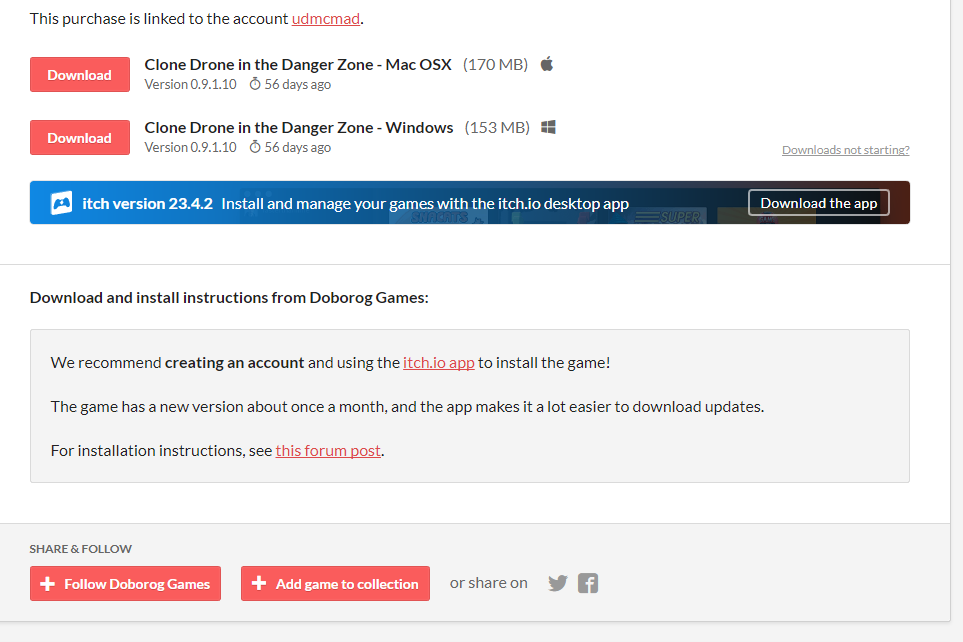
Mitigating potential security risks requires adhering to a strict hygiene protocol for all digital downloads. Following these specific steps ensures a secure experience and protects the system from unnecessary threats.
Use the Official App
Installing the official desktop app establishes a secure sandbox environment for gaming. The software isolates game files from the main operating system, which prevents malicious programs from accessing critical folders or personal documents without permission.
Step-by-step Guide:
- Navigate to the official website homepage.
- Locate the “Download App” button displayed on the top banner.
- Download the installer that matches your correct operating system.
- Run the installer and log in using valid credentials.
- Search for and install games strictly through this client interface rather than using a browser.
Vet Developers and Games
Analysing the account history before clicking download remains a critical defence strategy. Trusting established creators offers significantly more protection than downloading files from brand-new, unverified accounts.
Verification Steps:
- Click on the developer’s profile name to view their page.
- Check the “Joined” date to see how long they have been active.
- Look for titles released more than a year ago to establish credibility.
- Read recent comments to see if other users report technical issues.
- Avoid accounts created within the last 48 hours that offer suspicious files.
Use antivirus + sandbox for EXE files
Executing files without a preliminary scan exposes the system to unnecessary danger. Performing a safety check on every executable file is non-negotiable for maintaining a clean computer.
Scanning Protocol:
- Download the desired file to the desktop.
- Do not open the file immediately after the download finishes.
- Right-click the file icon to open the context menu.
- Select “Scan with Windows Defender” or the installed antivirus software.
- Open a web browser and navigate to VirusTotal for a second opinion.
- Upload the file to the site to cross-reference multiple databases.
- Perform an itch.io virus scan online using these external tools to ensure the file is clean.
Be Skeptical of Unsolicited Links
Verifying URLs with extreme care prevents falling victim to typosquatting attacks. Scammers often replace specific letters to create fake sites, such as “ltch.io” (using an ‘L’ instead of an ‘i), to trick unsuspecting users.
Safety Checks:
- Hover the mouse over any link before clicking it.
- Inspect the spelling displayed in the bottom left corner of the browser window.
- Delete messages containing suspicious links sent by unknown users immediately.
Enable 2FA
Securing the account with extra layers of authentication prevents hackers from hijacking a trusted profile. Scammers often steal reputable accounts to trick other users, so enabling this feature protects the entire community.
Activation Steps:
- Log in to the account on the main website.
- Click the arrow next to the username to open the menu.
- Select “Settings” from the dropdown list.
- Click on “Password & Security” located in the sidebar.
- Select “Configure Two-Factor Authentication” to start the process.
- Link a mobile authenticator app to finalise the setup and lock the account.
Using TurisVPN for Added Safety When Accessing itch.io
While a VPN does not scan files for viruses, utilising one remains essential for privacy and preventing Man-in-the-Middle attacks, especially when downloading games on public Wi-Fi. We recommend using TurisVPN to encrypt traffic and secure the connection.
How to use TurisVPN to protect your session:
- Launch the TurisVPN application before opening a web browser, or use the web extension.
- Connect to a secure server location nearby to ensure the best possible download speeds.
- Browse itch.io anonymously without leaving a digital footprint.
Many users feel unsure about the technical setup. For those new to this technology, we have a comprehensive guide on how to use a VPN effectively. Furthermore, unlike risky proxies that compromise user privacy, TurisVPN offers a trusted alternative.
When asking if free VPNs are safe, the answer depends on the provider’s integrity. TurisVPN guarantees a strict no-logs policy on both its free and premium tiers, ensuring that gaming habits remain private and data is never sold.
Is itch.io Good? Pros and Cons for Gamers
Is itch.io good? Yes, it serves as an incredible, vital hub for independent creativity, but it is not for everyone. While it offers freedom that mainstream stores cannot match, that lack of regulation comes with significant trade-offs regarding quality and content safety.
Pros
- Massive Variety: Tens of thousands of free, experimental games, assets, and jams—not on Steam.
- Direct Support: Pay-what-you-want sends 90-100% to creators, skipping corporate cuts.
- Community Focus: Devlogs, ratings, and events build niche discovery for artistic titles.
- DRM-Free: Own files forever, with easy backups and cross-platform plays.
Cons
- No Quality Control: Many uploads are unfinished prototypes or low-effort demos amid sketchy content from unvetted users.
- Security Risks: Rare malware slips past auto-scans, especially from new accounts—vet devs first.
- Navigation Challenges: No strong algorithms bury gems; relies on tags and manual hunts.
- Sketchy Content: Spam bots, fakes, and NSFW hides post-2025 changes complicate safe browsing.
In conclusion, itch.io is excellent for gamers who enjoy digging for hidden gems and supporting small creators. However, it requires a “buyer beware” mindset. Unlike Steam, which curates the experience, itch.io is a raw repository.
If you are willing to sift through “sketchy” content and perform your own virus scans, it is a goldmine; if you prefer a polished, guaranteed safe experience, it may not be the right platform for you.
Bottom Line
So, is itch.io safe? Yes, itch.io is a safe and legitimate platform for indie gaming, provided you practice basic internet safety. The platform itself is secure, treats user data with respect, and fosters a brilliant community. The danger lies only in the open nature of uploads.
By using the official app, scanning .exe files, and using TurisVPN to secure your connection, you can enjoy the world’s most creative gaming marketplace without fear. Don’t let the fear of the unknown stop you; just keep your shield up and your antivirus on.
FAQs
Q1. Is itch.io download safe?
Generally, yes. However, it is always advisable to check the uploader’s reputation. Downloading EXE files on itch.io is safe only if you scan them first. We recommend using the itch.io app, which offers sandbox features to keep your system cleaner than direct web downloads.
Q2. Does itch.io save data?
itch.io collects standard user data to operate the store, like email and purchase history. They do not sell your personal data to third-party data brokers. However, if you download a malicious game, that specific file might try to steal data from your PC, which is why scanning is vital.
Q3. Does itch.io take a cut?
This is unique to the platform. By default, they take 10%, but creators can adjust this. A creator can set the “revenue share” to 0% if they want, meaning itch.io takes nothing. This creator-friendly stance is why the community is so loyal.
Q4. Is itch.io Unblocked in Schools or Workplaces?
Network administrators often block gaming sites. If you are looking for itch.io unblocked, you likely need a way around a firewall. This is similar to how students look for unblocked games g plus sites. Using TurisVPN is the most reliable way to access your library from restricted networks.