Bigo Live has grown to over 500 million registered users and 38.4 million monthly active users worldwide. The app is one of the most popular live-streaming platforms. But leaving unused accounts online can expose your personal data to risks like breaches or misuse. That’s why many users want to know how to delete Bigo live account in a safe and permanent way.
Our blogpost explains the step-by-step process, what happens after deletion, and how to protect your privacy once you leave Bigo.
Key Takeaways
| – Bigo Live has 500M+ users, but unused accounts pose privacy and security risks. – Knowing how to delete Bigo Live account ensures your data is removed permanently. – Two options available: permanent deletion or temporary deactivation. – Once deleted, your profile, streams, coins, and gifts are gone forever. – Use TurisVPN after deletion to keep your online activity private and secure. |
What is Bigo Live?
Bigo Live is a live-streaming app launched in 2016. The app was found by Bigo Technology, a Singapore-based company powered by AI. Today, the platform connects over 500 million users across 150+ countries. It is one of the largest platforms for social broadcasting.
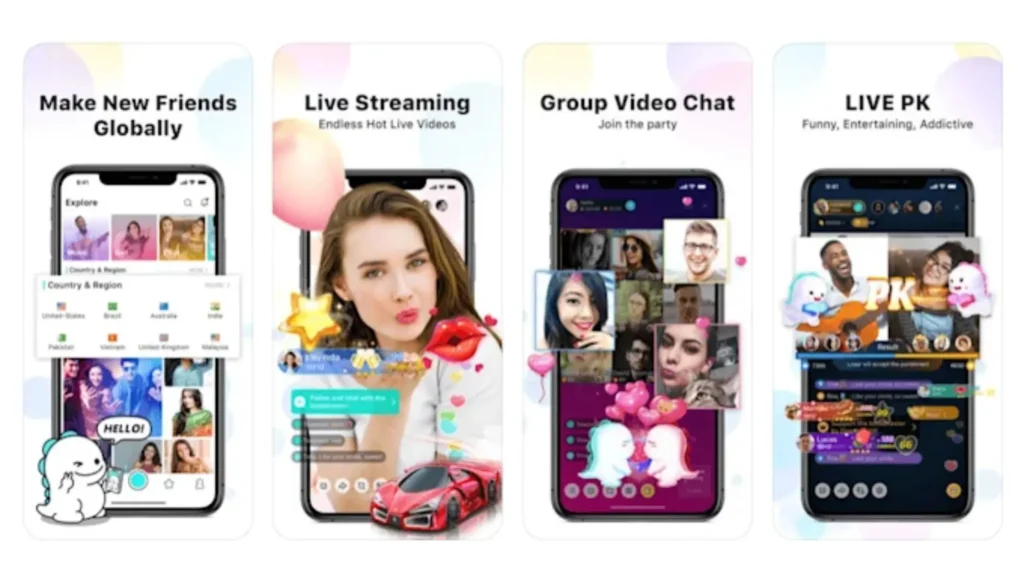
With a Bigo Live profile, users can stream in real time, showcase talents, chat with global audiences, and join interactive communities. Beyond entertainment, Bigo also enables creators to earn income. Top hosts have reported making anywhere from $2,000 to $30,000 monthly through virtual gifts and rewards.
However, the same public exposure that makes Bigo engaging also raises privacy concerns. Your profile, streams, and personal data are tied together, which is why many people eventually search for guides on how to delete Bigo Live account to protect themselves.
Why People Consider Deleting Their Bigo Live Account?
There are many reasons why users decide to remove Bigo Live account or search for ways to Bigo Live delete account permanently. Some of the most common include:
- Privacy concerns: A Bigo Live profile ties your personal data, streams, and interactions together. For users who value privacy, this exposure can feel risky, especially if unused accounts remain online.
- Addiction and time drain: With constant live shows and global interaction, it’s easy to spend hours scrolling or streaming. Some users choose to step back by deleting their account entirely.
- Security risks: Old or inactive accounts may become targets for data leaks. Unused profiles can be compromised and even end up on the dark web if not properly removed.
- Account bans: In cases of rule violations, some users face bigo banned permanent bans. Instead of waiting out suspensions or appealing bans, many opt to delete and move on.
- Rumors and uncertainty: Questions like is Bigo shutting down occasionally circulate online. While Bigo is not shutting down, such rumors often drive users to secure their data by deleting accounts early.
For these reasons, knowing exactly how to delete bigo live account is an important step for anyone looking to regain control of their digital footprint.
Step-by-Step Guide: How to Delete Your Bigo Live Account (2025 Update)
If you’ve decided to move away from Bigo, deleting your account is the most effective way to protect your data and stop receiving notifications. The process is straightforward, but there are some important rules and conditions to understand before you start.
Things to Know Before Deleting
Before you start, here are a few things to know before deleting your account:
- All your data (streams, followers, coins, gifts) will be lost forever.
- Deletion requests must include accurate details like your username, registered email, and a reason.
- You can cancel deletion during the 20–30 day grace period by logging in again.
- Any unused coins or gifts will not be refunded.
- For safety, it’s strongly advised to remove personal information (phone, email) from your profile before deletion.
Once you’ve reviewed these conditions and prepared your account, you’re ready to proceed with the actual deletion. The simplest way is directly through the Bigo Live app. Now you can remove your profile in just a few steps:
Method 1: Delete Account via App Settings (Permanent)
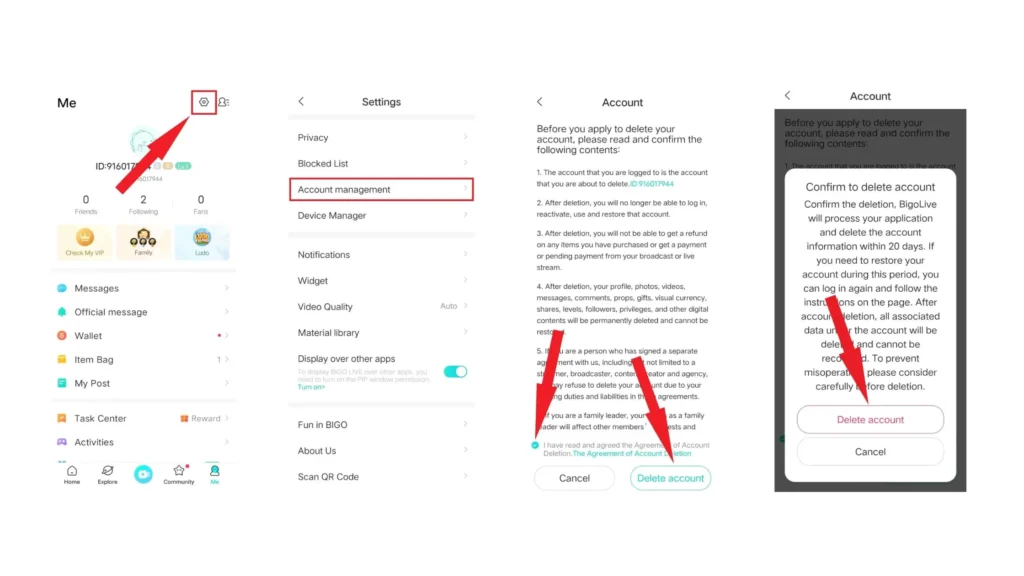
Follow these steps to permanently delete your Bigo account from within the app:
- Step 1: Open the Bigo Live app and go to your Profile page.
- Step 2: Tap the Settings icon (gear symbol) at the top right corner.
- Step 3: Scroll down and select Account Management.
- Step 4: Tap Delete Account.
- Step 5: Carefully read the deletion conditions, then tap Delete Account again to confirm.
Conditions for account deletion:
- You must have no unwithdrawn assets in your account.
- You cannot be a family leader on Bigo.
- You must have no pending disputes with Bigo.
- You must agree to Bigo’s account deletion terms.
Once confirmed, your account is scheduled for deletion. If you log in during the grace period, the request will be canceled automatically.
Method 2: Deactivate or Remove Your Bigo Account
If you’re not ready to permanently delete your account, you can choose to deactivate it instead. Deactivation pauses your account, hiding your Bigo Live profile, streams, and activity from others, but keeps your data in case you decide to return later. This is useful if you just want a break or are unsure about deleting completely.
Steps to deactivate your Bigo Live account:
- Step 1: Open the Bigo Live app and log in with your account.
- Step 2: Go to your Profile and tap the Settings icon (gear symbol).
- Step 3: Scroll down and select Account Management.
- Step 4: Choose Deactivate Account instead of delete.
- Step 5: Confirm your choice and follow the on-screen instructions.
Once deactivated, your profile won’t be visible, and you won’t appear in searches or live rooms. You can reactivate anytime by simply logging back in with your username and password.
This is different from deleting. Permanent deletion erases everything, while deactivation is a reversible option for those who may return later.
| >> Read more: How to Delete Best Buy Account How to Delete Expedia Account Permanently How to Delete OnlyFans Account |
What happens when you delete your Bigo account?
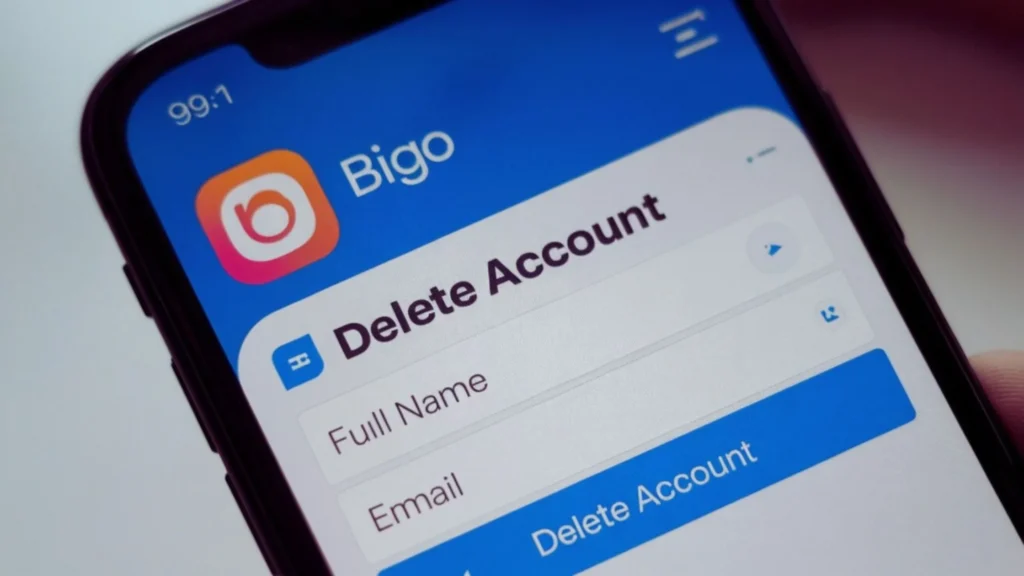
Deleting your Bigo Live account is a permanent action, and once completed, the process cannot be undone. Here’s what happens after you confirm deletion:
- Account removed from servers: Your data is erased from Bigo’s system.
- Profile and live streams disappear: Your Bigo Live profile, past broadcasts, and any uploaded content are no longer visible.
- Re-registration restrictions: You cannot sign up again using the same username, phone number, or email until the system fully purges your old account.
- Followers lose access: People who followed you will no longer see your updates or streams.
- Unrecoverable: A permanent deletion means you cannot recover your account, coins, or gifts once it’s gone.
Protect Your Privacy After Leaving Bigo by TurisVPN
Even after deleting your account, traces of your activity may still linger online. Using TurisVPN helps safeguard your privacy by encrypting your internet traffic and hiding your IP address. This way, your browsing and streaming habits stay invisible to ISPs, hackers, and third-party trackers.
Why a VPN Matters for Bigo Users?
- Hide your location: Prevent platforms and advertisers from tracking your real IP.
- Avoid data collection: Stop ISPs and apps from storing your browsing and streaming history.
- Extra security on public Wi-Fi: Keep your data safe when connected to open networks.
- Bypass geo-restrictions: Access content and apps safely, even if limited in your region.
- Budget-friendly protection: TurisVPN uses Southeast-Asian cost savings to provide premium VPN features at an affordable price.
How to use TurisVPN to protect your privacy?
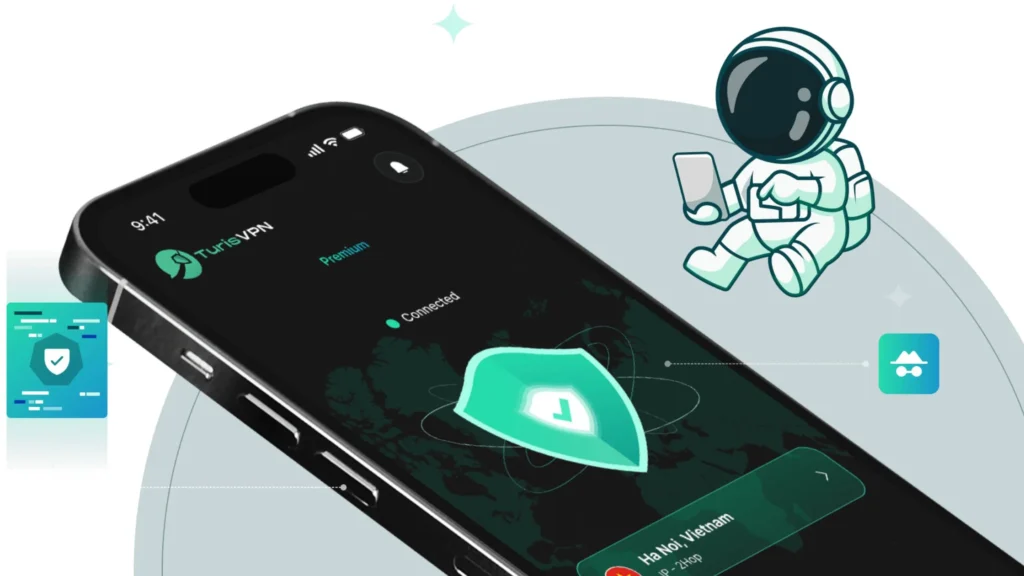
- Step 1: Download and install TurisVPN on your device (iOS, Android, or Chrome).
- Step 2: Open the app and choose a server (e.g Singapore VPN: connect to a nearby one for speed or a foreign one to bypass geo-blocks).
- Step 3: Enable IP-2Hop or encryption features for stronger protection.
- Step 4: Browse or stream securely, knowing your identity and data are shielded.
With these steps, TurisVPN keeps your digital footprint private, ensuring that even after you’ve learned how to delete Bigo Live account, your personal information stays secure.
Bottom Line
If you’ve decided to leave Bigo, knowing how to delete Bigo Live account properly is key to protecting your data and privacy. Deletion is permanent, so be sure to back up anything important and clear out your personal details first.
Whether you’re quitting due to privacy risks, addiction concerns, or simply moving on, following the right steps ensures your account is completely removed. For extra security after deletion, using TurisVPN helps keep your digital identity safe.
FAQs
Q1. Can I earn money using Bigo?
Yes. Bigo Live offers monetization opportunities through virtual gifts and rewards. Top streamers can earn anywhere from a few hundred dollars to $2,000–$30,000 per month, depending on engagement and audience size.
Q2. Is Bigo a safe app?
Bigo is generally safe if used responsibly, but like other live-streaming apps, it carries risks such as exposure to inappropriate content, privacy concerns, and potential scams. Always adjust your privacy settings and avoid oversharing personal details.
Q3. How do I end Bigo Live sessions without deleting the app?
If you don’t want to delete your account, you can simply log out of the app, disable notifications, or even deactivate your account temporarily. This lets you take a break without permanently losing your profile or data.