Wondering how to delete an Expedia account and remove your travel data for good? With over 46 million active users in 2024, Expedia holds massive amounts of personal and booking information. This makes your data a target for privacy concerns and breaches. Our blog post walks you through the exact steps to permanently close your account, what happens to your data, and the extra privacy measures you can take afterward.
Key Takeaways
| – Deleting an Expedia account is permanent and removes access to Hotels.com, Vrbo, and other linked services. – Cancel upcoming trips and use Expedia Rewards before deletion, as these cannot be recovered. – Closing a deceased person’s account requires contacting Expedia Support and providing a death certificate. – Privacy adjustments like removing payment methods and unsubscribing from emails are alternatives to full deletion. |
Why You Might Want to Delete Your Expedia Account

Many travelers have some issues with booking accuracy, reservation changes, or handling personal data on travel platforms, and Expedia is no exception. From complications with flight and hotel confirmations to frustrations over cancellations or hidden fees, users often find themselves dealing with problems that can negatively impact their travel experience. There are several reasons travelers decide to close their Expedia accounts:
- Booking or reservation issues: Problems with flight or hotel confirmations, cancellations, or unexpected changes can frustrate users.
- Preference for direct booking: Some travelers prefer booking directly with airlines or hotels for better rates, loyalty rewards, or easier changes.
- Data privacy concerns: If you want to limit the collection of personal data or opt out of targeted advertising, deleting your account removes stored information from Expedia’s platform.
- Negative customer service experiences: Some users have reported poor support or unsatisfactory handling of disputes, leading them to seek alternative booking methods.
These problems lead many travelers to consider deleting their Expedia accounts. If any of these sound familiar, you might be wondering what to know before taking that step.
What to Know Before Deleting Your Expedia Account
Expedia accounts are part of the Expedia Group Account, which also gives you access to linked services like Hotels.com and Vrbo. If you delete your Expedia account, you’ll lose access to all these platforms. Even if you rarely use the Vrbo app which some users have reported seeing it removed from their devices. Account deletion will still cut off your ability to log in there. Before closing your account, keep these points in mind:
- Save trip details: Download invoices, receipts, and past itineraries for your records.
- Cancel upcoming trips: Deleting your account cancels active reservations, but you may need to handle refunds separately.
- Use your Expedia Rewards points: Any unused points will be lost permanently after deletion.
- Update privacy settings first: If you only want fewer marketing emails or more control over data, unsubscribe from emails or adjust privacy preferences instead of deleting your account.
Deletion Scope & Effects
- Expedia offers permanent deletion only; there’s no temporary deactivation option.
- Removing your account will also cancel access to Hotels.com, Vrbo, and other Expedia Group platforms.
- Once processed, account reactivation is impossible.
- Deletion requests can take a few weeks to complete after submission.
You can also delete your Expedia account via either the Expedia website or mobile app. Our detailed guide for both methods will be provided below.
How to Delete Expedia Account via Website
Follow these steps to permanently remove your Expedia account:
Step 1. Access the Expedia Website
Go to Expedia.com in your web browser.
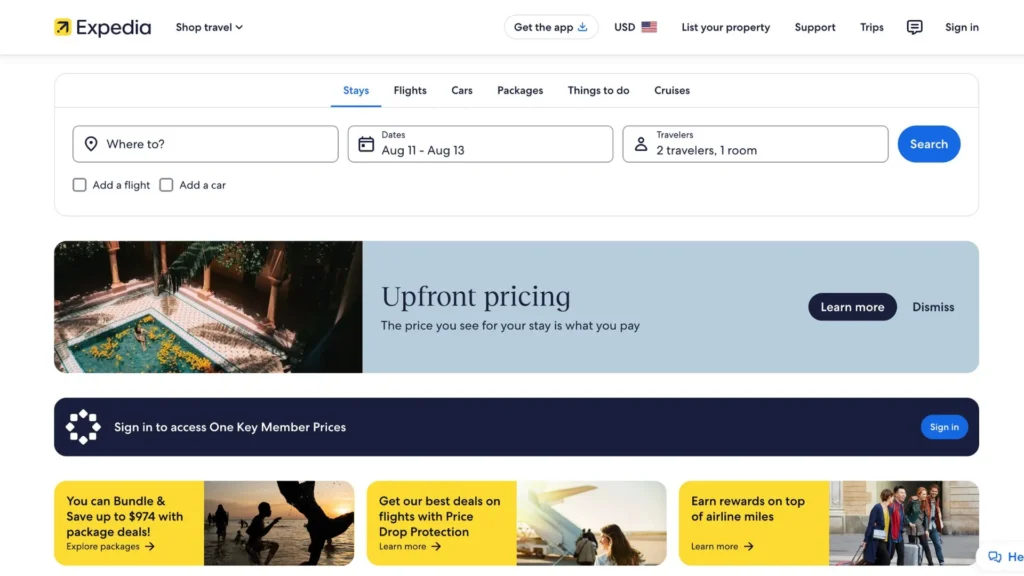
Step 2. Sign In to Your Expedia Account
Click Sign In in the top-right corner and log in with your credentials.
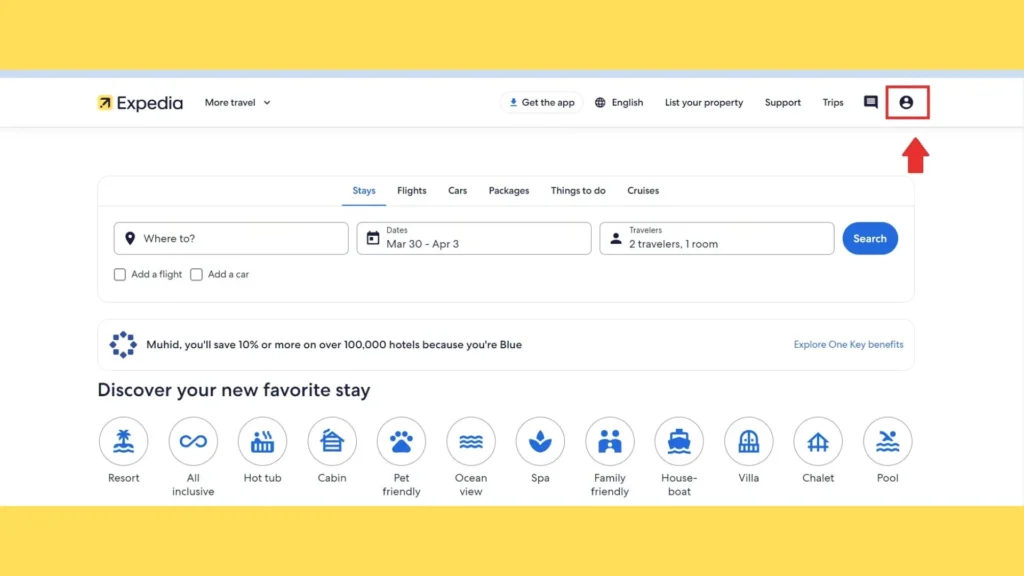
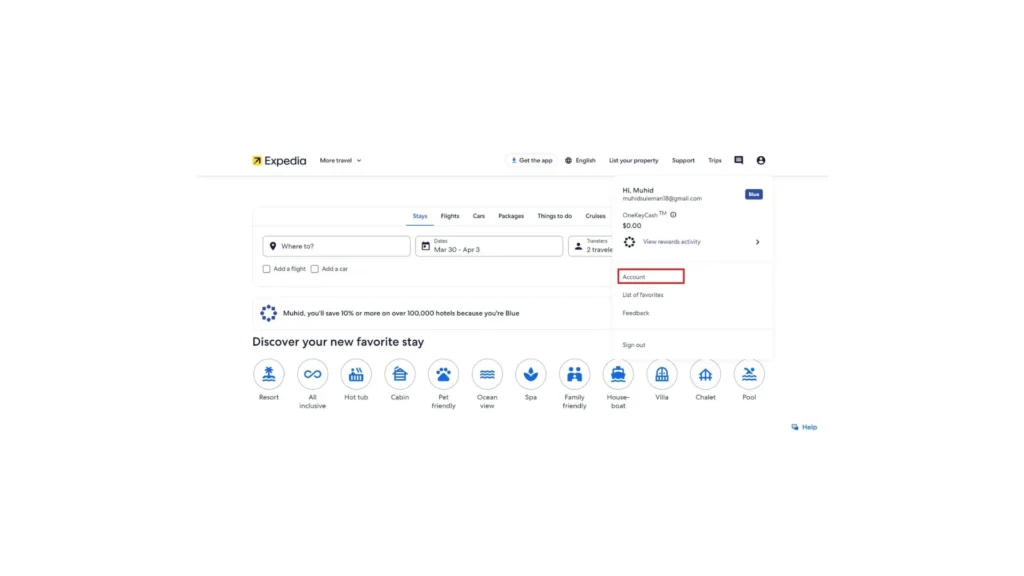
Step 3. Go to Your Profile → “Account”
Select your profile icon in the top-right menu, then click Account.
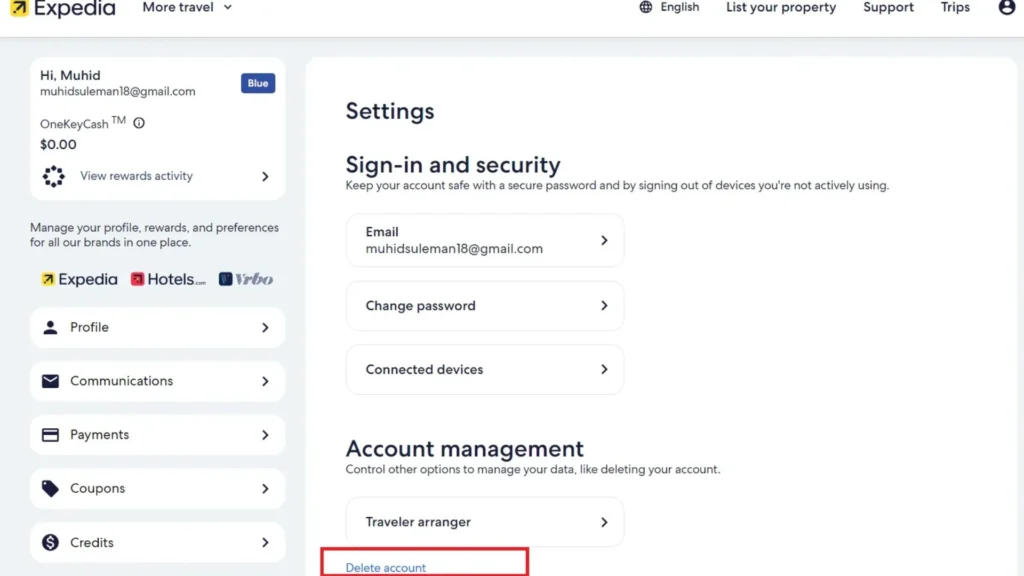
Step 4. Click “Settings” > “Delete Account”
In the left-hand sidebar, choose Settings. Scroll to the Account Management section and click Delete Account.
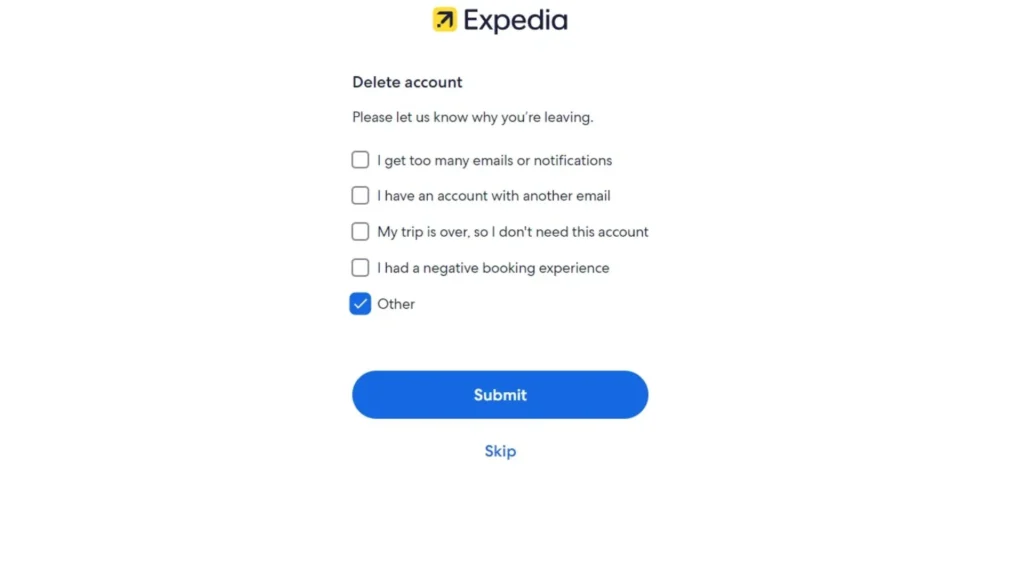
Step 5. Fill Optional Survey & Submit
Expedia may prompt you with a short survey asking why you’re deleting your account. You can answer or skip it.
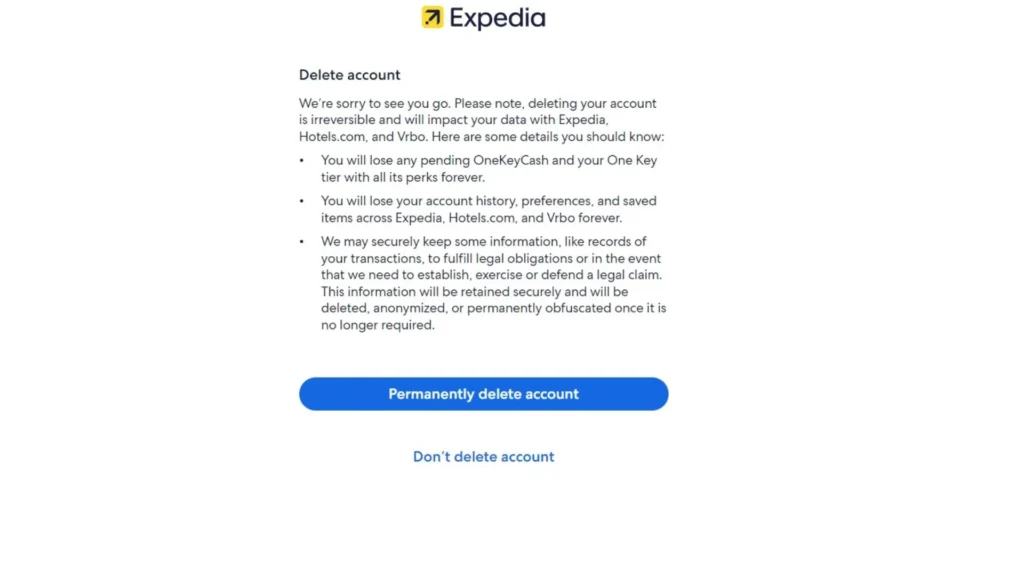
Step 6. Confirm Deletion: Click “Permanently Delete Account”
Read the notice explaining what will happen to your account data. Then click Permanently Delete Account.
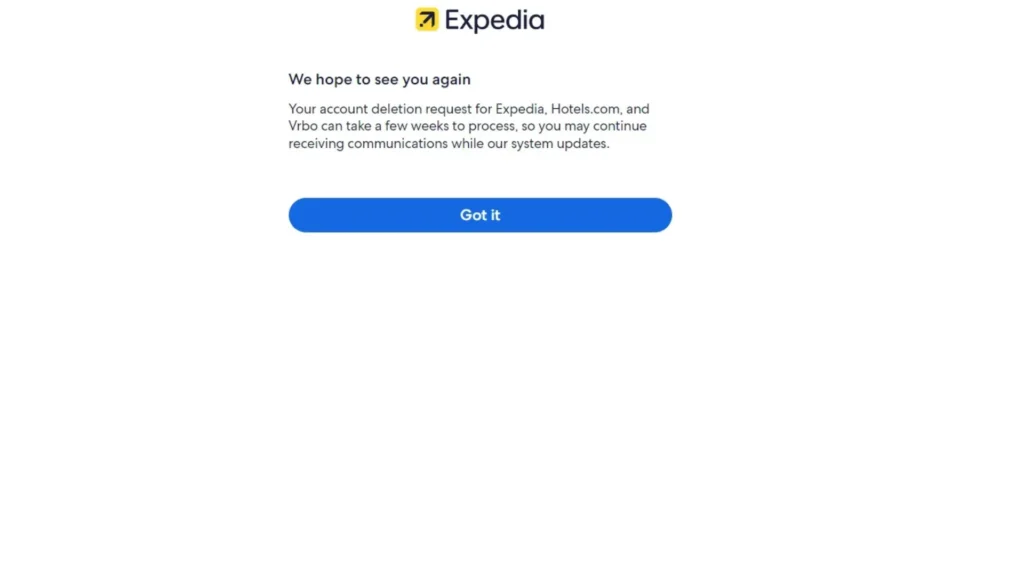
Step 7. Final Confirmation: Click “Got It”
On the confirmation page, click Got It to complete your request. Expedia will process the deletion within a few weeks.
How to Delete Expedia Account via App (Android & iOS)
If you prefer using your phone, you can delete your Expedia account directly through the mobile app:
1. Open the Expedia app
Launch the Expedia app on your Android or iOS device.
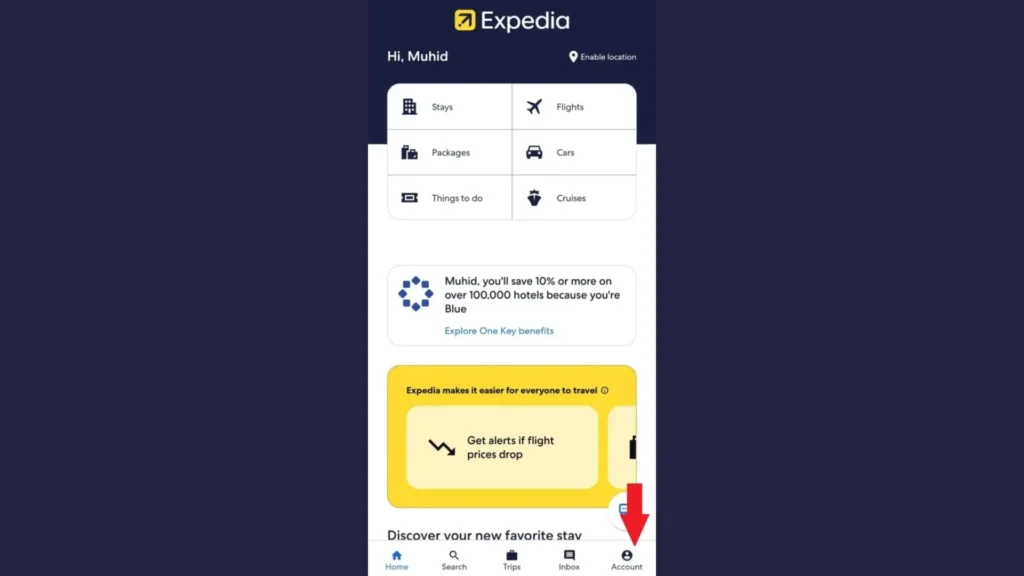
2. Tap the account icon
In the bottom-right corner of the screen, tap the Account/Profile icon.
3. Select “Security and settings”
Scroll down the menu and choose Security and Settings.
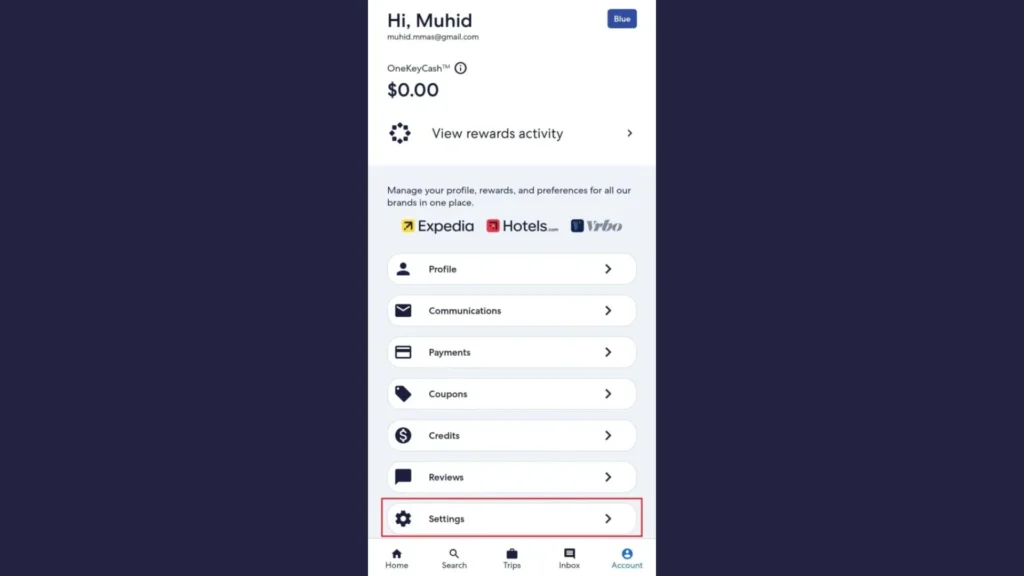
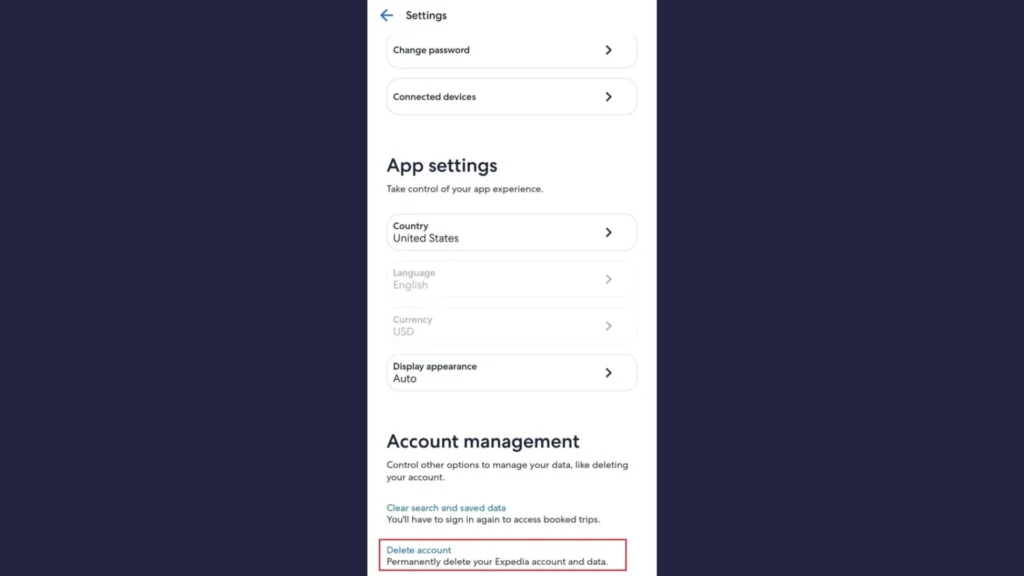
4. Find the “Delete account” option
In the Account Management section, tap Delete Account.
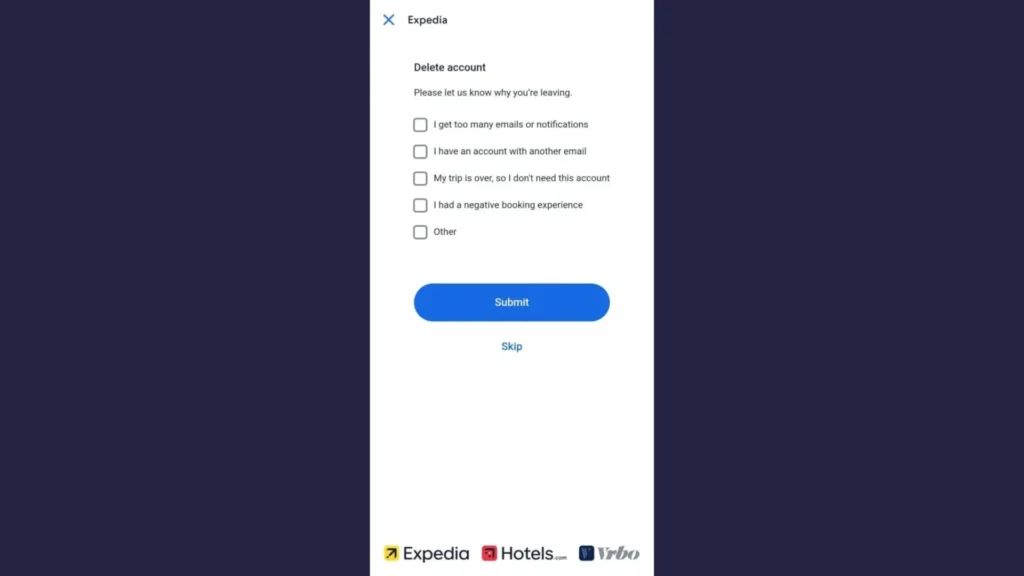
5. Select a reason
Choose a reason for closing your account or tap Skip to proceed without one.
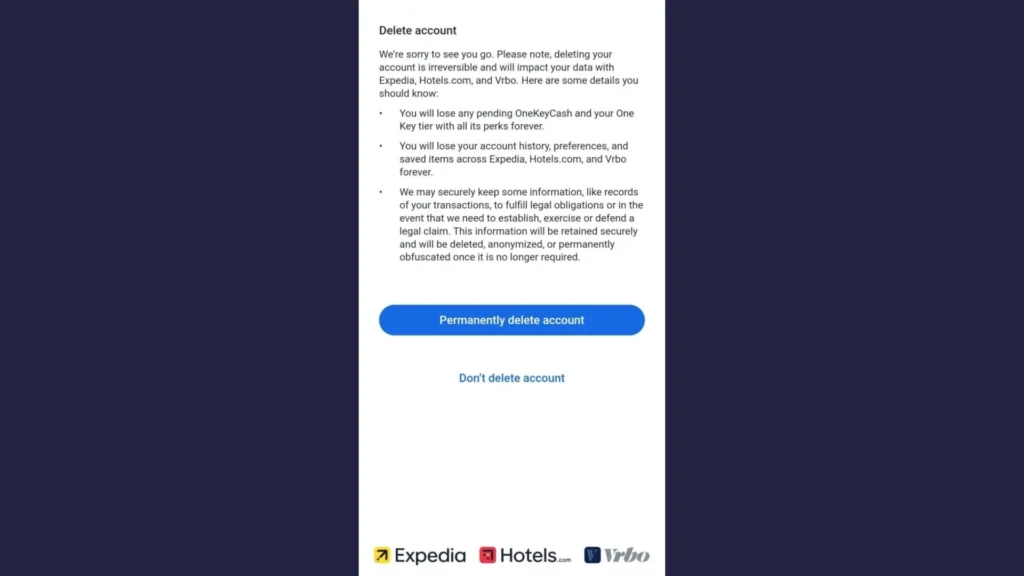
6. Permanently delete account
Review the deletion notice, then tap Permanently Delete Account to submit your request. Expedia will process it within a few weeks.
How to Delete Expedia Account of a Deceased Person
If you need to close the Expedia account of a deceased loved one, the process must be handled through Expedia Customer Support.

Step 1: Contact Expedia Support: Call 1-800-397-3342 and inform the representative that you are requesting account closure for a deceased person.
Step 2: Prepare Required Information. Have the following details ready:
- The deceased person’s full name and account email
- Your relationship to the deceased
- A copy of the death certificate for verification
Step 3: Follow Expedia’s Guidance: The representative will walk you through the closure process and may request additional documents if necessary.
Step 4: Wait for Processing: Account closures for deceased persons may take longer than standard deletions due to verification requirements.
Use TurisVPN to Securely Access or Delete Your Account
Traveling or living in a region with restricted access to Expedia, using TurisVPN can help you log in securely and complete your account deletion without connection blocks.
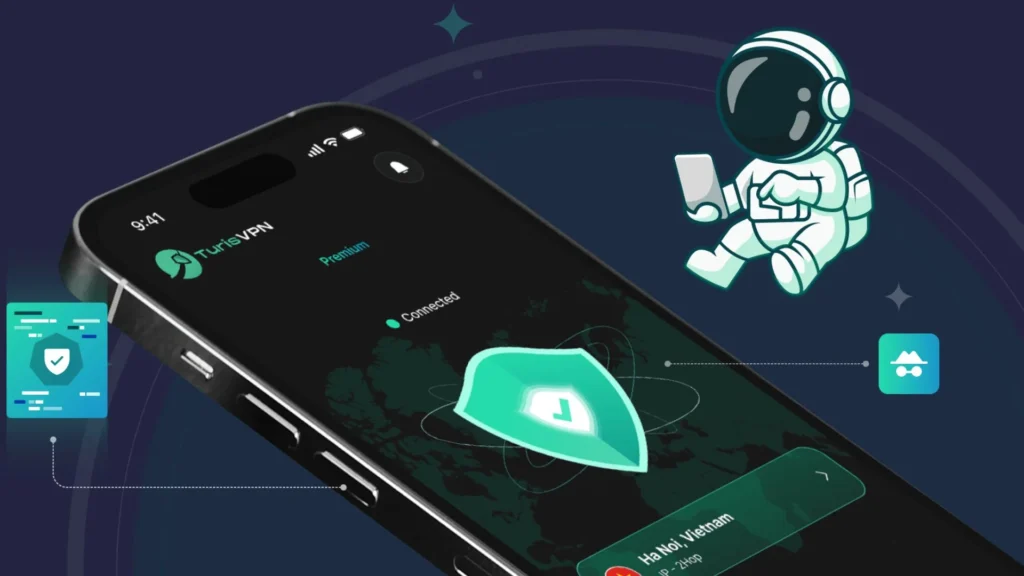
- Step 1: Download & Install Free VPN: Get TurisVPN from the official website, app store, or Chrome extension store.
- Step 2: Connect to a Trusted Server Location: Choose a server in a country where Expedia access is unrestricted for a stable, encrypted connection.
- Step 3: Enable Privacy Features: Connect to an IP-2Hop server for double IP masking for fast, secure browsing.
- Step 4: Access Expedia Safely: With encryption active, sign in to your account on the Expedia website or app without worrying about network snooping.
- Step 5: Complete the Deletion Steps: Follow the website or app instructions to close your account while keeping your data protected in transit.
Alternatives to Deleting: Deactivation & Privacy Settings
If you’re not ready to permanently close your Expedia account, you can adjust your privacy and security settings to limit data exposure without losing access to bookings or rewards.
Hide your data
Update your profile to remove personal details such as your full name, phone number, and saved addresses. This reduces the risk if your account is ever compromised.
Turn off marketing emails
Go to Account → Email Preferences and unsubscribe from promotional messages. This keeps your inbox clean without deleting your account.
Remove payment methods
In Payment Settings, delete stored credit cards or PayPal accounts. You can still book future trips by entering payment details manually.
These steps allow you to keep your account functional while minimizing the amount of personal information Expedia stores.
What Happens When You Close an Expedia Account

Before clicking the Permanently Delete Account button, it’s important to know exactly what happens after closure.
Data That Gets Deleted
- Account profile and login credentials: including your username, email, and password.
- Trip history and past reservations: you won’t be able to view or download them afterward.
- Expedia Rewards points: any unused points will be forfeited.
- Linked services under Expedia Group: access to Hotels.com, Vrbo, and other partner services tied to the same login will be removed.
What You Can’t Undo
- Permanent loss of access: once deleted, your account cannot be reactivated.
- Canceled active bookings: all upcoming trips will be canceled automatically, but refunds may require manual follow-up with hotels, airlines, or partners.
- Loss of stored offers and vouchers: discounts, gift cards, and special promotions tied to your account will no longer be available.
- Historical data erasure: past itineraries, receipts, and invoices will be gone unless you download them beforehand.
Once your deletion request is processed, which can take a few weeks, Expedia’s removal is final, and there’s no recovery option.
Bottom Line
Deleting your Expedia account is a permanent step that removes your profile, booking history, rewards, and access to other Expedia Group services like Hotels.com and Vrbo. Before you proceed: make sure to cancel upcoming trips, redeem any points, and download your travel records. Once deleted, your account cannot be restored, so double-check if adjusting privacy settings or removing payment methods might be a better alternative.
FAQs
Q1. How do I cancel a booking on Expedia?
Go to “Trips” in your Expedia account, select the booking, and click “Cancel”. Follow the prompts to confirm. Refund eligibility depends on the airline, hotel, or service provider’s cancellation policy.
Q2. How do I delete my Expedia review?
Log in to your Expedia account, navigate to “My Profile” or “My Reviews”, locate the review you want to remove, and select “Delete” or “Remove Review”. Once deleted, the review will no longer appear publicly.
Q3. How do I delete a listing on Expedia?
If you’re a property owner or manager, sign in to your Expedia Partner Central account, go to “Property Details” or “Listings”, and select the listing you want to remove. Contact Expedia Partner Support if the option isn’t available in your dashboard.