







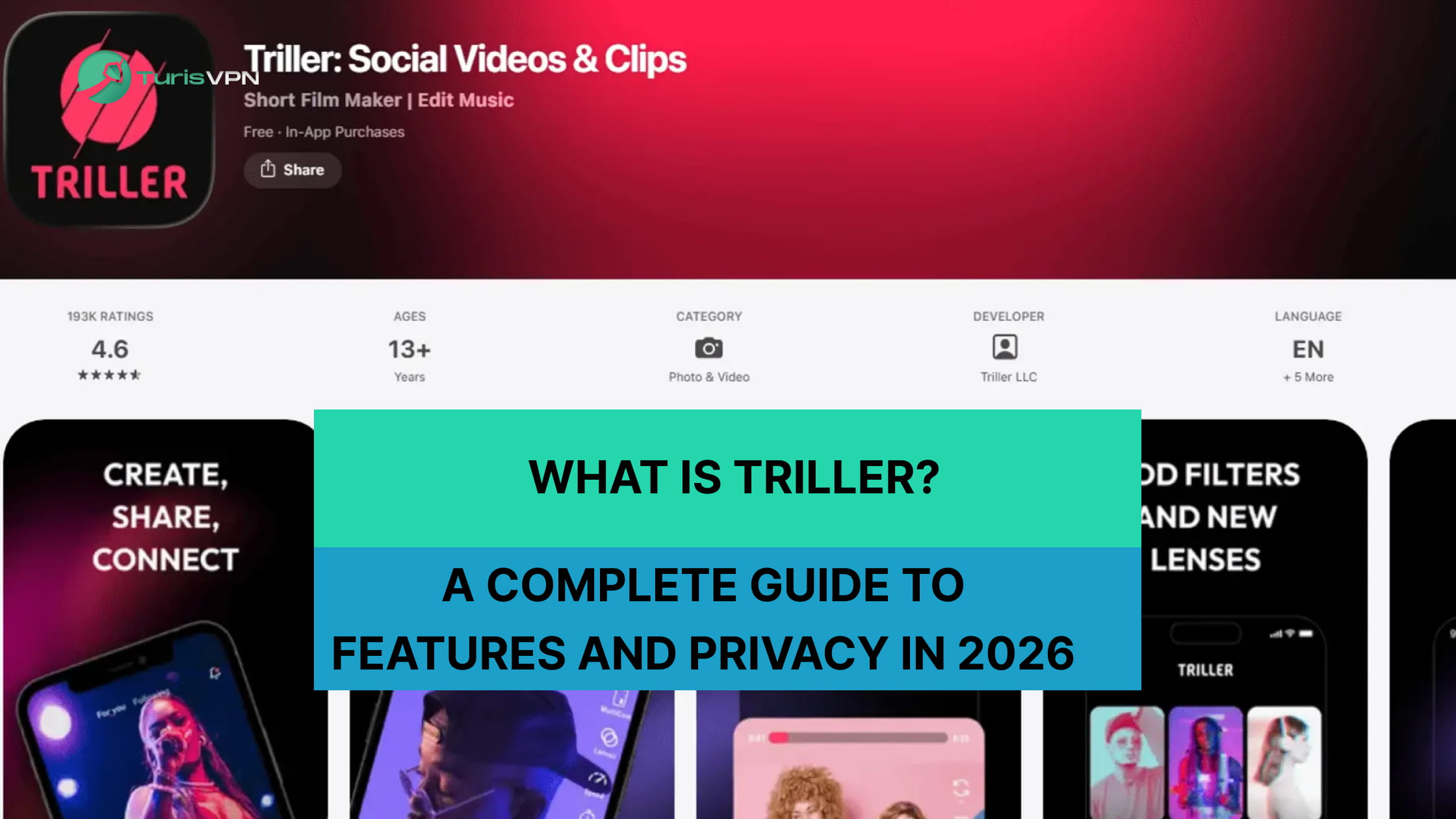
Triller is safe for creators who want to share videos without losing their privacy in 2026. This app provides a secure space for your content if you use the right settings. We at TurisVPN know that checking an app’s security is the first step to digital freedom. While the platform is popular for its AI tools, some people still worry about data tracking.
This guide examines the latest safety standards to help you decide whether the app meets your needs. You can use these creative tools safely by staying alert and following our simple tips.
What is Triller?
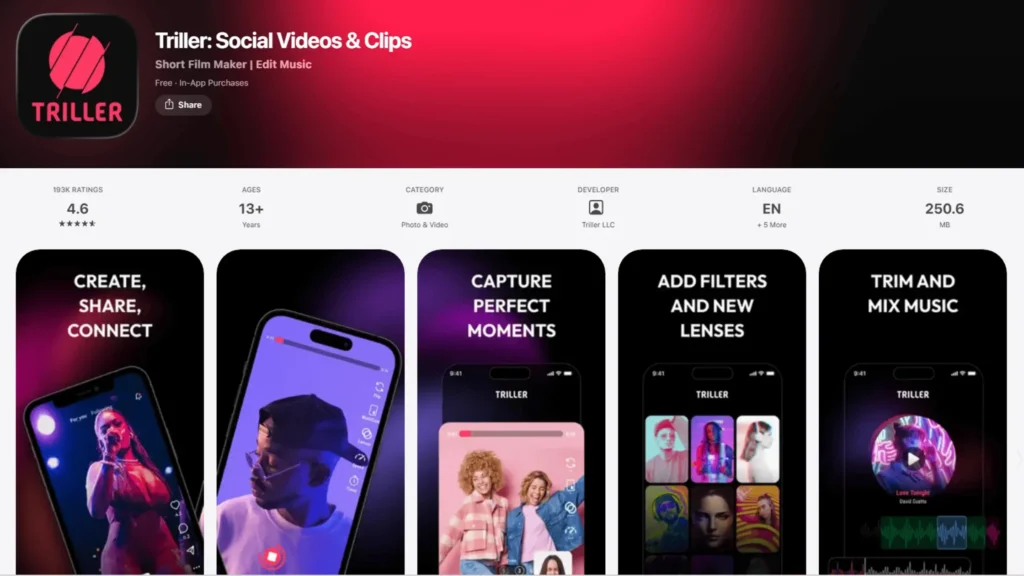
Triller is a social media platform designed for watching, browsing, and sharing short-form videos. Users can explore a wide range of content, interact with creators, and edit their own videos directly within the app.
The platform also offers Triller TV, where users can tune in to live sports and music events from around the world. Over the years, Triller has built a global audience through its entertaining content and live event coverage.
Is Triller owned by TikTok? No, Triller is an American company and acts as a separate entity from TikTok. Both apps use a vertical video feed, but Triller is an independent firm traded on the Nasdaq. It uses AI to automatically sync video clips to music beats, which is its main focus. The company has no ownership links to other social networks and sets its own security rules.
By targeting specific markets like sports and music, it provides a unique choice for mobile creators. Because it collects so much personal information, many users ask whether Triller is safe for daily use.
Is Triller safe to use?
Yes, the Triller app is generally safe for users 13 and older because it does not contain harmful code or malware that could damage your phone. This makes the app safer for your mobile hardware in 2026. The platform passes strict security checks from major app stores to ensure the software is clean. Here is why the app is safe:
- No Viruses: The code is clean and will not infect your device with malware.
- Store Vetting: Trusted platforms like Apple and Google review the app for security before it goes live.
- Data Encryption: Standard encryption hides your video files from hackers as they move online.
- Legal Compliance: A US-based firm operates the platform, ensuring compliance with official safety and business laws.
For users who are already active on similar platforms, learning how to use TikTok with a VPN can help you understand how encryption works across short-form video apps in general. While the app is technically sound, the real dangers lie in the amount of personal data shared on public profiles.
Data Privacy and Content Guidelines on Triller

The primary risks of this platform involve how the company stores user data and monitors its global community. We found that users often worry about stability and ask why Triller shut down during its past periods of technical maintenance. This section outlines the specific risks associated with the app’s design in 2026.
Data Privacy and Security
Triller tracks your IP address, device type, and usage habits. It even stores biometric data from AI filters. The platform does not use end-to-end encryption for its internal messaging system. This lack of transparency means your private information might be shared with third-party advertisers as per their privacy policy.
A secure data connection is needed because your digital footprint stays on third-party servers. Choosing the right paid VPN service is a vital step in masking these hardware IDs from aggressive ad networks.
Content and Moderation Risks
Due to its 12+ age rating, users may encounter mature themes that require parental supervision, as the platform focuses on trending music and entertainment. The main feed frequently shows music videos with mature themes, explicit lyrics, and suggestive dancing.
Most experts agree that it is too risky for 11-year-olds to use the app, especially since the official age rating is 12+ or higher on most app stores. Without strong filters, young users can easily stumble upon adult content that is not meant for their age group. The focus on viral music trends often pushes the boundaries of what is appropriate for a general audience.
Interaction and Social Risks
The platform’s direct messaging and comment features allow strangers to contact users with little oversight. These social tools can lead to cyberbullying or unwanted predatory behavior if the account settings are not locked down.
For those watching live events, the debate over whether Triller TV is safe continues to be a concern due to unmoderated live chat boxes. While the sports broadcasts are professional, the fan interaction areas often fill with toxic language and spam.
As users engage with creators, they should also be wary of payment scams, similar to those encountered when seeking cheap TikTok coin options on unverified third-party websites. By understanding these specific risks, you can take concrete steps to shield your identity and ensure your experience remains positive.
Best Practices for Managing Your Privacy on Triller
Using the app safely requires a combination of strict privacy settings and mindful content sharing to minimize your digital exposure. We recommend following a specific routine to lock down your account as soon as you install the software on your smartphone.
Set your account to private immediately
A private account ensures that only people you approve can see your videos or interact with your profile. This is the single most effective way to prevent random strangers from accessing your content.
- Step 1: Open the Triller app and tap your profile icon in the bottom-right corner.
- Step 2: Tap the “Settings” gear icon or the three dots in the top right.
- Step 3: Find the “Privacy” or “Account Security” section.
- Step 4: Toggle the “Private Account” switch to “On”.
Avoid sharing personal or location-based information
Never include your full name, home address, or school details in your bio or within the videos you record. Small details in the background can reveal your physical location to malicious actors.
- Step 1: Review your profile bio and remove any mentions of your city or workplace.
- Step 2: Check your video backgrounds for street signs, house numbers, or school uniforms.
- Step 3: Disable “Location Services” for Triller in your phone’s system settings.
Be cautious when interacting with unknown users
Do not accept message requests or follow invites from accounts that look suspicious or belong to people you do not know in real life. Scammers and bots often populate social apps to phish for personal data.
- Step 1: Go to your inbox and check the “Message Requests” folder.
- Step 2: Delete any requests from users with generic names or no profile picture.
- Step 3: If someone asks for personal details, tap their profile and select “Block.”
- Step 4: Use the “Report” feature to notify the platform of any harassment or scam attempts.
If you also use TikTok, knowing how to block someone on TikTok gives you a solid foundation for applying the same protective habits across all your short-form video platforms.
Review and restrict app permissions
Check your phone’s settings to see what parts of your device the app can access, such as your contacts, microphone, and camera. You should grant permissions only when absolutely necessary.
- Step 1: Open your smartphone’s “Settings” menu and navigate to “Apps.”
- Step 2: Select “Triller” from the list of installed applications.
- Step 3: Tap on “Permissions” to see what is currently allowed.
- Step 4: Turn off access to your “Contacts” and “Location” to prevent unwanted data tracking.
Monitor content exposure regularly
Spend time reviewing what the algorithm is showing you and use the “not interested” or “report” features to clean up your feed. For parents, this is the only way to ensure the digital environment remains healthy.
- Step 1: Scroll through your “For You” feed and long-press on videos you find inappropriate.
- Step 2: Select “Not Interested” to train the algorithm to show you safer content.
- Step 3: Check the “Following” tab to ensure your child is only interacting with verified creators.
- Step 4: Set up “Screen Time” limits on your device to prevent excessive exposure to social media.
While these manual steps are vital, adding a layer of technical protection can provide the peace of mind you need when browsing the web.
How can TurisVPN protect on Triller?
TurisVPN acts as a digital shield, hiding your real identity and securing your data in 2026. This service prevents the app from seeing your true home address or tracking your daily movements. Using the latest WireGuard protocol, the app ensures that your video uploads and private messages remain hidden from prying eyes. Here is what TurisVPN protects:
- Real IP Address: Masking your location stops the app from building a map of your personal routine.
- Login Credentials: Encryption keeps your usernames and passwords safe from hackers on public Wi-Fi.
- Video Traffic: Your data moves through a secure tunnel, making it unreadable to data brokers.
- Anonymity: Using IP-2Hop doubles your privacy by routing your traffic through two separate servers.
We ensure that your mobile browsing remains anonymous, giving you the freedom to create without the fear of being tracked. Here is a quick guide on how to set up TurrisVPN on your device:
- Download: Get the app from the Official Website or the Google Chrome Extension store.
- Install: Open the file and follow the quick on-screen prompts to finish the setup.
- Log In: Enter your account details or choose the free plan to start immediately.
- Connect: Tap the power icon to link to the fastest server near you.
- Secure: Confirm the green “Connected” status before opening the Triller app.
Many users wonder if free VPNs can really offer unlimited data for streaming, and while we offer premium speeds, our primary focus is always your “unlimited” privacy.
Bottom Line
Is Triller safe for your digital life in 2026? Yes, but the answer depends on your willingness to implement the privacy settings and security tools we have discussed. While the app offers incredible creative potential through its AI-editing features, it carries the same inherent risks as any other major social media platform.
We believe that by using a private account, being selective with your followers, and layering your connection with TurisVPN, you can significantly mitigate these dangers. Stay informed, stay private, and remember that your data is your most valuable asset in the modern digital age.
FAQs
1. Can you control your privacy on Triller?
Yes, you can control your privacy by visiting the account settings and turning on the “Private Account” feature. This hides your videos from the general public and allows you to vet every new follower before they see your profile. Additionally, you should manually turn off “Discoverability” to prevent the app from suggesting your profile to people in your contact list.
2. Is Triller safe for kids and teens?
Whether Triller is safe for kids depends on how involved a parent is in their child’s digital life. The app contains a lot of music with explicit content, which may not be suitable for younger audiences. We suggest that parents use the phone’s built-in screen time controls to limit app use and monitor the types of videos their children create.
3. Does Triller sell your personal data?
Like most social media apps, Triller uses your data to build advertising profiles and may share anonymized information with its business partners. While they may not “sell” your name and phone number directly in a traditional sense, your behavioral data is a key part of their revenue model. This is why many users choose to mask their activity to prevent long-term tracking.
4. Is Triller safer than TikTok?
Triller and TikTok share similar privacy risks, as both platforms collect user data, track behavior, and share information with third-party advertisers. However, Triller’s smaller user base means it has less refined moderation tools and fewer built-in safety features compared to TikTok.
Overall, neither app is significantly safer than the other, and users of both platforms should apply the same privacy precautions.
5. Does using a VPN make Triller safer?
Yes, using a VPN significantly improves your security by hiding your IP address and encrypting your mobile traffic. This prevents the app from knowing your location and stops third-party advertisers from tracking you across the web. It is the most effective way to protect your digital identity while using any social media app on a public or private network.





