







As cyberattacks become increasingly sophisticated, many users are concerned about their sensitive information leaks and exposure. With over 31% of internet users turning on VPNs daily for secure access, the question of cyber threats is more pressing than ever. “Can a VPN Be Hacked?” This question isn’t just for tech experts, but for anyone who values their online security.
In this article, we’ll dive into some realistic facts that help you gain some valuable insights into how VPNs might be vulnerable to hacking risks. You’ll also get to know how to safely navigate the digital world, ensuring your private data stays secure.
Key Takeaways :
- VPNs can be hacked through outdated protocols, weak encryption, server misconfigurations, and DNS/IP/WebRTC leaks.
- Some common risks include personal information theft, browsing history leaks, and potential device infections or MitM attacks.
- Using trustworthy VPN providers like TurisVPN with WireGuard secure protocols to protect your online activities.
Can VPNs Actually Be Hacked?
Yes, like any other application, VPN can be targeted by hackers. Fortunately, by choosing the right provider and combining it with other security practices, we can reduce the ability of bad intention exposure.
How Can a VPN Be Hacked?
When you are aware of these possible weaknesses and take proactive action, the chances of fraud, data theft of hackers is reduced significantly. Here are a few things when attacking VPNs that hackers typically seek for the following things:
1. Security gaps in VPN protocols
VPN protocols are known as the rules that govern the data and traffic routing between your device and the VPN server. The most often used protocols in VPN services for consumers are WireGuard, IKEv2, and OpenVPN.
Protocols like L2TP (Layer 2 Tunneling Protocol) are generally considered secure when combined with IPsec (Internet Protocol Security). L2TP/IPSec, on the other hand, has better security but also provides slower performance than newer protocols available.
If you use a VPN with one of the outdated protocols, you’re putting your sensitive information at risk. As a result, hackers can slide in tiny flaws or crack VPN to collect data without authorized access.
2. Weak VPN encryption
VPN encryption is a crucial aspect of securing your online data. Popular algorithms include AES-256, which is widely recognized for its strength and efficiency in protecting data. Whereas weaker encryption (e.g., DES or AES-128) can be broken more easily. A 256-bit key offers a high level of security due to their length and complexity of the key.
A study by Symantec in 2019 reported that 19% of cyberattacks involved encryption vulnerabilities. By encrypting your data, a VPN ensures that your online actions are confidential and secure from external threats.
3. VPN servers misconfiguration
Misconfiguration of VPN servers can pose significant security risks, making them vulnerable to breaches by attackers and allowing unauthorized access to the data flowing through the VPN. Routing setup errors may expose users’ actual IP addresses or completely disrupt the encrypted VPN tunnel, among other data leak scenarios.
To reduce weaknesses in previous versions, make sure your VPN provider upgrades its encryption techniques on a regular basis. According to the 2021 Global Encryption Trends Study, 60% of businesses now employ or intend to employ modern encryption methods for increased security.
4. Potential leaks from DNS, IP, WebRTC
We cannot skip these common vulnerabilities of VPN that leaks from DNS, IP, and WebRTC. VPNs should route all DNS queries through their secure tunnels. However, DNS, IP and WebRTC leak occurs when these queries travel outside the VPN tunnel. This can expose your browsing activity, revealing your geographical location and your real IP.
Users are concerned about ISPs collecting and selling their browsing data, which can be facilitated by DNS leaks. By understanding these vulnerabilities and implementing these security measures, users can effectively protect their online activities and ensure a safer browsing experience.
Step 3: Update and Scan Your Devices:
Run antivirus and anti-malware scans on all devices that were connected to the VPN. The Internet Security Threat Report from cybersecurity company Symantec emphasizes that ransomware assaults are frequently made easier by taking advantage of network flaws. Scanning with antivirus software helps remove any malware that might have been installed without your knowledge.
Step 4: Consider Changing VPN Providers:
Getting in touch with your VPN provider can give you more context about the breach. If the breach is due to a lack of security on the provider’s part, switch to a more secure VPN service. We suggest that you should switch to a provider that promises better security with proven track records and transparent policies.
How to Choose a VPN That Can Protect You Against Hackers?
There are some effective evaluation key features to ensure security and privacy. Here’s a detailed guide on selecting a VPN to safeguard your online activities:
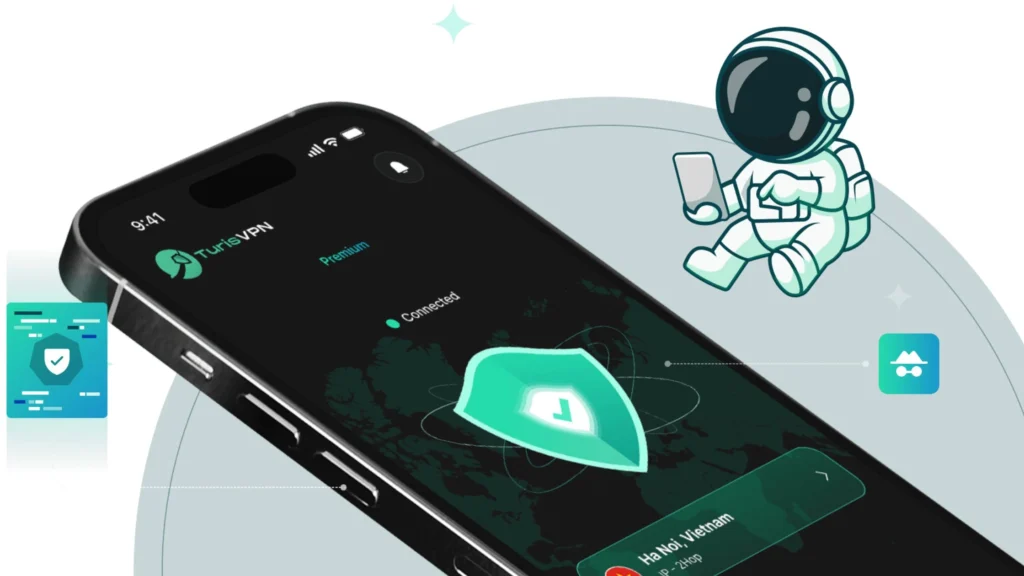
- Secure Protocols: Look for VPNs that support secure and modern protocols like OpenVPN, IKEv2, and WireGuard. For instance, TurisVPN uses WireGuard, which is known for its high speed and robust security.
- Kill Switch: A kill switch is an essential feature that stops all internet traffic if the VPN connection drops unexpectedly.
- Strong Encryption: Opt for a VPN that offers AES-256 encryption, the gold standard used by governments and security experts worldwide.
- Transparency: Look for VPN providers that subject their services to regular independent security audits.
- Trial Periods and Money-Back Guarantees: A trustworthy VPN provider often offers a trial period or a money-back guarantee.
Safeguard Your Data With a Trustworthy VPN Service
Can a VPN be hacked? Yes, but fortunately, using advanced VPN will not only secure your data but also protects you for future threats.
Look for VPN services that have their no-logs policy verified by credible third parties. Moreover, read the privacy policy carefully; it should clearly state what data the VPN collects and how it is used.
Another note for you that is a VPN should not significantly slow down your internet connection. We should always try before you buy and check if the VPN provides 24/7 customer support through multiple channels.
For enhanced security, consider using a reliable internet security solution like TurisVPN!
FAQs
Q1. How to know if your VPN is hacked?
Look for these key indicators: unexpected disconnects,slow internet speeds and unusual activity alerts. Use tools like ipleak.net to check if your actual IP address is being leaked instead of the VPN’s IP.
Q2. Do VPNs protect you from hackers?
Yes, VPNs do provide significant protection against hackers, especially when you’re using the internet on public networks or in situations where data security is a concern. However, remember that VPN cannot protect against viruses from downloading.
Q3. Can an IP address be hacked?
Although an IP address cannot be “hacked”, it can be exploited as a pathway to initiate attacks or to target a specific device connected to the internet. To protect against these risks, it’s important to secure your network with strong, and consider using trustworthy VPNs services.