







Using a VPN on airport Wi-Fi is safe and remains the most effective way to protect your digital life while navigating busy terminals. This is the first thing we should ask before connecting to any free public network while traveling. While public hotspots help us check gate times, they are also prime targets for data thieves.
We believe that an open connection is a risk that no one should take without a shield. By using a free VPN like Turis VPN, you turn a public threat into a private connection. This guide shows you how to stay hidden and keep your data out of the wrong hands. We prioritize your privacy so you can focus on your flight, not your security.
Is using a VPN on Airport Wi-Fi safe?
Yes, a premium encryption tool makes a public connection much more secure by masking activity from network admins and hackers. When a device connects to an open network, data often travels in “clear text,” allowing anyone to see private logins. However, airport Wi-Fi becomes secure with a VPN because the software wraps data in a layer of code that is almost impossible to break.
Many travelers rely on this technology to stay protected during long layovers. A high-quality provider prevents IP address leaks, ensuring a smartphone or laptop is not an open book to the network host. This secure tunnel stops the airport’s internet provider from tracking browsing history or selling private data to third parties. Activating the connection before typing any URL ensures no information escapes into the open air.
While knowing the safety level is vital, understanding the specific technical reasons why this protection is necessary helps you stay more vigilant during your travels.
Why Is Using a VPN on Airport Wi-Fi Important?

Most airport signals are unencrypted, meaning the data exchange between a device and the router is visible to anyone nearby. Without a protective layer, risks like identity theft and financial loss increase significantly. Security should never be a trade-off for convenience when using a public terminal. Using a VPN ensures that your identity stays yours alone.
Encryption of Data
Encryption serves as the backbone of your digital security by scrambling your information. Airport wifi is safe only when your traffic is fully encrypted. A robust service uses AES-256-bit encryption, the same standard used by global banks. This ensures that even if a criminal captures your data packets, they find nothing but useless, unreadable code.
Protection Against “Evil Twin” Attacks
“Evil Twin” attacks occur when a hacker sets up a fake Wi-Fi network with a name identical to the official airport network. When you connect to this fake network, the attacker can monitor every move you make. Airport Wi-Fi is safe to use only if you use a secure tunnel to hide your traffic. Since your data is encrypted before it reaches the fake hotspot, the attacker cannot see your activity.
Prevention of Man-in-the-Middle (MITM) Attacks
In a Man-in-the-Middle attack, a criminal sits between your device and the website you want to visit. They can silently change your data or send you to fake bank login pages. Using secure protocols ensures that your connection is direct and authenticated. This prevents any third party from “sitting” in the middle of your digital conversation and stealing your private keys or cookies.
Privacy from Network Owners
Airport Wi-Fi providers often collect user data to sell to advertisers, tracking which apps and sites are visited. Staying safe on airport Wi-Fi with a VPN means protecting your browsing habits from these network owners. The service prevents the host from seeing anything beyond the connection to a private server. They cannot view specific URLs, search history, or message content, which is crucial for privacy in public spaces.
Masking Your Location (IP Address)
Your IP address reveals your location and tracks you across different websites. During travel, your IP changes with every new network, making it easy for trackers to build a profile of your trip. Masking your real IP with one from a global server network hides you from the tracker’s radar. This prevents websites from knowing your exact location, adding an extra layer of physical and digital security.
Accessing Restricted Content
Many airports use firewalls to block specific websites or streaming apps to save bandwidth. Using airport wifi with a VPN is safe and effective for getting past these digital barriers. It is the best way to reach favorite content from back home while waiting for a flight. Routing traffic through a server in another country allows access to local news or work files that might be blocked by airport rules.
Understanding these threats highlights why a secure connection is your best defense, but you may wonder exactly how the technology works to keep you safe.
How a VPN Protects Your Data on Airport Wi-Fi
It is secure to use a VPN on airport Wi-Fi because the software encrypts data packets as they leave a device. The technology creates a virtual shield around every piece of information sent or received. Advanced protocols ensure the link stays stable even in crowded terminals where thousands of devices compete for the same signal.
End-to-End Encryption
End-to-End Encryption is a communication system in which only the users at either end of a connection can read the exchanged data. End-to-end encryption ensures that data remains encrypted from the moment it leaves a smartphone or laptop. Only a secure server holds the unique key to unlock and read that information. It is wise to research the best-paid VPN features to see which services offer the strongest level of protection.
Secure Tunneling
Secure tunneling wraps data packets in an extra layer of protection during transit. This tunnel acts like a private highway built underneath a busy public road, hiding vehicles from anyone on the surface. This design prevents “side-channel” attacks where hackers try to guess activity based on the size of data packets. Staying inside this tunnel keeps a digital identity hidden from every other user sharing the same public connection.
IP Masking
IP masking replaces a unique device ID with the address of a high-speed remote server. This stops websites and malicious actors from linking online actions back to physical hardware. Many travelers ask about common VPN security risks, and while no system is perfect, masking an IP address makes a user a much harder target. It is very difficult for a hacker to find one specific device among thousands in a busy terminal.
Defeating Local Network Attacks
A secure connection naturally prevents common local attacks, such as packet sniffing, by rendering intercepted data useless. On a standard airport network, a hacker can capture session tokens to log into accounts without a password. However, with encryption enabled, those tokens are scrambled into an unusable format. Even if captured, a thief cannot use them without a unique session key, which keeps accounts locked tight.
Knowing how it works is great, but you also need to know the best way to use it. Here are the steps we recommend for every trip.
Best Practices for Using a VPN on Airport Wi-Fi
Connecting to airport Wi-Fi with a VPN is a safe choice only when travelers stay alert and avoid common security traps. Combining high-quality tools with smart habits creates a defense that is almost impossible to break. Following these simple steps ensures that a layover does not turn into a digital nightmare for personal or professional life.
Use a Reputable Paid VPN
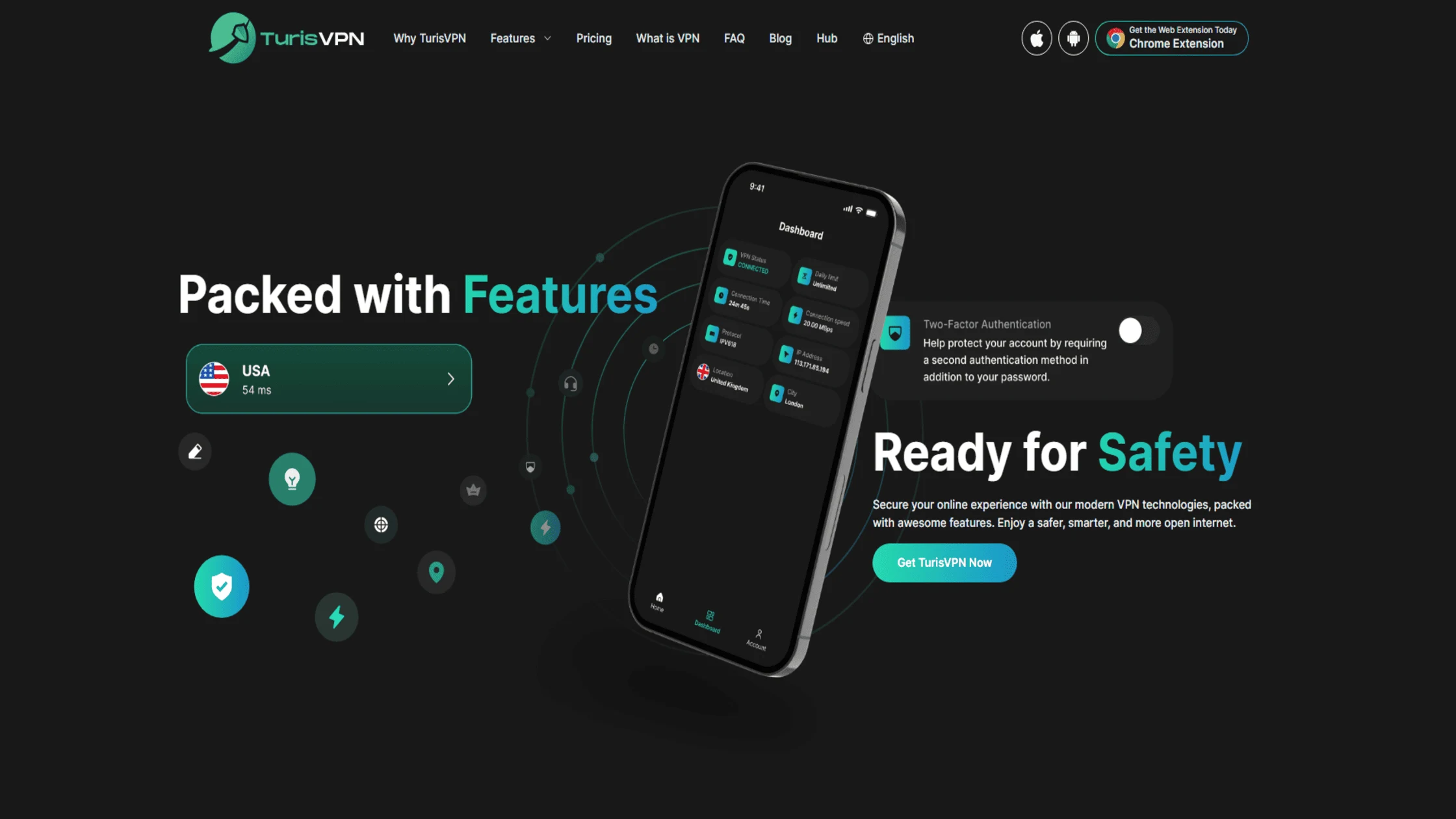
Choosing a high-quality service is the most important step for securing mobile devices. Many users wonder whether free VPNs can really offer unlimited data without selling user data to third parties. TurisVPN offers a clear, high-speed service that prioritizes user privacy. Unlike free apps that may contain malware, a paid model ensures the resources needed for top-tier security and server maintenance.
How to use TurisVPN to stay safe:
- Download the TurisVPN app from the official store before reaching the airport.
- Log in to your account and choose a server location near your home.
- Verify that the connection is “on” before opening any apps or websites.
- Browse the web normally while the encrypted tunnel hides all data.
Verify Network Names
Always verify the official airport Wi-Fi name with staff or signage before joining. Hackers often use names like “Airport_Free_Wifi” to trick users into joining rogue hotspots. Airport wifi is safe only when connected to the legitimate terminal network. If two networks have similar names, asking the information desk which one is real helps avoid a dangerous “Evil Twin” trap.
Use HTTPS Websites
Make sure every site visited starts with “HTTPS,” which indicates the site is secure. This adds a second layer of encryption between the browser and the web server. While the VPN encrypts all traffic, HTTPS ensures the destination site itself is authentic. Most modern browsers display a padlock icon to indicate a secure connection, providing peace of mind during a browsing session.
Turn Off Auto-Connect
Disabling the “Auto-Connect” feature on mobile devices stops them from joining random hotspots without permission. Airport Wi-Fi is safe with a VPN when users control exactly when a connection is established. If a phone joins a network before the protection starts, it can leak sync data or private messages. Manually selecting a network and enabling the VPN ensures complete control over personal data.
How to manage your Wi-Fi settings for better safety:
- Open the “Settings” menu on your smartphone or laptop.
- Select the Wi-Fi or Network section to see your connection options.
- Toggle off the “Auto-Join” or “Ask to Join Networks” switch.
- Confirm that your device will no longer automatically connect to public hotspots.
By following these best practices, you can enjoy your travel time without worrying about the hidden dangers lurking in the terminal’s airways.
Bottom Line
Is using a VPN on airport Wi-Fi safe? Yes, it is the only way to ensure your personal data is not stolen on public networks. By encrypting your traffic, masking your IP address, and bypassing local restrictions, you take control of your digital footprint.
At TurisVPN, we are committed to providing the tools you need to stay safe, whether you are at home or halfway across the globe. Never compromise on your security; always travel with a trusted connection.
FAQs
Q1. How Does a VPN Protect Me on Airport Wi-Fi?
VPN protects you by creating a secure, encrypted tunnel for all your internet traffic. This ensures that even if someone intercepts your data on the airport network, they cannot read it. It also hides your real IP address from trackers.
Q2. Can Hackers Still Access My Data if I Use a VPN on Airport Wi-Fi?
While no security is 100% perfect, using a high-quality service makes it very hard for hackers. They would need to break military-grade encryption, which is virtually impossible. As long as you use a trusted provider, your data stays highly secure.
Q3. Will Using a VPN Slow Down My Connection on Airport Wi-Fi?
You may notice a slight drop in speed because your data passes through an additional server for encryption. However, with TurisVPN‘s fast network, this change is usually too small to notice while you stream or browse.





