







Free home internet is possible in 2025. Many people search for how to get free internet at home without paying, but they often run into illegal hacks or unsafe tricks that can harm their devices. Demand for low-cost or free internet is rising. More households now use mobile hotspots, public Wi-Fi, government programs, and free trial plans to stay online.
Our blog focuses only on 8 safe, legal, and real methods that work in 2025. We will show you how to stay connected without paying an internet provider by using public networks, trials, hotspot programs, and community options at home.
Key Takeaways
|
Is It Really Possible to Get Free Internet at Home?
Yes, you can get free internet at home in legal and safe ways. But it depends on the method you use. There are three main sources: government programs, public Wi-Fi, and technical workarounds with mobile data.
- Government or ISP Programs (Legal and Safe): These options give real internet access with no risk. They are designed to help students, low-income families, or people who cannot afford monthly broadband. Examples include:
- Lifeline (USA): Helps reduce the cost of internet plans.
- ACP replacement programs: Some states now offer new support after the ACP ended.
- Project 10Million (T-Mobile): Free data and hotspots for students.
- Connect2Compete (Cox): Low-cost or free home internet for eligible families.
- Community fiber projects: Some towns offer free public broadband.
- Public Wi-Fi From Trusted Places: You can get free internet from many public sources, such as: Local government Wi-Fi zones, public libraries, school or university campuses, city parks, train stations, and public squares. Some of these networks reach far enough that you can connect from your home or yard.
- Technical Workarounds With Mobile Data: These are legal and easy to use, but they depend on your phone plan. Some options include:
- Hotspot tethering from your mobile plan
- SIM card trials that include free data
- Free or ad-supported mobile plans with basic data
- Sharing a hotspot from a friend or family member (with permission)
Free internet does not mean hacking your neighbor’s Wi-Fi, cracking passwords, or breaking into networks. Those methods are illegal and unsafe.
Ways to Access Internet at Home for Free Using Mobile Data
You can use mobile data to get free internet at home if you know how to set it up. These methods work on both iPhone and Android devices and are legal and simple. However, mobile data has limits. Most carriers enforce:
- Hotspot speed caps (often 1–5 Mbps)
- Daily/Monthly fair-use thresholds
- Throttling after high usage
- Blocked high-bandwidth apps on hotspot (video streaming, gaming)
Knowing these limits helps avoid surprises when using mobile data as your main home internet.
Tethering from a mobile hotspot (unlimited plans, family plans)

Most carriers now offer unlimited data plans with hotspot limits between 5GB and 30GB. You can turn your phone into a small Wi-Fi router and share the connection with your laptop, TV, or tablet.
- Works on iPhone (Personal Hotspot)
- Works on Android (Mobile Hotspot or Tethering)
- Family plans often allow you to share unused data
- Great for short-term or backup home internet
This is the easiest method if you want fast access with no extra devices.
Free mobile data programs (FreedomPop, TextNow, & Trial SIMs)

These programs give you free data or trial periods. They are popular for people who want temporary internet without paying.
- FreedomPop: Still offers a free data tier. Supports hotspot use and VoIP.
- TextNow: No monthly bill. You get free LTE for calls/texts. Data is optional but cheap.
- Tello Mobile: Trial SIM with small free data perks.
- Mint Mobile: 7-day free eSIM with high-speed data.
- Visible (Verizon): Free 15-day trial via eSIM.
If you rotate free trials, you can get several weeks of free data.
Using a friend or family member’s shared hotspot
If someone in your home has extra hotspot data, they can share it with you. You only need their phone, permission and mobile hotspot turned on. This works well in emergencies or during temporary outages.
Turning an old smartphone into a Wi-Fi router

If you want free WiFi at home with a router but you don’t own a real router, an old smartphone can work as a dedicated Wi-Fi hotspot.
Here’s how it works:
- Step 1: Put a SIM card with free data or trial data inside the old phone
- Step 2: Turn on hotspot
- Step 3: It broadcasts Wi-Fi to your home
- Step 4: Your main phone stays safe from battery drain.
This setup is great for small rooms or low-income households, but keep these important points in mind:
Security Notes
- Always enable WPA3 or WPA2 encryption (never leave hotspot open).
- Use a strong password (12+ characters, mix letters/numbers/symbols).
- Disable hotspot when not in use to avoid unauthorized connections.
Performance Limits
- Hotspot range is short: usually 5–10 meters, depending on walls and placement.
- Speed depends on the SIM’s data plan (free/ trial data often has lower priority).
- Hotspot tends to slow down with multiple devices.
Device Limitations
- Overheating is common when used for long hours.
- Battery drain is heavy, even if plugged in: prolonged heat can damage the phone.
- Best practice: remove the battery (if possible) and keep the phone on a stable, cool surface.
With the right setup and security practices, an old phone can serve as a temporary Wi-Fi router at zero cost while keeping your main device safe. Many people searching for how to get free WiFi at home on iPhone or free internet at home on Android use these options every day.
Your iPhone can broadcast Wi-Fi to your laptop, TV, or tablet using Personal Hotspot:
- Works with free-data SIMs, trial SIMs, and unlimited plans
- Very stable compared to older Android hotspots
- Supports WPA3 encryption for better security
- Allows multiple devices at once (but drains battery fast)
Important iPhone limitations:
- Some carriers disable hotspot on cheap/free plans
- iPhone heat management reduces speed when the phone gets hot
- 5G Hotspot may drop to 4G/LTE depending on the carrier
Android devices offer more control over hotspot settings, making them a popular option for users looking for free internet at home on Android.
Advantages of Android hotspot:
- You can change Wi-Fi channels for stronger indoor coverage
- Some phones allow repeater mode (turning Wi-Fi into Wi-Fi)
- Hotspot works even on many free or ad-supported data plans
- Easier to use custom APN settings for trial SIMs or free mobile MVNOs
Android limitations:
- More vulnerable to overheating during long hotspot sessions
- Some cheaper devices throttle hotspot speed to 2–5 Mbps
- Connection range is shorter unless using a high-end phone
Still, Android is one of the best choices for free home Wi-Fi because it supports more network tweaks.
Free and Legal Internet Options Anywhere
You can still get free internet at home even if you cannot reach public Wi-Fi or use a hotspot. Many places and services now offer open access through programs, events, and shared digital spaces. These options work anywhere and do not require a paid internet plan.
- Free internet from retail stores and cafés (from outside the building): Many large stores keep their Wi-Fi running 24/7. You don’t need to go inside to connect. Common places include coffee shops, fast food chains, bookstores, and community malls. If the signal reaches your home or parking area, you can stay online at no cost.
- Free internet from co-working spaces during public hours: Some co-working hubs offer open guest networks in their public lounge areas. You can connect through guest access or trial zones without paying.
- Free internet from events, festivals, and pop-up networks: Cities often provide open Wi-Fi during outdoor concerts, markets, tech expos, and sports events. These networks sometimes stay active even after the event ends.
- Free internet from colleges and training centers with guest access: Many campuses offer limited guest Wi-Fi that extends outside buildings. You can connect legally in outdoor areas or parking spaces.
- Free Wi-Fi from NGOs and nonprofit programs: Nonprofits and community groups set up temporary public hotspots in low-income areas, rural zones, and emergency relief locations. These networks are legal and free for everyone.
- Free internet from churches and community centers: Many churches keep an open guest network for visitors and outreach programs. Community centers also offer free access during operating hours.
- Free internet through device loan programs: Some organizations loan hotspots, tablets, or Chromebooks with built-in data. These devices often come with several months of free LTE connectivity.
How to use public Wi-Fi hotspots from ISPs
Internet providers (ISPs) operate thousands of free public hotspots for their customers. These hotspots work in cafés, malls, parks, train stations, and sometimes residential streets. Here’s how to use them safely and effectively:
Step 1: Verify Availability
Check whether your ISP includes free hotspot access in your plan. Most major providers offer it at no extra cost. Examples of ISPs with hotspot networks:
- Xfinity WiFi Hotspots (Comcast): USA
- Spectrum Out-of-Home WiFi (Charter): USA
- AT&T Wi-Fi Hotspots: USA
- Cox WiFi Hotspots: USA
- Optimum Wi-Fi: USA
- Telstra Air: Australia
- BT Wi-Fi : UK
Step 2: Locate a Hotspot
Use your ISP’s hotspot map or mobile app to find the closest access point. Hotspots are usually located:
- In commercial areas
- Public buildings
- Residential neighborhoods (via shared modem hotspots)
Step 3: Connect to the Network
On your device’s Wi-Fi menu:
- Select the hotspot name (e.g., xfinitywifi, SpectrumWiFi, BTWiFi, Telstra Air)
- Ensure the network shows secure or WPA2/WPA3 when possible
Step 4: Log In
Most ISP hotspots require authentication:
- Use your ISP username/password
- Some offer one-tap login via mobile apps
- Others support temporary guest passes
Once authenticated, your phone or laptop will auto-connect next time.
Step 5: Understand Usage Limits
Each ISP has different rules:
- Speed caps may apply
- Some hotspots disconnect after idle time
- Heavy usage (streaming, downloads) may be throttled
- Certain services (gaming, torrents) may be blocked
For privacy, avoid sensitive tasks unless you are using TurisVPN to encrypt your connection.
Little-Known Ways to Get Internet Without Paying
There are a few free internet options that many people do not know about. These methods are legal, easy to use, and can give you real home internet for weeks or even months without paying anything.
Free trials from home internet providers
Many internet companies offer 15–30 day free trials for new customers. You can sign up, test the service, and cancel before the trial ends if you do not want to pay. This works with:
- 5G home internet plans
- Fiber trials in selected cities
- Fixed wireless plans
- Some satellite services
It’s a simple way to get fast internet for a short time at no cost.
Student and low-income benefits
Several programs give free or very low-cost internet to students and families in need. These are real programs supported by major ISPs and the government.
Examples include:
- Lifeline: Offers a discount that can fully cover some basic plans.
- Project 10Million (T-Mobile): Free data and a hotspot for eligible students.
- Connect2Compete (Cox): Low-cost or free home internet for qualifying families.
These programs help people stay connected for school, work, and daily needs.
Using your employer’s remote-work connectivity benefits
Some companies now support remote workers by covering part of their home internet costs. In some cases, employers even provide:
- Free hotspots
- SIM cards with monthly data
- Reimbursement for home Wi-Fi
- Portable routers or work tablets with built-in data
If your job allows remote work, you may already qualify for free internet through your employer’s benefit plan.
Using TurisVPN for Privacy on Free Internet
Free internet is useful, but it also comes with risks. Public Wi-Fi, shared Wi-Fi, and mobile hotspots can expose your data to tracking, hacking, or throttling.
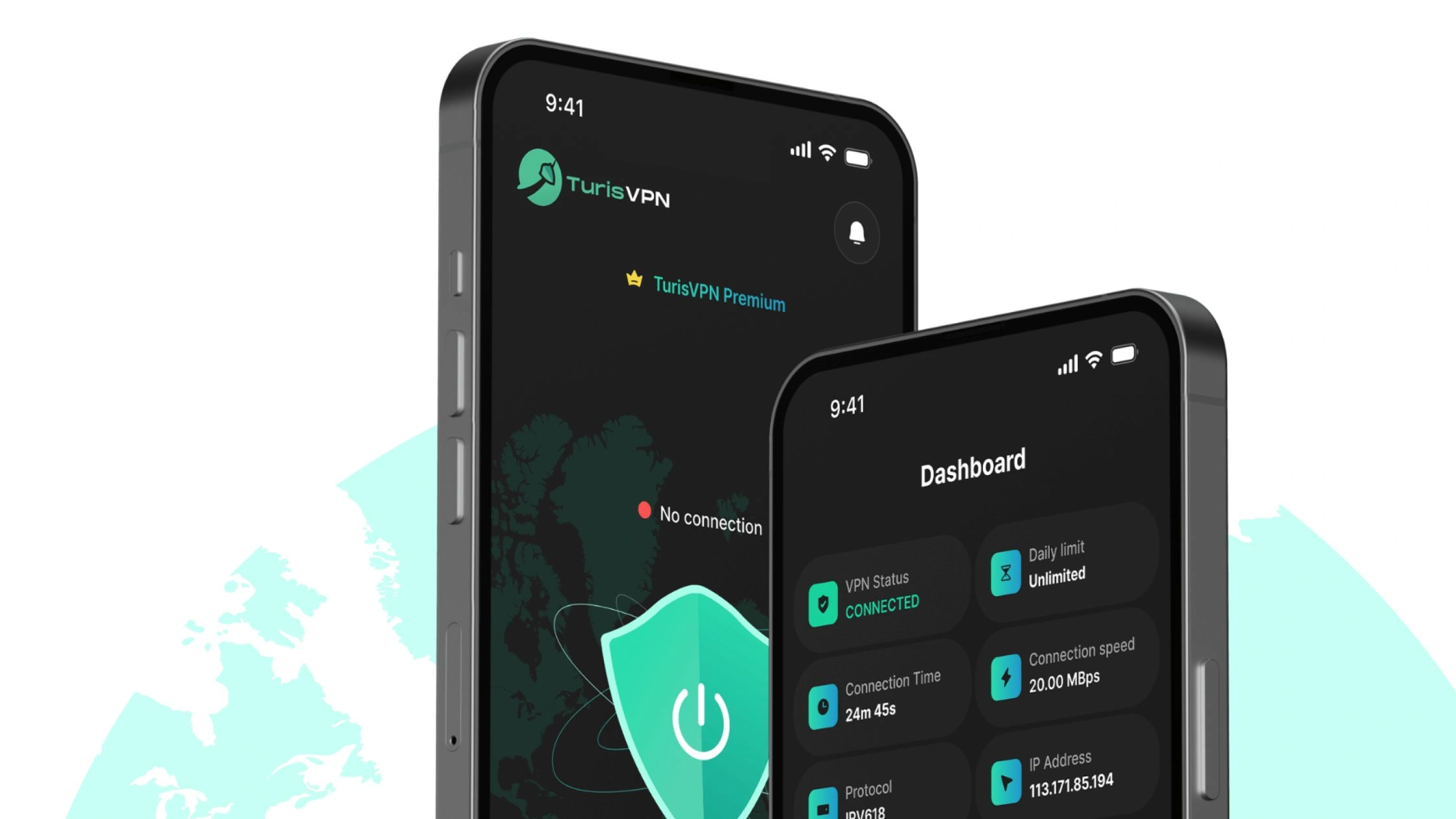
Knowing how to use TurisVPN protects you by encrypting your connection, hiding your IP address, and stopping anyone from seeing what you do online.
The VPN also helps you avoid speed throttling on mobile hotspots, so your connection stays fast and stable.
How to Stay Safe With TurisVPN:
- Step 1: Install TurisVPN on your phone, laptop, or tablet.
- Step 2: Open the app and choose a fast, nearby server (e.g Singapore VPN)
- Step 3: Turn on the connection to encrypt your internet traffic.
- Step 4: Use public or shared Wi-Fi only after the VPN is active.
- Step 5: For mobile hotspots, stay connected to TurisVPN to avoid throttling.
Bottom Line
You can get free internet at home in 2025 without breaking the law or putting your safety at risk. There are many real options, from mobile hotspots and free data programs to public networks, community Wi-Fi, and trial plans. Some people can also qualify for student or low-income benefits that provide reliable internet at little to no cost. When you connect to public or shared networks, always use TurisVPN to protect your data and keep your browsing private.
FAQs
Q1. Can I legally use my neighbor’s Wi-Fi?
Yes, but only if they give you clear permission. Using someone’s Wi-Fi without consent is illegal.
Q2. Is there a way to get unlimited free internet?
Not truly unlimited. But you can combine free trials, public Wi-Fi, mobile hotspot data, and low-income programs to stay connected without paying. It won’t be unlimited, but it can cover most daily needs.
Q3. What’s the safest free internet option?
Public or community Wi-Fi paired with a strong VPN like TurisVPN. The VPN encrypts your connection, protects your data, and reduces the risks of using open networks.





