Seeing no posts available on Facebook can be confusing and frustrating. The problem often happens when posts are deleted, privacy settings hide content, or accounts are restricted. Many users also face this error because of app glitches, outdated versions, or server outages.
With Facebook championing over three billion monthly active users, this error affects millions worldwide. Our blog post explains what the message means, the most common causes, and simple ways to fix it so your Facebook feed and posts show up normally again.
Key Takeaways
| – The “no posts available on Facebook” error happens due to privacy limits, deleted posts, glitches, or account restrictions. – Common messages include post unavailable Facebook or this post is no longer available. – Fixes include refreshing the feed, clearing cache, adjusting privacy settings, and checking for outages. – Sometimes, the issue is due to being on a restricted list or the account being deactivated. – Protect your data with privacy reviews, 2FA, and TurisVPN for safer browsing. |
What Does the ‘No Posts Available’ Error Mean on Facebook?
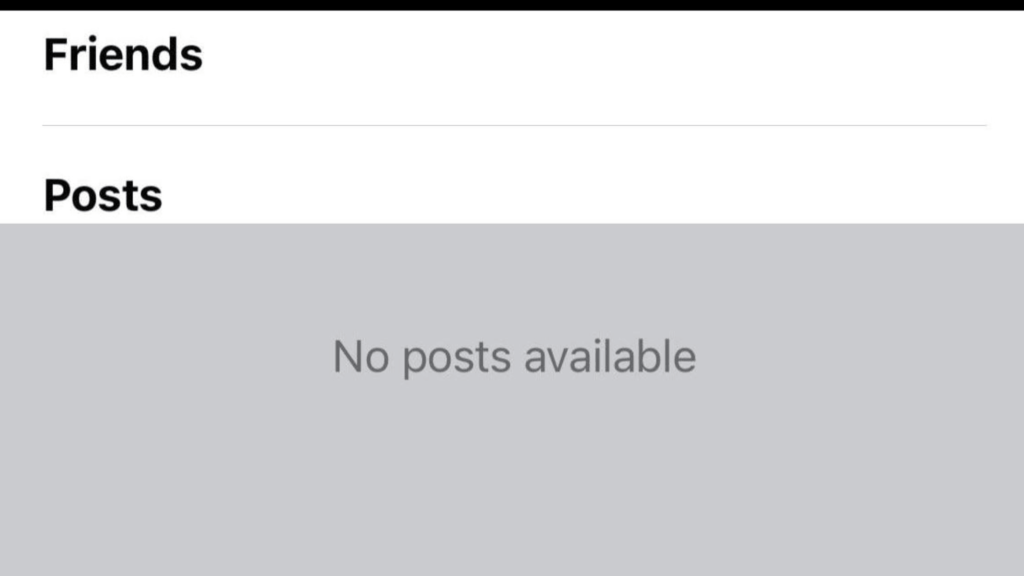
The message no posts available on Facebook usually appears when the platform is unable to retrieve or display content. In simple terms, the error means the post, feed, or profile you’re trying to view cannot be shown. This can be caused by both user-side issues (privacy settings, blocked access, deleted posts) and platform-side problems (technical glitches, bugs, or filtering by Facebook’s servers).
You may also see variations of this error, such as:
- Post unavailable on Facebook: the post has been deleted, hidden, or set to a limited audience.
- This post is no longer available on Facebook: the content was removed by the user or flagged for violating policies.
- This content isn’t available on Facebook profile: the profile may be private, deactivated, or blocked from your view.
- Facebook not showing posts / Facebook content not available: common during outages, feed refresh errors, or when the app version is outdated.
In short, what does no post available mean on Facebook? It’s a failure to load or access content. Sometimes the issue is temporary (a glitch or outage), but in other cases, it reflects intentional restrictions like privacy filters or account suspensions.
Common Causes for “No Posts Available” on Facebook
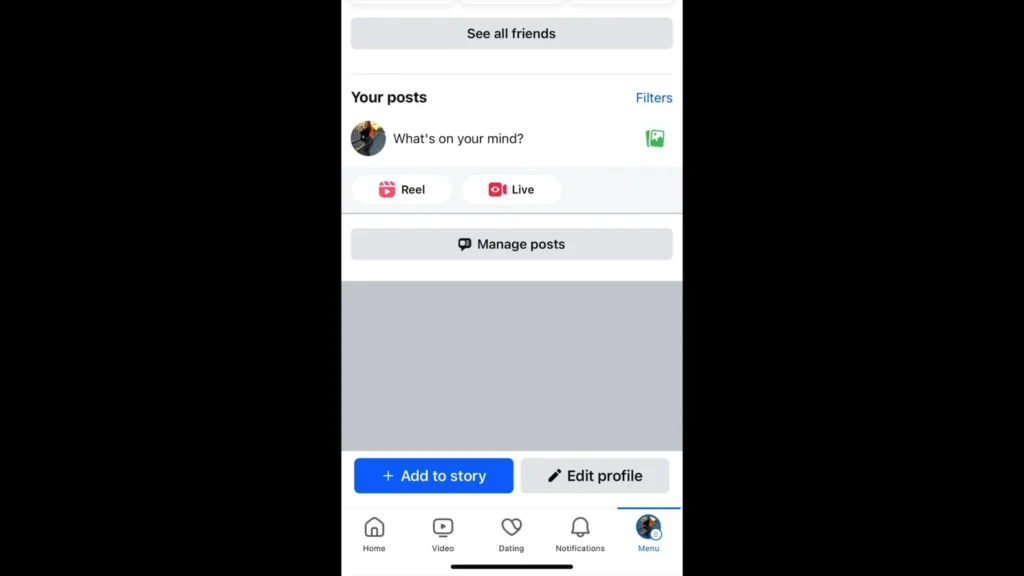
The no posts available on Facebook error can appear for many different reasons. Below are the 7 most common causes explained in detail:
Privacy Settings
One of the top reasons you see “no posts available” is because of privacy settings. Facebook allows users to control who can view their posts.
If your friend limits visibility to “Only Me” or a custom audience, their posts will not show up for you. In some cases, people report being friends on Facebook but can’t see posts; the problem usually happens if they’ve been added to a restricted list.
Profile and Post Removal
Sometimes, a post is deleted by the original poster or taken down by Facebook. When the issue happens, you’ll often see messages like post unavailable Facebook or this post is no longer available Facebook.
Similarly, if the post was removed, likes or reactions may vanish, showing no data available on Facebook likes.
Temporary Account Suspension or Deactivation
If a profile has been deactivated or suspended, its content disappears from view. Until the account is restored, you may only see this content isn’t available Facebook profile or blank timelines with no posts available. This can happen if the user temporarily deactivates their account or if Facebook enforces a suspension for policy violations.
Technical Glitches and Server Issues
Sometimes the problem isn’t with the post at all, but with Facebook itself. Users may see Facebook not showing posts due to outages, buggy app updates, or caching errors.
Unstable internet, outdated apps, or server downtime can all trigger content not available messages. Clearing cache, reinstalling the app, or waiting for Facebook’s servers to stabilize often resolves this.
Content Filtering and Moderation
Facebook actively moderates content to remove spam, harmful material, or posts that violate guidelines. If a post is flagged, you may see Facebook content not available instead of the actual update. The error also applies to posts with restricted words, copyrighted media, or sensitive content, which may be hidden automatically.
Blocked or Restricted Access
If someone blocks you or places you under restrictions, their profile may appear blank with no posts available. You may also encounter this content isn’t available on your Facebook profile, even while still listed as friends. Essentially, you’ve been cut off from their content without being fully unfriended.
Lack of Recent Activity
Sometimes, the explanation is simple: there’s nothing to show. If a Page or profile hasn’t posted in weeks or months, their timeline will display no posts available because there’s no recent activity. The problem often happens with inactive business pages or abandoned personal accounts.
How to Fix “No Posts Available” on Facebook: 5 Efficient Methods
If you keep seeing no posts available on Facebook, don’t panic. In many cases, it’s a temporary issue that can be resolved with a few quick ways. Below are five efficient fixes:
Method 1: Increase Friend Activity
Sometimes your feed looks empty simply because there’s not much activity from your friends. Facebook’s algorithm prioritizes posts from active users, so if your friends rarely post, you may end up with a blank feed.
Steps to try:
- Step 1: Engage with posts: Like, comment, and share updates from friends. This signals to Facebook that you want to see more from them.
- Step 2: Add new friends: Connect with more people to increase the amount of content in your feed.
- Step 3: Join interactions: Participate in friend posts, tag them, or respond to their stories to keep the algorithm active.
- Step 4: Switch feed view: On the Facebook app, tap the menu and choose Most Recent instead of Top Posts to make sure you’re seeing everything available.
Method 2: Adjust Privacy Settings
If you’re asking how to fix no post available on Facebook, one of the first things to check is privacy. You may be excluded from seeing posts if your friends or pages have restricted their audience.
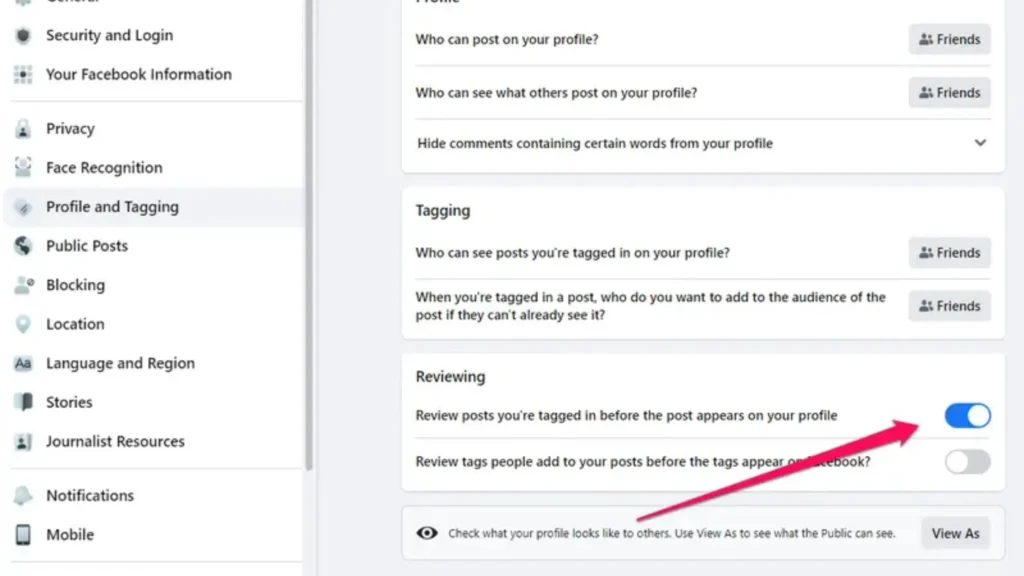
Steps to check and fix:
- Step 1: Go to Settings & Privacy → open Privacy Settings.
- Step 2: Check “Who can see my stuff” – make sure your own posts are not accidentally restricted (e.g., set to “Only Me”).
- Step 3: Review Friend Lists: confirm you’re not on someone’s Restricted List, which blocks you from seeing their updates.
- Step 4: Check page/group settings: for Facebook pages and groups, ensure your role (admin, member) gives you permission to view posts.
- Step 5: Test visibility: log out and use the View As feature to see how your profile looks to others. This helps identify whether restrictions are causing posts to disappear.
Method 3: Follow More Pages or Join Groups
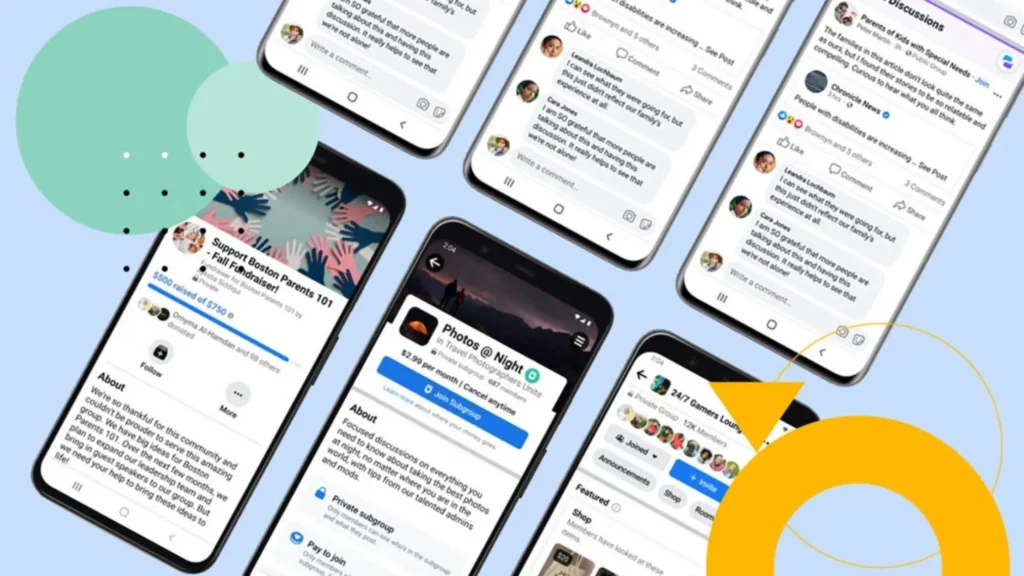
If your feed looks empty, it may simply be because you’re not following enough active sources. Facebook’s algorithm thrives on fresh content from Pages and Groups.
Steps to expand your feed:
- Step 1: Search for interests: Use the search bar to look for Pages or Groups related to your hobbies, work, or favorite topics.
- Step 2: Tap “Follow” or “Join”: Follow active Pages or request to join Groups where people post frequently.
- Step 3: Turn on Notifications: On a Page or Group, tap the bell icon to make sure you get updates in your feed.
- Step 4: Engage regularly: Comment and react to new posts to let Facebook know you want more content like this.
Method 4: Check for Temporary Issues or Outages
Sometimes, the no posts available on Facebook error is not your fault at all, it’s a platform outage. Facebook servers occasionally go down, or updates cause glitches.
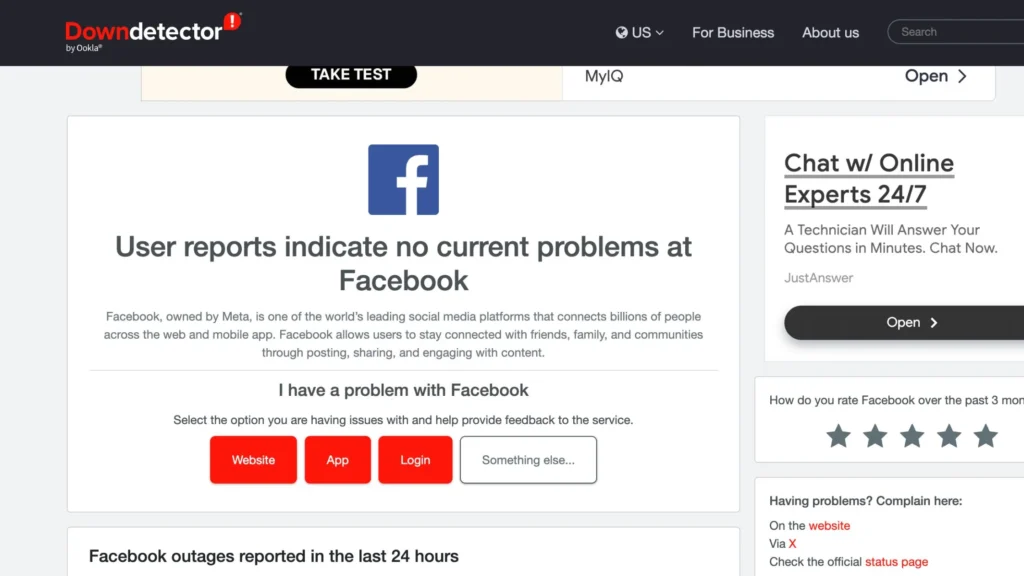
Steps to confirm and wait it out:
- Step 1: Visit Downdetector: Search for “Facebook down” to see if other users are reporting problems.
- Step 2: Check Facebook Status: Facebook’s official Help Center sometimes posts outage updates.
- Step 3: Try another device: Log in from a different phone or PC to confirm if the issue is account-specific or global.
- Step 4: Wait and retry: If it’s a server issue, there’s nothing you can do except wait for Facebook to fix it.
Method 5: Refresh Feed and Clear Cache Data
Old cache or corrupted app data can stop new posts from loading, leaving your feed stuck.
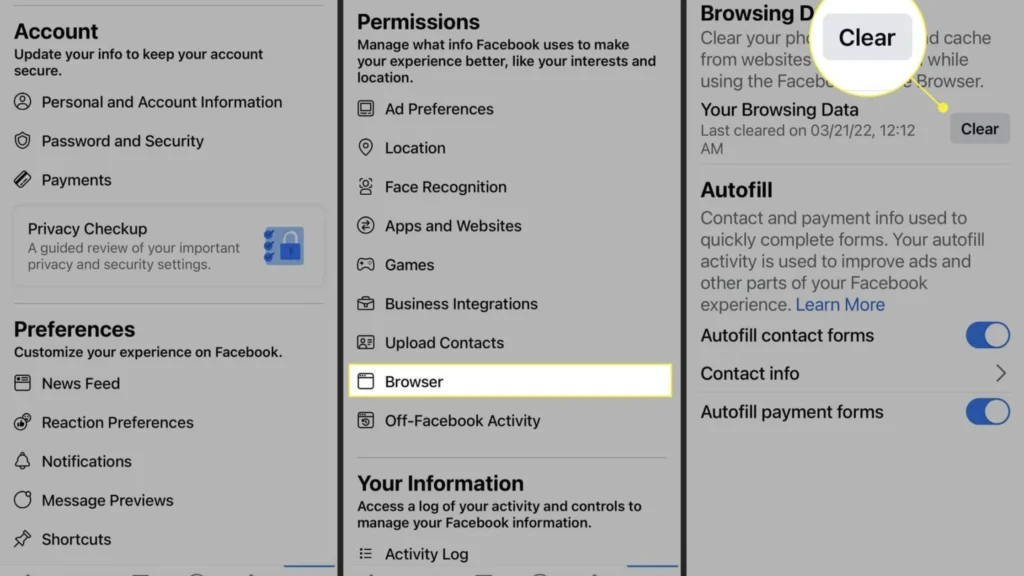
Steps to refresh and clear cache:
- Step 1: Refresh manually: On the app, swipe down on the feed to reload. On the desktop, press F5.
- Step 2: Clear cache (mobile): Go to your device Settings > Apps > Facebook > Storage > Clear Cache.
- Step 3: Clear cache (browser): In Chrome/Edge, open Settings > Privacy > Clear Browsing Data, and tick cache + cookies.
- Step 4: Log out and log back in: This refreshes your session and reloads content.
- Step 5: Reinstall the app: If nothing works, uninstall and reinstall the latest version of Facebook.
Extra Tips to Protect Your Privacy on Facebook
While fixing the no posts available on Facebook error helps restore your feed, it’s equally important to safeguard your privacy. Here are three extra tips every user should follow:
Privacy Settings Review
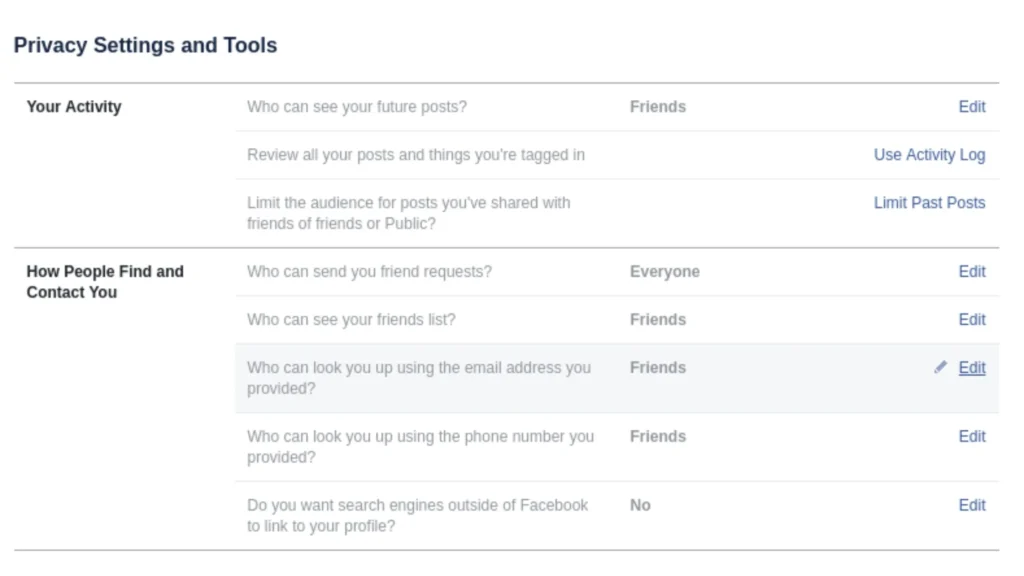
- Step 1: Go to Settings & Privacy > Privacy Shortcuts.
- Step 2: Review “Who can see your posts” and “Who can send you friend requests.”
- Step 3: Limit old posts by enabling Limit Past Posts.
- Step 4: Adjust timeline and tagging settings so you control what appears on your profile.
A quick privacy check ensures you aren’t oversharing with strangers and reduces the risk of unwanted interactions.
Two-Factor Authentication (2FA)
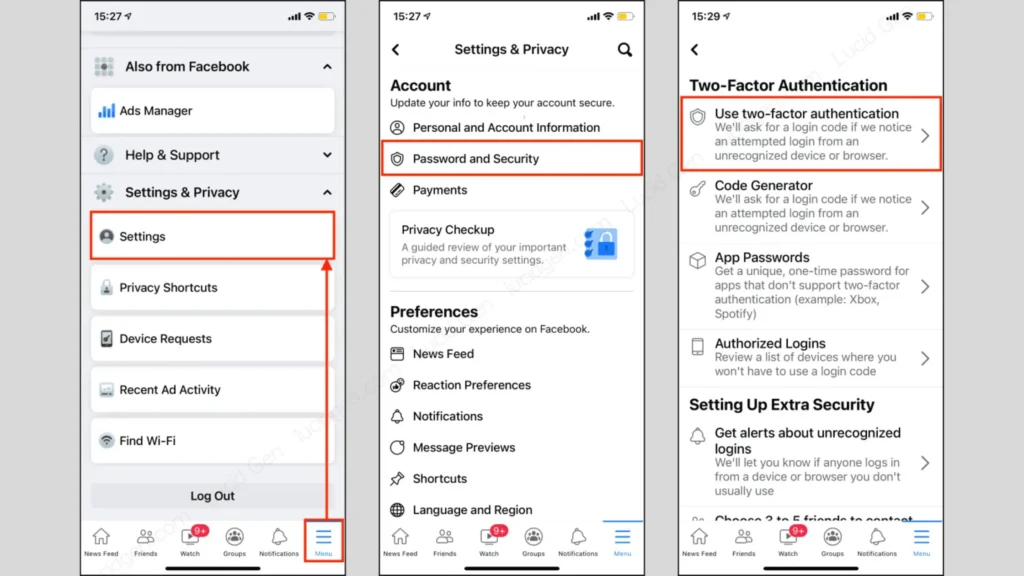
- Step 1: Open Settings > Security and Login > Two-Factor Authentication.
- Step 2: Choose a method: SMS code or an authenticator app like Google Authenticator.
- Step 3: Enable alerts for unrecognized logins to get notified if someone tries to access your account.
With 2FA enabled, even if your password is stolen, hackers won’t be able to log in without your second verification step.
Use of TurisVPN
TurisVPN is a budget-friendly and privacy-focused VPN designed to keep your browsing safe while also unlocking restricted content like Facebook posts and pages. TurisVPN offers unlimited data usage and a strict no-logs policy. The Free Secure VPN is lightweight, easy to use, and works across devices iOS, Android, and Chrome extensions.
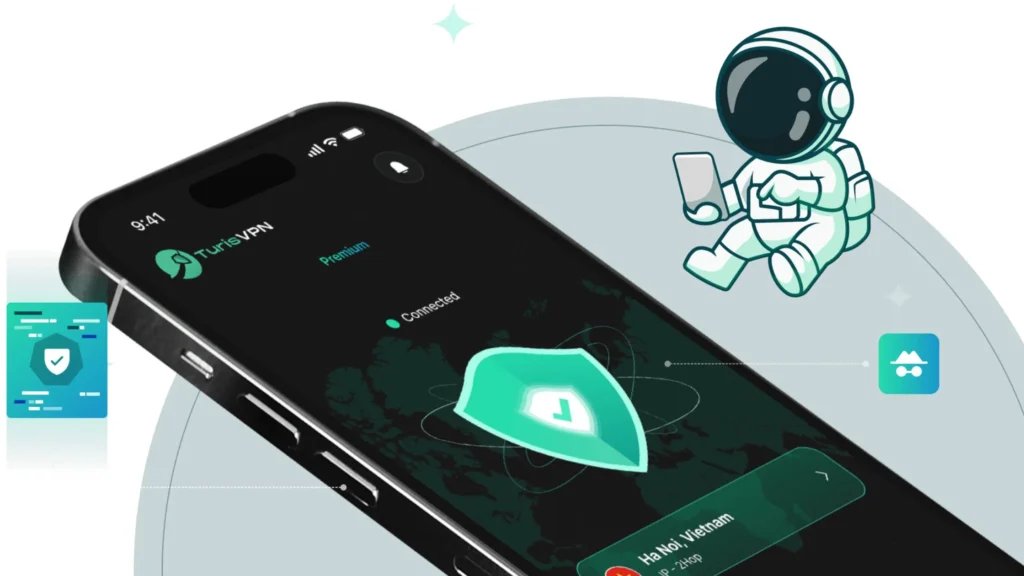
Steps to use TurisVPN for Facebook privacy and access:
- Step 1: Download and install TurisVPN on your device.
- Step 2: Connect to a secure server location (e.g: Singapore VPN).
- Step 3: Enable encryption features for extra protection.
TurisVPN doesn’t just fix the no posts available on Facebook problem caused by region or network filters. The VPN also secures your entire online experience.
Bottom Line
The no posts available on Facebook error can happen for many reasons from privacy settings and account restrictions to technical glitches or lack of friend activity. Most of the time, simple fixes like refreshing your feed, clearing cache, or adjusting privacy settings solve the issue quickly.
To stay safe, always review your privacy settings, enable two-factor authentication, and consider tools like TurisVPN for added security. That way, you not only bring posts back to your feed but also keep your personal data protected.
FAQs
Q1. Why Can’t I Read Someone’s Facebook Post if I’m Not Blocked?
If you see post-unavailable Facebook messages, it doesn’t always mean you’re blocked. The post could be deleted, set to a limited audience, or restricted to certain friend lists.
Q2. How Can I Tell If Someone Is Hiding Posts from Me?
If a friend is active but you consistently see “no posts available” on their profile, they may have added you to a restricted list. This lets them stay friends but hide their updates from you.
Q3. What’s the Difference Between Being Blocked and Restricted on Facebook?
- Blocked: You can’t see the profile, posts, or interact at all.
- Restricted: You remain friends, but you’ll only see public updates, not all of their posts.
Q4. How Can I Hide My Facebook Profile Without Blocking Anyone?
You can:
- Adjust your privacy settings so only “Friends” or “Only Me” can view your posts.
- Limit past posts visibility.
- Use the profile lock option (available in some regions).
This way, you stay connected without exposing all your content.