How to delete an eHarmony account is a question that enters the minds of thousands of users every single month.
This is often because users report difficulties navigating the cancellation process, particularly concerning active subscriptions or unexpected auto-renewals, as evidenced by numerous discussions on consumer forums and review sites.
In this guide, we’ll cover every step, including how to delete an eHarmony account on a phone (or desktop and others), how to get out of an eHarmony contract, and how to contact eHarmony to cancel a subscription.
With our detailed steps right below, you might also apply them to cancel other social media or dating apps. For example, if you want to find tips on deleting OkCupid or other dating apps, you can also have a quick look and gather some good advice.
Read on for all the details you need to take charge of your online dating presence.
What is eHarmony?
eHarmony is one of the most common dating sites, which has a compatibility matching system that is distinct from others.
Unlike many online dating and matchmaking services that rely heavily on swiping, simple preferences, or user-initiated searches, eHarmony’s system is rooted in a proprietary 32 Dimensions® model.
This model is designed to foster deeply compatible, long-term relationships through a comprehensive personality assessment.
When you begin your eHarmony experience, whether by visiting their website or launching the mobile application, you’ll be prompted to complete a comprehensive questionnaire.
This initial step is central to eHarmony’s unique matching philosophy, serving as the gateway to the platform’s personalized matchmaking process. The detailed responses you provide are then analyzed to connect you with individuals who genuinely align with your interests and values.
Furthermore, to ensure a transparent and secure environment, the website’s terms and conditions aim to protect users while outlining clear guidelines for payment, privacy, and account cancellation.
eHarmony has a free and paid membership. Having a paid membership opens up additional features, including unlimited messaging and viewing your profile viewers.
Paid membership also requires you to learn how to handle your account, including how to delete your eHarmony profile, how to cancel eHarmony, and how to unsubscribe from eHarmony if you ever want to quit.
Why Would You Want to Delete Your eHarmony Account?
There are numerous reasons why you may be looking to delete your eHarmony account. Perhaps you’ve found someone, don’t wish to continue to be billed, or wish to protect your internet privacy.
Occasionally, individuals who are finding ways to cancel their eHarmony profile or any other dating apps (such as finding ways to cancel Onlyfans or Meetme accounts) because they’re taking a break or testing out another internet dating website.
Some of the members are annoyed by notifications or do not want to receive emails. Others worry about data protection, being romance scammed, or want to make sure that their profile will no longer be accessible.
Whatever the reason, note that it is essential to realize that making your profile invisible or deleting the application does not prevent billing or erase your data from the servers of eHarmony.
How to Permanently Delete Your eHarmony Account?

Deleting your eHarmony account involves two steps. First, cancel your membership to prevent future costs. Then you may remove your profile and data. Here’s all you should know:
Step-by-Step Guide to Delete eHarmony on Desktop
- Step 1: Log in to eHarmony using your email and password.
- Step 2: Click your profile photo at the top right and select Data & Settings.
- Step 3: Scroll down to the Profile Status section.
- Step 4: Click the link that says “To delete your profile permanently, click here.”
- Step 5: Enter your password and confirm deletion.
Tip: You must cancel your subscription first. If you have an active plan, see the next section on how to cancel.
Step-by-Step Guide to Delete eHarmony on Mobile
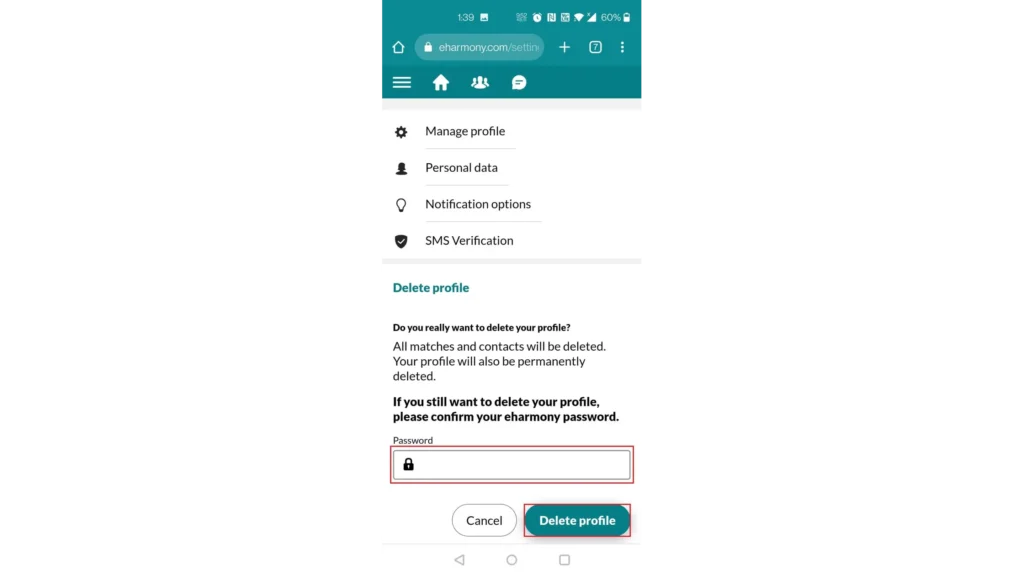
If you have been searching for how to delete an eHarmony account on your mobile phone, use the following instructions:
- Step 1: Tap your profile icon and navigate to Settings or Data & Settings.
- Step 2: Find the Profile Status or Manage Profile section.
- Step 3: Tap on the option to delete your profile permanently.
- Step 4: Enter your password to confirm.
- Step 5: Confirm the deletion.
Please note: If you have an active subscription, you’ll need to contact eHarmony to cancel your subscription before deleting your account.
How to Cancel Your eHarmony Subscription?
You must first unsubscribe before you can delete your account. This action prevents you from being billed in the future and keeps you from being charged again. How to unsubscribe from eHarmony on various platforms is illustrated below.
Canceling Your eHarmony Subscription via the Web
- Step 1: Sign in to eHarmony and navigate to Data & Settings.
- Step 2: Select Amend Subscription or Manage Subscription.
- Step 3: Enter your password if prompted.
- Step 4: Click the cancellation link and proceed with the steps to confirm.
This will deactivate auto-renewal, but your account is active until the billing cycle ends. If you require assistance, you can call eHarmony to cancel at (844) 544-3181 or [email protected].
Canceling Your eHarmony Subscription via the Apple Store
If you enrolled with Apple, you must turn off your plan from the iPhone settings:
- Step 1: Launch the Settings app on your iPhone.
- Step 2: Click your name at the top, and then Subscriptions.
- Step 3: Locate your eHarmony subscription and subsequently click on Cancel Subscription.
- Step 4: Confirm through the directions.
Contacting eHarmony customer service cannot cancel Apple subscriptions for you; therefore, you should follow our suggested steps right here to cancel the app’s subscription successfully.
Canceling Your eHarmony Subscription via Google Play
- Step 1: If you paid through Google Play, cancel your subscription here:
- Step 2: Open the Google Play app.
- Step 3: Tap your profile icon > Payments & subscriptions > Subscriptions.
- Step 4: Select eHarmony and tap Cancel subscription.
- Step 5: Confirm your cancellation.
Again, if you paid via Google Play, you must cancel here, not through eHarmony directly.
How to Hide Your Profile on eHarmony?
If you don’t want to close your account, you can keep your profile invisible on eHarmony. It makes you invisible to new members but won’t erase your information.
- Step 1: Log in to eHarmony.
- Step 2: Tap your photo > Data & Settings.
- Step 3: Under Profile Visibility, swipe to your profile such that it will hide.
- Step 4: You will be greeted with a banner stating that your profile is concealed.
Leaving your profile private is a good idea if you want to take a break or consider it later. Just remember that individuals you have messaged previously can still see your profile.
What Happens When You Delete Your eHarmony Account?
By going through the procedure on how to cancel an eHarmony account, your whole profile is removed from the website. What this implies is that your whole matches, messages, and photos are gone for good.
For instance, if you had spoken to a person for weeks or exchanged personal photos, the past no longer exists. You cannot log into eHarmony or view your previous details. Even when you attempt to reach the eHarmony member sign-in page, you will get an error message.
Your upgraded features vanish, and your subscription is terminated. To come back, you’ll need to sign up again and begin from scratch.
Why Can’t I Delete My eHarmony Account?
Sometimes, users can’t delete their eHarmony account due to several key reasons:
- Active Subscriptions: You generally need to cancel any paid membership and wait for the subscription term to end before the deletion option becomes available.
- Unpaid Bills or Outstanding Obligations: Any pending payments or charges must be settled before you can delete your account.
- Geographic Restrictions or System Limitations: In certain regions, or when using specific platforms (like the mobile app for deletion), the direct delete option might not be available, or you might encounter error messages.
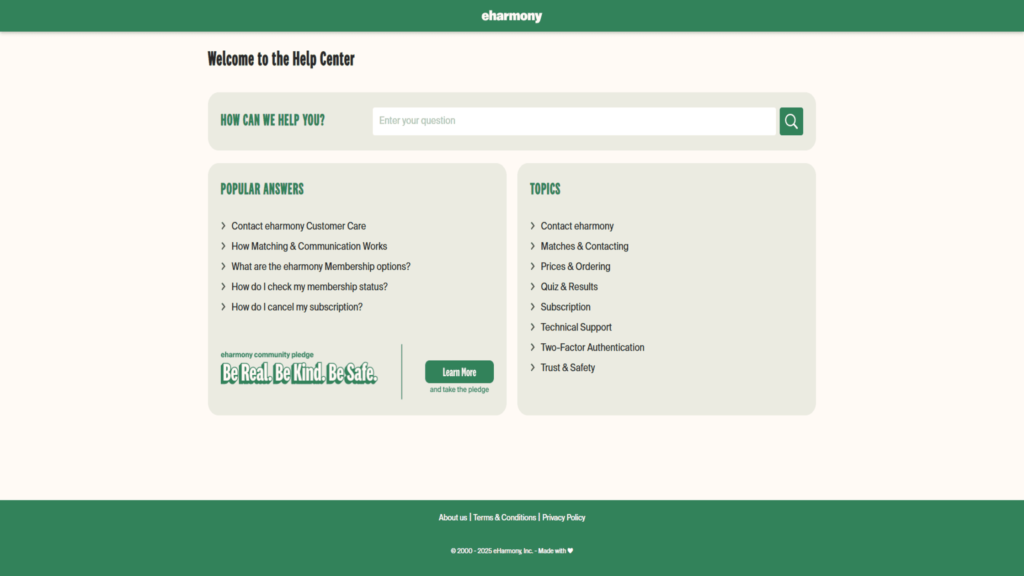
If issues continue, attempt contacting eHarmony customer support or the eHarmony cancellation phone number: (844) 544-3181. You might also need to compose an email to [email protected] or utilize the live chat support.
Countries Where You May Have Trouble Deleting Your eHarmony Account
Some nations (like the UAE or Indonesia), particularly those with tight digital policies or where eHarmony is not very active, might limit account deletion. Whenever you’ve relocated or are on the move, you might be presented with error messages or unavailable features.
In such instances, employing a VPN can make you seem to be in a supported location, making it convenient to disable eHarmony or remove your eHarmony profile.
Use TurisVPN to Easily Delete Your eHarmony Account
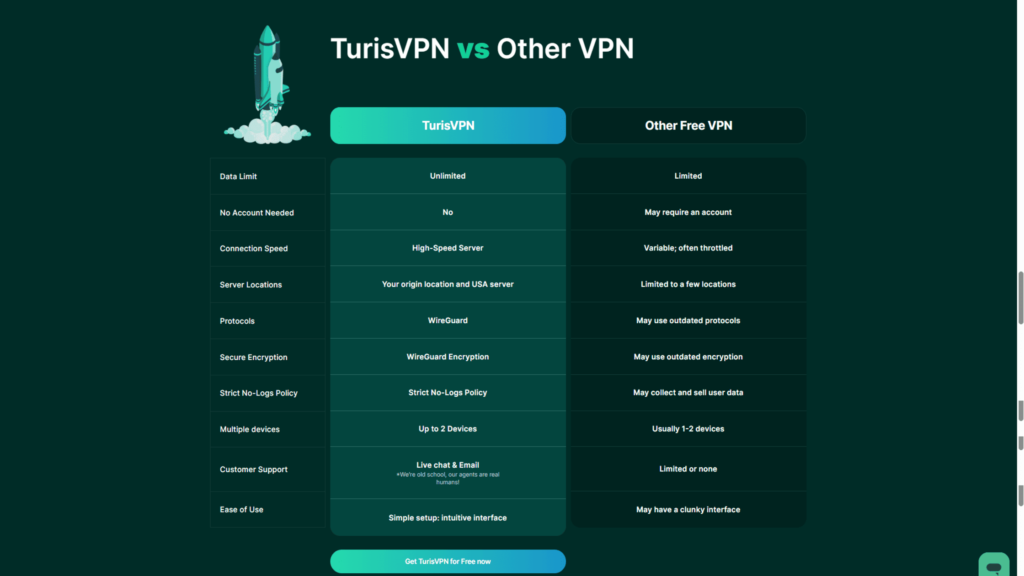
In case you are outside your country or have regional blocks, TurisVPN is able to assist you in closing your account. Follow these steps:
- Step 1: Download and install TurisVPN from our official website.
- Step 2: Open the app and set it to a US or UK server. This will cause eHarmony to believe that you are accessing from one of these countries.
- Step 3: Sign in to eHarmony as normal.
- Step 4: Go to Data & Settings, terminate your subscription if necessary, and proceed with closing your eHarmony account.
- Step 5: If something goes wrong, go to eHarmony customer support while you are still on the VPN.
In addition to helping you get around geo-restrictions, having TurisVPN or connecting to our Singapore and Malaysia VPN servers also guards you against your privacy being invaded along the way.
Our top-tier service will also protect you from hackers, hide your digital footprints, remove your data and extend to various services you use daily, including FetLife or Onlyfans.
On the other hand, you can still learn how to delete your account from FetLife or other apps properly if you never need their services any longer via our comprehensive TurisVPN blog.
Bottom Line
How to remove an eHarmony account is not a hard thing to do if you do it the right way. First, always cancel your subscription so that you are not charged in error, then remove your profile under the Data & Settings tab.
If you cannot manage, use the eHarmony phone number to cancel or phone eHarmony customer support. In case of geographical restrictions for the users, TurisVPN offers a simple and efficient solution. Don’t hesitate and visit our blog for more useful information!
FAQs
Q1. Can you reactivate a deleted eHarmony account?
No, after you terminate your account, everything will be deleted. You’ll need to sign up again if you wish to come back.
Q2. How to cancel eHarmony early (within 3 days)?
If you reside in some US states (such as California, New York, and Illinois), you may cancel within 3 days and receive a refund.
Send a signed notice to eHarmony, Inc., ATTN: Cancellations, PO Box 241810, Los Angeles, CA 90024 USA, or e-mail [email protected], quoting your email and cancellation request.