Watching JioCinema in Singapore requires a VPN with Indian servers because JioCinema is geo-restricted to India. The platform detects your IP address and blocks access if you are outside the country. To bypass this restriction, you need to connect to an Indian IP address, then access JioCinema as if you were physically in India.
Our blog explains exactly how to watch JioCinema in Singapore step by step. You will learn about JioCinema geo-restrictions, TurisVPN setup, account creation, and solutions if VPN is blocked.
Key Takeaways
|
Quick steps to watch JioCinema in Singapore
To watch JioCinema in Singapore, you must use a VPN to get an Indian IP address. Connecting to a server in India makes it appear as if you are browsing from India. This allows access to the platform.
alt: TurisVPN
- Step 1: Subscribe to TurisVPN: Choose TurisVPN with fast and secure Indian servers to bypass geo-restrictions.
- Step 2: Install TurisVPN: Download the TurisVPN app on mobile or install the TurisVPN browser extension on PC, then log in.
- Step 3: Connect to an Indian Server: Open TurisVPN and select an India server to get an Indian IP address.
- Step 4: Clear Cache: Clear your browser or app cache to remove stored Singapore location data.
- Step 5: Open JioCinema: Visit the JioCinema website or app and sign in using OTP verification.
- Step 6: Start Streaming: Watch IPL matches, Indian movies, and JioCinema Premium content from Singapore without geo-block errors.
Why JioCinema is Geo-Restricted?
JioCinema is restricted outside India. Its content licenses and broadcasting rights are limited to the Indian market.
Streaming platforms must follow regional copyright agreements. These rules decide where movies, TV shows, and sports events can be shown legally.

JioCinema is run by Viacom18 and Jio Platforms. Its main audience is in India and nearby regions.
Most premium content is licensed only for viewers in India. This includes IPL cricket matches, Bollywood movies, and exclusive series. Several technical and legal factors enforce this restriction:
- Licensing Agreements: Content owners grant distribution rights by region. JioCinema typically holds rights for India only, not for Singapore or other countries.
- IP Address Detection: JioCinema detects user location through IP address tracking. If the IP address originates from Singapore or any non-Indian region, access is blocked automatically.
- Regional Broadcasting Rights: Sports content like IPL involves strict territorial contracts, making geo-blocking mandatory.
- Platform Market Focus: JioCinema is designed primarily for Indian users, which is why global access is limited.
Geo-restriction is not a technical error. Geo-restriction is a compliance mechanism tied to digital distribution law.
To access JioCinema from Singapore, users must connect to an Indian IP address through a VPN. A VPN sends your internet traffic through a server in India. Because of this, the platform sees your connection as coming from India, not Singapore.
Available Countries have JioCinema
JioCinema is officially available only in India. The platform is geo-restricted outside the country due to content licensing and regional broadcasting agreements. 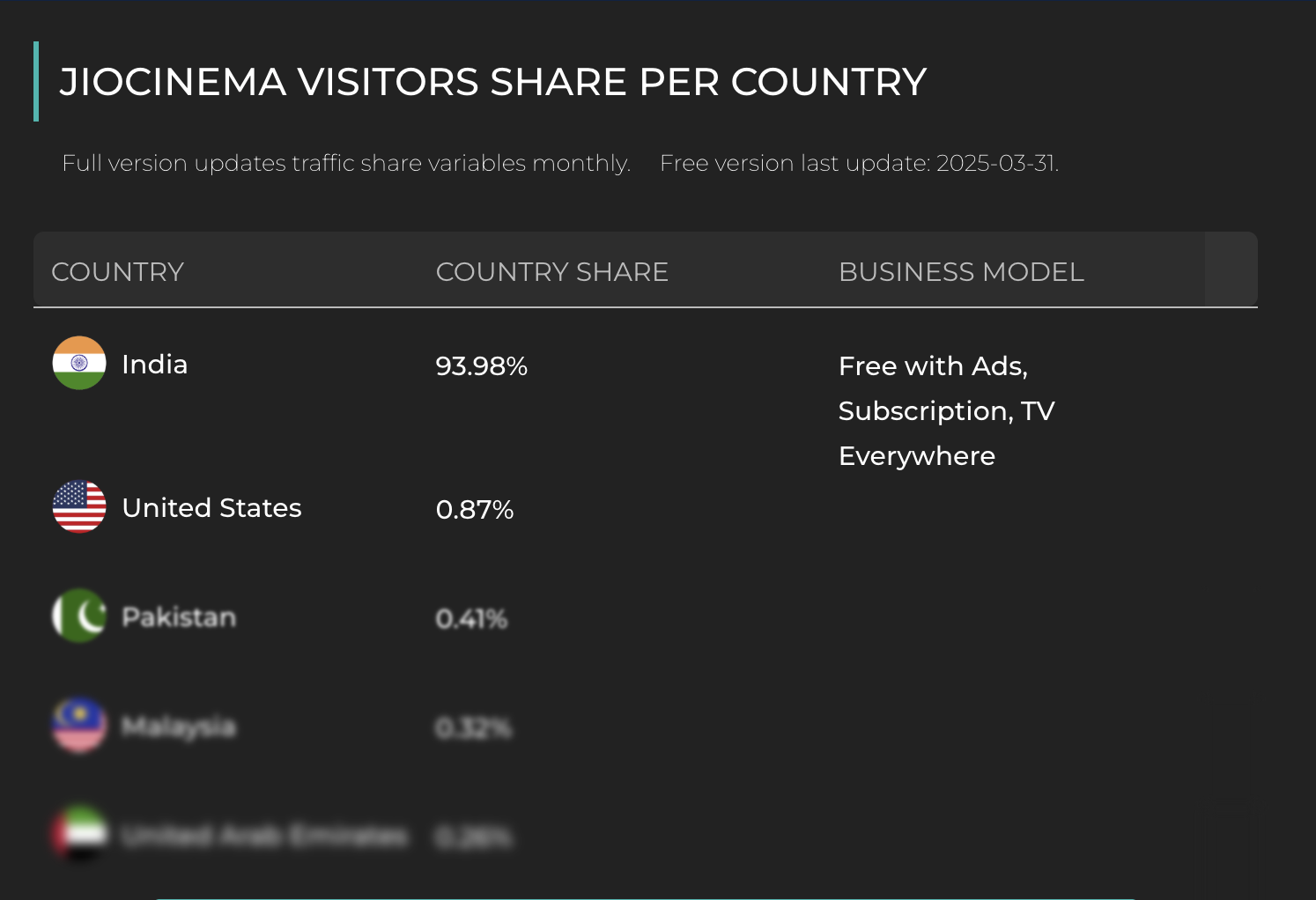
JioCinema does not have a global version like Netflix or Amazon Prime. The platform mainly serves users in India.
Viacom18 and Jio Platforms hold streaming rights in the Indian market. These rights cover movies, TV shows, and sports events such as IPL
Official Availability
- India: Full access to JioCinema and JioCinema Premium content
- United States: 0.87% visitor share (requires VPN for full access).
- Pakistan: 0.41% visitor share.
- Malaysia: 0.32% visitor share.
- United Arab Emirates: 0.26% visitor share.
JioCinema is not officially available in Singapore. Even users in neighboring regions of South Asia may face restrictions depending on licensing agreements.
JioCinema determines access based on IP address detection. If the IP address is not located in India, the platform blocks streaming automatically.
To access JioCinema from Singapore or any other country, a VPN with an Indian server is required to obtain an Indian IP address.
Why You Cannot Access JioCinema in Singapore
You cannot access JioCinema in Singapore because JioCinema blocks all non-Indian IP addresses. The platform is licensed only for use in India. Singapore is outside these distribution rights, so access is restricted.
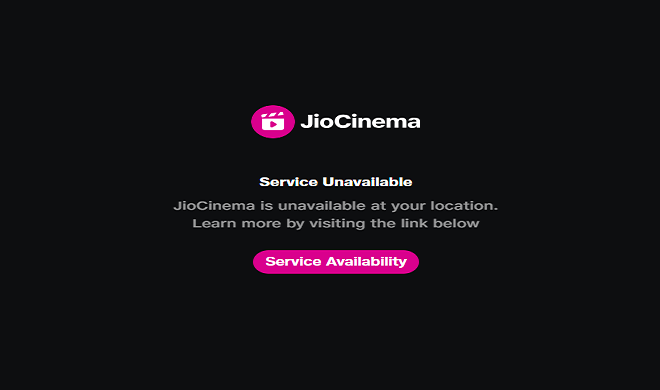
JioCinema uses IP address detection to check where users are located. If you open the website or app from Singapore, the system sees your Singapore IP address. It then blocks access because of geo-restrictions.
Even if you have a JioCinema account, the platform will stop playback if your connection comes from Singapore.
To watch JioCinema in Singapore, you need a VPN with Indian servers. When you connect to an Indian VPN server, your Singapore IP address changes to an Indian IP address. JioCinema then treats your connection as if you are in India and allows access.
How to Set Up TurisVPN for Watching JioCinema in Singapore
The steps below show how to set up TurisVPN and access JioCinema from Singapore without geo-block errors.
Install the App
Download TurisVPN on your device:
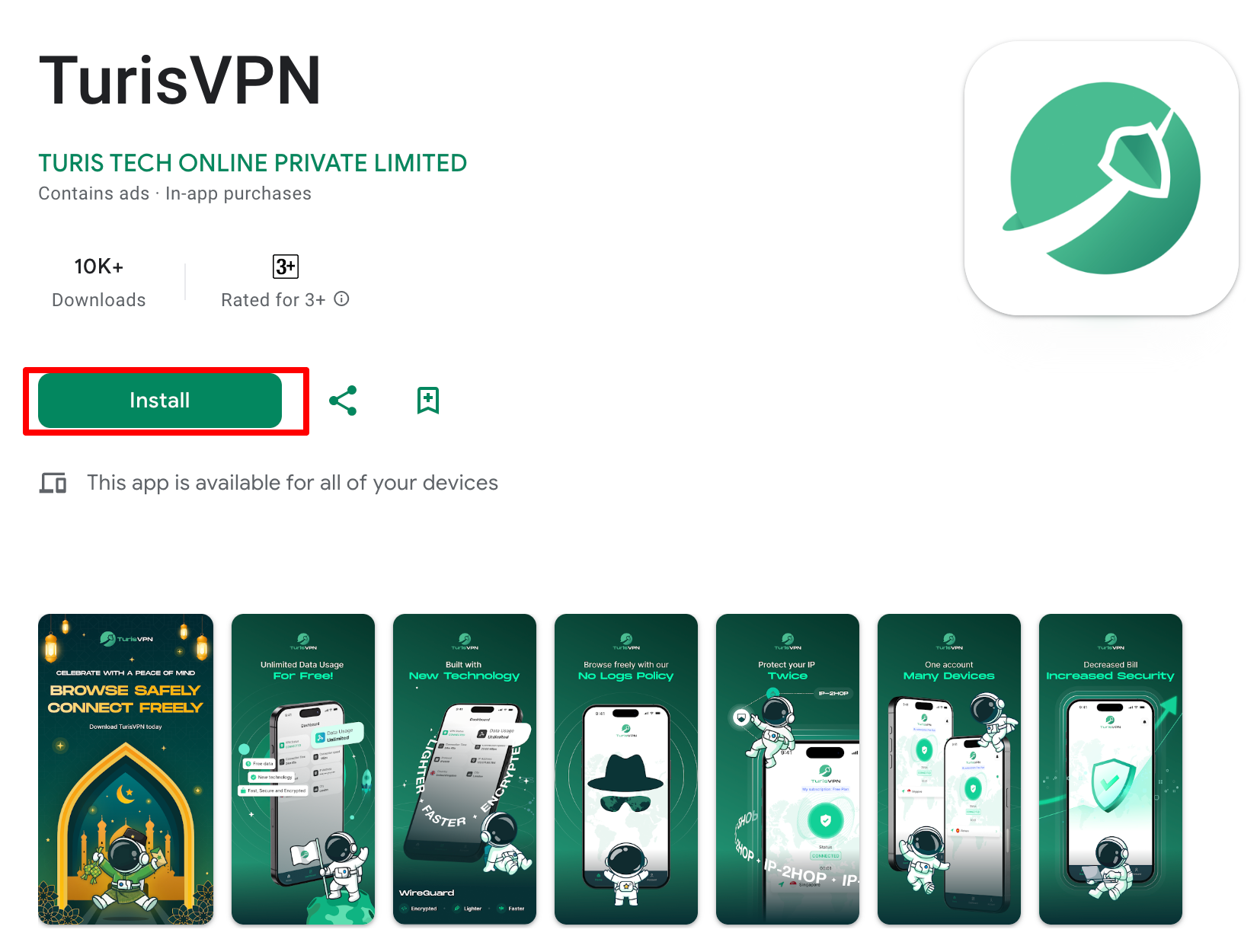
- Mobile (iOS/Android): Install the TurisVPN app from the App Store or Google Play.
- PC/Laptop: Install the TurisVPN browser extension (Chrome-supported).
Log in using your TurisVPN account credentials after installation. Ensure the app or extension is updated to the latest version for best compatibility.
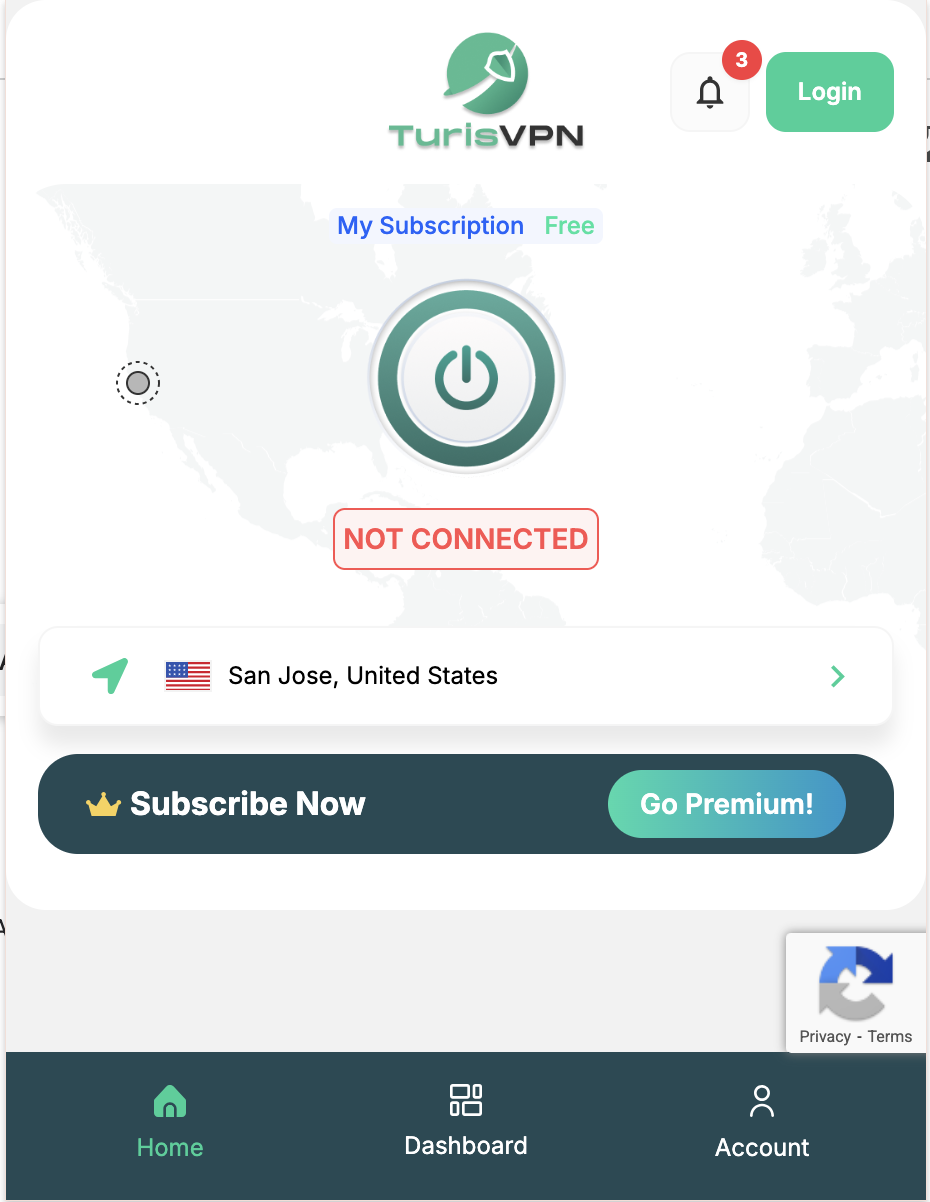
Select an Indian Server
Open TurisVPN and navigate to the server list.
- Choose a server location in India.
- Click “Connect” and wait until the status shows “Connected.”
After you connect, your IP address changes to an Indian IP address. JioCinema will then see your location as India instead of Singapore, which allows access.
For smoother IPL or 4K streaming, choose a server with lower load if multiple Indian servers are available.
Clear App/Browser Cache
Before opening JioCinema, clear stored location data:
- On browser: Clear cookies and cache.
- On mobile app: Clear app cache in device settings.
Cached location data from Singapore can still cause JioCinema to block access. This can happen even after you connect to a VPN.
Access JioCinema

Visit the official JioCinema website or open the JioCinema app.
- Log in using OTP verification.
- If prompted, confirm access permissions.
Once you log in while connected to an Indian server, streaming should work normally. You should not see the “not available in your region” message.
TurisVPN also offers unlimited bandwidth. This allows smooth streaming of IPL matches, Bollywood movies, and exclusive series without interruptions.
Subscription and Account Setup for JioCinema
You may need a JioCinema account to watch content. Some movies and shows also require a JioCinema Premium subscription.
Create a JioCinema Account
- Download or open the JioCinema app.
- Enter a mobile number.
- Verify the account using OTP (One-Time Password).
Some users use Indian mobile numbers for smoother registration. International numbers may work, but can vary depending on verification policies.
Is It Legal to Use VPN for Watching JioCinema in Singapore?
Using a VPN in Singapore is legal. Singapore does not prohibit VPN usage for privacy, security, or accessing online content. Connecting to an Indian server through a VPN to watch JioCinema does not violate Singapore criminal law.
However, accessing JioCinema from outside India may violate JioCinema’s Terms of Service (TOS). Streaming platforms include geo-restriction clauses in their user agreements. If JioCinema detects VPN usage, the platform may:
- Block the VPN IP address
- Restrict playback
- Temporarily suspend the account
A TOS violation is a contractual issue between the user and the platform. A TOS violation is not a criminal offense in Singapore.
Legal risk and platform policy risk are different. VPN use remains lawful locally, but users should understand that streaming services can enforce their own access rules.
For stable access, use a reliable VPN with secure Indian servers and avoid free or low-quality VPN services that are frequently blocked.
Bottom Line
JioCinema is officially available only in India. Users in Singapore cannot access the platform with a Singapore IP address.
This restriction exists because of content licenses and regional broadcasting rights. Premium content like IPL matches and exclusive series is licensed mainly for India.
To watch JioCinema in Singapore, you need a VPN with Indian servers. When you connect to an Indian IP address, JioCinema sees your location as India. This unlocks access to movies, TV shows, and sports streaming.
For the best experience, clear your browser cache, choose a stable server, and use a valid JioCinema account.
FAQs
Q1. Can I Watch JioCinema Without a VPN in Singapore?
No, JioCinema is geo-restricted to India and blocks Singapore IP addresses. Without a VPN connected to an Indian server, the platform will display a region error and prevent streaming.
Q2. Can You Use Free Indian SIM Plans to Watch JioCinema Abroad?
An Indian SIM card alone does not guarantee access outside India. Even if international roaming (IR) is enabled, JioCinema can still detect your location. The platform checks your IP address to see where you are connecting from.
In most cases, you still need a VPN connected to an Indian server to stream from abroad.
Q3. What to Do If JioCinema Blocks My VPN?
If JioCinema blocks your VPN connection:
- Switch to a different Indian server.
- Clear browser cache, cookies, or app data.
- Enable stealth or obfuscation mode if available.
- Disconnect and reconnect to refresh your IP address.
- Contact VPN support for updated working servers.
If this happens, switching to another VPN server usually fixes the problem.