







Threads has quickly become a social platform linked to Instagram. The platform attracted over 100 million users within just five days, which is even faster than ChatGPT. But you might be wondering how to delete Threads account without losing your data or affecting your Instagram profile.
In our blog post, we’ll show you clear, up-to-date steps to delete or deactivate your Threads account safely. You’ll also learn how to back up your data, protect your privacy, and use TurisVPN to stay secure while managing your social media accounts.
Key Takeaways
| – You can remove Threads without affecting your Instagram account. – Your Threads profile is hidden immediately, with 30 days to restore before permanent deletion. – Backup your data, export posts, replies, and account info before deletion to keep important content. – Using TurisVPN keeps your online activity private and secures your social media management. |
What Is The Threads App?
Threads is a microblogging and social messaging app developed by Meta, the parent company of Instagram. Users can share short text posts, reply to others, and join discussions in a threaded conversation format. It is similar to Twitter or X.
Your Threads account is directly linked to your Instagram login. You mean you use the same username and profile photo. This connection makes it easy for Instagram users to move seamlessly between both platforms.
If you’re curious but don’t want to sign up, you can read Threads without an account using a web browser. While you won’t be able to like, reply, or post, you can still view public profiles and posts from creators and brands.
Threads combines simplicity with community, giving Instagram users a new space for real-time conversation and expression.
Can You Delete Threads Without Deleting Instagram?
Yes, you can. Meta has updated its system, and you can now delete Threads without deleting Instagram. This means your Instagram photos, followers, and messages stay safe even after removing your Threads profile.
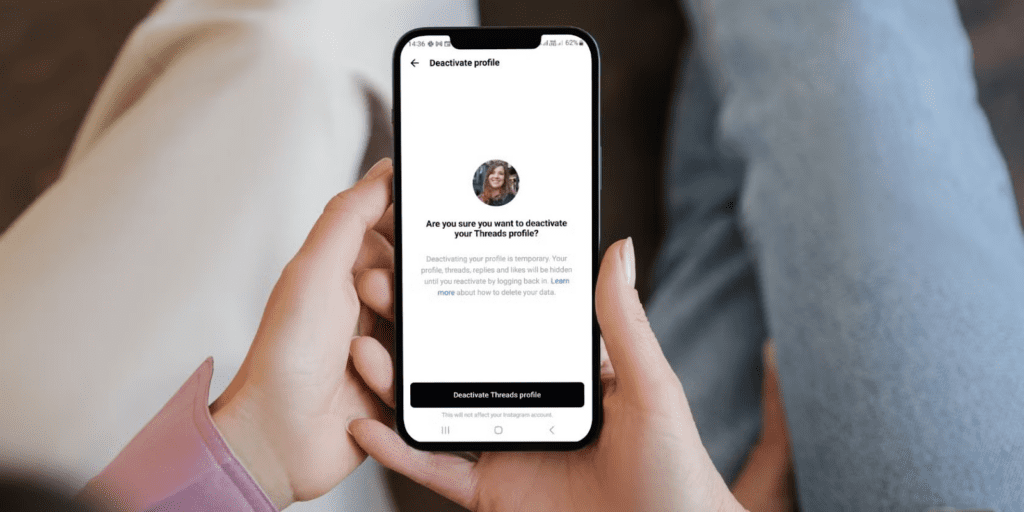
In the past, deleting Threads also deleted your Instagram account, but that’s no longer the case for most users. Now, you have full control and you can remove Threads from Instagram without affecting your main account.
If you prefer not to delete, you can also disconnect Threads from Instagram. To do this, open your Instagram app, go to Settings → Accounts Center → Threads profile, and choose to deactivate or remove it. This keeps your Instagram active while disabling your Threads activity.
Some users may also want to take Threads off Instagram bio. You can easily do this by editing your Instagram profile and removing the Threads link or badge; your followers will no longer see the Threads icon next to your name.
If you only want a break, you can disable Threads on Instagram temporarily by deactivating your Threads profile. This hides your posts and replies without deleting your data, and you can reactivate anytime.
Meta now lets you manage your Threads profile independently. You can delete, disconnect, or disable Threads, all without touching your Instagram account.
How Long Does It Take To Delete Threads Account?
Once you request to delete your Threads account, there’s a 30-day grace period. During this time, your profile and posts are hidden. But you can still log back in to cancel the deletion if you change your mind.
After the 30 days pass, the deletion becomes final and irreversible. Your Threads profile, posts, replies, and likes will be permanently removed.
However, some reports note that Meta may retain certain data for up to 90 days. This temporary storage allows for backup, legal compliance, or security investigations before the data is fully erased from Meta’s servers.
So, while your profile disappears after 30 days, full data removal may take up to three months in total.
Step-by-Step: How to Delete Your Threads Account
Deleting your Threads account is simple. Just follow these steps carefully to ensure you don’t lose your Instagram or important data.
- Open the Threads app on your iPhone or Android device.
- Tap your Profile icon in the bottom-right corner.
- Tap the Menu (☰) icon in the top-right corner.
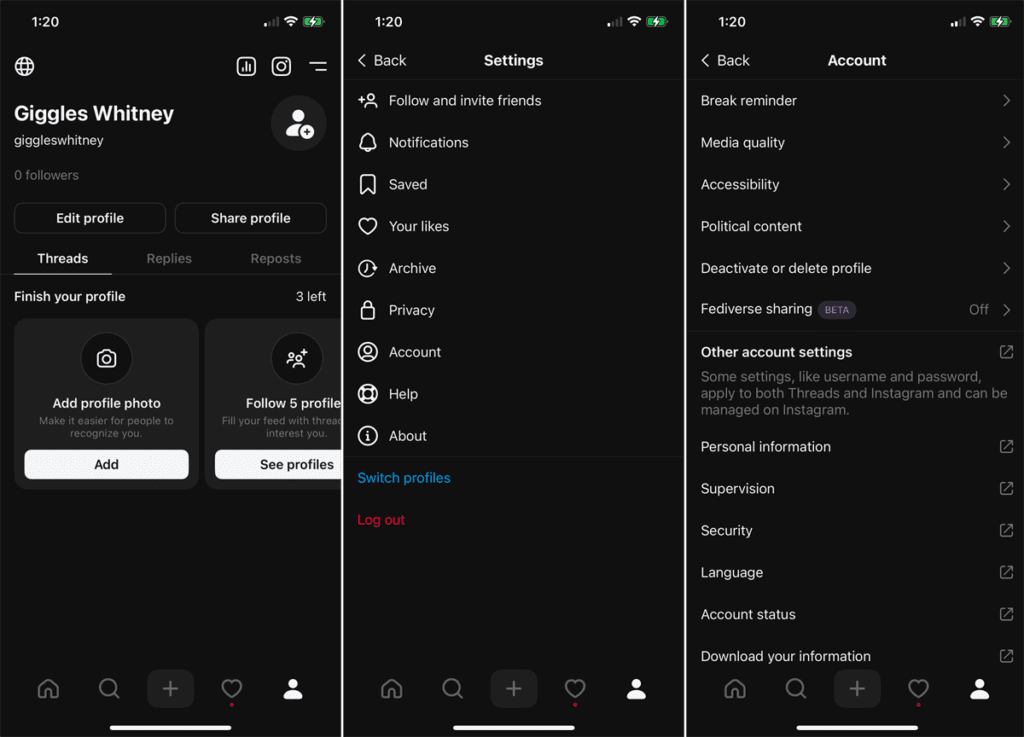
- Go to Account → Deactivate or delete profile.
- Choose Delete profile.
- Confirm your choice by entering your Instagram password.
- Tap Delete Threads account to finish.
Once you confirm, your Threads profile, posts, and replies will be hidden immediately. After 30 days, the account will be permanently deleted.
Permanently Deleting Threads Without Losing Instagram
Thanks to Meta’s latest update, you can now delete Threads without deleting Instagram. This means your Instagram photos, followers, and messages remain untouched.
To permanently delete Threads only, follow the same steps above inside the Threads app. When the deletion is confirmed, only your Threads data (posts, replies, likes, and followers) will be erased; your Instagram account stays active.
However, remember: if you delete your Instagram account, your Threads profile will also be removed automatically since both are still linked at a system level.
So, if you only want to delete Threads, make sure you delete it from the Threads app, not from Instagram.
Temporarily Deactivating Threads
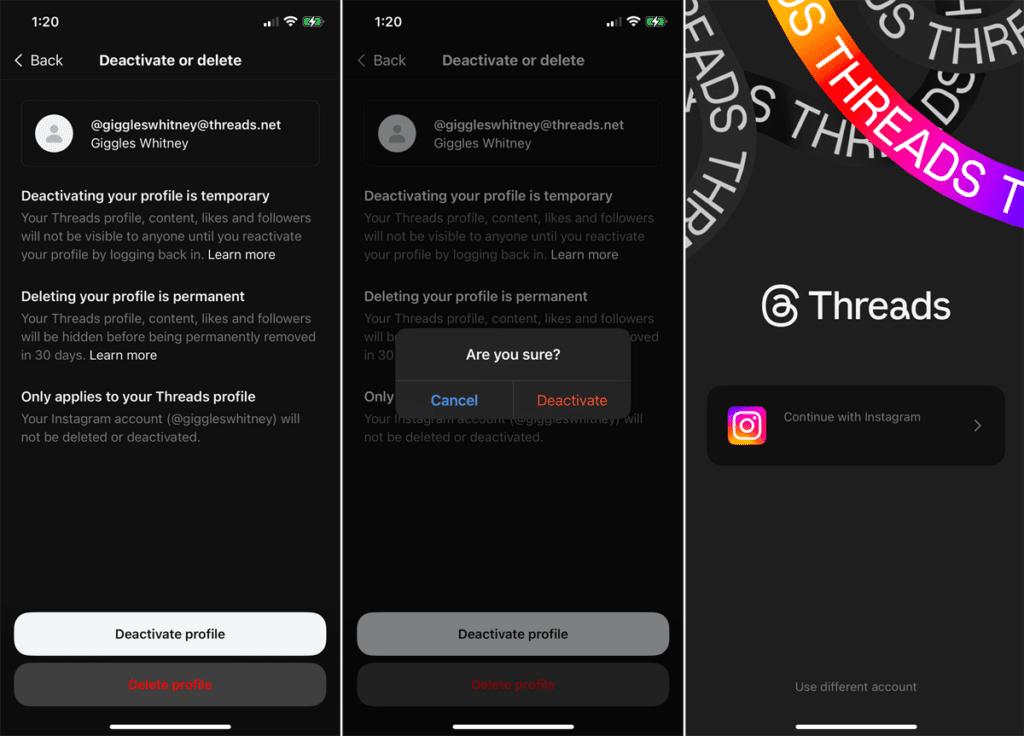
If you’re not ready to delete your Threads account permanently, you can deactivate it instead. This hides your profile and posts without deleting your data.
To deactivate Threads:
- Open the Threads app.
- Tap your Profile icon → Menu (☰).
- Go to Account → Deactivate profile.
- Tap Deactivate Threads account and confirm.
Once deactivated:
- Your profile, posts, and replies will be hidden from others.
- You can reactivate anytime by simply logging back in.
- Note: You can only deactivate once per week, according to Meta’s guidelines.
Deactivation is the best option if you just want a break without losing your progress or followers.
Keeping Your Privacy Protected with TurisVPN
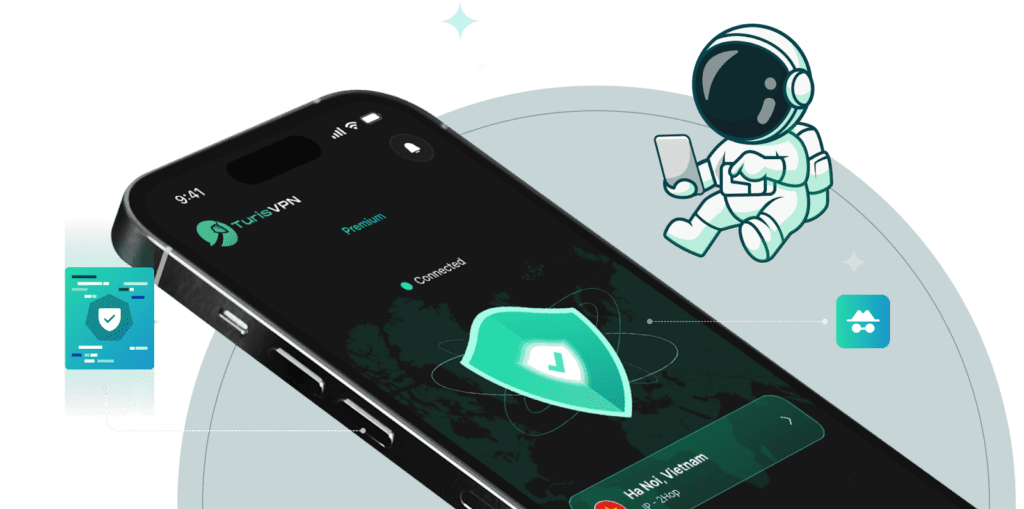
Even after deleting or deactivating your Threads account, your digital privacy still matters. Meta and other platforms can still collect browsing data, IP addresses, and behavioral information linked to your device.
TurisVPN helps keep your online identity safe by hiding your IP address and encrypting all your traffic. Therefore, even your internet provider or social media platforms, you can trace your online actions back to you.
TurisVPN is helpful if you manage many social media accounts or often connect to public Wi-Fi networks. The VPN creates a secure tunnel between your device and the internet. So, it prevents hackers and trackers from accessing sensitive information such as your login credentials, location, or browsing history.
In short, using TurisVPN ensures your online activity stays private while giving you full control over your digital footprint.
Why TurisVPN is recommended for Threads & Instagram users
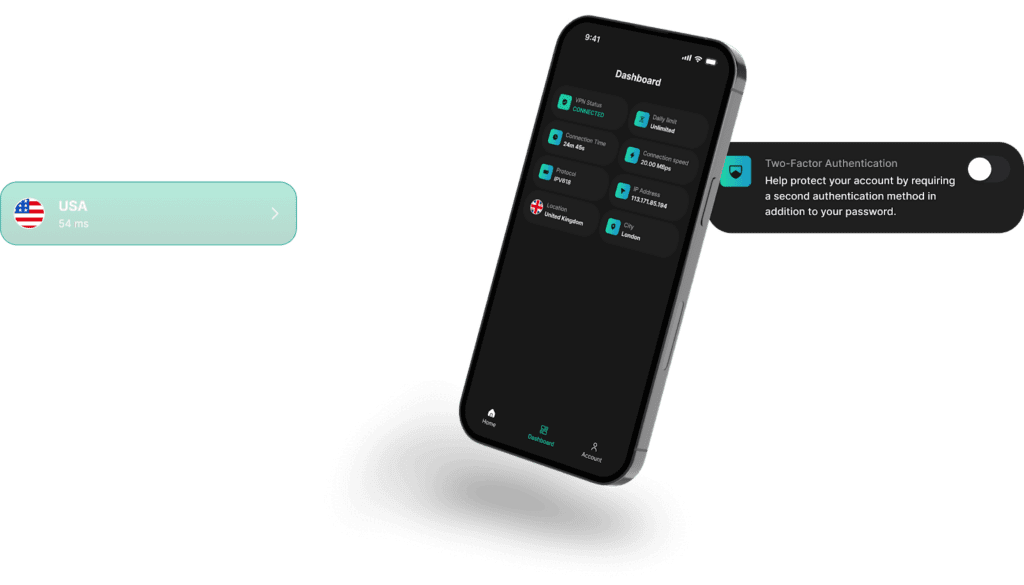
Threads and Instagram are both Meta-owned platforms, and they share a large amount of user data. These include your device, activity, and location information. For users who value privacy, this close integration can feel intrusive.
Here’s why TurisVPN is highly recommended for both Threads and Instagram users:
- Protects against data tracking: Prevents Meta and third parties from linking your IP address to your account activity.
- Secures public Wi-Fi connections: Keeps your login and session data safe when using coffee shops, airports, or shared networks.
- Avoids targeted ads: Stops ad networks from building a profile based on your location and behavior.
- Helps manage multiple accounts: You can switch between different VPN servers to manage regional accounts safely.
- Supports privacy laws and compliance: Keeps your online activity aligned with global privacy standards like GDPR.
With TurisVPN, you can continue enjoying Threads or Instagram and minimize the amount of personal data Meta can collect from your activity.
How To Use TurisVPN When Managing Social Media Accounts
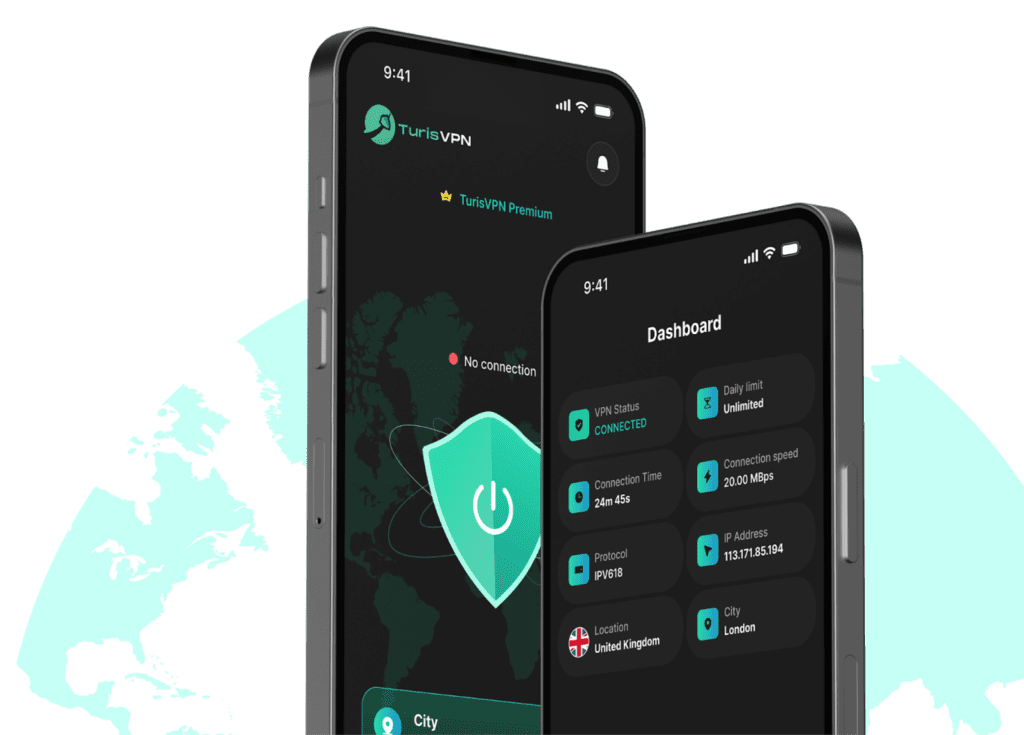
Using TurisVPN is simple and effective. Follow these steps to secure your Threads, Instagram, and other social media activity:
- Step 1: Download and install TurisVPN on your device
- Step 2: Log in to your TurisVPN account.
- Step 3: Choose a secure server location, ideally one close to your country for better speed and stability. (e.g Singapore VPN)
- Step 4: Turn on the VPN connection before opening any social media app, including Threads or Instagram.
- Step 5: Once connected, manage your social media accounts: post, edit, or delete safely while keeping your IP hidden.
Bottom Line
Meta’s recent update allows you to delete or deactivate Threads independently, giving you full control over your social media presence.
Before taking action, remember to back up your data and review your privacy settings. For extra protection, using TurisVPN can help keep your online activity private, prevent tracking, and safeguard your data from potential risks.
FAQs
Q1. Is the Threads app safe to use?
Yes, the Threads app is generally safe and follows Meta’s standard security protocols. However, like other Meta products, it collects a significant amount of user data such as location, device info, and app activity. To stay safe, review your privacy settings and use a VPN like TurisVPN to reduce tracking and protect your information.
Q2. If I delete Threads, does it delete Instagram too?
No. You can now delete Threads without deleting Instagram. Meta introduced this feature so users can manage each app independently. Your Instagram photos, followers, and messages remain untouched. However, if you delete your Instagram account, your Threads account will automatically be deleted as well.
Q3. What happens after I delete my Threads account?
Once you confirm deletion, your profile, posts, likes, and replies will be hidden immediately. You’ll have a 30-day grace period to change your mind and restore your account by logging back in. After 30 days, your account is permanently deleted. Some of your data may remain on Meta’s servers for up to 90 days for backup or security reasons.





