







Thinking about how to deactivate the Skout account? Whether taking a break or leaving for good, it’s essential to understand what happens when you deactivate or delete your profile.
This guide explains everything you need, including steps to manage your Skout profile securely and efficiently. We cover what Skout is, how to deactivate or delete it, and essential tips before you leave using TurisVPN, so you stay in control.
What Is Skout and Why Do People Use It?
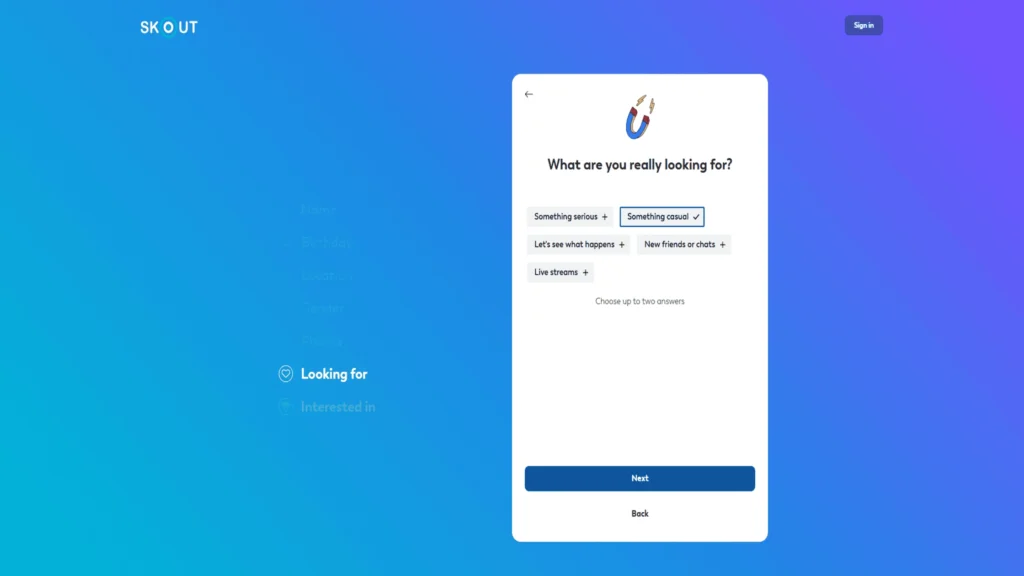
Skout is a social networking and dating app that connects people locally and globally. Its location-based service allows users to meet new friends, discover people nearby, or even find romantic matches. So far, SKOUT has reached 189 countries, supports 16 languages, and has more than 8.5 million monthly active users.
The platform has offered live broadcasts, chat features, and a vibrant community since 2007, making it a popular choice for social discovery worldwide. Users can create profiles easily via multiple options, such as signing up with an email, phone number, Google, or Facebook.
For those who prefer not to use the app, it’s possible to sign up for Skout without the app directly via the Skout website using your email or social media accounts, giving users flexibility in accessing the platform.
People turn to Skout for its simplicity and versatility, whether to foster friendships or explore romantic interests. The app also supports privacy controls and location settings, enabling users to customise their experience by choosing to change the Skout location to connect beyond their immediate surroundings.
Can You Deactivate a Skout Account or Only Delete It?
You might wonder: can you just deactivate your profile, or must you delete it? Primarily, Skout allows you to deactivate your Skout account, which temporarily takes your profile offline. This status hides you from other users but keeps your data for when you want to return.
Permanent deletion is not done simply through app settings; it requires contacting the Skout customer service channel or support directly to request full removal of your information.
What Happens When an Account Is Deactivated?
When you deactivate your Skout account, your profile becomes invisible to other users. Your photos, chats, and connections are temporarily hidden from the community, but your data is preserved internally. This means you can reactivate your account anytime by logging back in with your Skout login and password.
The deactivation option is an ideal choice if you need a break without losing your Skout network permanently. Keep in mind that after 60 days of inactivity, your account may be deleted entirely if you don’t reactivate. This gives you time to reconsider your decision while keeping your options open.
Difference Between Deactivation vs. Permanent Deletion
Deactivation is a reversible pause; your profile is “off the radar,” but your account information remains stored by Skout. It means you can resume your online social life easily without losing your friend list, messages, or profile settings.
Permanent deletion is a total erasure. Once deleted, your data cannot be retrieved, and your profile is removed from our servers (usually after a request to customer support). This is an irreversible process and should be considered carefully.
This table will help you understand the key differences to pick the right option for you:
| Feature | Deactivation | Permanent Deletion |
| Account accessible later? | Yes, simply log back in | No, data is erased permanently |
| Profile visible to others? | No | No |
| Data retention | Yes | No |
| How to initiate | Through app settings | Contact customer service is required |
How to Deactivate Your Skout Account?
Here is a detailed, step-by-step guide on permanently deactivating your Skout account.
Step 1 – Log In With Correct Credentials
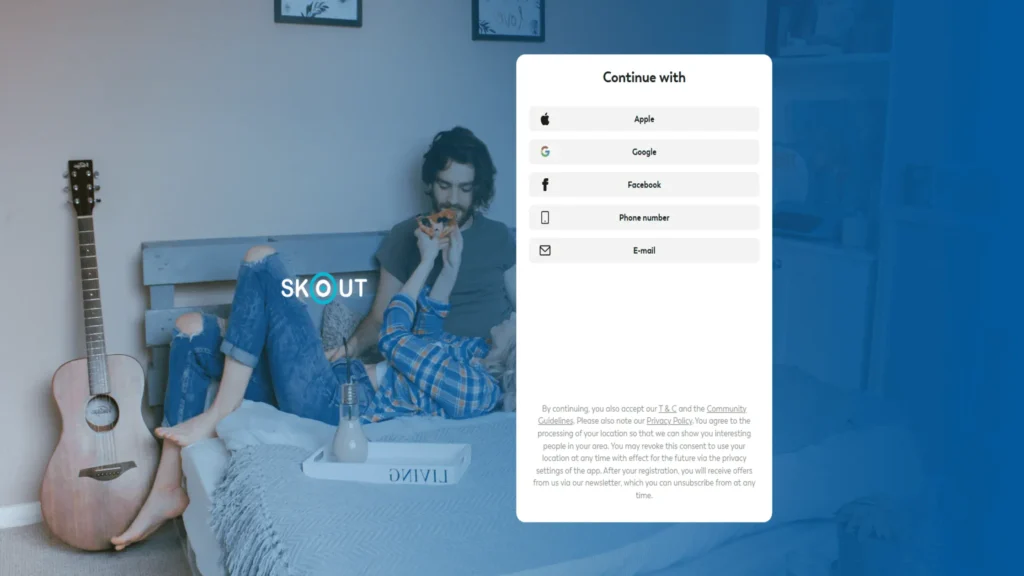
Open the Skout app or website. Enter your Skout login and password to access your profile. If you forgot your password, use the password reset option.
Step 2 – Navigate to Account Settings
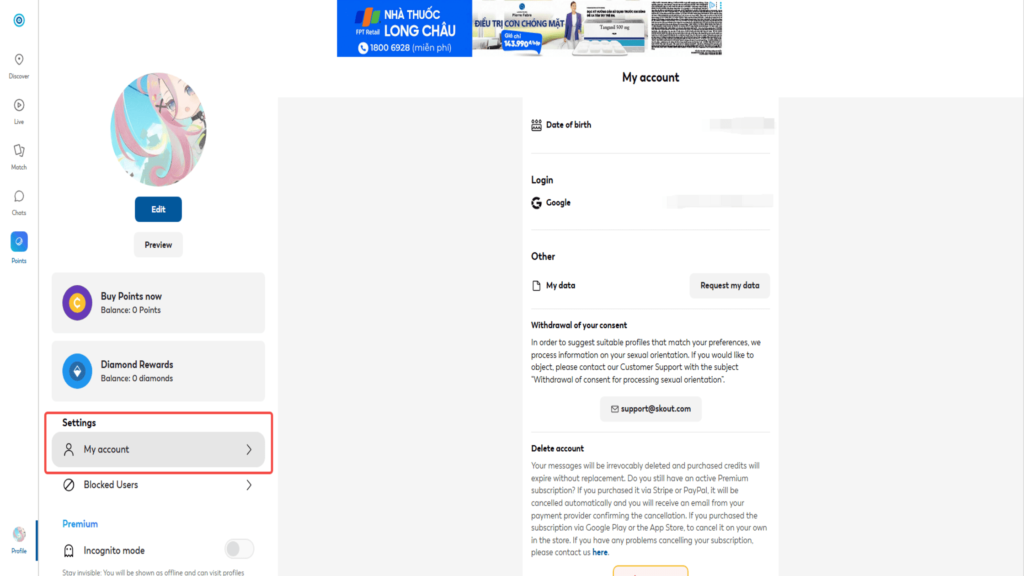
Tap the menu icon, then go to Settings. Here you find options to manage your account, including deactivation.
Step 3 – Select the Delete Account Option
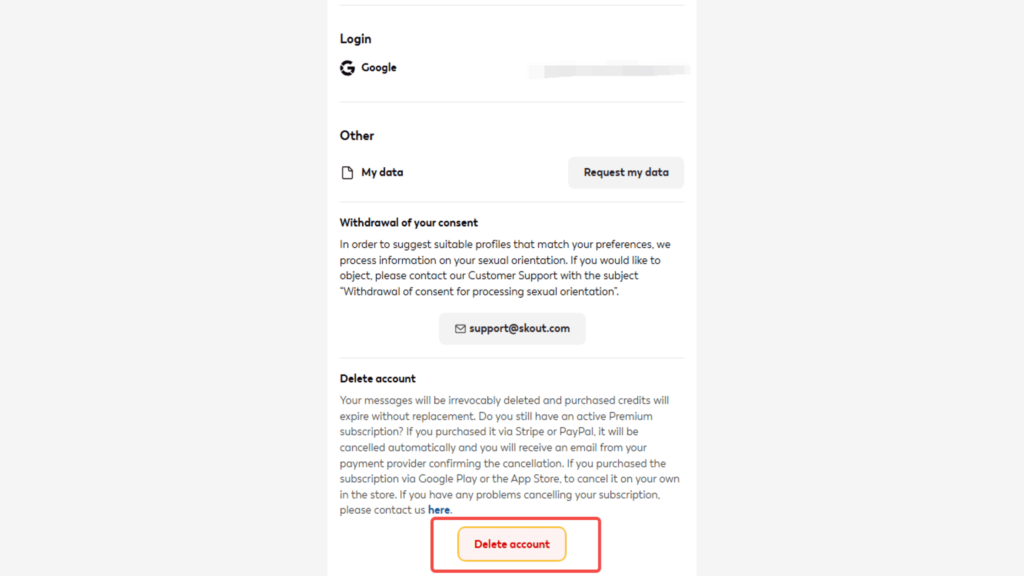
In Settings, look for the Deactivate Account or Delete link, or button. Skout uses “deactivate” as the main method to temporarily remove your profile from public view.
Step 4 – Confirm With Password & Reason for Leaving
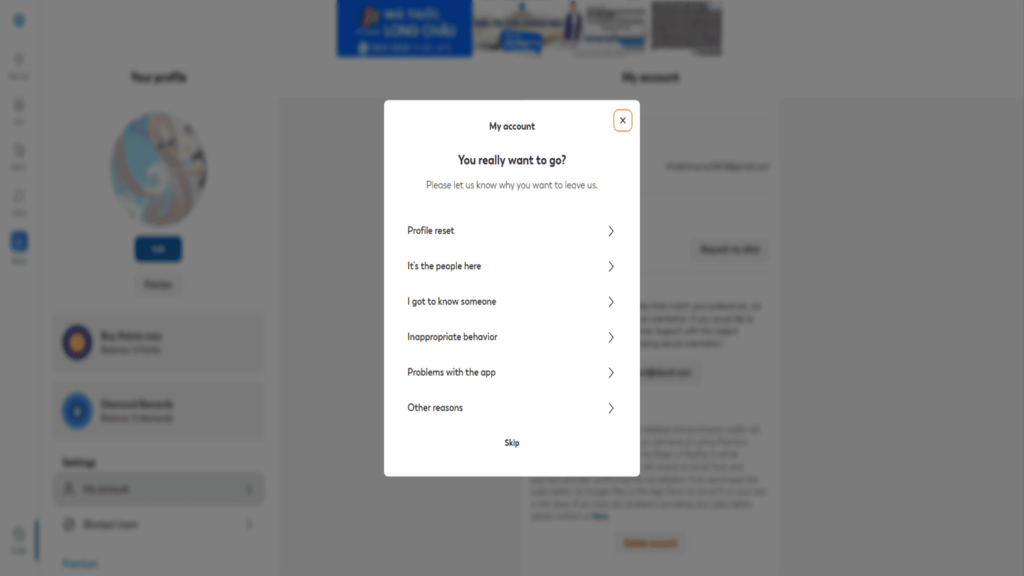
You’ll be asked to re-enter your password and state why you wish to leave. Confirm your reasons, and your profile will be hidden from others immediately.
When considering online dating apps, if you also use Zoosk, you might wonder how to deactivate your Zoosk account. Zoosk offers a similar process where you log in, go to account settings, and deactivate or delete your profile. Understanding steps on different platforms can help you manage multiple accounts easily.
Extra Step for Mobile: How to Delete Through the App vs. Without the App
Depending on whether you use the app, there are two ways to handle deletion and deactivation in your Skout account.
Deactivate Skout Account Through the App
Step 1: Open the Skout app on your device and log in to your account.
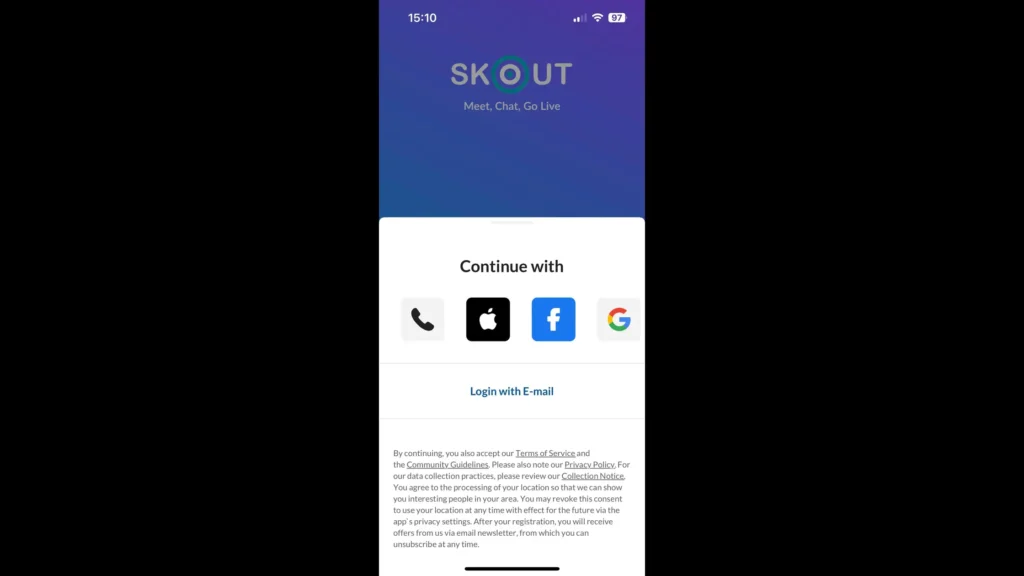
Step 2: Tap the menu icon at the top left corner of the screen.
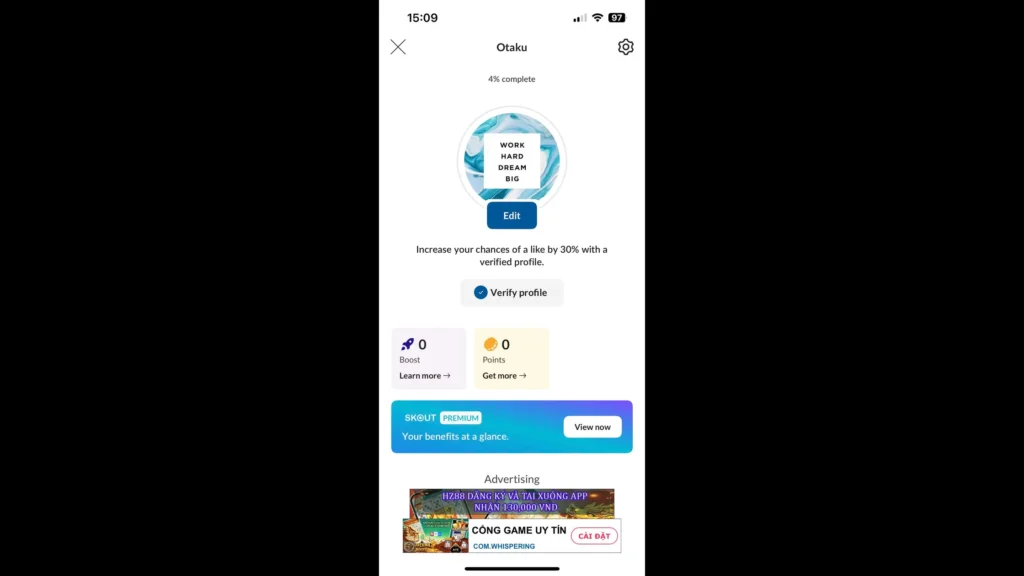
Step 3: Scroll down and select “Settings”.
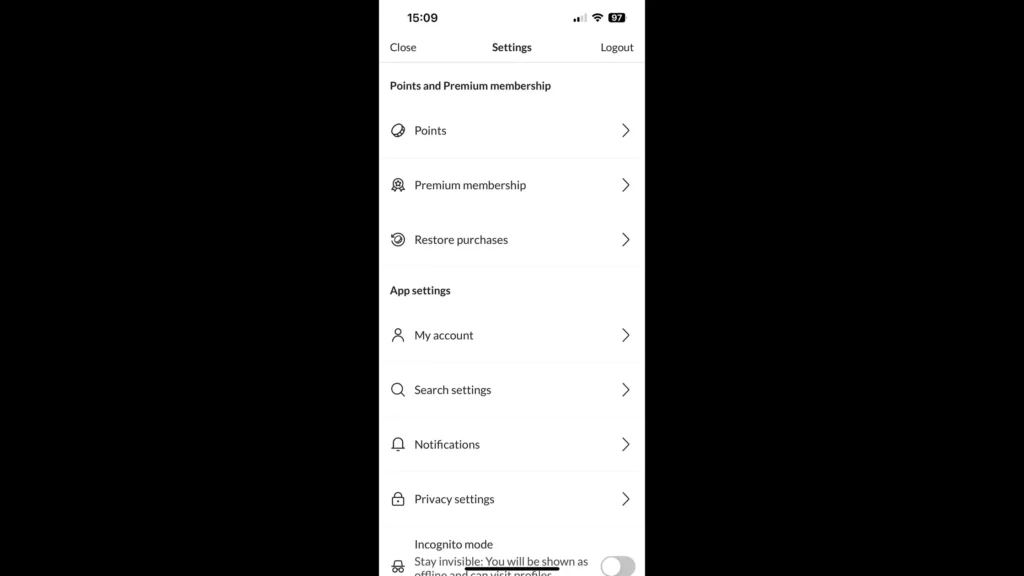
Step 4: Under the “Account” section, tap “Deactivate Account” or “Delete account”.
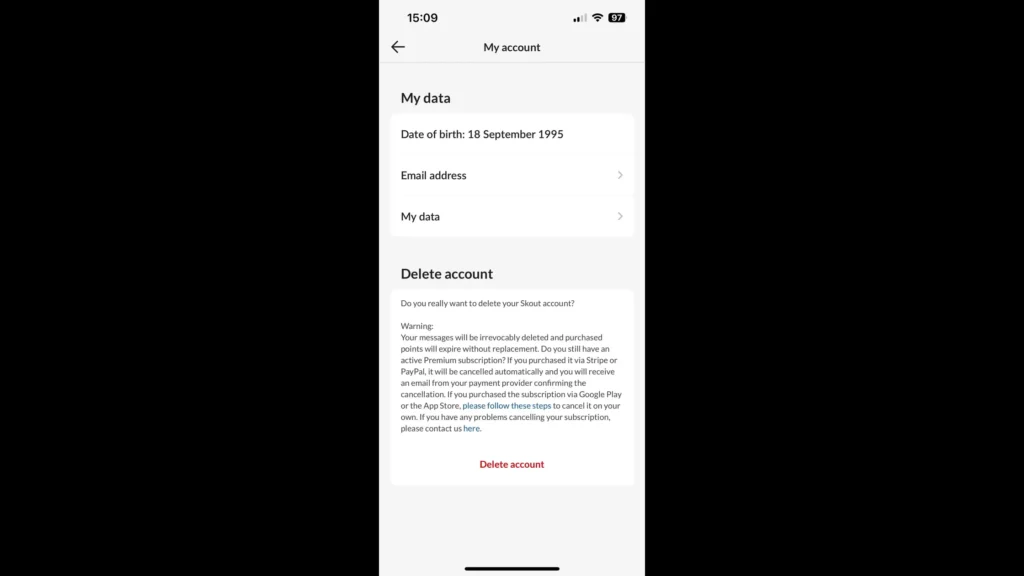
Step 5: Provide a reason if prompted, then tap “Deactivate” to confirm.
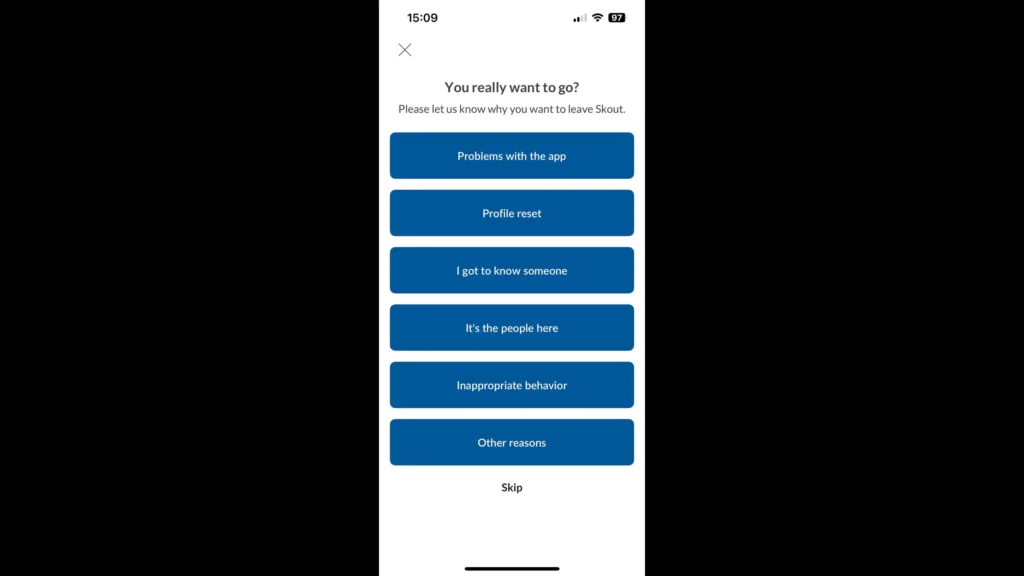
Your Skout profile will become invisible, and your account will be inactive until you log back in.
Deactivate Skout Account Without the App
- Step 1: Go to the Skout website and log in with your email and password.
- Step 2: Access the account settings page online.
- Step 3: Look for the option to deactivate or delete your account in the settings.
- Step 4: Follow the prompts to confirm deactivation.
These steps guarantee you can deactivate your Skout account, whether you use the app or the web, with clear instructions for both.
Alternative Recovery Options: Contact Support
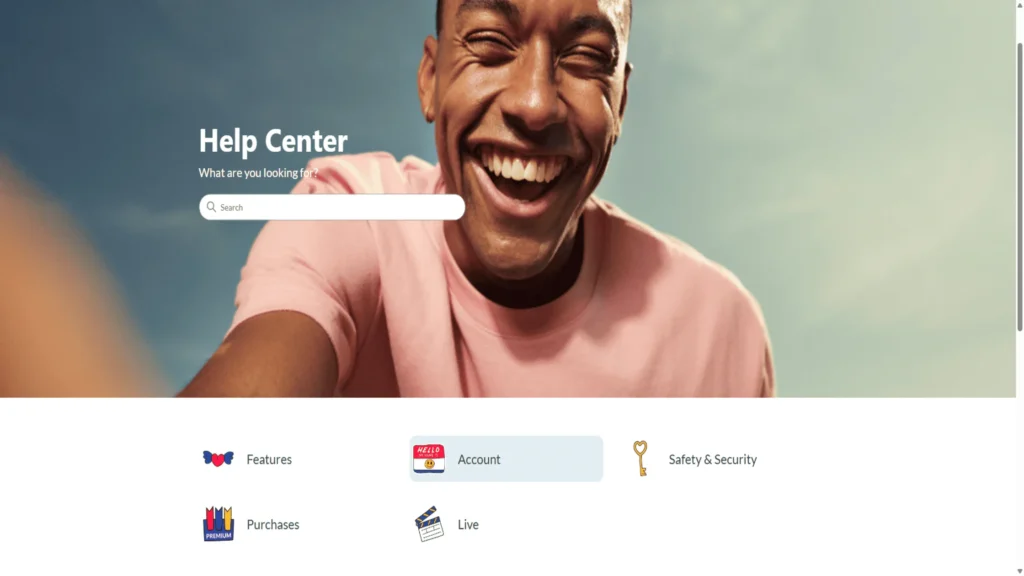
Similar to how to delete a Getting Out account, where you must follow account settings or contact support, Skout also requires contacting customer service for permanent account deletion.
Skout does not offer a dedicated Skout customer service number specifically for account issues. Instead, the main way to get help with Skout delete account requests or technical problems is by emailing support directly at [email protected].
The support team can assist with special requests like deleting accounts that users cannot access or recovering passwords. For increased privacy, connecting using secure VPN services like TurisVPN is recommended when contacting customer service online.
If you need help deleting accounts or want privacy tips for account removal, see our related article on securely deleting accounts like TextNow.
Changing Skout Profile Settings Before Leaving
Before deactivating or deleting your Skout account, consider adjusting some profile settings to safeguard your privacy or prepare your profile for potential reactivation.
How to Change Skout Location
Skout doesn’t offer a direct option. However, to change your Skout location, you can use GPS spoofing tools like TunesKit or MagFone. These tools let you select any place in the world and fake your phone’s GPS location so Skout thinks you are there.
You just install the tool, connect your phone if needed, choose the new location, and start spoofing. This helps you meet people from other regions. For detailed steps and updated methods to safely change Skout location, check out our full guide at TurisVPN: How to Change Location on Skout.
Manage Privacy and Notification Settings
Manage your privacy and notifications by going to the settings in the Skout app. Set who can see your profile, block people you don’t want to interact with, and disable notifications and emails so you will not get disturbed while on a break. You can make your experience much safer and quieter!
Delete Linked Accounts
If you connected Skout to your Facebook, Google account, or phone number, take a moment before you leave to disconnect your account. Go to your settings, find linked accounts, and disconnect them (each one) so that others cannot access your Skout profile through those avenues once you leave.
Stay Private While Using or Deleting Skout – TurisVPN Guide
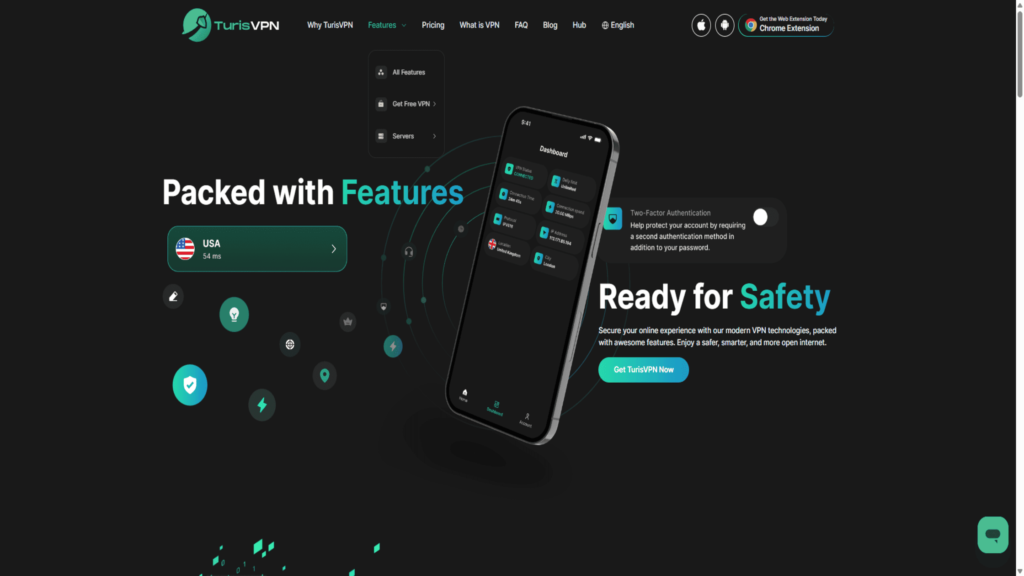
To maintain utmost privacy while using or going through the deletion or deactivation process of Skout, it’s wise to use a VPN service like TurisVPN.
A VPN masks your IP address and encrypts your internet traffic, keeping your location and personal details safe from prying eyes, especially when submitting deletion requests or managing sensitive account settings.
Below is a step-by-step guide on how to use TurisVPN to protect your online presence:
Step 1: Download and Install TurisVPN
Visit the official TurisVPN website and download the compatible VPN app for your device (Chrome Extension, Android, iOS).
Step 2: Create an Account and Log In
Sign up for a TurisVPN account if you haven’t already, and log in to the app using your credentials.
Step 3: Connect to a VPN Server
Choose a server location that fits your privacy needs or the desired Skout connection region. Connecting through TurisVPN masks your actual IP address and encrypts your connection.
Step 4: Open Skout or Visit the Skout Website
Launch the Skout app or access the Skout website while your VPN is active. All your data will be protected, and your location will be hidden.
Step 5: Proceed to Deactivate or Delete Your Skout Account
Follow the steps to deactivate your Skout account or contact support for secure permanent deletion. Your IP address and location will remain private during this process.
Step 6: Manage Profile Settings and Location Safely
If you want to change the Skout location before deleting, do so while connected to TurisVPN to spoof your location without exposing your real IP.
Step 6: Disconnect After Completing the Process
Once done, disconnect from TurisVPN to resume regular internet use safely.
For the best privacy, consider combining TurisVPN with private browsing modes. Our detailed guide on how to use VPN on Incognito Mode shows you how to enhance your online anonymity while managing your Skout account securely.
Bottom Line
Deciding to deactivate the Skout account is a personal choice, whether to take a break or part ways permanently. Deactivation offers a reversible path that hides your profile without losing your data, while permanent deletion requires contacting customer service and is irreversible.
Now you can confidently manage your presence, from signing up for Skout with your email to logging in, adjusting privacy, and finally deactivating or deleting your Skout account smoothly. Remember, using tools like TurisVPN enhances your security during these processes.
Whatever you choose, we at TurisVPN remain committed to protecting your data and providing options that respect your privacy and preferences.
FAQs
Q1. Can I reactivate my Skout after deletion?
You can reactivate your account if it has only been deactivated. Deleting it permanently means losing access forever.
Q2. Is deleting the app the same as deleting the account?
No. Deleting the app removes it from your device but does not affect your account or profile’s visibility.





