Mobile games often show annoying ads that interrupt gameplay and waste your time. A recent study found that 56% of mobile gamers have seen ads that misrepresent the actual game. That’s why most players feel tricked and frustrated.
Our blog post will show you how to block ads in Android games using both free and paid methods. You’ll learn step-by-step ways to reduce or remove ads, speed up performance, and protect your connection with TurisVPN.
Key Takeaways
| – Use ad-blocking apps like AdGuard, Blokada, or DNS66 to filter ad traffic. – Changing DNS, enabling Airplane Mode, or using browsers with built-in blockers to reduce ads are free methods. – Paid options are more reliable, such as buying ad-free versions, using premium ad blockers, or paid DNS gives smoother results. – TurisVPN boosts privacy & speed, although it doesn’t block ads directly, it protects your connection and improves gaming performance. – Mekorama, DATA WING, and UnCiv offer great gameplay without interruptions. |
What Are Ads in Mobile Games?
Ads in games are pop-ups, banners, or video promos that appear during gameplay or when navigating menus. These ads are usually delivered through third-party ad networks like Google AdMob, Unity Ads, or Facebook Audience Network, and are a primary way free games earn revenue.

You’ll often see them between levels, when starting a new game, or after pausing. While some ads may offer in-game rewards in exchange for watching, others are random advertisements on Android that can feel intrusive or unrelated to your interests. In some cases, users have reported inappropriate ads in apps, including content that’s misleading or not suitable for younger audiences.
Ads in games are a trade-off: developers make money, but players often get interrupted, distracted, and even exposed to content they didn’t ask for.
Why Do Mobile Games Have So Many Ads?
The answer is simple: developers make money from ads. Many free-to-play titles are built entirely around ad revenue instead of charging players upfront. This is why you’ll often notice ads popping up after every level, life, or even button tap. It’s all designed to maximize profit per user.

Ad platforms like Google AdMob and Unity Ads let developers monetize player activity based on impressions and clicks. The more ads you see or interact with, the more money the game earns. The business model, often called “freemium,” trades player experience for ad-based income.
While this helps keep games free, it also explains why games have so many ads, often to the point of frustration. For players, ads can mean lost time, wasted mobile data, and frequent exposure to inappropriate or irrelevant content that ruins immersion.
How to Block Ads in Android Games With Ad-Blocking Apps?
One of the most effective ways to get rid of ads on mobile games is by using a mobile game ad blocker. These tools filter out unwanted ads across apps and games by blocking connections to ad servers. Here’s step-by-step guide on how to block ads in android games:
- Step 1: Download a trusted ad blocker: Install a reputable Android game ad blocker like Adlock, AdGuard, Blokada, or DNS66 from their official websites or F-Droid.
- Step 2: Follow setup instructions: In some cases, you’ll need to follow the app’s setup guide (e.g. grant VPN permissions or allow it to run in the background, like AdLock on Android).
- Step 3: Launch your game and enjoy ad-free gameplay: Most adblock for mobile games will start working instantly. You’ll notice fewer banner ads, no forced video ads between levels, and smoother gameplay.
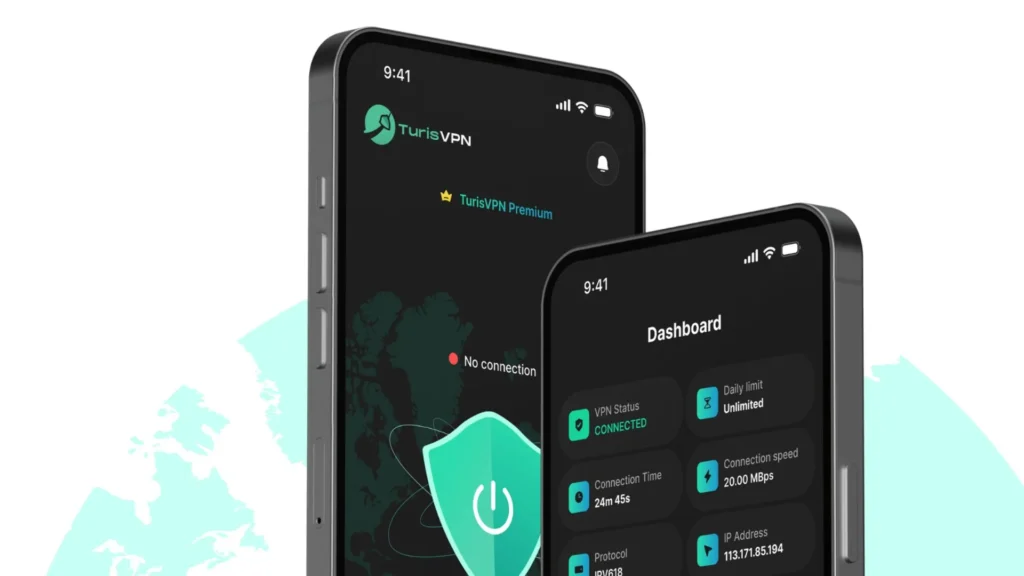
- Step 4: [Optional] Install TurisVPN for added protection: TurisVPN offers an extra layer of safety by masking your IP address and encrypting your connection. This is useful if some games serve region-based or suspicious ads.
By combining both a dedicated ad blocker and Free VPN like TurisVPN, you get a cleaner, safer, and smoother mobile gaming experience.
Blocking Ads in Android Games: Free Methods
If you’re wondering how to remove ads in games for free, there are a few clever tricks that don’t require any paid tools. These methods work especially well on Android and even help you enjoy games like Block Blast with fewer distractions.
1. Change DNS Settings
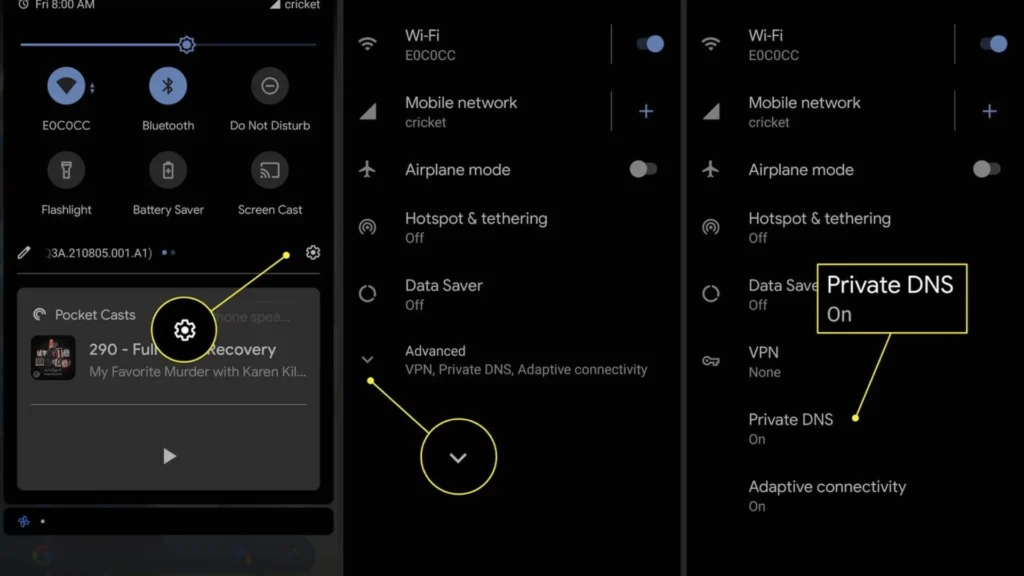
This method blocks ad domains directly by using a DNS that filters out ads.
Steps:
- Step 1: Go to Settings > Network & Internet > Private DNS.
- Step 2: Choose “Private DNS provider hostname”.
- Step 3: Enter a provider like dns.adguard.com or dns.familyshield.opendns.com.
- Step 4: Tap Save, then restart your game.
This method reduces random advertisements on Android without any app installation.
2. Limit Ads via Device Settings
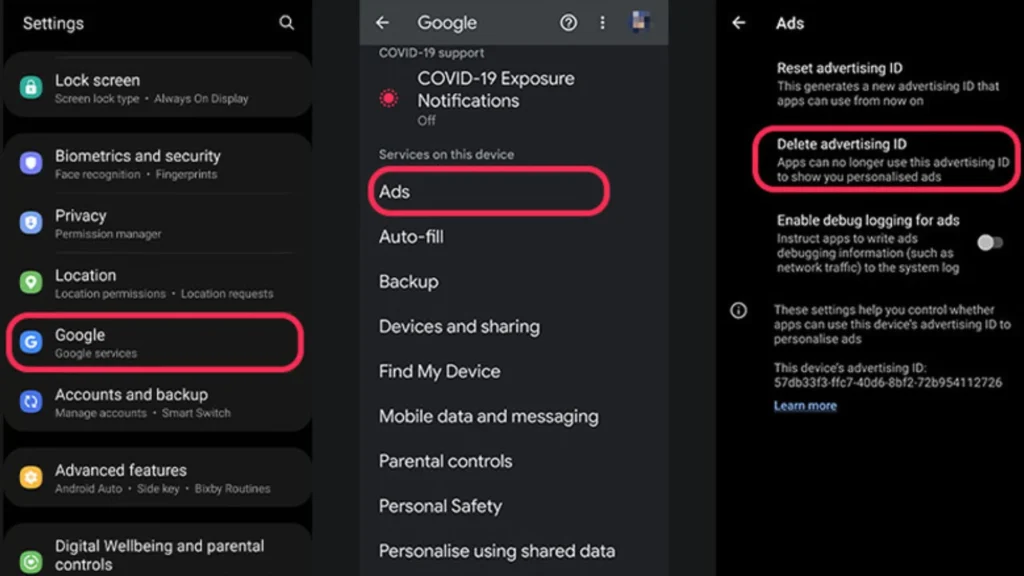
Most Android devices let you reduce ad tracking and limit personalized ads. It won’t block all ads but will reduce data collection and may stop some targeted or inappropriate ads in apps.
- Step 1: Open Settings > Google > Ads.
- Step 2: Enable “Opt out of Ads Personalization”.
- Step 3: Go back to Settings > Privacy > Ads (if available) and turn off ad topics.
- Step 4: Restart your device and relaunch your game.
It doesn’t block all ads but can reduce random advertisements on Android.
3. Airplane Mode or Disable Internet
For games that don’t need a constant internet connection, this is a simple way to play Block Blast without ads.
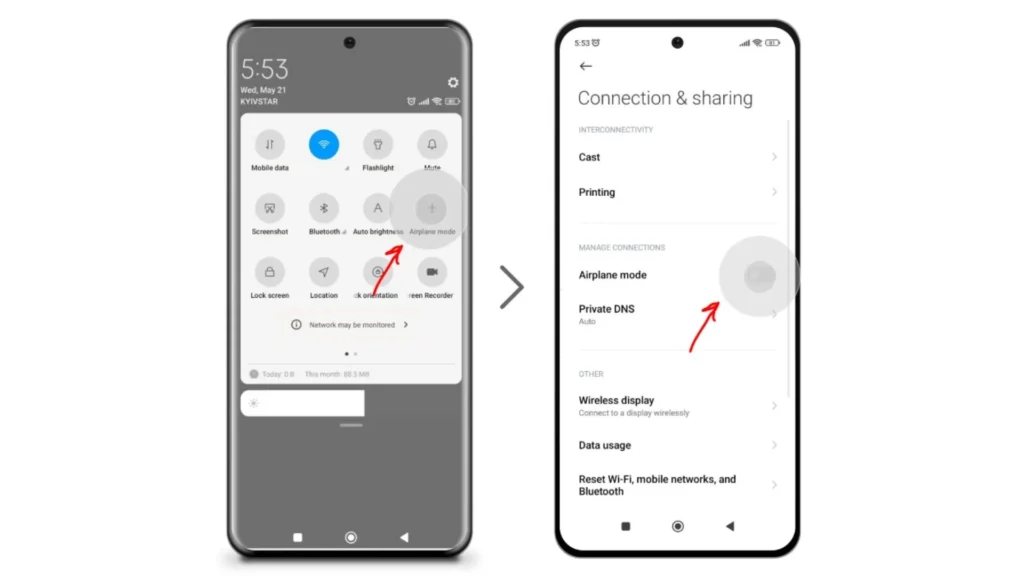
Steps:
- Step 1: Launch your game.
- Step 2: Turn on Airplane Mode (or manually disable Wi-Fi and mobile data).
- Step 3: Resume gameplay – most ads won’t load.
Note: Some games may not function offline. Use this method mainly for puzzle or casual games like Block Blast without ads.
4. Free Browsers with Built-in Ad Blockers (Browser Games Only)
If you’re playing games in a mobile browser, switching to a browser with built-in ad blocking can make a big difference.

Steps:
- Step 1: Download a browser like Brave, Opera, or Firefox Focus.
- Step 2: Open the game website in the browser.
- Step 3: Enjoy gameplay with minimal ads.
These browsers are great for those who prefer mobile game ad blockers without installing extra tools.
Blocking Ads in Android Games: Paid Methods
If free solutions don’t fully remove those annoying ads, paid options offer more reliable and consistent results. These methods are ideal for frequent gamers who want uninterrupted gameplay, stronger filtering, and access to premium features. Below are three trusted ways on how to block ads in android games using paid tools or upgrades.
1. Buy Ad-Free Version or Game Premium Upgrade
Many Android games offer an ad-free version or in-app premium upgrade that removes all ads permanently.
Steps:
- Step 1: Launch the game you want to play.
- Step 2: Go to the in-game store or settings.
- Step 3: Look for options like “Remove Ads”, “No Ads”, or “Premium Version”.
- Step 4: Complete the purchase using Google Play.
This is the most stable game ad remover method, especially for games with frequent ad interruptions.
2. Use Paid Application-Based Ad Blockers
Apps like AdGuard, Blokada Plus, and AdLock offer strong ad blocking across apps and games. These apps act like an ad skipper for games, filtering ad traffic in real-time.
Steps:
- Step 1: Go to the official website of the ad blocker (e.g., adguard.com, blokada.org).
- Step 2: Download the APK (not always available on Google Play).
- Step 3: Install and open the app.
- Step 4: Activate the ad blocking service.
- Optional Step 5: Turn on Advanced Filtering for better results in mobile games.
This is one of the most effective tools for those looking for a reliable adblock for mobile games.
3. Modify Paid Ad-Blocking DNS (Advanced)
Paid DNS services like NextDNS or Control D offer more aggressive ad filtering for games, apps, and browsers.
Steps:
- Step 1: Sign up at a DNS provider like NextDNS or Control D.
- Step 2: Configure your custom DNS profile with ad-blocking filters enabled.
- Step 3: Go to Settings > Network & Internet > Private DNS.
- Step 4: Choose “Private DNS provider hostname” and enter your NextDNS or Control D hostname.
- Step 5: Save and reboot your phone.
This solution is more customizable and ideal for gamers who want to combine ad filtering and tracking protection at a system level.
Using TurisVPN to Boost Gaming Security & Speed
For gamers who want ad-free gaming, faster loading, and better privacy, TurisVPN is a solid addition to your toolkit. While it doesn’t block ads directly in apps, it plays a key supporting role by boosting speed, avoiding throttling, and protecting your DNS settings.
Why use TurisVPN for gaming ads:
- Faster speeds with WireGuard: reduce lag while switching servers or opening games.
- Double-layer privacy with IP-2Hop: keep your real IP hidden, even from game ad trackers.
- Access geo-restricted ad-free versions of games: play games in countries where ads are limited or cheaper in-app purchases are available.
- No-logs VPN with unlimited bandwidth: play as much as you want, securely.
- Works on all devices: Android, iOS andChrome extension.
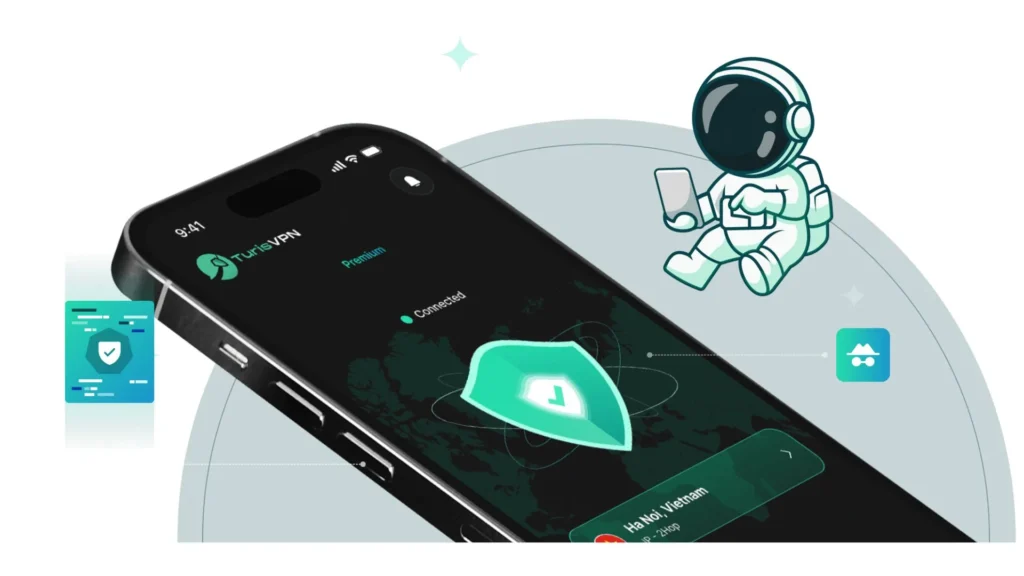
How to use TurisVPN with games:
- Step 1: Download TurisVPN from Google Play or Chrome Store.
- Step 2: Choose a fast server location (e.g. Singapore Server for lower ping and fewer ads).
- Step 3: Enable VPN and launch your game.
- Step 4: Use alongside paid DNS or premium versions to create the ultimate ad-free gaming setup.
Combine Free Asia VPN with a premium DNS (like AdGuard Premium) for the best results. This way, you get both speed and ad-blocking power.
Top 3 Game Ad Removers Worth Trying
Looking for how to block ads in android games that work on ? These three apps are some of the most reliable options for blocking annoying popups, video interruptions, and hidden trackers inside Android games.
1. AdLock
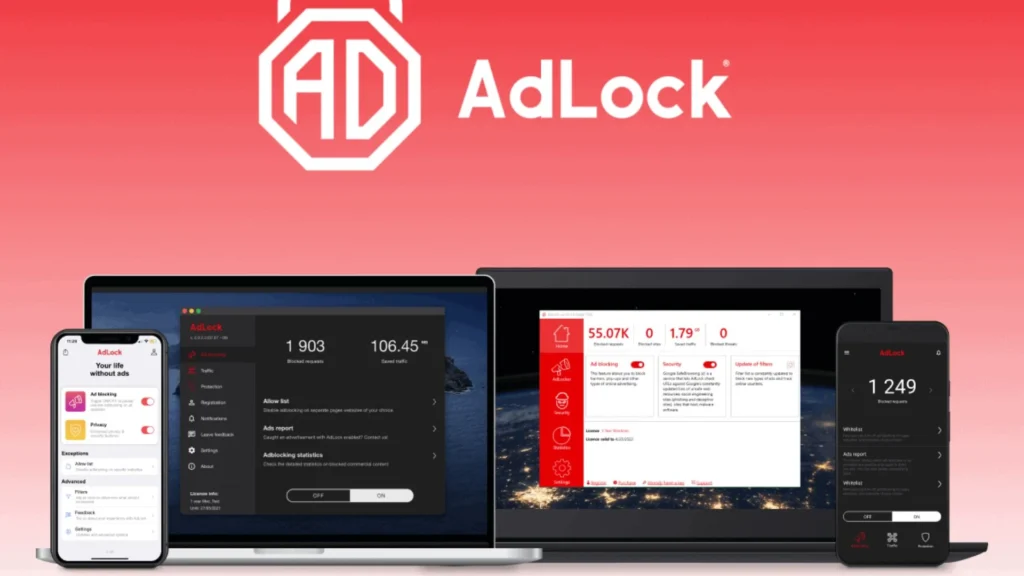
AdLock blocks ads across apps and browsers, including in most Android games. It’s easy to set up and doesn’t require root access. You also get control over allowed apps and filters.
- Blocks video, banner, and pop-up ads in games
- Protects from phishing and malicious links
- One-time payment or affordable yearly subscription
Step-by-step:
- Step 1: Download AdLock from its official site (not available on Google Play).
- Step 2: Install and grant VPN-based permissions.
- Step 3: Launch your game – ads will be filtered automatically.
2. AdGuard
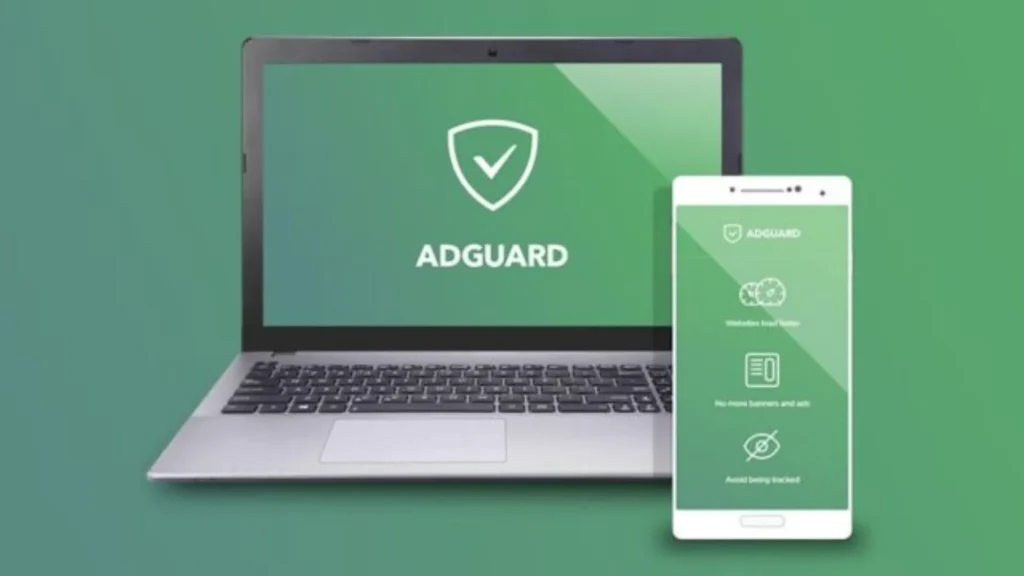
AdGuard is a full-featured game ad remover that offers both app and DNS-level blocking. It filters ads, trackers, and analytics requests without slowing down your device.
- In-depth filtering rules for mobile games
- Built-in privacy protection and app control
- Available in both free and premium versions
Step-by-step:
- Step 1: Download AdGuard from adguard.com (APK required).
- Step 2: Enable VPN-based filtering or configure Private DNS with AdGuard Premium.
- Step 3: Launch the game and enjoy ad-free sessions.
3. Blokada 6
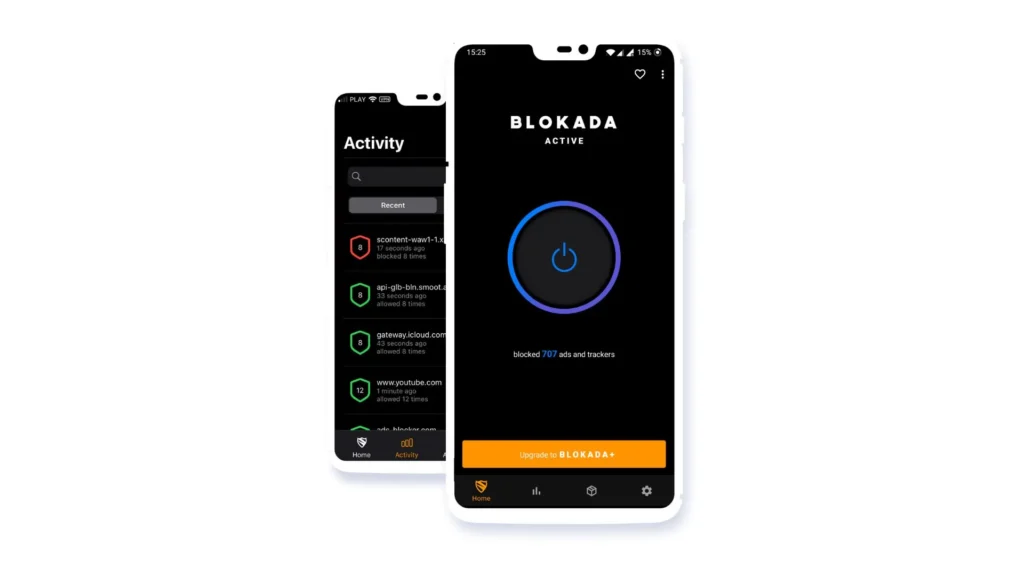
Blokada is a trusted name in open-source ad blocking. The newest Blokada 6 version uses cloud-based filtering for lower battery use and better compatibility with Android 11+.
- Blocks ads and trackers in games and apps
- No root required and completely free for local blocking
- Blokada Cloud (paid) offers encrypted DNS and more stability
Step-by-step:
- Step 1: Download Blokada 6 from blokada.org.
- Step 2: Sign up for Blokada Cloud (optional but better for games).
- Step 3: Connect and run your game – ad requests will be blocked in the background.
Best Game Apps Without Ads in 2025
Tired of ads ruining your game time? Whether you play offline or on the go, these best game apps without ads deliver uninterrupted fun. Several also double as games for tablets that don’t need internet, making them ideal for travel or chill offline sessions.
1. Mekorama
Developer: Martin Magni
Genre: Puzzle, Indie
Available Platforms: Android, iOS, Windows

Mekorama is a charming 3D puzzle game that lets you guide a small robot through tiny mechanical dioramas. With no ads and offline play, it’s a favorite among mobile gamers who appreciate quiet, thoughtful gameplay.
- Zen Puzzling: Each level offers calm, logic-based challenges that never rush you or pressure you into purchases.
- Build Your Own Levels: The in-app level editor allows creative players to design and share their own puzzles.
2. DATA WING
Developer: Dan Vogt
Genre: Racing, Story-Driven
Available Platforms: Android, iOS

DATA WING offers a sleek neon racing experience wrapped in a mysterious digital storyline. This offline title is completely free, with no ads, making it one of the most polished mobile games in its genre.
- Tight Racing Mechanics: Smooth controls and fast-paced levels challenge your reflexes in every race.
- Narrative Layer: A surprisingly compelling story unfolds through mission text and messages from an AI system.
3. UnCiv
Developer: Yair Morgenstern
Genre: Strategy, 4X, Turn-Based
Available Platforms: Windows, macOS, Linux, Android
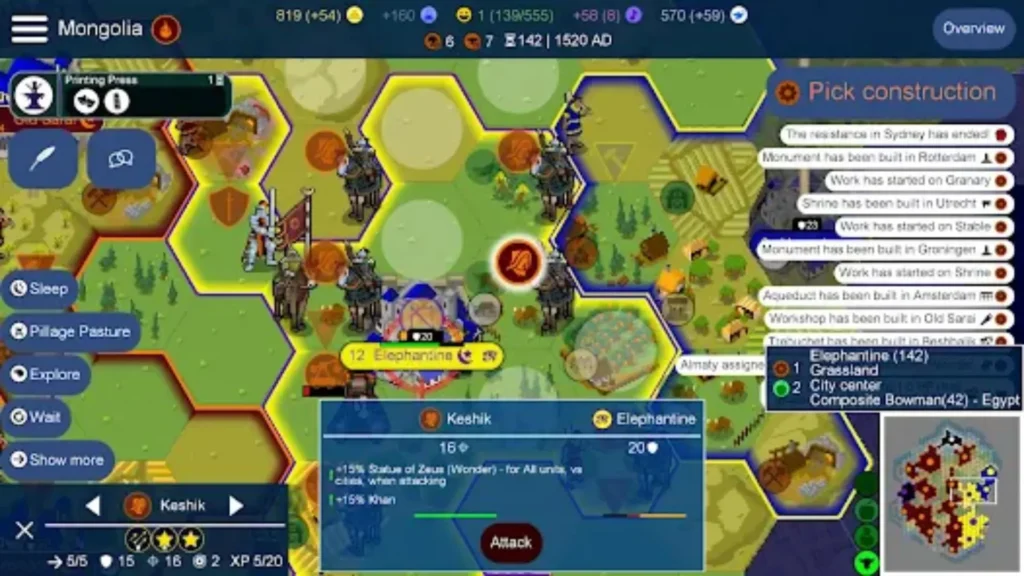
For fans of grand strategy and turn-based gameplay, UnCiv is a standout title that brings the classic Civilization experience to mobile devices with no ads to break the flow. It’s perfect for players who love building empires, engaging in diplomacy, and navigating complex development systems.
- Empire Building: Establish cities, manage resources, develop technologies, and lead your civilization through the ages, just like traditional Civilization games.
- Diplomacy and Combat: Interact with other civilizations, engage in diplomacy, and strategically manage warfare to expand your empire or protect your borders.
4. Sky: Children of the Light
Developer: Thatgamecompany
Genre: Adventure, Social, Exploration
Available Platforms: Android, iOS, Nintendo Switch

Sky: Children of the Light combines breathtaking visuals with gentle social interactions in an open-world setting. While it’s online-only, it avoids intrusive ads and focuses fully on immersive, community-based play.
- Co-op Exploration: Fly through dreamy kingdoms, solve light-based puzzles, and connect with other players worldwide.
- Emotional Storytelling: The game explores themes of connection, generosity, and light—backed by a beautiful musical score.
5. Brawlhalla
Developer: Blue Mammoth Games
Genre: Fighting, Multiplayer
Available Platforms: Android, iOS, Windows, PlayStation, Xbox, Nintendo Switch

Brawlhalla is a competitive platform fighter with over 50 characters and zero ads. Its online focus delivers fast-paced battles perfect for players who enjoy Smash Bros-style action.
- Free-to-Play Fairness: No forced ads and a generous character rotation system make it friendly for casual players.
- Cross-Platform Battles: Compete against friends or strangers across devices in 1v1, 2v2, or free-for-all formats.
6. Rocket League Sideswipe
Developer: Psyonix
Genre: Sports, Action, Multiplayer
Available Platforms: Android, iOS

Rocket League Sideswipe brings the essence of the original Rocket League into 2D form for mobile, with no in-game ads and tight match pacing. It’s ideal for competitive short matches.
- Fast-Paced Soccer Combat: Cars play soccer in tight arenas, combining strategy, speed, and aerial mechanics.
- Ranked and Casual Modes: Whether you’re climbing ranks or just having fun, there’s a mode for you.
7. Genshin Impact
Developer: HoYoverse
Genre: Action RPG, Open World
Available Platforms: Android, iOS, Windows, PlayStation
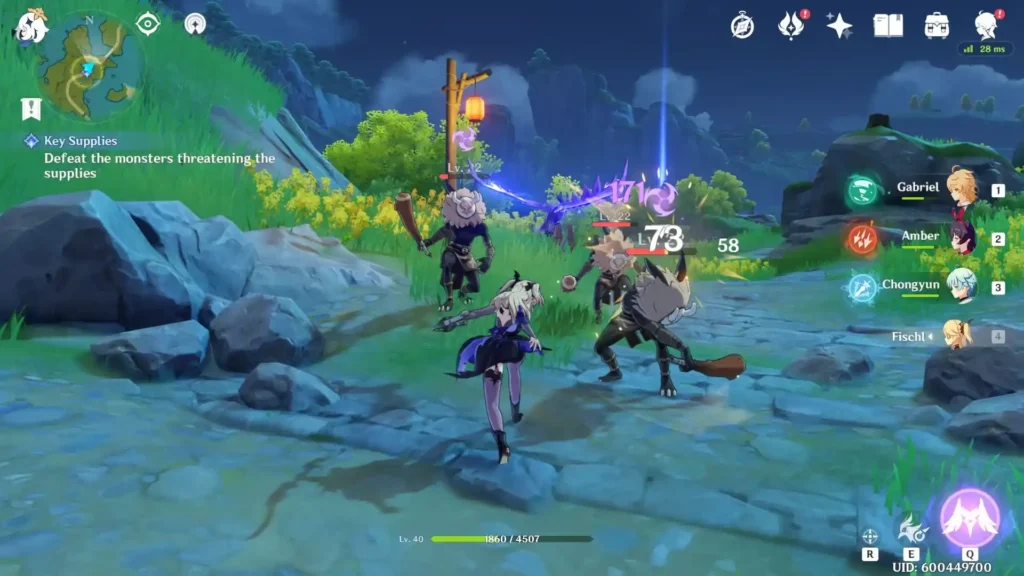
Genshin Impact delivers console-quality visuals and expansive exploration on mobile without showing ads. The game does require internet, but it never interrupts with forced promotions.
- Exploration and Combat: Discover massive regions, battle enemies with elemental combos, and solve puzzles.
- Character Collection: Unlock and build your team of heroes from various nations, each with unique powers and backstories.
8. Simon Tatham’s Puzzles
Developer: Simon Tatham
Genre: Puzzle Collection
Available Platforms: Android, Windows, Linux, iOS (via third-party ports)
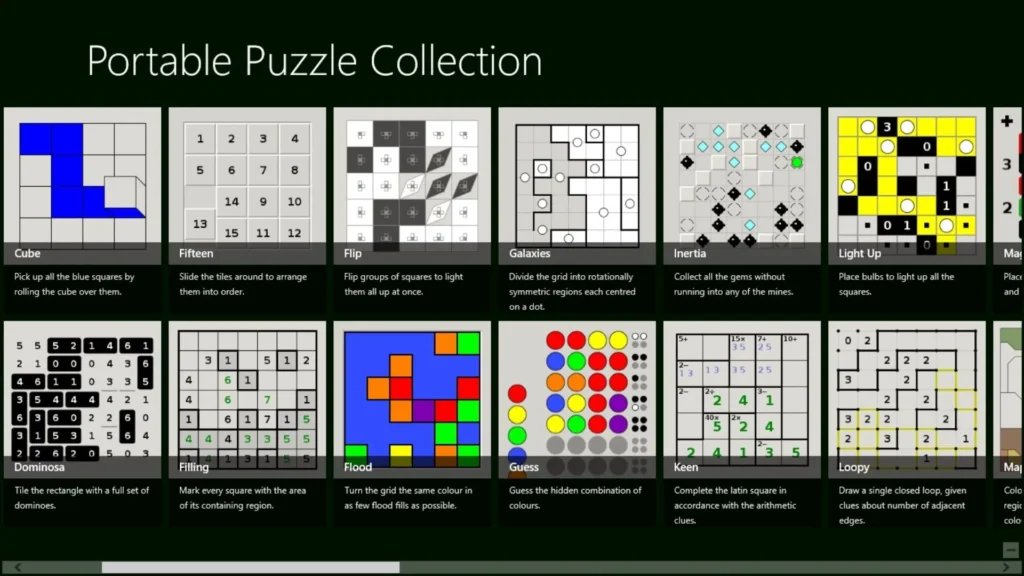
Simon Tatham’s Puzzles is a compilation of over 30 classic logic games in one lightweight app. It works fully offline and never shows ads, making it perfect for those seeking pure mental challenges.
- No-Frills Interface: Minimalist design puts the focus on logic and strategy rather than graphics.
- Great for Tablets: Clean layout and scalable puzzles make it ideal for larger screens and stylus use.
Bottom Line
In-game ads disrupt immersion and drain data. Whether you choose an ad-blocking app like AdGuard or Blokada 6, or pair TurisVPN with premium DNS services, there are plenty of ways to create a smooth, uninterrupted gaming experience.
For those who prefer zero setup, the best option might simply be picking from our curated list of best game apps without ads. With options like UnCiv, Mekorama, or DATA WING, you can enjoy quality games without the internet and without distractions.
FAQs
Q1. Are ad-blockers illegal?
No, ad-blockers are legal in most countries. However, using them may go against the terms of service of certain apps or games. It’s best to check the platform’s policies before using one.
Q2. Does disabling the internet fully remove all ads?
Disabling the internet can remove many ads in offline-compatible games. However, it won’t stop pre-downloaded ads or embedded sponsor messages. For full control, use ad-free games or pair offline mode with an ad-blocker.
Q3. Can ad-blockers damage my device or violate game policies?
Reputable ad-blockers like AdGuard or Blokada are safe and do not harm your device. However, blocking ads in some online games may be flagged as a violation of their policies. Use responsibly and at your discretion.