







Learning how to block someone on Instagram is essential for anyone who wants to manage their digital boundaries and maintain a safe, comfortable online environment.
Instagram is a huge and ever-changing social network. It may help people connect, yet it can also lead to unwanted attention, abuse, or spam that never stops.
The IG block feature is more than just a digital wall; it’s a useful way to control your experience and keep your mind at ease. This guide discusses not just why you should block someone, but also the little details of the procedure, what happens subsequently, and how it affects your privacy.
You’ll also find troubleshooting tips, advice for anonymous blocking with TurisVPN, and insight into what it means if someone vanishes from your blocked list.
By the end, you’ll have a full grasp of how to block someone on Instagram and the confidence to use these features wisely. Check our guide now!
Why You Might Want to Block Someone on Instagram?
In today’s society, when everything is linked, it’s more crucial than ever to be able to govern your social life. Based on this, you may want to consider banning or blocking individuals you don’t like on social media.
Many users are curious about what happens when you block someone on Instagram. When you block another account on Instagram, you immediately prevent that person from viewing your posts (including photos, videos, and stories) and from interacting with your account in any way.
They will no longer be able to see your profile, like or comment on your content, or send you direct messages. The main purpose of blocking someone on Instagram is to protect your privacy and stop unwanted interactions, ensuring that the blocked user cannot contact you or view any of your activity on the platform.
About The Block Features On Instagram
The block Instagram profile feature is a key tool to help you control your Instagram experience and protect your privacy. Here’s how and when you might use it:
- Harassment or Abuse: If someone is sending you rude, threatening, or harmful messages or comments, blocking them immediately stops all contact. They won’t be able to see your posts, stories, or send you direct messages anymore.
- Spam and Unwanted Messages: If you receive frequent spam or unwanted promotional messages that clutter your inbox, blocking the sender cuts off this communication, giving you a cleaner, safer space.
- Setting Personal Boundaries: Sometimes, you may want to block people you know, such as former friends, ex-partners, or acquaintances, if you don’t want to see them on your feed or have them see your content. This helps you manage your social circle and maintain emotional well-being.
- Protecting Your Privacy: Blocking ensures that the blocked user cannot view your profile, interact with your content, or contact you in any way, giving you full control over who can engage with your Instagram account.
Using the block feature is an effective way to regain your sense of safety, reduce stress, and create a positive Instagram environment tailored to your needs.
Same with other social media, don’t hesitate to block people on TikTok, Telegram, or X if you think they express bad energy and you want to avoid them.
The IG block tool lets you control your online area by only talking to people you trust. When you know how blocking on Instagram works, you may utilise it anytime you need to safeguard your health.
How to Block Someone on Instagram?
If you’re ready to use the IG block feature, you’ll want to know the best way to do it. Instagram lets you block a user’s profile or direct message from your inbox.
Here’s how to block someone on Instagram, step by step, based on Instagram’s latest guidance.
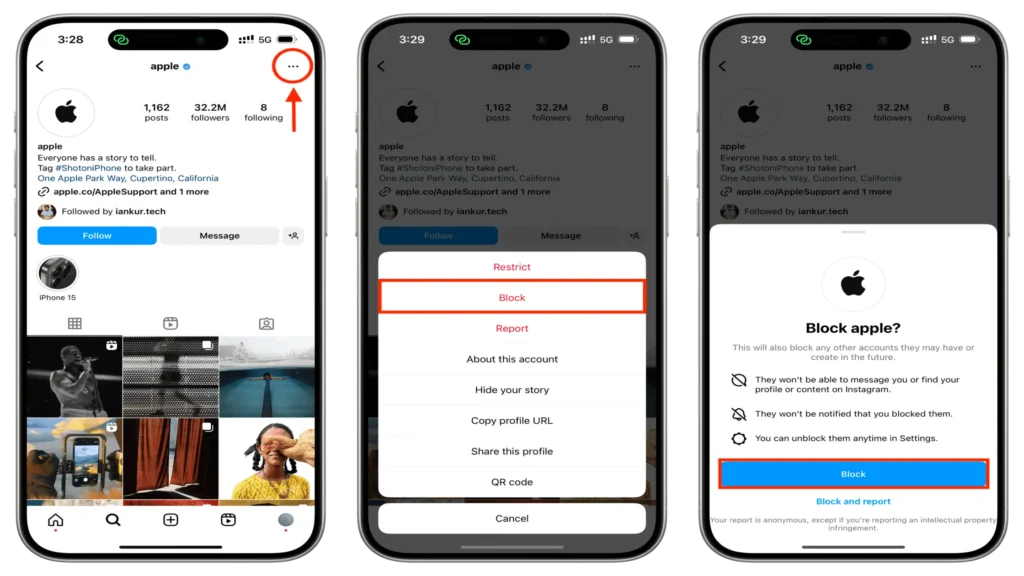
From Their Profile
- Step 1: Search for the user you want to block using the search bar or from your followers/following list.
- Step 2: Go to their profile.
- Step 3: Tap the three dots in the top right corner.
- Step 4: Select Block.
- Step 5: Confirm your choice.
This method works whether you’re on Android, iOS, or the web. If you’re wondering, can you block someone on IG without them knowing? The answer is yes. Instagram does not notify users when they’re blocked.
From Their Messages
- Step 1: Open the Instagram app and go to your Direct Messages.
- Step 2: Find the conversation with the person you want to block.
- Step 3: Tap their name at the top of the chat.
- Step 4: Scroll down and select Block.
- Step 5: Confirm your action.
Blocking messages is useful if you want to stop unwanted DMs without visiting the person’s profile. After you block, the conversation will disappear from your inbox, and the user won’t be able to send new messages.
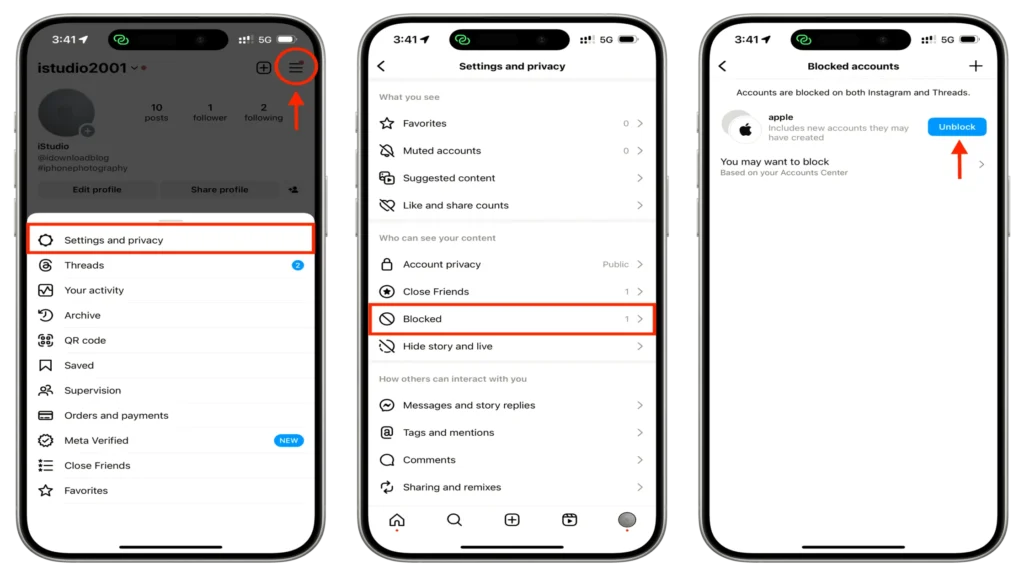
If you’re curious, how to see who I blocked on Instagram? Go to Settings > Privacy > Blocked Accounts to view and manage your list.
Can You Block Someone on Instagram Without Them Knowing?
One of the most common questions is, if you block someone on Instagram, will they know? Instagram keeps this action private—no notifications go out. Still, some users wonder, can people tell when you block them? While the process is discreet, there are clues for those who look.
The Truth About Hidden Blocking
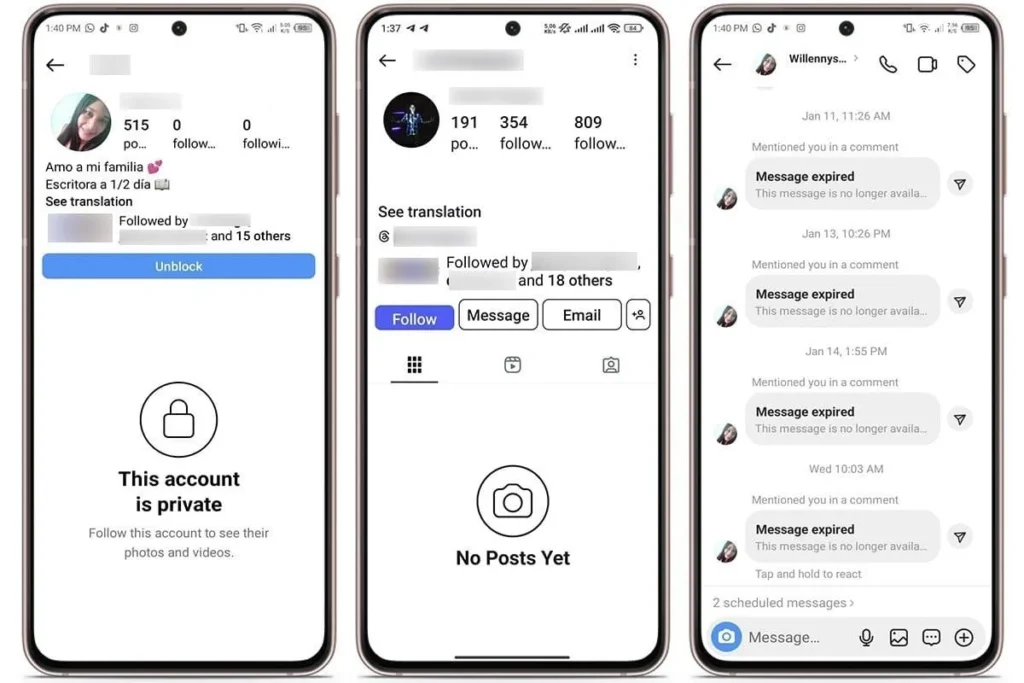
You can absolutely block someone on IG without them knowing. They won’t get a message or alert. However, if they search for your username, they might see “No posts yet” or “User not found.” Here are some detailed signs that you are being blocked:
Profile Access Changes
- Your account appears to have disappeared from the search.
- Profile shows no posts despite previous activity.
- Followers and following counts become invisible.
- Bio information may still be partially visible.
Interaction Restrictions
- Cannot like, comment, or share your content.
- Unable to tag you in posts or stories.
- Cannot add you to group conversations.
- Story viewing becomes impossible.
Message Behavior Changes
- New messages fail to deliver.
- Read receipts disappear for blocked users.
- Active status indicators become invisible.
- Typing indicators no longer appear.
What people see when you block them on Instagram includes an empty profile with no visible content, followers, or following counts.
While the platform doesn’t send direct notifications about blocking actions, these cumulative signs make blocking status relatively apparent to persistent users.
What Happens When Someone Blocks You on Instagram?
The Instagram blocking system creates a comprehensive barrier that becomes apparent through multiple interaction attempts rather than a single obvious indicator.
Search and Discovery Limitations:
- Profile doesn’t appear in search results.
- Username searches yield no results.
- Mutual friend connections become invisible.
- The suggested users list excludes blocked accounts.
Profile Viewing Restrictions:
- The account appears empty.
- Post count shows zero despite known activity.
- Story highlights become inaccessible.
- Profile pictures may remain visible.
Communication Barriers:
- Direct messages fail to deliver.
- Cannot mention them in comments.
- Group message participation becomes limited.
- Story replies become impossible.
All in all, when you block someone, they lose access to your posts, stories, and highlights. They can’t send you DMs, and any mutual comments or likes may disappear. If you unblock them, you won’t automatically follow each other again.
Can They Message You After Blocking?
Once blocked, the person cannot send you messages or interact with your posts. Old conversations may remain in their inbox, but a new contact is impossible. This is a key part of how to block a user on Instagram and maintain your privacy.
Troubleshooting: What to Do if You Can’t Block Someone on Instagram
Addressing common blocking issues ensures the feature works effectively when you need protection. Below are some common blocking problems and solutions you might consider:
Technical Issues
- Network connectivity problems:
To fix this issue, you should:
- Switch between WiFi and cellular data
- Restart your internet connection
- Try blocking from a different network
- Wait for a stable connection before attempting
- App-related malfunctions
To solve this problem, you should:
- Update Instagram to the latest version.
- Clear app cache and data.
- Force close and restart the application.
- Reinstall Instagram completely if necessary.
- Device-specific problems
To fix this issue, you should:
- Restart your smartphone or computer.
- Check available storage space.
- Update the device operating system.
- Try blocking from a different device.
Account and Platform Issues
- Instagram Server Problems:
To fix this problem, you can:
- Platform-wide outages affecting blocking features
- Maintenance periods temporarily disable functions
- Regional service disruptions
- Instagram algorithm flagging suspicious activity
- Account-Specific Restrictions:
This issue can be fixed by:
- Temporary limitations due to recent account creation
- Suspension of blocking features for policy violations
- Age-restricted account limitations
- Business account-specific restrictions
How do I see who I blocked on Instagram?
Knowing who you blocked on Instagram becomes relevant when verifying whether blocking attempts succeeded:
- Check the Blocked Users List:
- Step 1: Go to Settings and Privacy.
- Step 2: Select “Blocked accounts”.
- Step 3: Review the complete list of blocked users.
- Step 4: Verify that recent blocking actions appear.
- Test Blocking Status:
- Step 1: Search for the user’s profile.
- Step 2: Attempt to view their content.
- Step 3: Check message delivery status.
- Step 4: Confirm interaction restrictions.
Advanced Troubleshooting Steps
When standard methods fail, you should consider doing these:
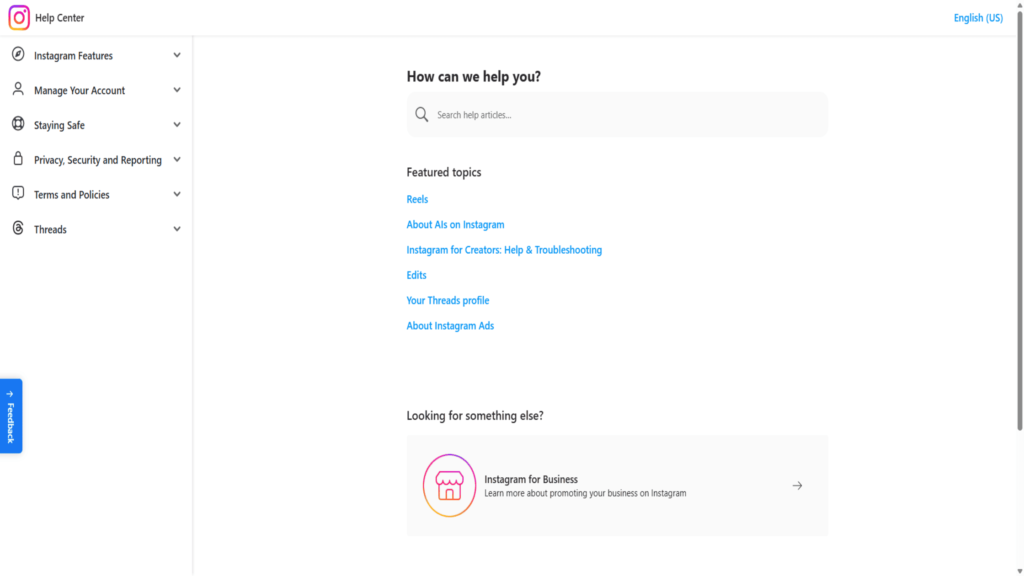
- Contact Instagram support through the Help Center.
- Report technical issues via in-app reporting.
- Check Instagram’s official status pages.
- Seek help from Instagram’s social media accounts.
Additional note: Why has someone disappeared from my blocked list on Instagram?
The answer might indicate:
- Technical glitches affecting blocked user lists
- Account deactivation by the blocked user
- Instagram system updates affecting display
- Accidental unblocking during app navigation
If persistent issues continue, Instagram’s official support channels provide additional assistance. The in-app help center offers specific guidance for blocking-related issues. Meanwhile, the platform’s social media support accounts mostly respond to complex technical problems.
How Do You Block Someone On Instagram Anonymously With TurisVPN?
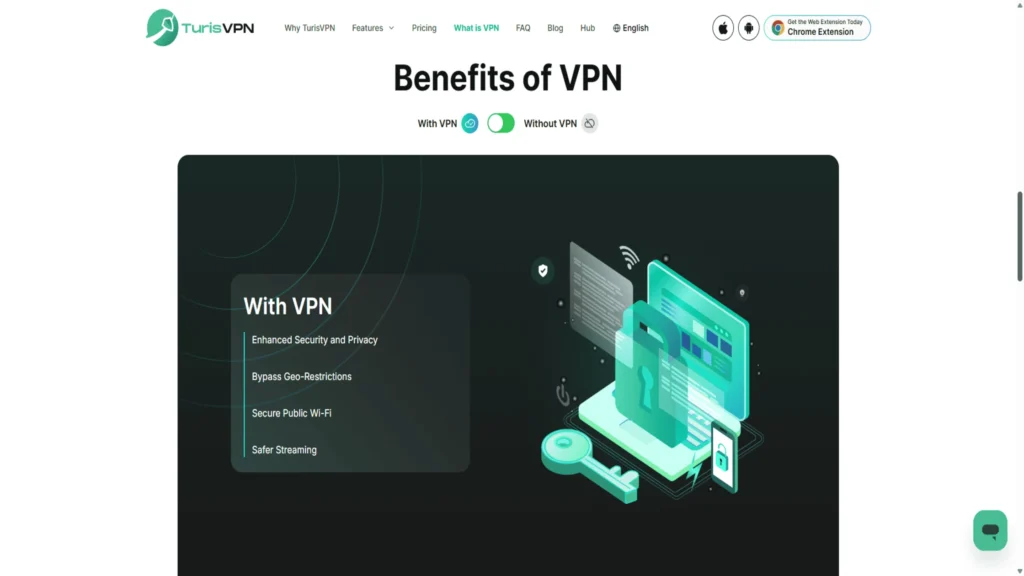
Utilizing a VPN adds an extra layer of privacy protection to your Instagram blocking activities. The way to make someone think you blocked them while maintaining complete anonymity requires advanced privacy tools like TurisVPN.
Our Free VPN service provides comprehensive privacy protection that goes beyond standard Instagram blocking features.
TurisVPN’s Or Other VPNs’ Anonymous Blocking Advantages
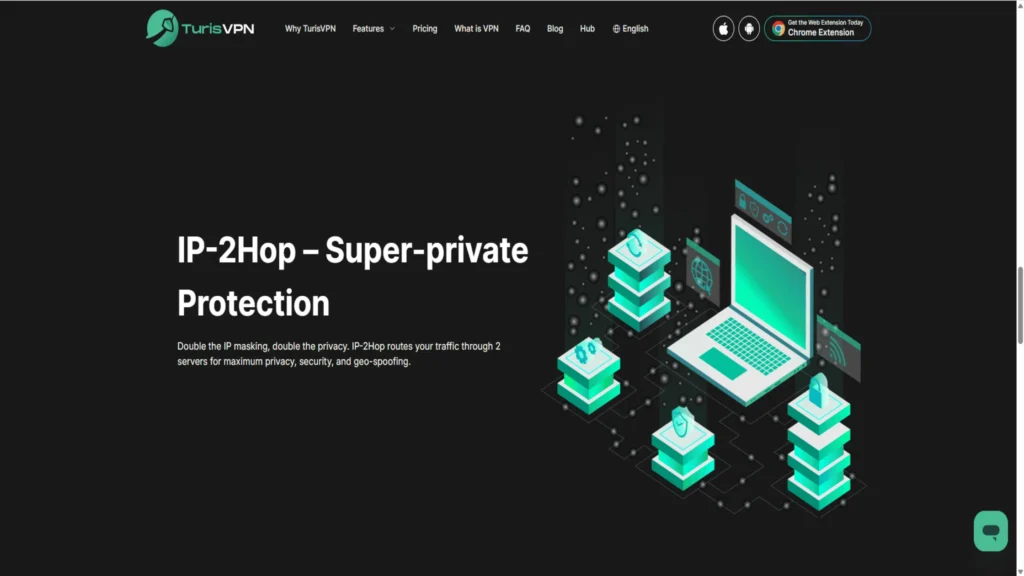
IP Masking Capabilities:
- Complete location anonymization during blocking.
- Prevents tracking of your real internet service provider.
- Masks device information and network details.
- Creates untraceable blocking actions.
Enhanced Privacy Protection:
- All Instagram activities become completely anonymous.
- Blocking actions cannot be traced to your location.
- Advanced encryption protects all internet traffic.
- No-logs policy ensures complete activity privacy.
Professional-Grade Security:
- Enterprise-level encryption protocols.
- Multiple server locations worldwide.
- Automatic kill switch protection.
- DNS leak prevention technology.
Block Instagram profile actions become completely anonymous when routed through our VPN servers. You can also use VPNs to view someone’s IG profile without leaving a trace. Our secure service prevents blocked users from identifying your real identity.
This level of protection surpasses standard Instagram blocking features. Besides, we also provide enterprise-grade privacy for personal social media use.
How to Use a VPN for Anonymous Instagram Blocking?
Step-by-step implementation ensures maximum privacy protection during blocking procedures.
Step 1 – Download and Install TurisVPN:
- Access official app stores or our official website, TurisVPN.com.
- Verify the authentic TurisVPN application.
- Complete installation on your device.
- Create an account with minimal personal information.
Step 2 – Account Setup for Maximum Anonymity:
- Use a dedicated email address unconnected to your primary identity.
- Choose a strong, unique password.
- Enable two-factor authentication.
- Review privacy settings and preferences.
Step 3 – Server Selection Strategy:
- Choose servers in different countries from your location
- Prefer jurisdictions with strong privacy protections
- Rotate server locations regularly
- Avoid servers in your home country for maximum anonymity
Step 4 – Pre-Blocking Preparation:
- Connect to TurisVPN before accessing Instagram
- Verify the new IP address using online checking tools
Step 5 – Blocking Process with VPN Protection:
- Maintain VPN connection throughout the entire process.
- Follow standard Instagram blocking procedures.
- Monitor connection status during blocking.
- Verify anonymity after completing blocking.
Step 6 – Post-Blocking Privacy Maintenance:
- Keep VPN connected for all subsequent Instagram usage
- Regularly rotate server connections
- Monitor for any connection drops or leaks
- Maintain consistent anonymity practices
The combination of Instagram’s blocking features with TurisVPN’s anonymization creates comprehensive protection that addresses both immediate safety concerns and long-term privacy needs.
More importantly, you can also apply these steps to block people on your Telegram or other social media without them knowing.
Advanced Privacy Techniques:
- Use different VPN servers for different Instagram sessions
- Clear browser cookies and cache between sessions
- Enable automatic VPN connection on device startup
- Regular monitoring of IP address changes and protection status
Bottom Line
For anybody who cares about their privacy, safety, and control over their social media experience, knowing how to block someone on Instagram is really important. You may use the IG block tool to choose who can view your posts and talk to you.
Instagram’s blocking options work well and are private, whether you’re using it for personal reasons, professional purposes, or to stop abuse.
When you block someone on Instagram, they can’t view your photos, contact you, or interact with your account. TurisVPN lets you ban people safely and secretly for those who seek more privacy.
Remember, always update your app, utilise robust privacy settings, and don’t be afraid to block when you need to. Check out TurisVPN’s blog for additional ideas on keeping your digital privacy and security safe. You may also want to look into technologies like TurisVPN.





