







Telegram’s popularity as a high-speed, cross-platform messaging app has surged, with its user base reaching 950 million in July 2024. However, for users in Singapore, occasional server disruptions can lead to questions like, “Is Telegram down in Singapore?” or “Is Telegram safe to use?”
Given the app’s complex history with issues like government scrutiny, misinformation, and data security, these concerns are increasingly common. In this blogpost, we’ll provide the latest updates on Telegram’s server status in Singapore and delve into its privacy and security dynamics to help you stay informed.
Key Takeaways
- Telegram is a high-speed messaging app with over 950 million users, widely used for personal and business communication.
- Telegram raises concerns around data security, as it doesn’t enable end-to-end encryption (E2EE) by default.
- Telegram’s encryption practices have drawn criticism from digital rights groups, particularly for its proprietary MTProto protocol.
- Users in Singapore can check Telegram’s status using platforms like Downdetector or Is It Down Right Now.
- Common issues like network restrictions and browser cache problems can impact Telegram’s performance, with solutions provided to improve access.
What Is Telegram?
Telegram is a cloud-based messaging app known for its speed, security, and cross-platform accessibility. With Telegram, users can send text messages, photos, videos, and files of any format and size, whether for personal or business use.
2. Clear data and cache
Sometimes, excess data in the cache causes the app to malfunction. Clearing this can often resolve issues:
- Open “Settings” on your device.
- Go to “Data & Storage”>> “Storage Usage”
- Locate and tap “Clear Entire Cache”.
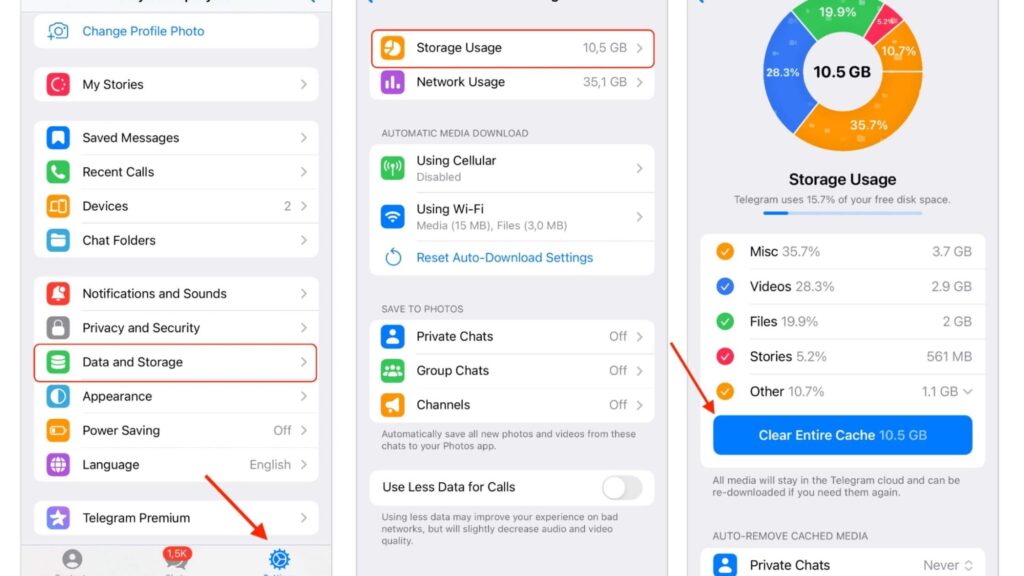
This step removes temporary files that might interfere with the app’s performance
3. Reinstall Telegram
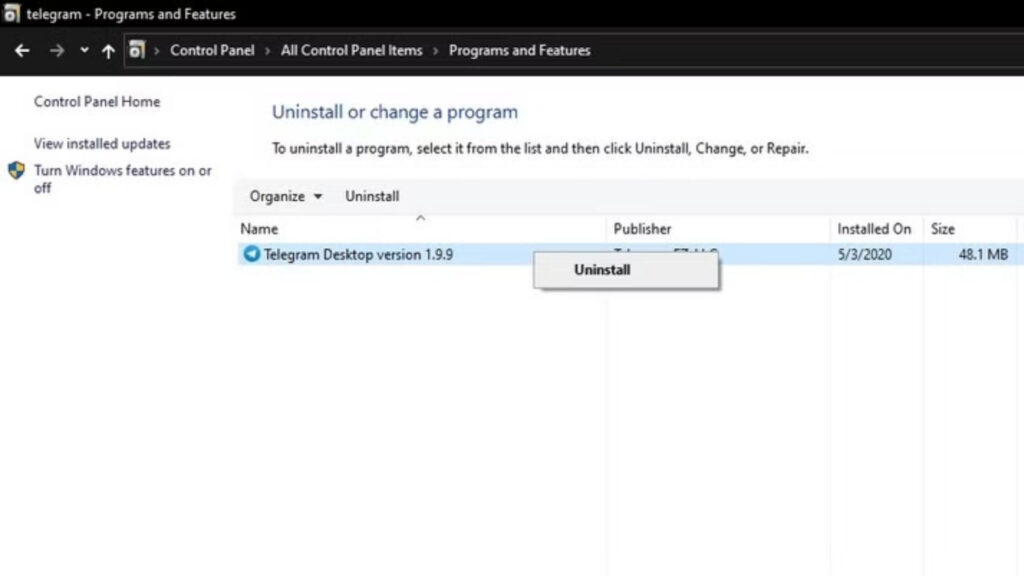
Uninstalling and reinstalling Telegram can fix persistent bugs or update issues. Follow these steps:
- On mobile, uninstall Telegram through the App Store or Google Play, then reinstall it.
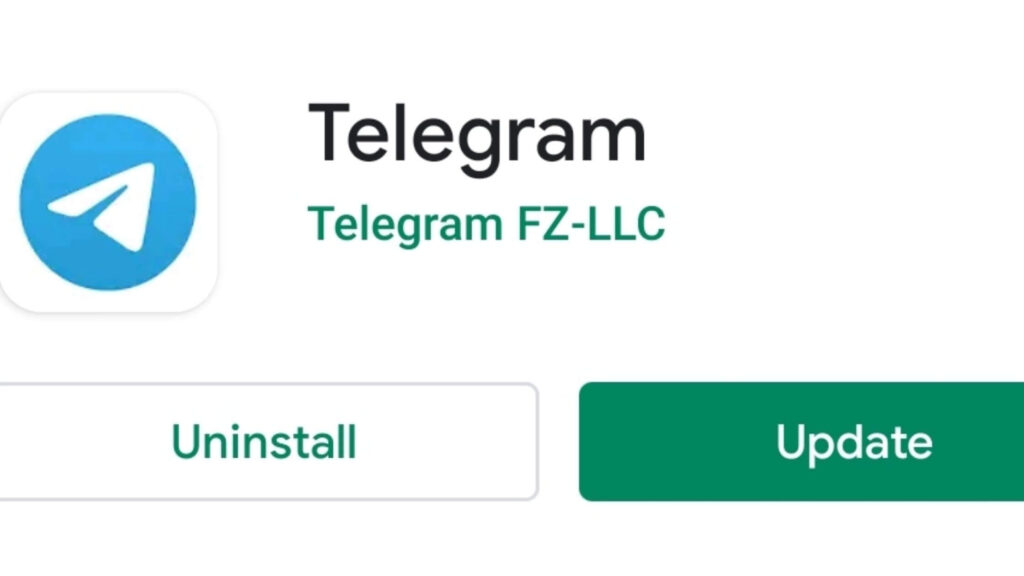
- On PC, go to Control Panel, open Programs and Features, select Telegram, and uninstall it. Reinstalling ensures you have the latest, optimized version.
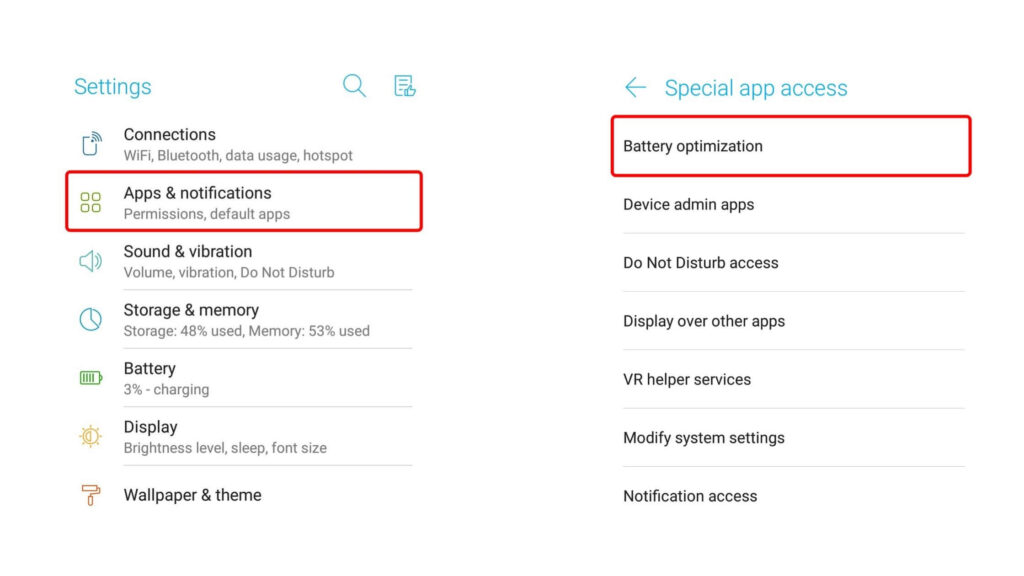
4. Disable battery optimisation
Battery optimization settings can restrict Telegram’s background processes, causing issues. To disable this:
- Open “Settings” > “Apps & Notifications”.
- Find the Battery Optimization > Switch Telegram off from battery optimization.
5. Install and use a VPN
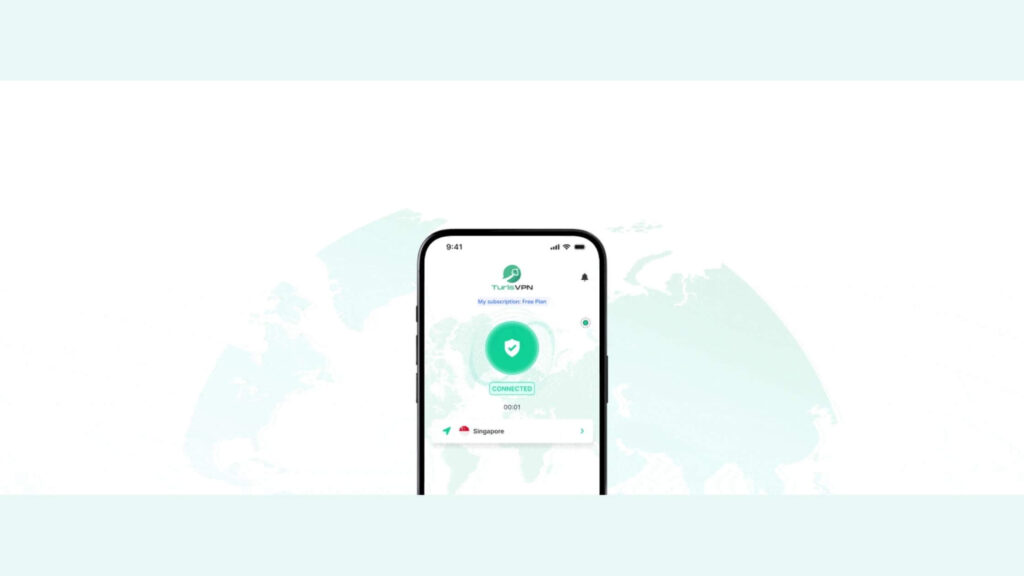
Sometimes network restrictions prevent Telegram from working correctly. TurisVPN can help bypass such restrictions:
- Step 1: Download and install TurisVPN.
- Step 2: Open the VPN app, log in.
- Step 3: Now, connect to a server in a region where Telegram operates smoothly. This can restore Telegram access if it’s blocked or restricted in your area.
Bottom Line
If you’re experiencing issues with Telegram down Singapore, this blog has covered the most up-to-date methods for checking Telegram’s server status. Regularly checking platforms like Downdetector and using a Singapore VPN if needed can help ensure you stay connected. This guide equips you with practical steps to keep your Telegram experience as smooth as possible.