If you are a frequent visitor to RedGIFs, you have likely encountered the frustrating RedGIFs Age Verification wall recently. It isn’t just a simple checkbox anymore; for many, it involves uploading ID or dealing with a broken system that loops endlessly.
In this guide, we will explain exactly how RedGIFs Age Verification works, why it is happening, and most importantly, how to bypass it safely and securely using tools like our own TurisVPN.
What Is RedGIF’s Age Verification?
RedGIFs Age Verification is a compliance measure implemented by the platform to meet strict new online safety laws in various jurisdictions. Originally, RedGIFs, like its predecessor Gfycat, relied on a simple “I am over 18” button.
However, recent legislation, such as the UK’s Online Safety Act and age-gating laws in US states like Louisiana, Utah, and Virginia, has forced the platform to adopt more rigorous checks. For users in these regions, RedGIFs Age Verification is no longer optional. It is a mandatory gateway that not only restricts access but also actively removes content that does not comply with regulations.
You cannot view this material unless you prove your age via third-party identity verification services. This strict adherence often means sharing sensitive personal data to view material that is otherwise purged from your region, which defeats the purpose of browsing anonymously.
How Does RedGIF’s Age Verification Work?
The RedGIFs Age Verification system operates on a tiered basis depending on your location and user status. It uses your IP address to determine which verification method applies to you.
1. General Viewer Verification
The procedure is still straightforward for users in unregulated areas (the majority of Europe, Asia, and portions of the US). Usually, a standard modal will appear, requesting that you either confirm your birthdate or click “I am 18+.” To remember your status, this uses browser cookies. You will see it once more if you delete your cache.
2. Mandatory Verification in Restricted Regions (e.g., UK)
If your IP address originates from the UK or specific US states, RedGIFs Age Verification becomes aggressive. The site may redirect you to “RedGIFs Lite,” a safe-for-work version of the site, or block you entirely until you verify. This involves:
- Third-Party Providers: RedGIFs partners with services like Yoti or Veriff.
- ID Upload: You must upload a photo of your driver’s license or passport.
- Face Scans: Some checks require a live selfie to match against your ID.
3. Content Creator Verification
RedGIF’s Age Verification procedure is different for content uploaders. A “Know Your Customer” (KYC) procedure is required of creators. This is meant to stop non-consensual content and is more stringent than viewer verification. To demonstrate content ownership, a legitimate ID must be submitted, and social media profiles must be linked.
4. Integration with Reddit
Since RedGIFs is the primary host for Reddit’s adult content, the verification often extends to Reddit apps. If you are browsing Reddit in a restricted region, inline GIFs from RedGIFs may fail to load, showing a RedGIFs “something went wrong” error or a static image instead of playing content.
Step-by-Step Guide to Verifying Your Age on RedGIFs
Alt: RedGIFs verification is not working
If you choose to go the official route, here is how you navigate the RedGIFs Age Verification process.
For Viewers (Regional Verification)
- Disable Ad Blockers: Ensure no extensions are blocking the verification pop-up.
- Select Your Method: Choose between “Credit Card” (often a small temporary charge) or “ID Upload.”
- Submit Documents: Take a clear photo of your ID. Ensure edges are visible.
- Wait for Approval: This can take anywhere from 5 minutes to 24 hours.
For Content Creators
- Access Creator Portal: Log in and navigate to your profile settings.
- Start Verification: Click the “Verify” badge request.
- Provide Proof: Submit your ID and a piece of paper with your username and the current date written on it.
- Link Socials: Connect your Twitter or Reddit account to cross-reference your identity.
Is It Legal to Bypass Age Verification on RedGIFs?
Generally, using a VPN to spoof your location is not illegal in most countries. RedGIFs Age Verification is enforced to comply with local laws where the user is physically located. By changing your virtual location, you are simply accessing the version of the website available to users in other jurisdictions.
However, bypassing these checks violates the platform’s Terms of Service. While you won’t face legal action for using a VPN to watch GIFs, the platform reserves the right to suspend accounts that appear suspicious. That said, millions of users utilise VPNs daily for privacy without issue.
How to Get Past Age Verification on RedGIFs?
If you value your privacy and do not wish to upload your ID to an adult site, bypassing the RedGIFs Age Verification is the only option. Additionally, technical glitches often trap users in a loop even if they do verify. Here is how to solve these problems.
1. Use TurisVPN
The most effective method is to change your digital location. By routing your traffic through a country without age-gating laws, you completely avoid the ID checks.
How to use TurisVPN to bypass RedGIFs checks:
- Download the App or Extension: Simply download the TurisVPN application or add the browser extension to your device to get started.
- Connect to a Server:
- Recommended Locations: Manually select Singapore or safe US cities such as Los Angeles, San Francisco, or San Jose.
- Warning: Absolutely avoid servers in states where verification is legally mandated, including Texas, Virginia, Utah, Louisiana, Arkansas, Mississippi, Montana, and North Carolina.
- Refresh RedGIFs: Open the site. The aggressive ID check will disappear, replaced by the standard “I am 18+” button.
Which Version Should You Choose?
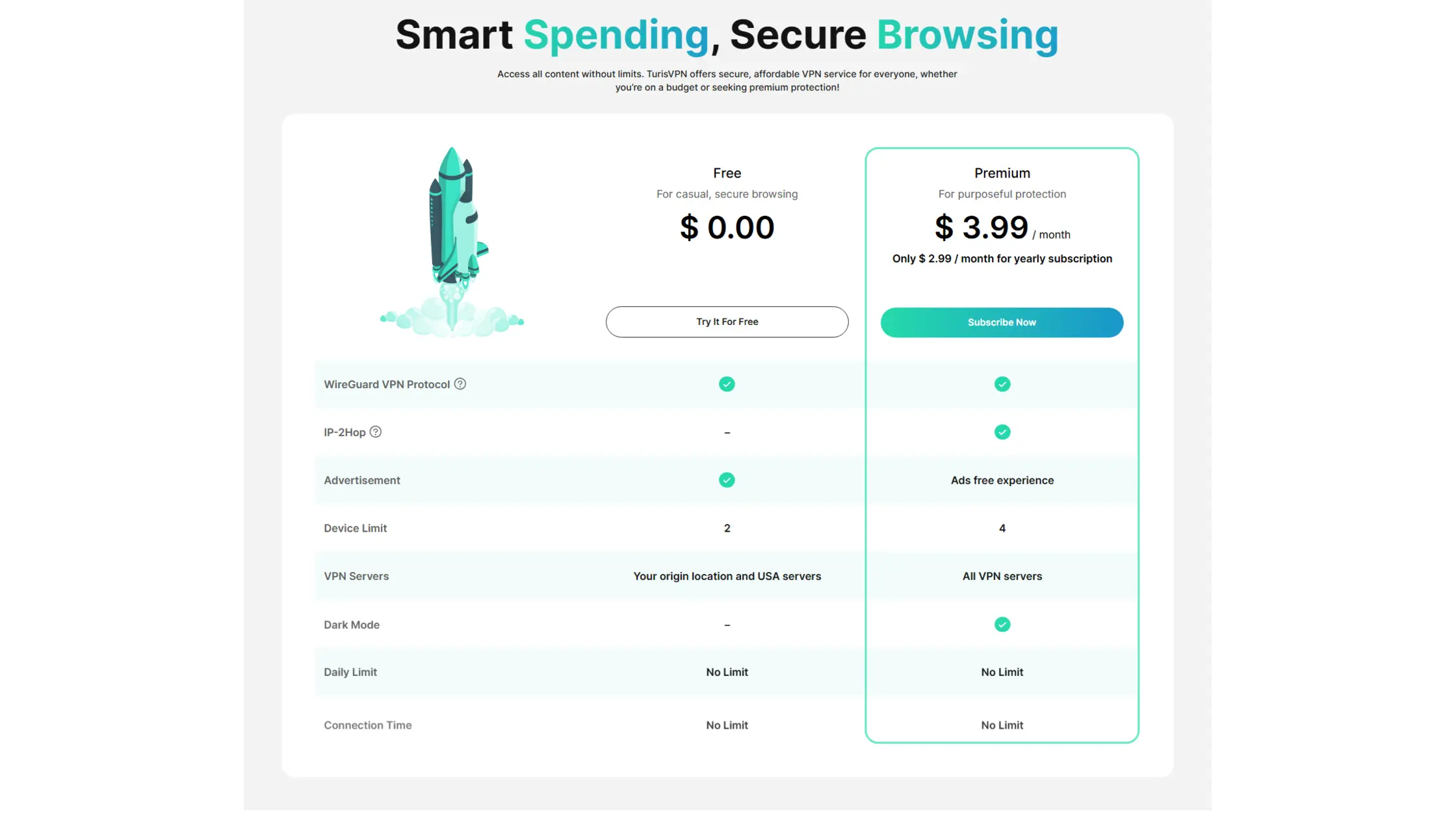
- Use the Free Plan if: You simply want secure, private browsing while located within the US and do not mind potential age-verification blocks in strict states like Virginia or Texas. It is ideal for casual protection on a budget.
- Use the Premium Plan if: You need a guaranteed method to bypass RedGIFs Age Verification. Because the Free plan is limited to US servers, it cannot route you through unrestricted countries. The Premium plan is essential here, as it unlocks servers in regions such as Canada and the Netherlands, ensuring 100% access to content without requiring ID checks.
2. Browser Alternatives
Sometimes the issue is browser-specific.
- Tor Browser: This routes your traffic through multiple nodes, obscuring your location. It can bypass the RedGIFs Age Verification wall, though it may load videos slowly.
- Opera GX: The built-in free VPN in Opera can sometimes work, though it is less reliable than a premium service like TurisVPN.
3. Adjust Reddit & Device Settings
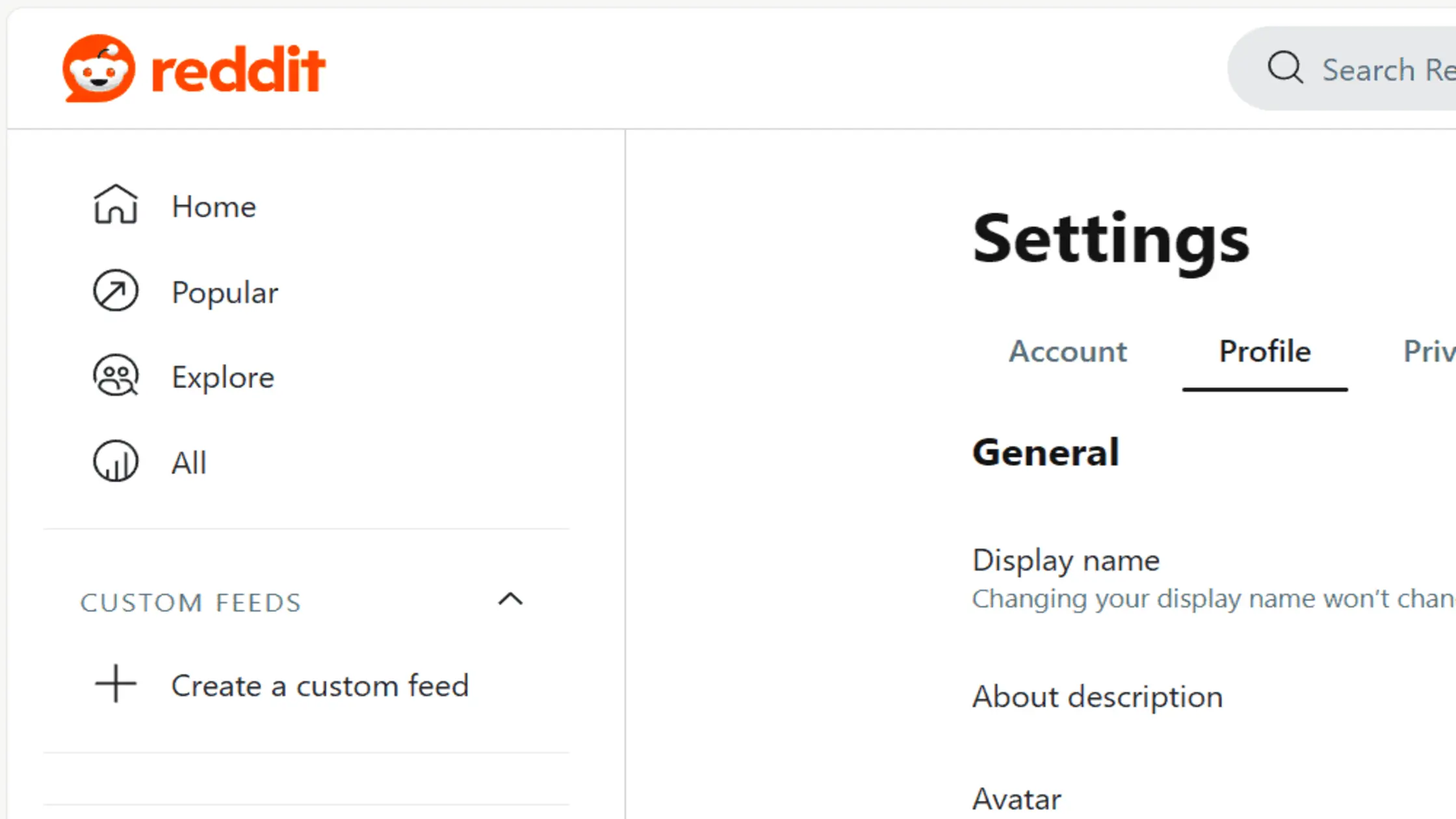
If you are facing the RedGIFs login issues age check on mobile:
- Reddit Settings: Go to Settings > content preferences and ensure “I am over 18” is checked.
- Clear Data: If you get a RedGIFs age verification loop fix, go to your phone’s App Settings, find the browser or Reddit app, and select “Clear cache and cookies RedGIFs.” This resets the faulty tracking cookie, causing the loop.
Tips On Troubleshooting Common Errors:
- Loop Fix: If you are stuck in a loop where the site asks for age, you confirm, and it asks again, you likely have a corrupted cookie. Clear your browser history and cache.
- Button Issues: If you find the RedGIFs verify button not clicking, disable your ad-blocker or JavaScript blocker temporarily.
- Generic Errors: A RedGIFs “something went wrong” error usually indicates a server-side timeout. Wait 10 minutes or switch your VPN server location to refresh the connection.
Why TurisVPN Is Ideal for RedGIFs Users?
When dealing with sensitive content, speed and privacy are non-negotiable. TurisVPN is engineered for high-bandwidth streaming. We offer high-speed servers that ensure GIFs load instantly, without the pixelation common with free proxies.
Furthermore, our strict No-Logs policy means we never record which websites you visit. You can bypass the RedGIFs Age Verification with the confidence that your browsing history remains yours alone.
We also provide dedicated IP options for users who want to avoid the “suspicious activity” flags that sometimes trigger the RedGIFs verification is not working error. By using a clean, private IP, you look like a standard user, not a bot.
Bottom Line
The RedGIFs Age Verification system is a significant hurdle for privacy-conscious users in the UK and strict US states. While intended to increase safety, it often results in intrusive data collection or technical errors, like the RedGIFs age verification loop fix issue.
By using a reliable tool like TurisVPN, you can restore your access, protect your privacy, and enjoy a seamless browsing experience. Don’t let a “verify your age” pop-up dictate your online freedom. Connect today and reclaim your anonymity.
FAQs
Q1. Is RedGIFs banned in certain countries?
Technically, RedGIFs is not “banned,” but it is heavily restricted. In the UK and states like Virginia, the full site is inaccessible without ID verification. Users are often redirected to “RedGIFs Lite” or see a RedGIFs something went wrong error if they try to bypass it without a VPN.
Q2. Why am I being asked for age verification on RedGIFs?
You are seeing the RedGIFs Age Verification prompt because your IP address indicates you are in a jurisdiction with laws requiring age assurance for adult sites. This is a legal requirement for the platform, not necessarily a site policy change for everyone.
Q3. How can I get past age verification on RedGIFs?
The safest way is to change your IP address. By using TurisVPN to connect to a server in a region without these laws, you bypass the ID check entirely. If you are stuck in a glitch, try to clear cache and cookies on RedGIFs or check for a RedGIFs age verification loop fix guide to reset your browser session.