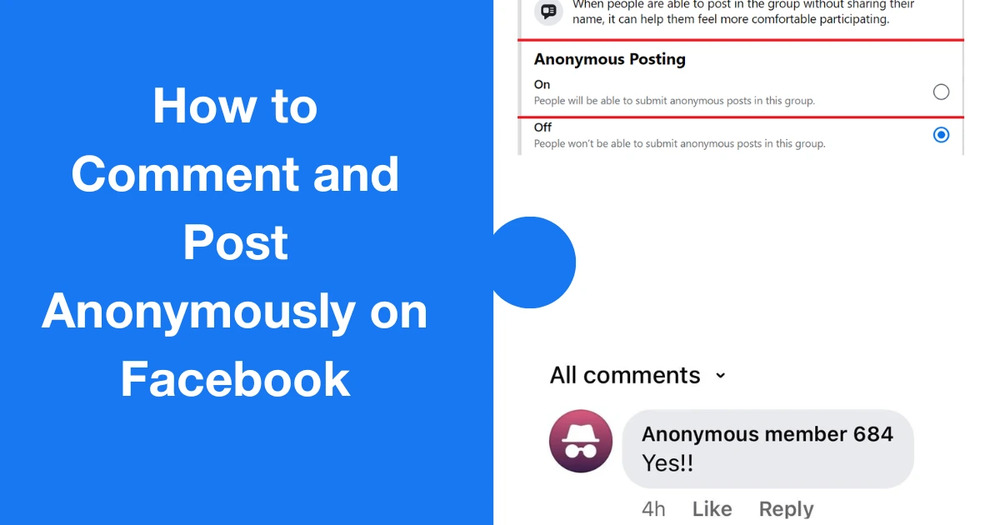
Curious about how to comment anonymously on Facebook group posts in 2025? Many people prefer staying private when discussing sensitive topics or sharing personal experiences online. In this guide, we’ll show you whether true anonymity is possible, how to do it on desktop and mobile, and the best tools to keep your identity safe while engaging in group discussions.
Why Should You Comment Anonymously in a Facebook Group?
The desire for anonymity on Facebook isn’t about hiding bad intentions; it’s about creating a safer space for open and honest communication. The ability to post and comment as an “Anonymous Participant” allows you to engage with a community without the fear of your words being tied back to your public profile.
1. Protect Your Privacy
Sharing opinions and personal experiences on the internet can sometimes come with unwanted attention. By choosing to post anonymously, you protect yourself from potential harassment, judgment, or doxing. It’s a way to participate freely while keeping your personal life, and your profile, separate from the conversation.
2. Encourage Honest and Open Discussions
Anonymity can be a powerful tool for fostering a more genuine dialogue. When people don’t have to worry about social repercussions or backlash from friends and family, they are more likely to share their true thoughts and opinions.
The feature helps to level the playing field, making it easier for people to ask unpopular questions or share dissenting views that they might otherwise be afraid to express. This creates a space where the focus is on the content of the conversation, not the identity of the person speaking.
3. Discussing Sensitive Topics
Perhaps the most common reason for using the feature is to discuss sensitive or personal topics. These could include health issues, financial struggles, relationship problems, or even addiction. You can ask for advice, share a personal struggle, or seek support from others in a similar situation without revealing your identity to the entire group.
Can You Really Comment Anonymously in a Facebook Group?
The short answer is yes, you can, but with very specific and important limitations. While it might seem like a straightforward process to simply hit a button and become invisible, Facebook’s feature is designed for a specific purpose within certain contexts. This section clarifies the boundaries of the feature and the reality of anonymity on Facebook.
Anonymous Comments Only on Your Own Anonymous Posts
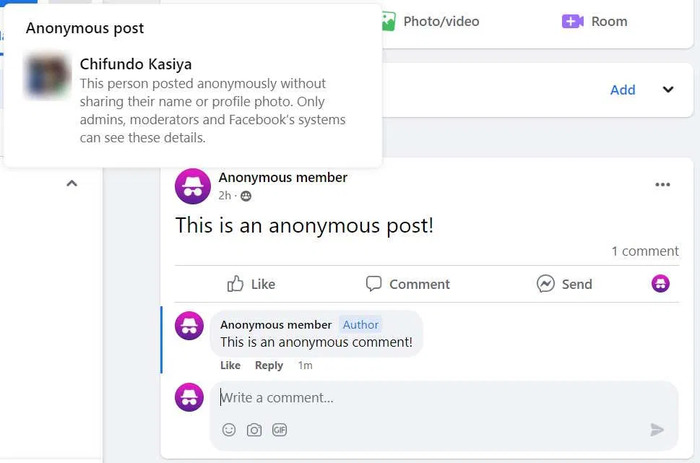
This is the most critical rule. You can only make an anonymous comment on a post that you have already created anonymously. If you see a post from another member and want to reply anonymously on Facebook, you cannot. The option to comment anonymously is only available within the comment thread of your own original anonymous post.
Admins Can See Your Identity
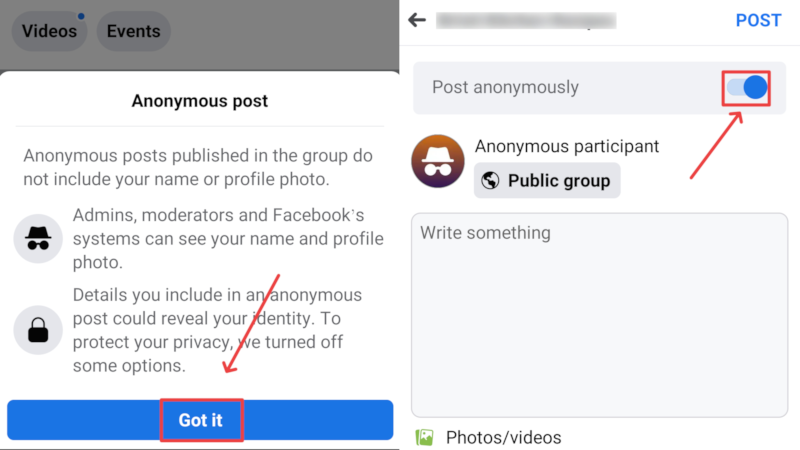
While your post and comments may appear as from an “Anonymous Participant”, group admins, moderators, and Facebook’s internal systems can still see your real name and profile. This is to ensure that the content abides by community standards and group rules, preventing abuse of the feature. So, if you’re asking is reporting a post on Facebook anonymously and hoping the perpetrator can’t be found, remember that admins and Facebook itself always know who you are.
No Anonymity on Public Posts
The anonymous posting and commenting feature is generally limited to private and unlisted groups. It is not available in public groups, where all content is viewable by anyone on Facebook. This is an important distinction to make when considering how and where to use the feature.
Activity is Tied to Your Profile Internally
Even though your identity is hidden from other group members, your anonymous activity is logged and tied to your profile within Facebook’s system. This means that your behavior and comments can still be used for ad targeting or for identifying you if you violate Facebook’s Terms of Service.
Cannot Switch Between Anonymous and Real Identity
When you make an anonymous post, all subsequent comments on that post will also be anonymous. You cannot decide to comment as yourself on an anonymous post you’ve made. The anonymity is locked for that specific content thread.
Limited to Certain Groups
The feature is not a default setting for all Facebook groups. A group’s administrator must enable it. If you’re looking for the “Post Anonymously” option and can’t find it, it’s likely because the group’s admin has chosen not to enable it. This is why learning how to turn on anonymous comments in Facebook groups is not something you can do for yourself, but rather a decision made by the group’s administrators.
How to Comment Anonymously on Facebook On Desktop?
If you’re using a computer and want to know how to comment anonymously on Facebook group discussions, the process is simple—but remember, you can only comment anonymously under posts you created anonymously. Here’s how to do it step by step:
- Step 1. Visit the Facebook Website: Open your browser, head to facebook.com and log in with your account details.
- Step 2. Navigate to Your Groups: From the left-hand menu, select Groups to view all the Facebook groups you’ve joined.
- Step 3. Choose the Group: Under Groups You’ve Joined, click on the group where you previously created an anonymous post and now want to comment.
- Step 4. Find Your Anonymous Post: Scroll through the group feed to locate your anonymous post. If it’s hard to find, use the search bar in the toolbar to look through your group activity.
- Step 5. Add Your Comment: Once you’ve found your anonymous post, click on the Comment option or the text box that says “Write a comment…” and type your response.
How to Comment Anonymously on Facebook On Mobile?
If you prefer using the Facebook app, the process of how to comment anonymously on Facebook group discussions is almost identical to desktop. Just like before, you can only leave anonymous comments on posts you created anonymously. Here’s how to do it step by step:
- Step 1. Open the Facebook App: Launch the Facebook app on your iPhone or Android device and log in if needed.
- Step 2. Go to Your Groups: Tap the Menu at the bottom or top right of the screen (depending on your device), then select Groups.
- Step 3. Choose the Group: From your joined groups, open the one where you previously made an anonymous post and want to reply.
- Step 4. Find Your Anonymous Post: Scroll through the feed until you see your anonymous post. You can also use the group’s search function to find it faster.
- Step 4. Add Your Anonymous Comment: Tap the Comment option under your post, type in your reply, and tap Post.
How to Maintain Privacy While Commenting Anonymously
Learning how to comment anonymously on Facebook group posts is just the first step. To truly protect your privacy, you’ll want to take extra precautions. While Facebook hides your identity from other members, your account is still tied internally to your activity.
Pseudonymous Accounts
This involves creating a completely separate Facebook profile that has no connection to your real identity. To do this effectively:
- Use a Separate Email and Phone Number: Create a new email address that is not tied to your name or personal information. When signing up for the Facebook account, use this email, and do not link a personal phone number.
- Choose a Non-Identifiable Profile: Use a name that is not your own, and select a profile picture that is generic or abstract (like a landscape or a cartoon avatar) instead of a real photo.
- Avoid Connecting to Your Real Life: Do not add friends you know in real life, join groups you are a part of with your main account, or share any information that could be used to identify you, such as your location, workplace, or a specific pet’s name.
VPNs & Privacy Browsers
For a technical layer of security, consider using a Virtual Private Network (VPN) and a privacy-focused browser.
VPNs: A VPN encrypts your internet traffic and masks your IP address, hiding your true location from Facebook and your Internet Service Provider (ISP). By connecting to a server in a different country, you can prevent your activity from being traced back to you. This is an essential step for anyone who wants to take anonymity on Facebook seriously.
Privacy Browsers: Privacy browsers are designed to block trackers, prevent “fingerprinting”, and enhance your overall online privacy. Using one of these in conjunction with a VPN can make it significantly more difficult for any third party to track your online activity.
Reviewing Comments Before Posting
Even though Facebook labels your replies as coming from an anonymous participant Facebook account, it’s still wise to double-check your wording. Avoid including personal details that could reveal your identity. Before you hit Comment in FB, ask yourself: would this statement expose who I am, even without my name attached? Careful reviewing ensures your anonymity stays intact.
Using TurisVPN to Enhance Your Privacy on Facebook
While Facebook’s anonymous posting feature helps hide your identity within groups, it doesn’t protect your broader digital footprint. You can use Free VPN to mask your IP address and encrypts your online traffic, preventing third parties, including Facebook, from tracking your activity across apps and websites.
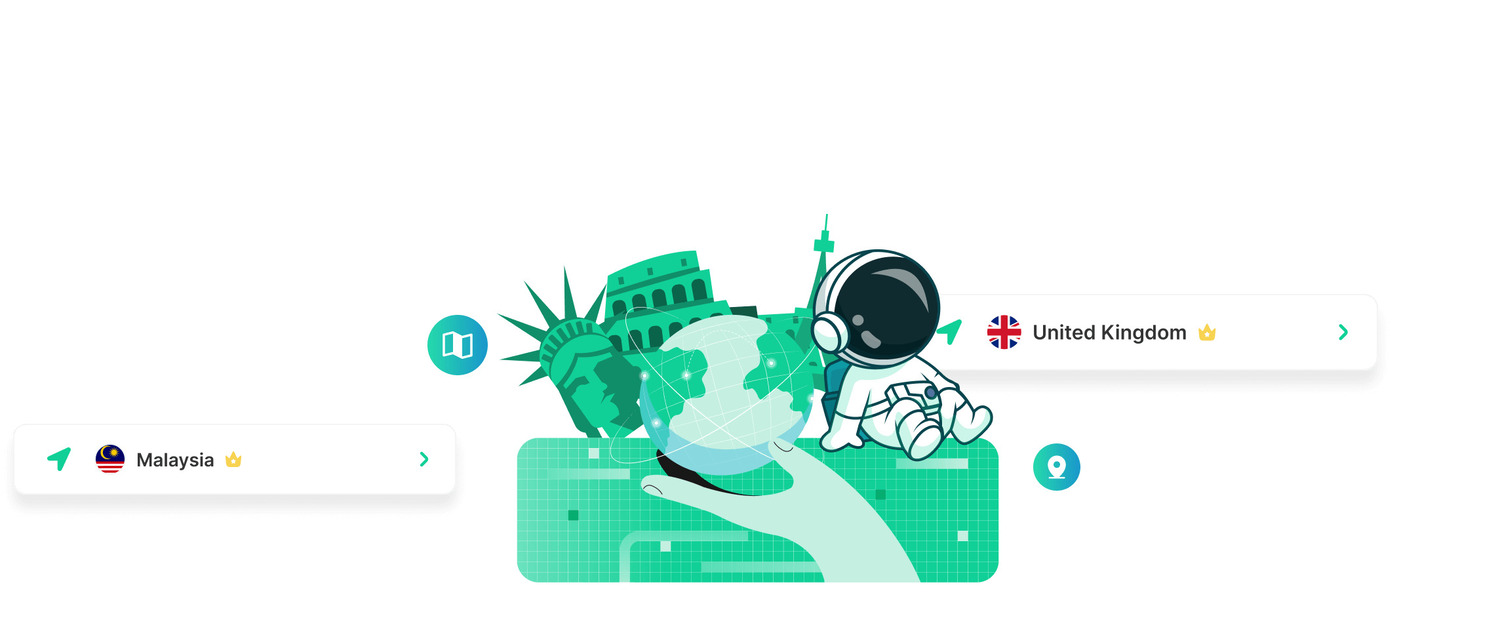
Here’s a simple step-by-step guide to using TurisVPN to enhance your privacy:
Step 1: Download and Install TurisVPN
Visit the official TurisVPN website and install the app on your device (available for Chrome Browsers, iOS, and Android).
Step 2: Log In to Your Account
Open the app and sign in with your TurisVPN credentials.
Step 3: Connect to a Secure Server
Choose a server location of your preference. Connecting through a VPN server hides your real IP address.
Step 4: Enable Encryption
TurisVPN automatically encrypts your data, ensuring no one can intercept your online activity.
Step 5: Use Facebook with Confidence
Open Facebook and continue posting or commenting. With TurisVPN running in the background, your real identity and browsing patterns remain private.
By combining Facebook’s anonymous posting option with TurisVPN, you maximize your online privacy, both inside and outside Facebook groups.
Troubleshooting: When Anonymous Commenting Doesn’t Work

Sometimes, even after following the steps, you may find that anonymous commenting isn’t showing up the way you expected. If you’re trying to figure out how to comment anonymously on Facebook group posts but running into problems, here are a few common issues and fixes:
1. The Group Doesn’t Allow Anonymous Posts
Not all groups support anonymous participation. If you don’t see the option, it likely means the group admin hasn’t enabled it. In this case, you can’t post or comment anonymously.
2. You’re Commenting on Someone Else’s Post
Remember, anonymous commenting only works under posts you created anonymously. If you’re trying to reply anonymously on Facebook to another member’s post, the feature won’t be available.
3. Admins May Have Disabled the Feature
Group admins have the ability to turn off anonymous posting at any time. If you previously used it but no longer see the option, it may have been disabled.
4. Using an Outdated App Version
If you’re on mobile and wondering why it’s not working—especially if you’re figuring out how to post anonymously in a Facebook group on iPhone—make sure your Facebook app is updated to the latest version.
5. Browser or Cache Issues
On the desktop, try clearing your cache or switching browsers if the option doesn’t appear. Sometimes technical glitches can prevent Facebook features from showing correctly.
Bottom Line
Learning how to comment anonymously on Facebook group posts in 2025 is straightforward, but it comes with limits. You can only comment anonymously under posts you’ve created anonymously, and admins will always be able to see your identity. To stay fully protected, combine Facebook’s anonymity feature with smart privacy practices, like pseudonymous accounts and tools such as TurisVPN, which shields your online activity beyond Facebook.
FAQs
Q1. Can I Comment Anonymously on Other People’s Posts?
No. Facebook only allows anonymous commenting on your own anonymous posts. If you want to join discussions on other people’s posts, your real profile will always be visible.
Q2. Are Apps Offering Anonymous Facebook Commenting Safe to Use?
Third-party apps or browser extensions that claim to offer anonymous commenting are often unsafe and can put your account at risk. It’s best to stick with Facebook’s built-in fb anonymous feature and enhance your privacy using trusted tools like TurisVPN.