







Understanding how a subnet mask works is crucial for anyone dealing with networks. A subnet mask helps identify which part of an IP address is the network ID and which part is the host ID. By using subnet masks, large networks can be split into smaller, more manageable subnetworks. This not only improves network performance by keeping data traffic localized but also enhances security by isolating different parts of the network. In this article, we’ll explain what a subnet mask is and how you can calculate it correctly.
What Is a Subnet Mask? Relationship Between Subnet Mask and IP Address
A subnet mask is a key component in networking, helping to organize and secure data transmission within different segments of a network.
Subnet Mask Definition
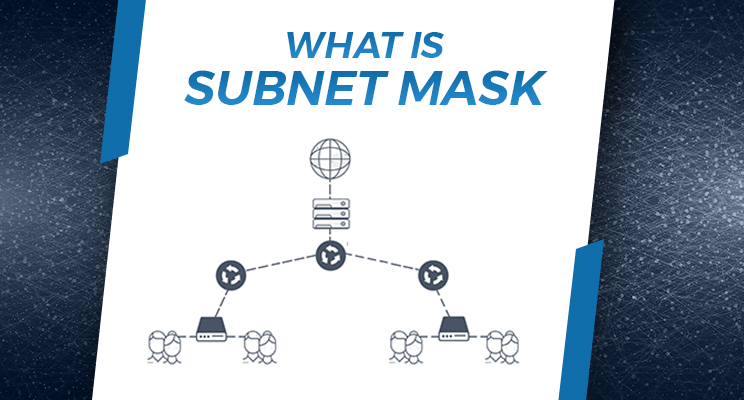
A subnet mask is a 32-bit number in IPv4 (or 128-bit for IPv6) that divides an IP address into network and host portions. It allows a network to be split into smaller subnetworks, ensuring that data packets reach the correct network, while the host portion identifies the specific device on that network.
For example, if a data packet addresses the IP address 192.0.4.16 in a class C network, the network portion is 192.0.4. The routers deliver the packet to this network, where a router uses the subnet mask (255.255.255.0) to determine the exact device address (16) and forwards the packet accordingly.
Subnet Mask and IP Address
- Class A IP Address: Class A addresses have a subnet mask of 255.0.0.0 and the first number ranges from 0 to 127. These are used for very large networks, allowing nearly 17 million devices per network. Class A is typically used by large organizations and ISPs.
- Class B IP Address: Class B addresses have a subnet mask of 255.255.0.0 and the first number ranges from 128 to 191. These are used for medium to large networks, supporting up to 65,000 devices per network. Class B is often used by universities and sizable companies.
- Class C IP Address: Class C addresses have a subnet mask of 255.255.255.0 and the first number ranges from 192 to 223. These are used for small networks like home or small office networks, allowing up to 254 devices per network. It is ideal for local area networks (LANs).
- Class D IP Address: Class D addresses range from 224 to 239 and are used for multicasting, which sends data to multiple devices at once. Class D does not use a subnet mask. Multicasting is commonly used for streaming media and online gaming.
- Class E IP Address: Class E addresses range from 240 to 255 and are reserved for experimental purposes. They do not use a subnet mask and are mainly for research and testing. These addresses are not typically assigned to devices on the public internet.
How to Calculate Subnet Mask
Calculating a subnet mask is essential for creating an organized and secure network. It helps manage IP addresses efficiently and improves network performance. Here are some steps to help you calculate subnet mask correctly:
View Subnet Mask on macOS
- Go to “System Preferences” and select “Network.”
- Choose your network and click “Advanced.”
- Click on the TCP/IP tab to see your subnet mask.
View Subnet Mask on Windows
- Open “Control Panel” and go to “Network and Sharing Center.”
- Click on your network name, then select “Details.”
- Your subnet mask will be listed with other network details.
View Subnet Mask on iOS
- Go to “Settings” and tap “Wi-Fi.”
- Find your connected network and tap the “i” icon.
- Your subnet mask will be shown with other network information.
View Subnet Mask on Android
- Open “Settings” and go to “Wi-Fi.”
- Tap on the connected network.
- Your subnet mask will be displayed along with other network details.
Bottom Line
Understanding subnet masks is essential for anyone managing a network. A subnet mask helps split a large network into smaller, more efficient subnetworks, improving performance and security. In this blog post, we covered what a subnet mask is and how it relates to IP addresses, the different types of IP addresses (Class A, B, C, D, and E), how to calculate a subnet mask, and how to find your subnet mask on macOS, Windows, iOS, and Android. By knowing how to calculate and find your subnet mask, you can better manage your network and ensure data moves efficiently and securely. If you’re using a VPN like TurisVPN, understanding subnet masks can help you maintain a more secure and private network.