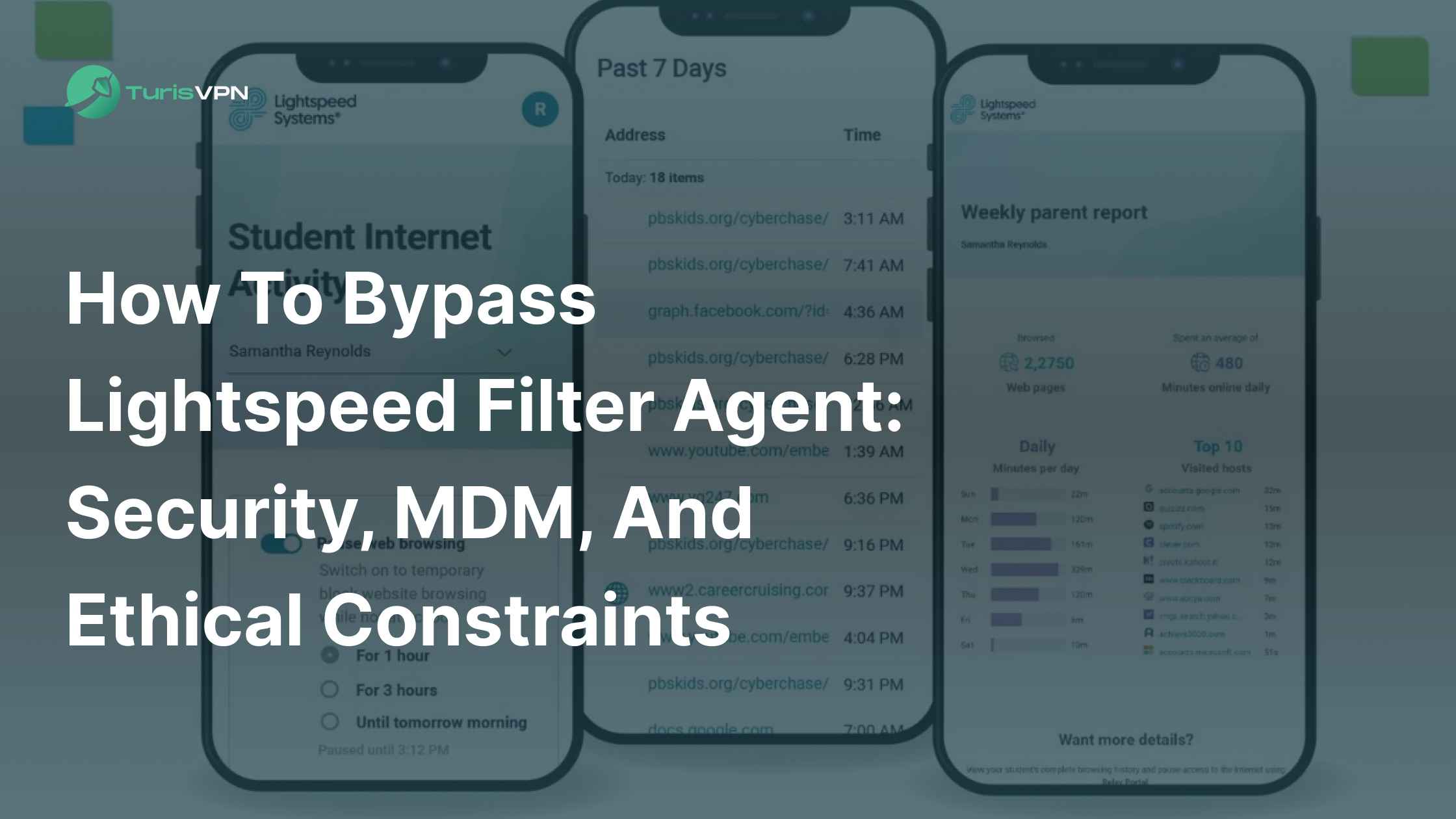
In today’s digital world, schools and organizations rely heavily on monitoring tools to create safe, distraction-free environments. One of the most common is Lightspeed Filter Agent. While it helps block harmful or non-educational content, it often restricts legitimate websites, tools, or platforms. These leads can sometimes block access to legitimate content, affecting research and learning.
Whether you’re using a Chromebook, iPad, or Windows device, understanding how to bypass Lightspeed Filter Agent safely and ethically is crucial. In this article, we’ll explain what Lightspeed Filter Agent is, how it works on different devices, the risks of disabling it, and most importantly, how to use trusted solutions like TurisVPN to access the web safely.
What is Lightspeed Filter Agent?
Lightspeed Filter Agent is part of the Lightspeed Systems suite, a monitoring and web filtering software used by educational institutions and organizations. At its core, what Lightspeed Filter Agent does is control and restrict access to specific websites and online content. It tracks browsing activity, enforces content policies, and helps ensure that students or employees stay focused on approved tasks.
Alongside this, Lightspeed offers several other tools that schools and organizations often deploy together for stricter control or additional functionality:
- Lightspeed SmartPlay: A YouTube filter designed to restrict non-educational and inappropriate videos while allowing safe classroom content.
- Lightspeed Signal: A monitoring solution that reports device, network, and app usage to IT teams. In many cases, it can even detect VPNs, proxies, or other bypass attempts.
- Lightspeed Parent Portal: A feature giving parents visibility into their child’s internet activity, with options to apply custom restrictions at home.
- Lightspeed Mobile Device Manager (MDM): A cloud-based platform that lets schools centrally manage, secure, and update student devices.
Why Schools and Organizations Use It?
The main goal of Lightspeed is to protect students and employees from harmful content, cyber threats, and distractions. It helps maintain a focused learning or working environment by blocking websites and apps that are not relevant to school or work.
While these controls are essential for safety, some users search for ways to bypass these restrictions, leading to the need for a Lightspeed unblocker or related solutions.
Difference Between Filter Agent and Relay Smart Agent?
While both are Lightspeed products, they have different functions:
It’s easy to confuse different Lightspeed products, but they serve distinct purposes.
- The Lightspeed Filter Agent is the fundamental content filter. It works at the network level to block specific websites, categories of content (like social media or games), and keywords.
- The Relay Smart Agent, on the other hand, is a more advanced and comprehensive Mobile Device Management (MDM) tool. It provides a deeper level of control, including location tracking, app management, and the ability to enforce policies on devices regardless of where they are. This is why many users seek a relay smart agent bypass, as it often has more pervasive control than the standard filter.
How Lightspeed Filter Agent Work?
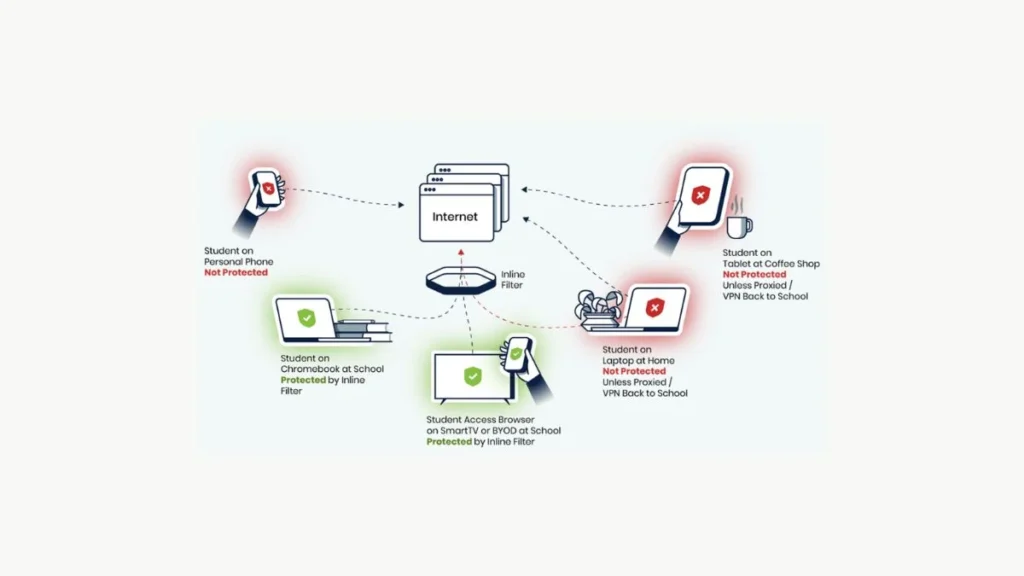
Lightspeed works by monitoring and filtering all internet traffic from a device, whether it’s a Chromebook, an iPad, or a Windows PC. This is why you often see it on devices provided by a school or company. The agent runs in the background, making it difficult for an average user to understand how to disable Lightspeed Filter Agent.
- On a Chromebook, the agent is deeply integrated into the operating system, which is why students often search for “bypass Lightspeed filter agent chromebook.”
- On iPads and iPhones: On Apple devices, Lightspeed uses a Mobile Device Management (MDM) profile to manage and enforce policies. This profile controls app installation, Safari’s web filtering, and other network access settings. Since the MDM profile is a core part of the device’s security, users cannot easily to disable Lightspeed filter agent.
- On Windows PCs: On Windows, Lightspeed is typically installed as a background service or software. It hooks into the system’s network settings to filter all incoming and outgoing internet traffic. This makes it a formidable barrier to unapproved browsing, regardless of which browser you use.
These variations mean solutions need to be tailored to each device type.
Is It Legal or Ethical to Bypass Lightspeed?

The legality and ethics of bypassing a filter depend on the situation. In most cases, it violates your school or employer’s Acceptable Use Policy (AUP). The goal isn’t to promote malicious activities but to understand how to access legitimate content that may be unintentionally blocked. We recommend you only do so for educational or work-related purposes and always prioritize your own data privacy and security.
To illustrate the potential risks, consider a real-world example documented by Lightspeed Systems: students increasingly use VPNs, proxies, or anonymizers on school-issued devices to circumvent web filters, raising concerns about network security and policy compliance.
For this reason, you should only attempt to bypass Lightspeed when access to legitimate resources is truly necessary—and even then, proceed with caution. If in doubt, request access through official channels rather than risking policy violations or compromising cybersecurity.
How to Bypass Lightspeed Filter Agent Safely
When you want to access a website or a video that’s being blocked, using a VPN is the safest and most reliable method. It’s much better than looking for an unreliable Lightspeed unblocker or a Goguardian killer that could be malware in disguise.
Use a Reliable VPN Service like TurisVPN
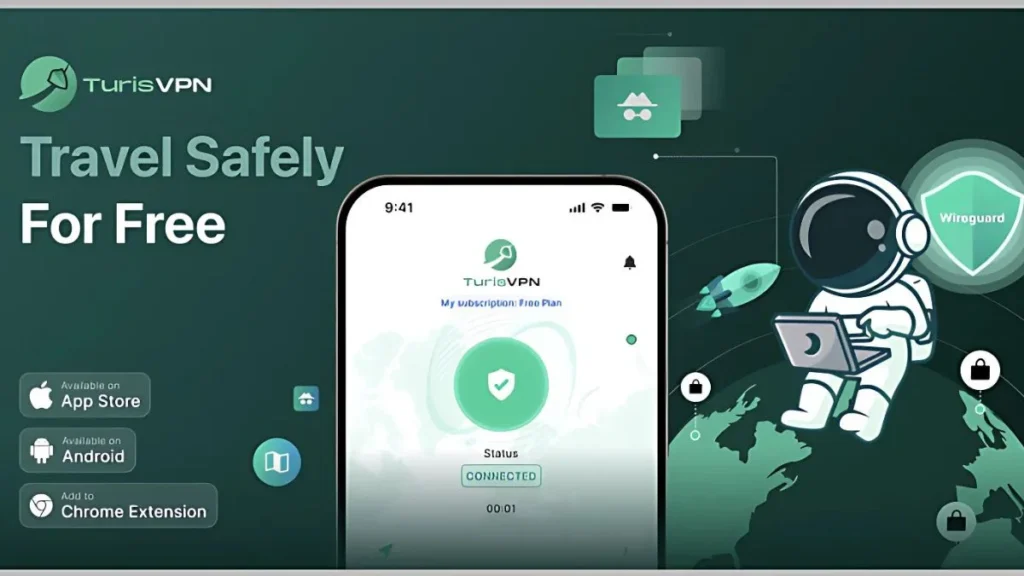
A VPN, or Virtual Private Network, creates a secure, encrypted tunnel for all your internet traffic. This means your data is rerouted through a remote server, which masks your original IP address.
So, in just a few steps, you can unlock the internet and browse securely:
Step 1 – Download the TurisVPN App: Visit the official TurisVPN website or your device’s app store to download the app for iOS or Android, or install the Chrome extension.
Step 2 – Sign Up or Log In: Open the app and either create a new account or log in with your existing credentials. Once logged in, the app prepares to encrypt your internet connection, keeping your data private from Lightspeed monitoring, trackers, and other third parties.
Step 3 – Pick a Server Location: From the list of available servers, choose one that suits your needs – for example, a Singapore server or Malaysia server. This step replaces your real IP address with the server’s IP, making it much harder for Lightspeed systems to detect or block your traffic.
Step 4 – Connect and Browse Freely: Tap the Connect button, and within seconds, your traffic is encrypted. You can now safely bypass Lightspeed filters, access blocked educational resources, and even unblock YouTube player without exposing your data to risks.
TurisVPN doesn’t just help you bypass Lightspeed, it also shields your identity, secures your traffic on public Wi-Fi, and ensures your browsing stays private.
Use a proxy Solutions for Quick Access
If you just need quick, one-time access, a proxy can work. Let’s see the steps:
- Step 1: Find a trusted proxy provider (avoid random free proxies with unknown sources).
- Step 2: Enter the website URL into the proxy tool.
- Step 3: Browse the site through the proxy. Keep in mind that this method does not encrypt your traffic and should only be used for low-risk browsing.
Encrypted Browsers Like Tor
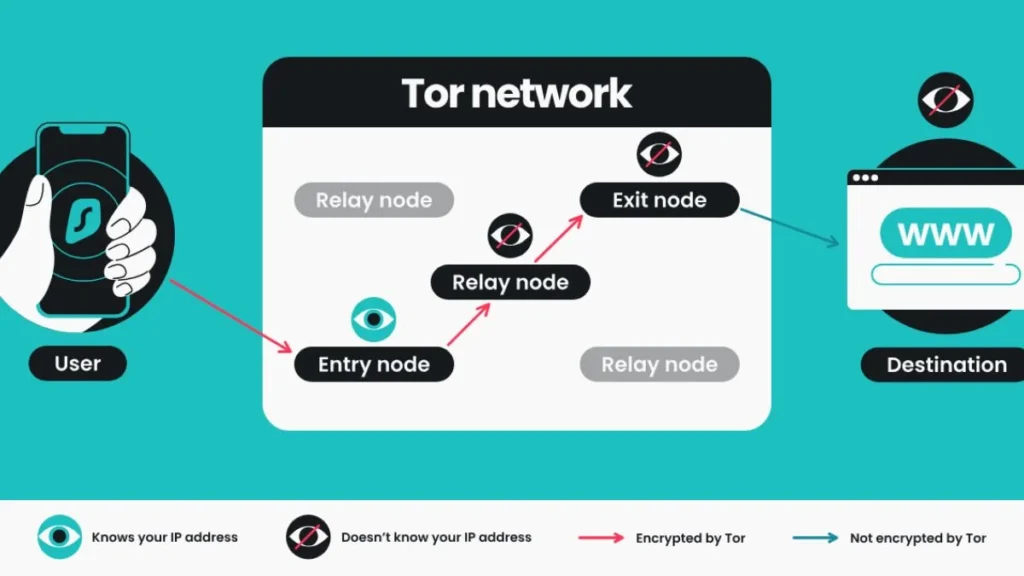
The Tor Browser routes your internet traffic
The Tor Browser is another option, routing your traffic through a series of volunteer-run servers. Here’s how to start:
- Step 1: Download the Tor Browser from the official Tor Project website.
- Step 2: Install and launch the browser.
- Step 3: Once connected, Tor will route your traffic through multiple servers, masking your identity.
- Step 4: Visit blocked sites securely, though expect slower speeds and the chance that Lightspeed may still block some connections.
Switching to Mobile Data or Hotspot
A simple and effective solution to bypass Lightspeed filter agents is to switch from the filtered Wi-Fi network to your own mobile data connection. Let’s walk through it:
- Step 1: Turn off Wi-Fi on your device.
- Step 2: Enable mobile data or create a hotspot from your phone.
- Step 3: Connect your computer or tablet to the hotspot. Since you’re no longer on the filtered Wi-Fi, Lightspeed restrictions won’t apply.
Using DNS Changes
You can also try switching DNS to bypass restrictions. Here’s what to do:
- Step 1: Go to your device’s network settings.
- Step 2: Replace the default DNS with a public option (e.g., Google DNS 8.8.8.8 or Cloudflare DNS 1.1.1.1).
- Step 3: Save the settings and reconnect. This may bypass some filters, though advanced Lightspeed systems often block DNS changes.
Google Translate & AI Tools
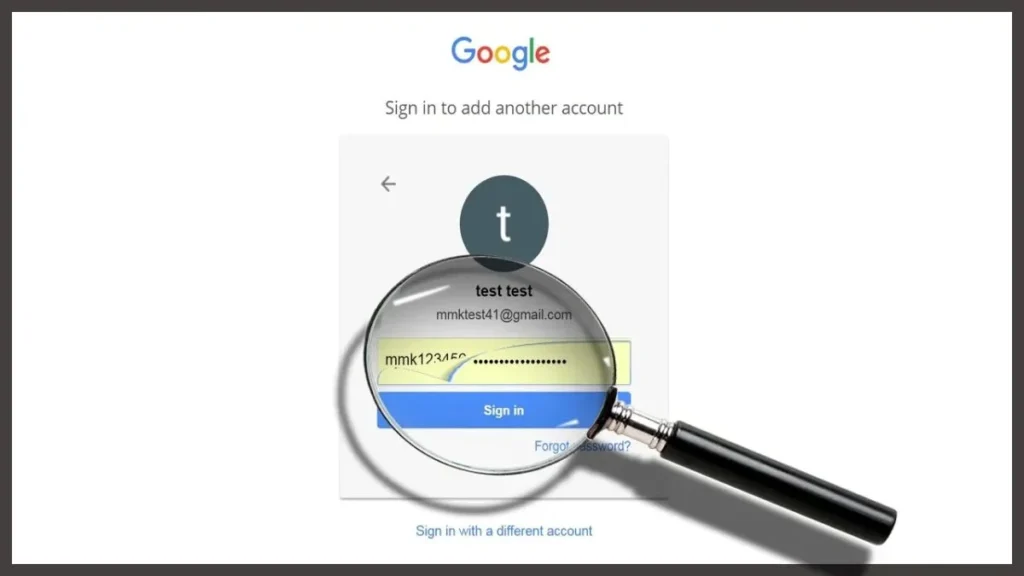
Simple tricks like using Google Translate as a proxy or other AI tools can sometimes work for specific websites. Let’s try it:
- Step 1: Open Google Translate in your browser.
- Step 2: Paste the URL of the blocked site into the translation box.
- Step 3: Click the translated link to load the page through Google’s servers.
- Step 4: Use this trick for occasional access, but don’t rely on it for full browsing.
Chrome Extensions and Scripts
Many people search for a Lightspeed proxy or a Chrome extension to get around filters. Before you try, here’s how to do it safely:
- Step 1: Research any extension before installing—look at reviews and verify the developer.
- Step 2: Avoid “Lightspeed unblockers” from unofficial websites.
- Step 3: If you must use an extension, only download from trusted sources like reputable VPN services.
- Step 4: Regularly check and remove suspicious add-ons to protect your device from malware or data theft.
Recommendation: Only rely on trusted VPNs and privacy tools. Avoid unknown extensions or “Lightspeed unblockers” from unofficial sources.
Staying Secure While Bypassing Lightspeed Filter Agent
Avoiding Malware and Fake VPNs
The internet is full of fake tools and services promising how to block Lightspeed filter agents. Be cautious of anything that seems too good to be true. Many “free” services make money by selling your data or installing malware on your device.
Ensuring the Privacy of Data
Your online privacy is crucial. A VPN encrypts your traffic, making it difficult for anyone to monitor your online activities. Using a reliable VPN is a critical step in protecting your personal information. This is true whether you’re trying to bypass a Discord server ban or bypass 4chan IP ban with a VPN.
Using Trusted Providers Like TurisVPN
For true security and privacy, you need a trusted provider. TurisVPN offers a robust, reliable service that respects your privacy. Our top-tier encryption and strict no-logs policy mean we never track, store, or share your data. It’s an essential tool for digital freedom, whether you are trying to unblock paywalls on iOS or simply want to browse the internet without being monitored.
How TurisVPN Works:
- Encryption: When you connect to TurisVPN, all your online activity is immediately encrypted. Lightspeed’s filter can no longer see the websites you are trying to visit. It only sees that you are connected to a secure TurisVPN server. This is a powerful way to bypass lightspeed systems because the filter can’t inspect the data packets.
- IP Masking: Your device’s actual IP address is replaced by the IP address of the TurisVPN server. This makes your online presence anonymous and allows you to access content as if you were in a different country or location, potentially sidestepping geo-blocks or network filters.
- TurisVPN’s Advantages: TurisVPN offers military-grade encryption, a strict no-logs policy, and a wide network of servers around the globe. This combination ensures not only that you can bypass filters, but that your online privacy is completely protected from trackers, ISPs, and other monitoring tools.
TurisVPN doesn’t just help you bypass Lightspeed, it also shields your identity, secures your traffic on public Wi-Fi, and ensures your browsing stays private.
Bottom Line
Lightspeed Filter Agent is built to keep users safe and productive. But sometimes it blocks essential, legitimate resources. Instead of relying on risky scripts, proxies, or extensions, the safest method is to use a trusted VPN like TurisVPN.
TurisVPN lets you bypass filters securely, protect your privacy, and maintain freedom online – whether you’re studying, working, or simply accessing content that should never have been blocked.
FAQs
Q1. How can students block Lightspeed?
Students cannot directly “block” Lightspeed, as it is a system-level tool. However, they can use a trusted VPN service to encrypt their traffic and bypass the filtering on the network. This is the safest way to access content without compromising their device’s security.
Q2. How do I delete the Lightspeed filter?
You cannot delete the Lightspeed filter from a school- or company-managed device without administrator permissions. Attempting to do so could violate policy and may even damage the device’s software. A VPN is the only safe and effective way to bypass the filter temporarily.