







A VPN blocks WiFi history by scrambling your data into an unreadable code before it reaches the router. This protection keeps your digital privacy safe from a curious WiFi owner watching the network logs.
While a VPN can’t hide everything, such as your device’s logs, it ensures your online activities stay private. This article explores how a Virtual Private Network (VPN) protects online activity and what a WiFi owner can no longer see.
Does VPN block WiFi history?
Yes, VPN blocks a WiFi owner from seeing specific browsing history. It also prevents the Internet Service Provider (ISP) from tracking your site visits. This protection works by applying robust data encryption to every packet of information. Without protection, a router acts like a ledger, recording every domain name and timestamp associated with a device.
Once a connection is active, that ledger only shows an undecipherable stream of data heading toward a remote server. This process ensures the person managing the network cannot see the browsing path or the content of searches.
Many people wonder who can see my history if I use a VPN, and the answer is that the local network footprint is replaced by an anonymous one. Only the user and the encrypted server have access to the unmasked data. By masking the destination of traffic, a VPN ensures that all online activity remains confidential.
This level of protection is the primary defense against local network surveillance in shared environments. Understanding how this encryption stops local logging is the first step, but it is equally important to see the specific details an encrypted tunnel actually protects from prying eyes.
What Does a VPN Actually Hide?
A VPN secures your connection by masking the most sensitive identifiers used to track your behavior on a local network. By scrambling this information at the source, the technology prevents WiFi owners from building a profile of your digital life.
IP Address and Geographic Location
IP address masking hides your device’s unique identifier and replaces it with the address of a remote VPN server. Such a process prevents the network administrator from knowing your true location or identifying your specific hardware on the network. By masking your identity, the technology prevents websites and trackers from logging your physical home address or creating a location-based behavioral profile.
Webpages and Browsing Destinations
Encryption ensures that every request sent from a device is scrambled into a format that local network hardware cannot interpret. Standard routers generally keep a list of every site a user visits, but a Virtual Private Network replaces those entries with a single encrypted stream.
Consequently, the WiFi owner loses the ability to track specific online activities or monitor the exact pages a person views. This protection is a fundamental requirement for anyone seeking digital privacy on a shared connection.
Data Payload and Private Credentials
The “payload” of your traffic, including sensitive information such as usernames, passwords, and the text of your private emails, remains hidden. Maintaining cybersecurity requires this level of protection when using untrusted networks, such as those found in airports or cafes.
Because the data is scrambled before it reaches the router, no one on the local network can intercept or read private communications.
Search Queries and Form Data
Specific search queries and information entered in web forms are masked from local network logs. Encryption ensures that the network administrator cannot see what a user is looking for or the data submitted to websites. These details remain hidden because every piece of data is encrypted at the source, ensuring the confidentiality of all inputs.
By securing the “who,” “where,” and “what” of your internet use, you prevent the creation of a local history of your digital life. Hiding these details is only possible through the specific technical methods used to secure traffic at the source.
How a VPN Protects Your Privacy on Wi-Fi
Understanding the technical layers of a connection explains how a network administrator is kept in the dark. These security measures ensure that a VPN can block WiFi history.

Data Encryption
Data encryption turns readable internet traffic into a complex code that a WiFi owner or hackers cannot break. This process uses AES-256-bit encryption to protect every byte of data sent over the network. It ensures that even if a router captures data packets, it cannot decode them to reveal specific actions. This is a core part of maintaining a high level of online security.
IP Address Masking
IP address masking replaces a device’s unique network identifier with the IP address of a secure remote server. This makes it impossible for router logs to link web activity back to a specific physical device. Using a shared IP allows a user to blend in with many others, providing a higher level of anonymity on the local network.
Secure Tunneling
Secure tunneling is the creation of a protected pathway that acts as a shielded pipe for all incoming and outgoing internet requests. The core component involves encapsulating data packets within a protocol that prevents external interference.
Variations include different protocols such as OpenVPN or WireGuard. For example, a person at a library browsing a sensitive health site has their data wrapped in a VPN tunnel to stay safe. This means the information stays private and secure from the moment it leaves the device until it reaches the destination.
Hiding Browsing Destinations
Hiding browsing destinations involves rerouting DNS requests to private servers rather than the local router. Normally, the router logs these requests to see which websites are being looked up. Bypassing this process ensures the WiFi history never shows the names of the sites visited.
While these layers of safety are robust, there are still a few physical network metrics that a manager can detect.
What WiFi Owners Can Still See with a VPN
While a VPN provides a strong shield for browsing, it does not make a connection entirely invisible to a network administrator. This section explores the specific metadata that remains visible on a router.
Connection Timestamps and Duration
The WiFi owner can see exactly when a device connects to the network and how long that session lasts through the router’s hardware logs. These logs do not contain specific search history, but they confirm that a device is active and using network resources.
We recommend maintaining a constant connection to mask your true usage patterns from the network administrator.
Bandwidth and Data Usage
The network administrator monitors the amount of data a device consumes to manage network speed and prevent congestion. If you stream 4K video, the router logs show a high-usage spike, even when the content is hidden. This is vital for managing shared resources and identifying heavy users on a limited connection.
Encrypted Destination IP
The WiFi owner can identify the VPN server’s IP address that you are connected to, confirming that an encrypted tunnel is in use. They cannot see the ultimate browsing destinations, but they know the data is being funneled through a specific provider. This visibility is why some restricted networks attempt to block known VPN server addresses.
Since identifying these visible data points clarifies the physical connection, you must now consider whether this visibility allows for deeper forms of monitoring.
Does VPN Block All Network-Level Tracking?
While it hides content, a VPN does not block a WiFi owner from seeing that an encrypted session exists. The network administrator can still see the timestamps of when a device connects to the network and the volume of traffic flowing through it.
This network-level tracking is a fundamental function of how routers manage bandwidth and maintain network stability. While the administrator can see that a device is online, they cannot see what the user is doing or which specific apps are active. Encryption ensures that the “what” and “where” stay hidden, even if the “when” is visible.
How Does TurisVPN Help Protect Your WiFi History?
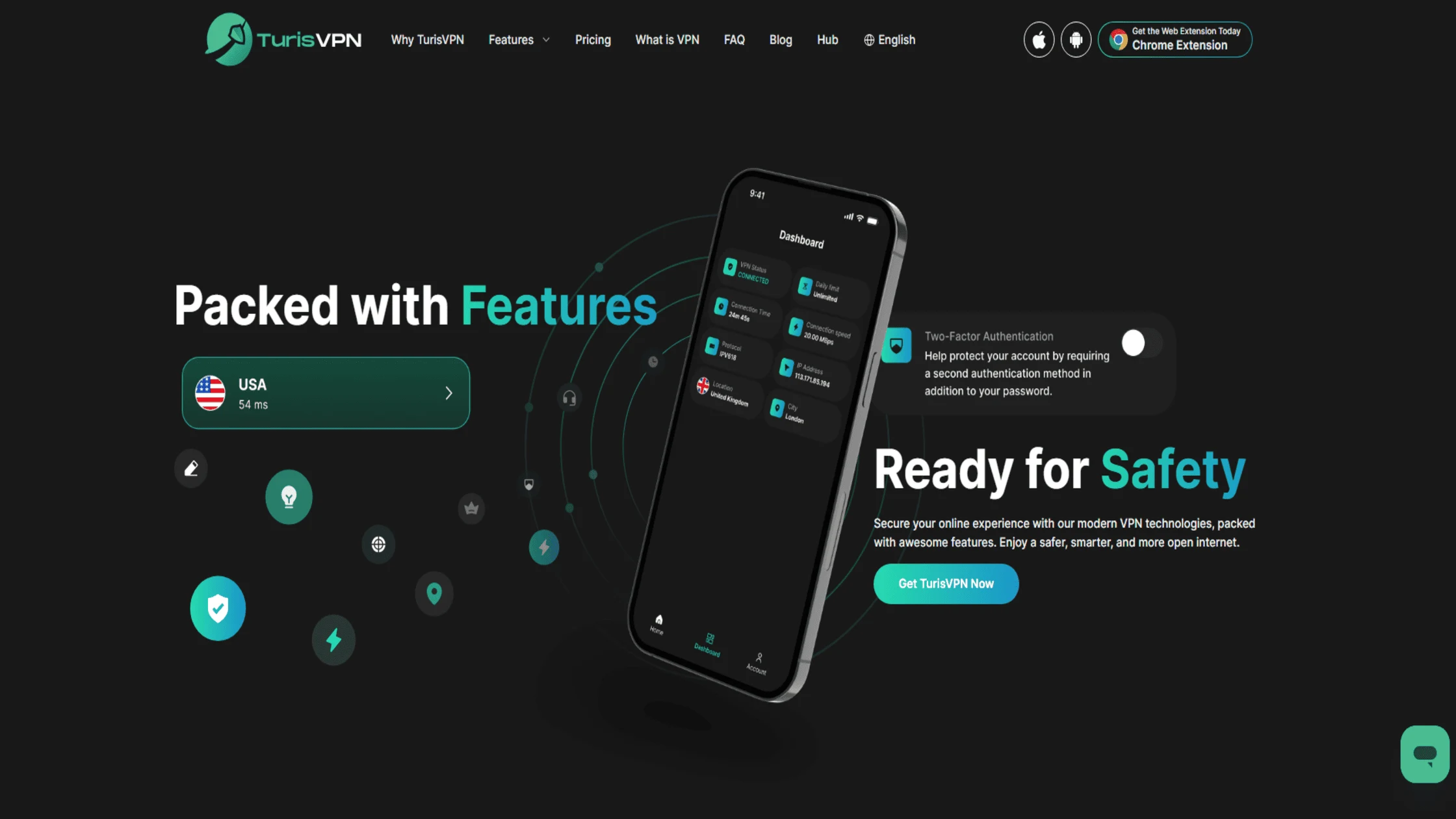
TurisVPN is equipped with modern features specifically designed to maintain digital privacy and bypass local network logging.
- Cutting-Edge WireGuard Protocol: This modern protocol delivers faster speeds and stronger data encryption compared to older standards, ensuring traffic is unreadable to network administrators.
- IP-2Hop Double Masking: For enhanced anonymity, this feature routes traffic through two separate servers, masking the IP address twice and making activity even harder to trace.
- Strict No-Logs Policy: A proprietary in-house system ensures that online activity is never recorded or stored, meaning the provider has no history to share.
- Automated Data Deletion: Encrypted data is deleted server-wide through automated processes, minimizing reliance on personal data and protecting online security.
- DNS Leak Protection: TurisVPN prevents the device from accidentally sending DNS requests outside the encrypted tunnel, preventing the router from logging specific browsing destinations.
The goal is to make internet use as private as possible, regardless of the security level of the host network. Now that the visible metrics have been identified, it is time to examine the specific items the WiFi owner is completely blocked from seeing.
Now that the visible metrics have been identified, it is time to examine the specific items the network owner is completely blocked from seeing.
What the Wi-Fi Owner Can’t See with a VPN
A WiFi owner cannot see search queries, the specific sub-pages visited, or the content of downloaded files. Even with advanced tracking tools, the monitor only sees a stream of encrypted noise that cannot be decoded. The monitor loses the ability to tell if a user is browsing social media, checking medical information, or managing a bank account.
This level of confidentiality is why privacy-conscious users rely on encryption software. To keep this data hidden, the connection must remain active throughout the entire browsing session. Hiding traffic from the network owner is essential, but data saved on the device itself requires different management.
Does VPN Hide Your “Search History”?

A VPN hides searches from the network, but it does not clear the local or browser search history. If a search is typed into a browser, that record stays on the device unless a private window is used. Understanding does vpn hide search history is key to distinguishing between network-level privacy and device-level logs.
Total privacy requires combining encryption with regular browser cleaning. The technology provides a secure path, but the user still controls the data on the actual device. In addition to search records, there are other digital traces, such as cookies and GPS data, that are handled differently.
Browser Cookies and Trackers
Browser cookies and trackers are files stored on a device that allow websites to recognize users even if an IP address is hidden. A VPN does not block these files from being placed on the hardware. Even if a user is logged into a site like Google, that site can still track actions back to the user’s account. It is recommended to use “Incognito” mode to stop these trackers.
GPS Location
GPS location is a hardware feature on a phone or laptop that a VPN cannot change. While the software hides the IP-based location, apps with GPS permissions can still see a physical location. For maximum anonymity, location services should be disabled in the device settings.
Device Information
Device information, such as screen size or browser version, can still be seen by websites through “fingerprinting.” This is part of what a VPN does not hide. when visiting a site directly. While the tunnel keeps data safe from the WiFi owner, the website can still see unique device traits.
The Amount of Data Used
The amount of data used remains visible to the WiFi owner because it is a physical metric of the network’s performance. If you stream 10GB of video, the router logs show 10GB of encrypted traffic. This is important for those on metered connections where data caps are strictly enforced by the administrator.
Malware and Viruses
Malware and viruses can still infect a device if a dangerous file is downloaded while the VPN is active. The tunnel protects privacy in transit, but endpoint security remains the user’s responsibility. Practicing safe browsing habits and checking whether a VPN is working ensures the best protection.
Understanding these technical limits enables the best possible privacy when using encryption technology.
Why Choose TurisVPN for Maximum Anonymity?
Choosing TurisVPN means opting for a user-friendly interface and a commitment to high-speed, privacy-focused service. We focus on providing the essentials of online security without the bloat, making it the perfect choice for those who want to.
Our server network is optimized to minimize latency, ensuring that your encrypted browsing experience feels as fast as an unprotected one. How to use TurisVPN to hide your WiFi history:
- Download the TurisVPN app for your mobile device or install the Chrome Extension on your computer.
- Log in to your account and select a server location.
- Tap Connect and wait for the “ConnectedProtected” status to appear.
- Confirm your connection by checking your IP address online.
- Browse freely, knowing the WiFi owner cannot see your specific destinations.
By following these steps, you leverage our technology to reclaim your digital freedom on any network.
Bottom Line
Does VPN block WiFi history? Yes, using TurisVPN is the most effective way to keep your site visits from being tracked by WiFi owners. Our service hides your URLs and data content from the router’s logs. While the owner can see that you are using a VPN, they cannot see what you are doing.
Remember that a VPN does not clear your browser history or block GPS. Use our tools wisely to maintain your digital freedom. We are here to help you stay safe and private every time you connect.
FAQs
Q1. Can a VPN completely block my WiFi browsing history?
It blocks the router from seeing the names of the websites you visit, but it cannot prevent the WiFi owner from seeing how long you were online or how much data you used. To the router, all your traffic is just one big, unreadable, encrypted block.
Q2. Does VPN affect local browser history or cookies?
No, a VPN only protects data while it is traveling between your device and the server. Your local history and cookies are stored on your device’s hard drive and must be cleared manually within your browser settings.
Q3. Can WiFi Owners Detect VPN Use?
Yes, most network administrators can see that you are connected to a VPN server. While they cannot see what you are doing on that connection, the encrypted traffic and the destination IP address are clear indicators of VPN usage.
Q4. What can a VPN not hide?
While it secures your encrypted tunnel, a VPN cannot hide your local history stored on your device or information you provide to websites after logging in. It does not stop browser cookies and trackers from identifying you, nor does it override GPS location data derived from your device’s hardware.
Additionally, a VPN does not block the network administrator from seeing the amount of data used or the timestamps of your active connection.





