Hitting the “Transfer Quota Exceeded” error can stop your downloads right in their tracks. If you’re searching for how to bypass MEGA transfer quota in 2025, this guide has you covered. We’ll explain why the limit appears, compare free vs paid accounts, and walk through 4 effective methods you can try – from simple router restarts to more advanced techniques involving VPNs and third-party download managers.
Why Do You See “Transfer Quota Exceeded MEGA”?
Hitting the “Transfer Quota Exceeded MEGA” message is a common hurdle for free users of the cloud storage service. It’s actually a temporary restriction put in place to manage network traffic and encourage users to upgrade to a paid account.
The reason you see this message is that MEGA limits the amount of data a free account can download. This is not tied to a daily limit, but rather to your IP address. The quota is based on the total data downloaded from your IP address over the last six hours. The exact amount of this quota can be variable, depending on factors like your geographical location, current network usage, and server load. This is why one day you might download 5 GB with no issues, while the next day you might hit the “insufficient transfer quota MEGA” wall after just a couple of gigabytes.
Essentially, MEGA’s system detects that your IP has consumed its share of data for that period, and it puts a temporary pause on your downloads. This is the main reason why many users search for “how to get around MEGA download limit” or “how to bypass mega transfer quota” to continue their downloads without waiting.
Free vs Paid Account Limits — How Much Do You Actually Get?
Free MEGA accounts are great for personal use, but they come with a significant catch: the limited transfer quota. This is the primary reason users look for solutions on how to bypass MEGA transfer quota without having to pay. While a free account offers a generous 20 GB of storage, the actual download limit is far more restricted and can vary.

To fully understand the difference, let’s break down what you get with a free account versus a paid plan:
- Free Account: You get a solid 20 GB of storage space. However, the catch is the “transfer quota,” which is the limited amount of data you can download to your device. This limit, as mentioned, is tied to your IP address and resets over time. The exact number can fluctuate, but it is this quota that leads to the “MEGA transfer quota exceeded” or “insufficient transfer quota MEGA” errors.
- Paid Plans (MEGA Pro): When you upgrade to a paid subscription, MEGA removes these transfer quotas entirely. For a monthly or annual fee, you get a much larger storage capacity (starting from 400 GB up to 20 TB) and a correspondingly massive transfer quota that is essentially unlimited for most users. For example, a Pro Lite plan may offer 1TB of transfer per month, and higher-tier plans provide even more. This makes it a seamless experience for those who need to frequently download large files and are looking for a “MEGA downloader without limit.”
How to Bypass Mega Transfer Quota by Using a VPN?
VPN is the most reliable and user-friendly way to bypass the MEGA transfer quota. The reason this method works so well is that MEGA’s download limit is tied to your IP address. A VPN masks your real IP address and assigns you a new one from a different server location.

1. Choose a Reliable VPN Service
Not all VPNs are created equal. For bypassing the MEGA quota, you need a service that offers fast speeds and a large number of server locations. A high-quality VPN also encrypts your connection, protecting your privacy and ensuring your “Mega Downloader is safe” concerns are addressed.
That’s where TurisVPN comes in. With its strict no-logs policy, global server network, and unlimited bandwidth, TurisVPN gives you both security and reliability when downloading from MEGA.
2. Install and Launch the VPN
Use the official client or approved browser extension from the VPN provider and follow their setup instructions. TurisVPN offers multi-platform apps, a focus on privacy, and a variety of server locations. Typical legitimate uses include protecting your traffic on public Wi-Fi, improving privacy, or accessing geo-restricted content that you’re legally allowed to view.
Beyond MEGA, VPNs have plenty of everyday uses. For example, you can use them for privacy or to access region-locked content, such as to bypass Paywalls on iOS/Android/PC.
3. Connect to a Different Server
After launching the VPN, open the app and select a server from a different location. The app will then connect you to a new IP address. This new IP address is what tricks MEGA into thinking you’re a new user, thereby resetting your transfer quota.
4. Clear Previous Session Data
To ensure a clean slate, it’s important to clear any lingering data from your previous session.
- For browser users: Clear your browser’s cache and cookies. You can usually do this in your browser’s settings or by using a private or incognito window.
- For desktop app users: Close and restart the MEGA desktop application to force a new connection.
5. Log in to Mega and Resume Download
With your new IP address and a fresh session, log back into MEGA. You should now be able to resume your download from where it left off. The “mega how much” data you can now download will be based on the quota associated with your new IP address.
6. Repeat as Needed
If you have a very large file to download and hit the limit on your new IP, simply repeat the process. Disconnect from your current VPN server, connect to a new one, clear your session data, and resume your download.
How to Bypass Mega Transfer Quota by Third-Party Download Managers?
Another popular and effective method for how to bypass MEGA transfer quota is by using a third-party download manager. These applications are designed to handle large downloads more efficiently and often include features to get around common restrictions.

1. Choose a Download Manager
The first step is to choose a reliable and well-known download manager that specifically supports MEGA. Two popular options are JDownloader 2 and MegaBasterd. Both are free to use and have a good track record of handling MEGA downloads. JDownloader is a comprehensive tool with many features, while MegaBasterd is a more specialized option focused on MEGA links.
2. Install the Download Manager
After selecting your software, download it from the official website and install it. These applications are generally cross-platform and available for Windows, macOS, and Linux. The installation process is typically straightforward, following a standard wizard.
3. Configure Proxy or Connection Settings
Within the download manager’s settings, you’ll need to find the “Connection Manager” or “Proxy” section. You can find free proxy lists online, though these may be slow and unreliable. A better, more secure method is to use a dedicated proxy service, but this often comes with a fee. Once you have a proxy address, you’ll enter the IP and port into the settings of your download manager. The application will then route your download traffic through this proxy, bypassing the IP-based quota.
4. Add Mega Link
Copy the MEGA link for the file you want to download. Most download managers have a feature called “link grabber” that automatically detects the link on your clipboard. If not, you can manually paste the link into the application. The download manager will analyze the link and prepare the file for download.
5. Start Download Process
Once the link has been added, you can start the download. The download manager will take over, handling the file transfer in segments or through the configured proxy. If you hit the MEGA NZ download limit on the proxy, you can simply switch to a new one and resume the download without losing your progress
How to Bypass Mega Transfer Quota with Cloudflare WARP?
A great, lightweight alternative to a full-fledged VPN is Cloudflare WARP. While it’s not a traditional VPN, it’s a popular method for how to bypass MEGA transfer quota. it reroutes your internet traffic through Cloudflare’s servers, effectively giving you a new IP address from MEGA’s perspective.

1. Download and Install Cloudflare WARP
First, go to the official Cloudflare website and download the WARP application for your device (Windows, macOS, Android, or iOS).
2. Enable WARP
Begin your MEGA download as you normally would. Once your transfer quota is exceeded and the download is paused, you’re ready to use WARP to reset your IP.
3. Download Mega Files
Open the Cloudflare WARP application. You’ll see a simple on/off switch. Click the switch to enable WARP. Your internet traffic will now be routed through Cloudflare’s network, and your device will be assigned a new IP address.
4. Activate WARP
To ensure MEGA registers your new IP, you need to clear your previous session data. If you’re using a browser, close the tab and reopen it, or clear your cache and cookies. If you’re using the MEGA desktop app, close the application completely and then restart it.
5. Restart Mega App or Browser Session
With your new IP address, you can now return to the MEGA site or app and resume your download. The service will no longer recognize your previous IP and will allow you to continue downloading without interruption until the new IP’s quota is exhausted.
Keep in mind that if you’re downloading from a school or corporate network, there may also be filtering or MDM tools blocking services like MEGA.
How to Bypass Mega Transfer Quota by Restarting Router?
Using a router restart is one of the simplest and most accessible ways to bypass the MEGA transfer quota without needing any extra software. This method works because, for many internet service providers (ISPs), restarting your router forces it to connect to a new IP address.

1. Check your current IP address
Before you do anything, it’s a good idea to know your current public IP address. Knowing your current public IP before you test helps you confirm whether it actually changed afterward. If the IP stays the same, restarting won’t help for IP-based throttles.
2. Stop your download
If you are in the middle of a download that has stopped due to the quota limit, be sure to pause it or cancel it before you proceed. This prevents any data corruption and ensures a clean restart.
3. Unplug your router and/or modem
Locate your router and modem (if they are separate devices) and unplug the power cord from the back of each one. Wait for at least 30 seconds to a minute to ensure the device’s memory is fully cleared and to allow your ISP’s system to assign a new IP address to your connection.
4. Plug your router/modem back in
Plug the power cords back into your modem and router. Wait a few minutes for the devices to fully boot up and re-establish a connection with your ISP. You will know the connection is ready when the lights on your devices are solid green (or as indicated by the manufacturer’s instructions).
5. Verify your IP address
Compare public IP before vs after. You should now see a new IP address listed. If your IP address has changed, you can return to MEGA and resume your download. If the address is the same, your ISP has a static IP, and you will need to try one of the other methods, such as using a VPN.
Understanding how IP-based restrictions work is key, since they’re not unique to MEGA, for instance, platforms like 4chan use IP bans as well.
Why is TurisVPN a Safer VPN Option for MEGA Users?
Using a VPN is the best way to bypass the MEGA transfer quota, and choosing a safe and reliable service is essential. TurisVPN is a strong option for MEGA users for a few key reasons. First, it uses the WireGuard protocol, which is known for its speed and strong security. This means your download will be fast, and your data will be well-protected.
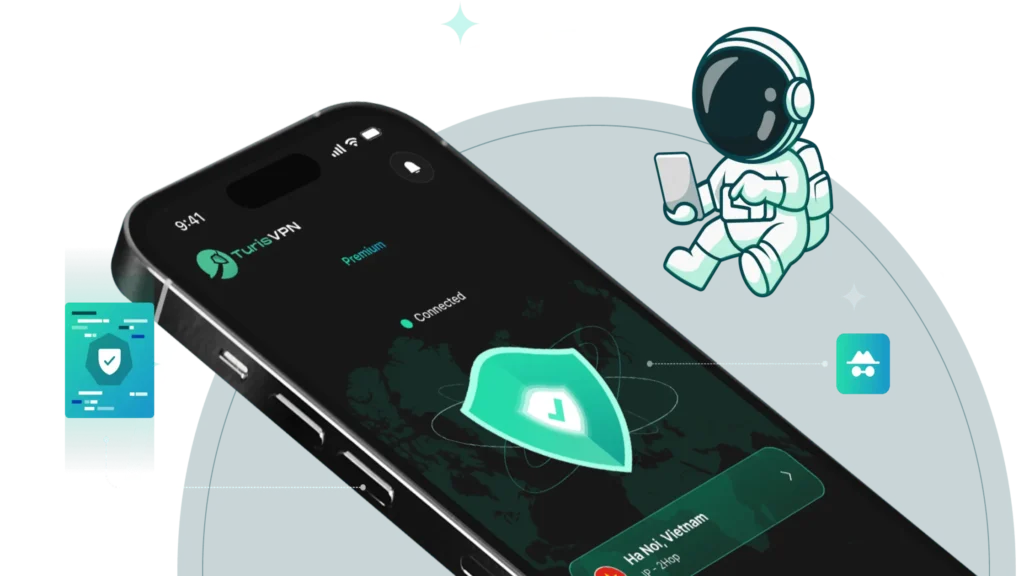
Second, TurisVPN has a strict no-logs policy. This is critical for privacy; it means the service does not track, store, or sell any information about your online activity. For MEGA users, this ensures that your downloads and browsing history remain private and secure. Unlike some free VPNs that might monitor your data to sell it to third parties, TurisVPN is a more trustworthy solution that prioritizes your privacy.
Pros and Cons of Bypassing the MEGA Limit
Bypassing the MEGA transfer quota is tempting for free users, but it’s important to weigh the benefits against the risks. While methods like using a VPN or a download manager offer a way around the restrictions, they aren’t without potential drawbacks.
Pros of Bypassing the MEGA Limit:
- Download Large Files: The most significant advantage is the ability to download files larger than the typical free user’s quota, which is essential for projects, large media files, or software.
- Avoid Waiting: Bypassing the limit means you don’t have to wait several hours for your quota to reset, allowing for uninterrupted workflow and faster access to your files.
- Maintain Privacy: Using a VPN to bypass the limit adds a layer of privacy by masking your IP address from MEGA and your ISP, which is a bonus for security-conscious users.
Cons of Bypassing the MEGA Limit:
- Potential Violation of Terms of Service: While not explicitly forbidden, repeatedly bypassing the quota could be seen as a violation of MEGA’s terms of service, which could potentially lead to your account being flagged or even suspended.
- Security Risks with Third-Party Tools: If you choose a less-than-reputable third-party download manager or a free VPN, you may expose yourself to malware, viruses, or data harvesting. It is crucial to only use trusted, verified software.
- Inconvenience: Some methods, like a router restart, are not always reliable, and managing proxies or switching VPN servers can be a hassle, especially for very large downloads.
The violation risks aren’t unique to MEGA. Other platforms also detect repeated bypass attempts, like Discord. If you want to see how VPNs are used in such cases (and what risks are involved), take a look at our guide on how to bypass a Discord server ban.
Bottom Line
When it comes to how to bypass MEGA transfer quota, the truth is simple: any workaround comes with real risks – from account bans to data loss and even security threats. Instead of chasing unreliable tricks, the smarter move is to use safe tools like TurisVPN for privacy, stick with MEGA’s official options, or upgrade to a plan that fits your storage and transfer needs. Ultimately, the best method for you depends on your needs. For a single large download, a simple router restart might be enough. For frequent, heavy downloads, a reliable VPN is a worthy investment.
FAQs
Q1. What is the max MEGA download limit for free users?
MEGA doesn’t publish a single fixed number. Free accounts are subject to a transfer quota that depends on factors—in practice, typically around 5 GB every six hours. If you need guaranteed higher throughput, MEGA’s paid plans raise transfer allowances.
Q2. Can VPNs really reset the MEGA quota?
Yes, using a reliable VPN is one of the most effective ways to reset the MEGA quota. A VPN works by masking your real IP address and routing your internet traffic through a different server, which gives you a new, temporary IP. From MEGA’s perspective, it looks like a new user is starting a fresh download session, thereby resetting the quota.
Q3. Can I download MEGA for free without limits?
No. Free MEGA accounts have transfer limits, and you will eventually hit them when downloading large or multiple files. Any “unlimited free” claims or third-party hacks carry security, legal, and reliability risks.