







Understanding how to use a VPN has now become essential for safeguarding your digital life. A Virtual Private Network, or VPN, acts as a secure tunnel for your internet traffic, shielding your data and allowing you to browse with confidence. However, with numerous options available, ranging from free services to paid subscriptions, where do you even start? This comprehensive guide will walk you through the process of setting up and using a VPN on your Windows PC, iPhone, and Android device, helping you take the first step toward a more secure and private online experience.
What is VPN Browsing?
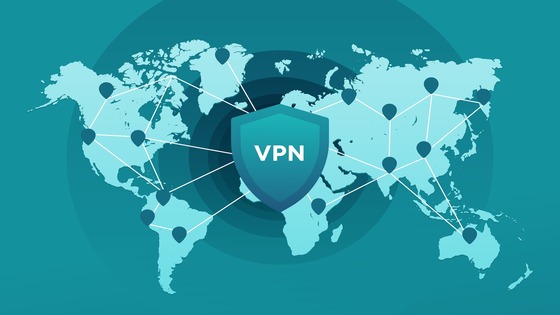
VPN browsing simply means using the internet through a Virtual Private Network (VPN). Instead of connecting directly to a website, your device first connects to a secure VPN server, which then forwards your request. This process hides your actual IP address, encrypts your data, and enhances the privacy of your online activity.
Here are some powerful VPN features to know:
- Split Tunneling: Lets you choose which apps or websites go through the VPN tunnel while others use your normal connection. This is useful if you want to stream local content while still encrypting sensitive apps.
Kill Switch: Automatically cuts off your internet if the VPN connection drops, ensuring your real IP isn’t exposed. - Multi-Hop (Double VPN): Routes your traffic through two VPN servers instead of one, adding another layer of encryption and anonymity.
Protocol Selection: Advanced users can pick from protocols like OpenVPN, WireGuard, or IKEv2/IPSec, depending on whether they want more speed or stronger encryption. - Custom DNS Settings: Helps prevent DNS leaks and can improve browsing speed.
With providers like TurisVPN, many of these features are available in a user-friendly way, so you don’t need to be an expert to use them. This makes it easier for those who started with a virtual private network for dummies guide to gradually adopt more sophisticated settings.
What Can I Do with a VPN?
A VPN is more than just a tool for security; it’s a versatile utility that can transform your entire online experience. Beyond the basics of privacy, knowing how to use a VPN can open up a world of possibilities for entertainment, savings, and freedom.
Access Geo-Restricted Content
Many streaming services, sports broadcasters, and news sites limit their content to specific countries. By connecting to a VPN server in another country, you can effectively trick these services, allowing you to access a much larger library of movies, TV shows, and live events.
Secure Browsing on Public Wi-Fi
Public Wi-Fi networks in cafes, airports, and hotels are notoriously insecure. They are often unencrypted, making your data vulnerable to hackers and snoops. When you connect with a VPN server, all your traffic is encrypted, creating a secure tunnel.
Bypass ISP Throttling
Some Internet Service Providers (ISPs) intentionally slow down your internet speed when you engage in high-bandwidth activities like streaming or downloading. This practice, known as throttling, is designed to reduce congestion on their networks.
Improve Online Gaming
In some cases, a VPN can reduce latency and ping by connecting you to a server that is closer to the game’s host server, bypassing a congested route that might be slowing you down. It can also protect you from DDoS (Distributed Denial of Service) attacks, which are a common threat in competitive gaming.
Downsides and Upsides of VPN
Like any technology, VPNs have both advantages and limitations. Understanding both sides helps you decide not only how to use a VPN effectively, but also when it may not be the best tool for your needs.
Downsides of VPN
Using a VPN, especially a free one, comes with some trade-offs that are important to consider.
- Slower Internet Speeds: The process of encrypting your data and routing it through a distant server adds an extra step to your connection. This can be particularly noticeable when you’re streaming in high definition or downloading large files.
- Potential Security Risks with Free Services: Many free providers may log and sell your data, expose you to malware, or lack essential security features.
- Blocked Access to Certain Content: While a VPN is great for accessing geo-restricted content, some websites and streaming services actively block known VPN IP addresses.
- Not a Complete Solution: A VPN encrypts your traffic, but it doesn’t protect you from every online threat. It won’t stop you from downloading a virus, prevent phishing attacks, or make you truly anonymous if you’re logged into accounts like Google or Facebook.
Upsides of VPN
The benefits of knowing how to use a VPN are extensive and often outweigh the downsides, especially with a reputable paid service.
- Enhanced Privacy and Security: The primary benefit of a VPN is that it encrypts your internet traffic, making your online activities invisible to your Internet Service Provider (ISP), hackers, and other third parties. This is essential when using public Wi-Fi networks.
- Bypassing Geo-Restrictions: A VPN allows you to change your virtual location by connecting to a server in another country. This opens up a world of content that is otherwise restricted in your region.
- Preventing ISP Throttling: Some ISPs intentionally slow down your internet speed when they detect you’re engaging in high-bandwidth activities like streaming or gaming. A VPN makes it impossible for them to throttle your connection based on your activity.
- Avoiding Price Discrimination: Some e-commerce sites and online booking platforms show different prices based on your location. By using a VPN to switch your virtual location, you might find a cheaper deal.
Why TurisVPN is the Right Choice for Singapore & Malaysia Users
When it comes to learning how to use a VPN, choosing the right provider matters just as much as knowing the setup steps. For users in Singapore and Malaysia, TurisVPN stands out as a reliable option designed with regional needs in mind.
Here’s why TurisVPN is a strong choice:
- Optimized Local Servers: TurisVPN maintains servers in Singapore and Malaysia, which means faster speeds and lower latency for streaming, gaming, or everyday browsing.
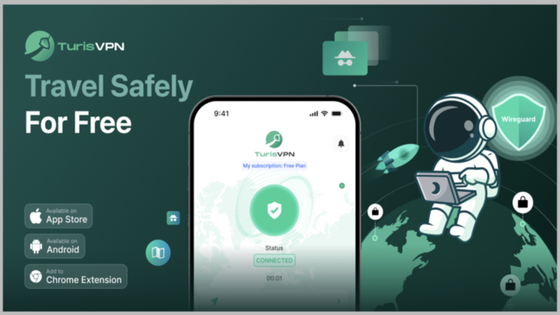
- Easy Setup for Beginners: Even if you’re following a virtual private network for dummies guide, TurisVPN’s app makes the process simple: download, sign up, and tap connect.
- Access to Global Content: Beyond local servers, TurisVPN offers global connections, helping you bypass geo-restrictions and explore funny things to do with a VPN, like unlocking international streaming libraries.
- Free Plan Available: For users who want to test before committing, TurisVPN provides a free option, perfect for anyone starting with how to connect through VPN without spending money.
For Singapore and Malaysia users, TurisVPN balances performance, security, and ease of use, making it a practical solution whether you’re just starting to explore what is VPN browsing or looking for advanced features to fine-tune your connection.
Bottom Line
Learning how to use a VPN is an essential step for protecting your digital identity and enjoying unrestricted internet access. Whether you’re a beginner exploring what VPN browsing means or an advanced user looking into multi-device support, the key is choosing the right service. For users in Singapore and Malaysia, TurisVPN makes the process simple, reliable, and secure. It provides everything from easy setup to advanced privacy features, helping you stay safe while enjoying seamless browsing.
FAQs
Q1. Is it legal to use a VPN?
Yes. In most countries, VPN usage is legal as long as you’re not engaging in unlawful activities. For example, using a VPN to protect your privacy, secure Wi-Fi connections, or access your subscriptions abroad is completely fine.
Q2. Should I leave my VPN on all the time?
Yes. In most countries, VPN usage is legal as long as you’re not engaging in unlawful activities. For example, using a VPN to protect your privacy, secure Wi-Fi connections, or access your subscriptions abroad is completely fine.
Q3. Does using a VPN hide my location completely?
A VPN masks your real IP address by routing your traffic through a secure server in another location. While it effectively hides your location for most services, some apps and websites may still track you using cookies or device data.
Q4. Can I use a VPN for free?
Yes, there are free VPN options, but they often come with limits, like slower speeds, fewer servers, or weaker security. If you want stronger protection and reliable performance, services like TurisVPN offer a better balance between cost and features.





