








Cheapest iCloud storage solutions are more important than ever in 2025, especially for savvy users who want to maximize value.
At TurisVPN, we understand how storage affects your device’s longevity and efficiency, so we continually help you discover how to buy iCloud storage, the best 7 ways to save on your iCloud storage plan, optimize costs, and keep your memories secure.
This comprehensive article will help you navigate the world of Apple’s cloud services, uncover hidden savings, and select the most affordable method for your digital needs—whether you’re backing up photos, sharing files with family, or managing bulk data for your business.
iCloud Storage Plan Overview in 2025
Choosing the right iCloud storage prices is essential for both individual and family users. If you wonder how much it is for more iCloud storage, Apple’s base offers remain straightforward—50GB for $0.99/month, 200GB for $2.99, and 2TB for $9.99, with expanded 6TB and 12TB options for large storage users.
In Singapore, expect SGD 1.48, 3.98, and 13.98, while Malaysia’s rates are MYR 3.90, 11.90, and 44.90, respectively—a crucial point for international buyers seeking iCloud storage on a budget.
Apple One bundles iCloud storage with Apple Music, TV+, and Arcade for users who use multiple Apple services. The Individual plan costs $19.95/month for 50GB, while the Family plan is $25.95/month with 200GB shared among six users, making it better for groups.
The Family plan saves about $11/month compared to separate subscriptions. It’s worth it if you use several Apple services; otherwise, standalone iCloud plans are cheaper.
Which iCloud Storage Plan Is the Best Value in 2025?

Selecting the cheapest iCloud storage means more than just looking at the sticker price. Here’s how the core plans compare by cost per GB:
- 50GB: $0.99 ($0.02/GB)
- 200GB: $2.99 ($0.015/GB)
- 2TB: $9.99 ($0.005/GB)
For users who only need to back up photos or documents, the 50GB plan is the entry-level solution.
The 200GB tier is optimal for families (with sharing for up to 5 members) or those needing more media space—making it a midway on “how to save on iCloud storage” pick. 2TB is a winner for heavy users with videos or large file needs due to its lowest per GB rate.
Family plans are key for group savings—splitting a 200GB or 2TB plan with TurisVPN customers is a growing trend.
If you’re also a heavy Apple Music, TV+, or Arcade user, Apple One bundles can mean savings, especially in the Family option. But core storage-only users will often find pure iCloud storage plans more affordable.
To help you choose the most cost-effective and suitable iCloud storage plan in 2025, the following comparison table highlights key pricing, storage sizes, and ideal use cases across Apple’s available options.
Comparison Table
| Option | Storage | Price | $/GB | Best for |
| 50GB | 50GB | $0.99/mo | $0.02 | Basic, solo use |
| 200GB | 200GB | $2.99/mo | $0.015 | Family/medium use |
| 2TB | 2,000GB | $9.99/mo | $0.005 | Pro/family, group share |
| Apple One Individual | 50GB | $19.95/mo | $0.40 | Multiple Apple services |
| Apple One Family | 200GB | $25.95/mo | $0.13 | Family, bundled apps |
To reduce iCloud storage on iPhone or avoid paying more, assess your real needs. To effectively reduce iCloud storage on iPhone and avoid unnecessary costs, it’s essential to assess your real storage needs and understand how to save on iCloud storage without overspending.
For most, 200GB covers families; 2TB is only necessary if you’re storing a media library or running a creative studio.
Cheapest Countries to Buy iCloud Storage in 2025
Not all iCloud storage is priced equally worldwide. Here is a detailed table comparing the cheapest countries to buy iCloud storage in 2025 for the 50GB plan versus the US price, including price differences:
| Country | 50GB iCloud Storage Price (USD) | Price Difference vs US ($0.99) | Notes |
| Turkey | $0.50 | -$0.49 | Cheapest option, nearly 50% less |
| Pakistan | $0.70 | -$0.29 | Significantly cheaper |
| India | $0.75 | -$0.24 | Great value for Indians |
| Malaysia | $0.99 | $0.00 | Same as US |
| Vietnam | $0.99 | $0.00 | Equal to US price |
| Philippines | $0.99 | $0.00 | Matches US pricing |
| Indonesia | $0.99 | $0.00 | Same pricing tier |
| Thailand | $0.99 | $0.00 | Same as US standard price |
| Singapore | $1.28 | +$0.29 | Slightly higher |
| Australia | $1.49 | +$0.50 | More expensive than US |
The cheapest iCloud storage is in Turkey, where the 50GB plan costs only $0.50 per month—about half the US price. Pakistan and India also offer notable discounts, while many Southeast Asian countries match the US price of $0.99.
Singapore and Australia have higher rates, above the standard US rates. International users can save 40-60% by using VPNs to access these lower-priced plans in cheaper regions, making geo-pricing a key strategy to find the most affordable iCloud storage worldwide.
How to Get Cheap iCloud Storage Using TurisVPN?
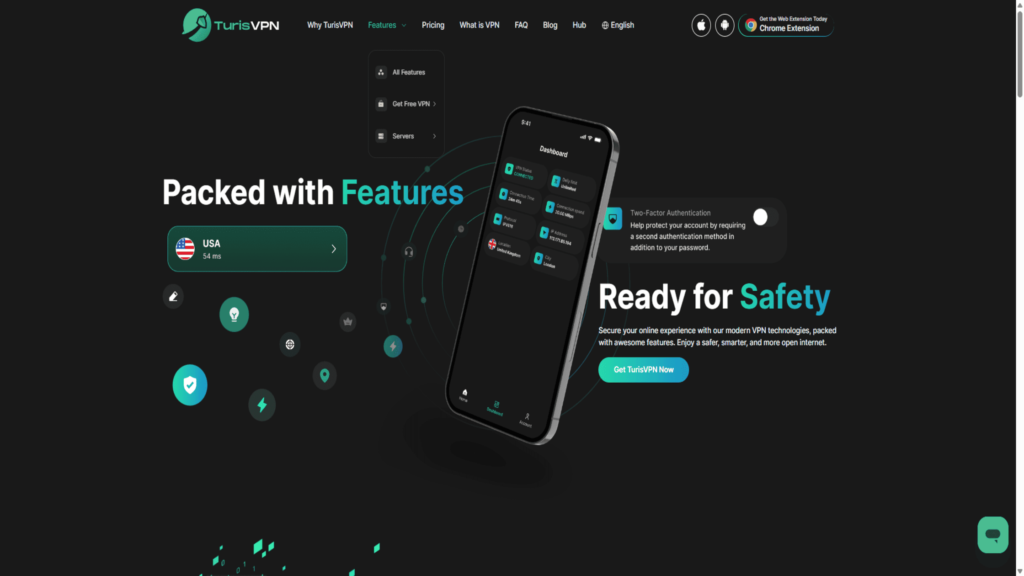
Utilizing a Virtual Private Network (VPN) to change your online location is a great way of obtaining digital subscriptions, like iCloud storage, at a lower rate.
Once you have connected your device to a VPN, you only need to connect to a server in a country with a lower cost of living. You can use the country’s region pricing to save.
A trustworthy VPN, like TurisVPN, will hide your IP address from the Apple system, making it believe you are a resident of that country, allowing you to access lower rates and promotions on a regional basis.
Step-by-Step Guide: Getting iCloud Storage for Cheaper
Let’s go through the steps of getting the cheapest iCloud storage.
- Step 1: Create a New Apple ID. Start by creating a new Apple ID registered in the country where iCloud storage plans are cheaper. This is essential because Apple restricts pricing regionally.
- Step 2: Connect to TurisVPN. Launch your TurisVPN app and connect to a server in a country known for low iCloud storage prices.
Popular options include Malaysia, Vietnam, the Philippines, Indonesia or Thailand. TurisVPN ensures a smooth, secure connection for seamless access.
- Step 3: Sign Up for an iCloud Storage Plan. While connected through TurisVPN to the selected country, visit the iCloud storage page and pick the plan that fits your needs.
Remember, you need a local payment method — this can be a credit/debit card from that country or a local Apple Gift Card.
- Step 4: Enjoy More Storage for Less. With this setup, you unlock access to iCloud storage at significantly reduced prices, letting you store more data without overspending.
This VPN-based approach works for many digital subscriptions, offering powerful savings across Apple services and beyond.
Using this method, you can receive more iCloud storage for less cost. This same principle applies to many digital subscriptions.
To learn more about how a VPN will enable the best prices, read our guide about how to get the cheapest NBA League Pass with a helpful step-by-step walkthrough and ways to save.
Why VPN Helps You Save on iCloud Storage?
A VPN will mask your IP address, so Apple’s site sees you as residing in Malaysia, Vietnam, the Philippines, or another cheaper country. This methodology isn’t just about the price: it also unlocks region-exclusive promotions that can sometimes stack with iCloud storage coupon codes.
For example, you can find promotional codes like the Apple iCloud 50 GB code for a 4-month subscription (USA), which offers discounted access to iCloud storage in specific regions.
Such promo codes often require a local Apple ID and may give you several months of discounted or free storage before normal billing resumes.
By combining VPN-based geo-pricing with these occasional coupon codes, you can maximize your savings on how to save on iCloud storage in 2025.
Best VPN to Buy iCloud Storage in Cheaper Countries
Not all VPNs are secure or effective with Apple services. TurisVPN is a popular and reliable choice, offering robust security and a wide range of server locations to ensure a stable connection when managing your international subscriptions.
Is There a Cheaper Way to Get iCloud Storage?

Looking beyond geo-pricing, many users seek how to avoid paying for iCloud storage altogether or at least cut costs.
1. Use Promo Codes or Seasonal Discounts
Sometimes, you can find good iCloud storage coupon deals for family promotion, especially new-user bonuses in emerging markets or during major Apple event periods.
For more Apple promotion codes, you can take a look at Verizon, which occasionally provides storage coupons for Apple users.
Promotional offers and seasonal discounts can help you save on your cheapest iCloud storage plan when Apple or trusted sellers release coupon codes. Follow these steps to take advantage:
- Step 1: Monitor Apple’s official site and reliable coupon sites for active iCloud storage coupon codes around holidays or Apple events.
- Step 2: When upgrading your iCloud plan, look for the promo code field on Apple’s checkout page and enter the code.
- Step 3: Confirm your discount before finalizing the payment to enjoy reduced pricing.
2. Payment Hacks
Some users bypass direct card payments by using Apple Gift Cards, phone carrier billing, or even third-party Apple ID “top-up” services.
You can reduce iCloud storage costs by using alternative payment methods like Apple Gift Cards or carrier billing. Here’s how:
- Step 1: Buy Apple Gift Cards from authorized vendors in affordable pricing regions or look for carrier billing options.
- Step 2: Redeem the gift cards on your Apple ID linked to iCloud storage payments.
- Step 3: Use your carrier billing for Apple subscriptions if available, as it can sometimes offer discounts or easier payment management.
3. Free and Cheaper Alternatives
When users search “iCloud storage alternatives,” top picks include:
- Google Drive: 100GB for $1.99/month
- Dropbox: 2TB for $9.99/month (often discounted)
- OneDrive: 1TB + Office 365 at $69.99/year
If you want to minimize iCloud payments, complement your storage with cheaper or free cloud alternatives like Google Drive or OneDrive:
- Step 1: Sign up for free or low-cost tiers on Google Drive, Dropbox, or Microsoft OneDrive.
- Step 2: Use these to store files that don’t need to be on iCloud, saving iCloud space.
- Step 3: Distribute your data strategically across platforms to reduce the need for iCloud upgrades.
4. Family Sharing
Combine iCloud storage with Apple’s Family Sharing to spread the cost across up to 6 household members. iCloud storage pricing family plan strategies can cut your effective price per person to pennies. Here’s how to sign up for a Family Sharing account:
- Step 1: Turn on Family Sharing on your Apple device (Settings > Your Name > Family Sharing).
- Step 2: Subscribe to an iCloud storage plan of 200GB or more that supports family sharing.
- Step 3: Invite family members to join and share the total storage and cost.
For gamers or those who also spend on mobile apps, using VPNs to access discounted in-app currencies, such as Mobile Legends Diamonds, can complement your overall digital savings strategy.
Check out how to get the cheapest Mobile Legends Diamonds and combine these savings with your affordable iCloud storage plan.
5. Occasional Free Trials & Deals
New Apple device buyers sometimes get a 1-3-month trial of an expanded iCloud storage plan. Always redeem them! If you want to get more iCloud storage without paying, combine it with a new account or VPN trick for maximum free time.
Apple offers free storage trials to new device purchasers or during promotions, which can provide temporary free storage:
- Step 1: When buying a new Apple product or during special Apple sales, claim your iCloud storage trial (usually 1-3 months).
- Step 2: Activate the trial via your device’s iCloud settings or as instructed in promotional materials.
- Step 3: Use the free storage fully before deciding whether to pay for a permanent upgrade.
Similar to how you can save on iCloud storage, Adobe Photoshop users can leverage regional discounts and VPNs to find the cheapest way to get Photoshop. This method can help creatives reduce software and cloud data costs simultaneously.
Optimize iCloud Storage Instead of Paying More
How to reduce iCloud storage on an iPhone is about managing space wisely, not just upgrading. Here’s how we at TurisVPN recommend you keep costs down:
1. Check Your iCloud Usage First
Navigate to Settings > [Your Name] > iCloud. Audit how much is used by photos, backups, and apps. This helps you spot easy wins for how to free up storage on iCloud.
2. Clean Up Photos, Videos & Backups
Duplicate and blurry photos, as well as extra device backups, waste space fast. Use iPhone storage prices as a guide to see if upgrading is worth it—often, deleting can help you manage photo storage on iCloud.
3. Delete Large Mail Attachments and Files
Old email attachments or large iCloud Drive files add up to storage. Manually remove outdated files regularly.
4. Turn Off Unnecessary App Data Sync
Head to iCloud > Manage Storage; disable sync for apps you don’t use, a quick way to optimize your iPhone storage. There are several tips for that, such as deleting attachments, moving apps, or getting rid of old lingering app data.
Bottom Line
The cheapest iCloud storage plans in 2025 are accessible to nearly all Apple users with a bit of research and some creative tactics. At TurisVPN, we want you to save more—use country pricing, a trusted VPN, and adopt family sharing for maximum value.
Optimize, clean up, and always seek out trial offers, promo codes, and periodic Apple discounts. Whether you choose Apple One or a single plan, the trick is to manage your storage and consider alternatives when needed.
Our advice? Don’t overspend—a bit of management goes a long way.
FAQs
Q1. What Is the Lowest iCloud Storage Plan?
The base iCloud storage plan is 5GB free. The first paid tier is 50GB for $0.99/month—what many refer to as the classic iCloud storage’s 99 cents plan.
Q2. Is iCloud $1 a Month Plan Worth It?
For basic needs (backups, photo library), the iCloud storage’s 99 cents tier is a great entry. If you need more, look to 200GB, especially for family or collaborative use—it’s cheaper per GB.
Q3. How to Get More iCloud Storage Without Paying?
You can maximize your free 5GB by cleaning up files or using a secondary account. Grab free trials and device bonuses, or split a paid plan among family. If you still exceed limits, try free alternatives such as Google Drive or Dropbox.





